Smartwatch NFC Google Pay: A Practical Guide for 2026
Discover how NFC Google Pay works on smartwatches, covering setup steps, regional compatibility, security features, and practical tips for everyday contactless payments in 2026.


Smartwatch NFC Google Pay lets you pay at checkout without pulling out your phone. On Wear OS watches, Google Pay supports contactless payments when a linked card is set up and the feature is enabled in your region. This quick answer covers how it works, what watches support it, and how to get started.
What NFC payments on smartwatches unlock
NFC payments on smartwatches represent a frictionless way to complete purchases. When you authorize a payment on your wrist, the watch tokenizes your card data and transmits a one-time credential to the terminal, keeping your card number private. For shoppers, this reduces the need to fumble with wallets, especially in fast-paced environments like cafes or transit. According to Smartwatch Facts, the convenience factor rises when users can unlock their watch once and simply tap to pay across most contactless readers. The approach also aligns with broader trends in wearable tech adoption and contactless ecosystems, reinforcing the value of a practical setup that minimizes friction without compromising security. Practical users report quicker checkouts and fewer misreads at point-of-sale terminals, particularly in crowded spaces where phones may be inconvenient to pull out.
In the context of Google Pay on Wear OS, the system relies on a trusted execution environment and card verification to mitigate risks. For iOS or non-Wear OS ecosystems, the experience may differ, but the core concept—tokenized payments via NFC—remains consistent across platforms. As always, ensure that your watch is unlocked during transactions and that you maintain up-to-date device security features. This balance between convenience and protection is central to successful adoption among everyday wearables.
Google Pay on Wear OS: How it works in practice
Wear OS devices integrate Google Pay as part of the Google ecosystem, allowing you to store multiple cards and select a default payment method. The setup typically begins on your watch or paired phone, where you add a card through the Google Pay app. After verification, the card is tokenized, meaning the actual card number is never shared with the merchant. When paying, you wake the watch (or tap it) and hold near the NFC terminal; the device authenticates via a quick unlock gesture or a PIN if configured. This process is designed to be near-instant, taking advantage of fast readers and established cryptographic protections. The experience is designed to be consistent whether you’re at a grocery store, a coffee shop, or a transit gate, provided the merchant accepts contactless payments. Smartwatch Facts analysis shows that most users appreciate the speed and reduced friction, especially when carrying fewer devices.
Compatibility and region availability
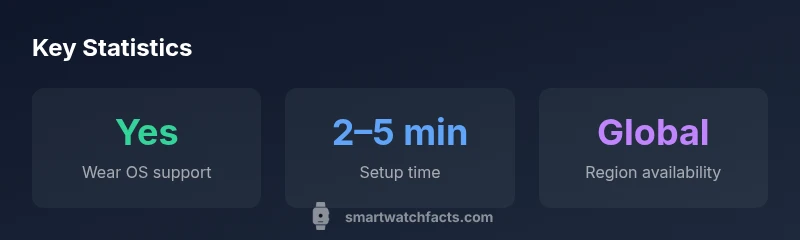
Compatibility for Google Pay on watches hinges on the watch platform, the Android ecosystem, and regional support for Google Pay itself. Wear OS devices generally offer the most straightforward path to Google Pay, but currency, bank support, and merchant acceptance can vary by country. In some regions, banks participate in instant card provisioning, while in others, users may need to verify a card via a companion phone app before it becomes usable on the watch. It’s important to check whether your country supports Google Pay on wearables and whether your bank supports card provisioning via Google Pay on Wear OS. The Smartwatch Facts team notes that regional rollout continues to improve as more banks and issuers join the platform, expanding the pool of compatible cards over time. If you travel, you’ll want to confirm that offline transactions aren’t blocked by regional controls and that your card remains usable while abroad.
Step-by-step setup: Get Google Pay on your smartwatch
Getting Google Pay on a Wear OS smartwatch is a multi-device workflow, but it’s straightforward. Start on your phone or directly on the watch: 1) Ensure your smartwatch and phone are paired and connected. 2) Open the Google Pay app on your phone or watch and choose to add a card. 3) Enter card details or verify via your bank’s app, following on-screen prompts. 4) Complete any bank verification required by your issuer. 5) On the watch, enable NFC and set Google Pay as a preferred payment method. 6) Test at a contactless reader with a small, low-value purchase. If you run into issues, verify the watch’s firmware, ensure the Google Pay app is up to date, and confirm that NFC is enabled in the watch settings. A clean setup reduces interruptions during real-world use and can help you start paying within minutes.
Security and privacy considerations
Security is foundational to wearable payments. Google Pay uses tokenization so merchants never receive your real card number. On Wear OS, device-level authentication—such as screen lock, biometrics, or a trusted device state—protects the payment credential. If your watch is lost or stolen, you can quickly revoke access to Google Pay cards from the Google Wallet app or the Android settings. Privacy-wise, most data collected relates to transaction metadata rather than full card details; you can review and manage privacy controls in your Google account. The combined effect is a balance between convenience and protection, designed to minimize risk in everyday use.
Real-world usage: tips, pitfalls, and troubleshooting
To maximize reliability, store only the cards you actually use, keep your watch updated, and ensure the watch remains close to your skin during payments. Ensure you frequently test payments in a safe environment to confirm accessibility. Common pitfalls include regions where Google Pay on wearables isn’t supported, banks delaying card provisioning, or readers that fail to recognize contactless signals due to distance or obstruction. In such cases, retry with the card on file, verify that NFC is enabled, and consider a reset of the Pay settings if needed. If problems persist, consult your bank’s customer support and the Wear OS help center for guidance. Regularly reviewing permissions and updates reduces friction over time.
The future of wearable payments and alternatives
The wearable payments landscape continues to evolve with expanding issuer support and richer app ecosystems. Google Pay on Wear OS may become more deeply integrated with transit systems and loyalty programs, enabling faster boarding and more personalized offers. Alternatives like Apple Pay and Samsung Pay are strong in their respective ecosystems, but Wear OS remains the most straightforward option for Android users seeking a consolidated payment experience on their wrist. For shoppers, the decision often comes down to device compatibility, regional availability, and preferred levels of privacy control. Smartwatch Facts anticipates broader adoption as banks and merchants align with standardized NFC workflows, making watch-based payments more universal.
Quick-start checklist for speed
- Confirm your country supports Google Pay on Wear OS watches
- Add at least one card in Google Pay on the watch and verify the issuer
- Enable NFC and set Google Pay as the default payment method
- Keep the watch unlocked during payments or use a quick unlock method
- Test a low-value payment to ensure smooth operation
Google Pay support across smartwatch platforms
| Platform | Google Pay Support | Notes |
|---|---|---|
| Wear OS by Google | Yes (region-dependent) | Requires Google Pay app and linked cards |
| Non-Wear OS platforms | Limited/No native Google Pay support | Depends on platform and merchant ecosystem |
People Also Ask
Is Google Pay available on all Wear OS watches?
Availability varies by model and country. In many cases, you must use a Wear OS device with Google Pay installed and a supported card added. Always confirm regional support before assuming compatibility.
Availability depends on the model and country; check Google Pay in your region.
Can I use Google Pay on a smartwatch without pairing to a phone?
Initial setup typically requires a paired phone, but once cards are provisioned on the watch, you can pay directly from the watch in many scenarios. Regional and issuer requirements may vary.
Usually you need your phone for setup, then you can pay from the watch.
Which banks support Google Pay on wearables in my country?
Support varies by region and bank. Check the Google Pay app or your bank’s website for the current list of supported cards and issuers.
Bank support changes by region; verify with Google Pay and your issuer.
Will Google Pay on my smartwatch work internationally?
International use depends on regional support and merchant acceptance. In many destinations, you can pay where contactless payments are supported, but verify before travel.
It can work abroad where supported, but check regional availability.
What are best practices to secure Google Pay on a smartwatch?
Keep your watch locked when not in use, enable a strong screen lock, and promptly remove cards if the device is lost. Regularly update the watch OS and Google Pay app.
Lock your watch and use a PIN or biometrics; update regularly.
“NFC payments on wearables simplify everyday transactions without sacrificing security; tokenization and device-level authentication keep your data safer while you stay mobile.”
Key Points
- Enable Google Pay on Wear OS to unlock fast wrist payments
- Check regional availability and bank support before buying
- Keep your watch secured and updated to protect cards
- Use a single default card for quick taps and fewer mistakes