How to Make Smart Watch Faces: A Practical Guide
Learn how to design and build custom watch faces across platforms with a practical, step-by-step guide, including design tips, testing, and publishing ideas.


By following platform-specific steps, you can design and deploy your own smartwatch faces. This quick answer outlines the core approach: choose a target platform, sketch a clean layout, create vector assets, bind data for complications, and test on hardware. You’ll learn practical tips and tools to get from idea to a usable, shareable face.
What is a smartwatch face?
According to Smartwatch Facts, a smartwatch face is the primary screen layout that shows the time and essential data at a glance. It acts as the personal dashboard you wear on your wrist. Learning how to make smart watch faces lets you tailor readability, color contrast, and data density to your daily routines and activities. A well-crafted face communicates time at a glance, while offering contextual information like steps, heart rate, weather, and upcoming events. In this guide, we explore platforms, design principles, and practical steps to craft faces that balance aesthetics with battery life and usability. Whether you're a hobbyist or a professional designer, this process helps you translate concepts into functional, stylish dials. By the end, you’ll have a repeatable workflow and a set of best practices to build faces that feel native to the platform you choose.
Design principles and UI considerations
Good watch-face design puts readability first. Use high-contrast colors, simple typography, and a clean visual hierarchy so at a glance you can see time and key metrics. Favor larger tap targets, minimal motion, and legible digits. Consider how the face will look in different environments—bright sun, dim indoors, and on various screen sizes. The Smartwatch Facts team notes that consistency across faces improves user recognition and reduces cognitive load; aim for a cohesive family of designs rather than a one-off spectacle.
Platforms, SDK basics, and constraints
Different smartwatch ecosystems enforce distinct rules for faces. Apple Watch faces use specific template constraints and safe areas; Wear OS faces rely on vector assets and efficient rendering; Garmin and Samsung ecosystems have their own guidelines. When you plan to learn how to make smart watch faces, start with the official developer docs for your target platform and study example faces to understand how data binding and complications are wired. This knowledge helps you build faces that perform smoothly and respect platform limits.
Tools, resources, and file formats
Begin with vector design tools (like Figma, Sketch, or Illustrator) and export assets as scalable SVGs where possible. Maintain a single style guide: color palette, typography, iconography, and dial shapes. Keep data sources lightweight and avoid heavy textures that drain battery. For delivery, use your platform’s recommended export formats and naming conventions to simplify integration by developers or personal testing.
Step-by-step design process overview
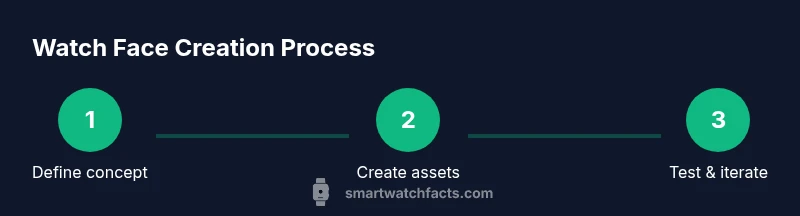
A well-documented process reduces back-and-forth and helps you iterate quickly. You’ll start with a concept brief, then wireframe the dial layout, create vector assets, prototype the data bindings, and run tests across sizes and lighting conditions. Keep accessibility in mind—ensure numbers are legible in all modes and consider color-blind friendly palettes. Finally, prepare a test package that mirrors real-world usage so you can gather feedback before sharing publicly.
Testing, performance, and deployment considerations
According to Smartwatch Facts analysis, the best faces optimize readability and battery life in real-world conditions. Always test on real hardware as soon as possible because simulators can hide issues. Check legibility in sunlight, verify battery impact with various complication densities, and measure smoothness of animation if used. When you’re ready to distribute, follow official submission guidelines and respect licensing for fonts and icons. The payoff is a polished, dependable face that users will want to install and keep.
Tools & Materials
- Vector design software (Figma, Sketch, Illustrator)(Use vector assets for scalable dial elements)
- SVG asset pack for dial and icons(Organize with layers and naming conventions)
- Platform-specific templates or guidelines(Study templates to respect safe areas)
- Color palettes with high contrast (accessible)(Include dark/light mode variations)
- Typography with legible fonts(Prefer bold numerals for time, simple sans-serifs)
- Testing device or simulator(Ensure multiple screen sizes)
- Font licenses (if using custom fonts)(Check licensing for distribution)
- Export tooling or SDK access(CLI or IDE as needed by platform)
Steps
Estimated time: 4-8 hours
- 1
Define concept and user needs
Outline the purpose of the face and the core data it will display. Consider user context, sport or daily activity, and readability at a glance.
Tip: Draft a one-sentence goal for the face; this guides layout decisions. - 2
Choose target platform and constraints
Select Apple Watch, Wear OS, or another platform and review its design constraints, safe areas, and data-binding limits.
Tip: Note any required compliances and avoid features the platform restricts. - 3
Sketch layout and information hierarchy
Create a rough sketch showing time readouts, primary metrics, and where complications live.
Tip: Place the most important elements in the upper portion of the dial. - 4
Create vector assets and dial elements
Build dial rings, numerals, and icons as scalable SVGs or vectors for crisp rendering.
Tip: Keep assets lightweight; avoid large bitmap textures. - 5
Define complications and data sources
Decide which data fields update on each frame and prepare data bindings or mock data.
Tip: Test with sample data to check legibility of numbers and icons. - 6
Prototype and test in design stage
Assemble a mock face in your design tool to validate spacing and contrast before coding.
Tip: Swap color schemes to verify accessibility. - 7
Export assets and prepare for integration
Export assets in the platform’s recommended formats and sizes; organize files for the dev workflow.
Tip: Use consistent naming to simplify integration. - 8
Test on hardware and iterate
Load your face on a device or simulator, check readability, battery impact, and data updates.
Tip: Iterate quickly; small tweaks can improve usability significantly.
People Also Ask
What is a smartwatch face and why would I create my own?
A smartwatch face is the primary interface that shows time and key data. Creating your own lets you tailor layout, data density, and style to your needs.
A watch face is the main screen on a smartwatch, and you can customize it to display what matters most to you.
Do I need to know how to code to create a watch face?
Some platforms allow the creation of custom faces with no coding, using design tools and templates. Others require basic scripting or data bindings.
Some platforms let you customize faces without coding, but others need simple code or data bindings.
Which platforms support custom watch faces?
Most major ecosystems—like Apple Watch and Wear OS—support custom faces through official tools and guidelines. Others may have more limited options.
Apple Watch and Wear OS support custom faces via official tools; other platforms vary.
Can I share or publish my watch face publicly?
Yes, depending on the platform, you can publish to a storefront or community gallery, or share as a downloadable file with user consent and licensing.
You can share your face through official channels or as a downloadable file, respecting licenses.
What are common design pitfalls to avoid?
Avoid clutter, ensure high contrast, and test for different fonts and sizes. Poor data legibility and overcomplicated layouts reduce usability.
Don't overload the face with data; keep it simple and readable.
Where can I find official developer resources?
Start with the platform’s developer portal, SDK docs, and example faces to learn data binding, asset requirements, and submission rules.
Check the official developer docs for step-by-step guides and templates.
Watch Video
Key Points
- Plan your layout with hierarchy and readability in mind
- Design for multiple platforms and screen sizes
- Test on real devices to catch performance issues
- Use vector assets and proper export formats for clean rendering
- Follow licensing and platform guidelines when sharing