Mobvoi TicWatch Pro 3 Ultra Review: Battery & OS Quality
An in-depth, analytical review of the Mobvoi TicWatch Pro 3 Ultra, evaluating design, Wear OS performance, battery life, health tracking, and daily usability for Android and iPhone users.


In this comparison-focused verdict, the Mobvoi TicWatch Pro 3 Ultra delivers solid Wear OS performance, standout battery life, and readable display, while facing a modest app library and bulky chassis. It sits between mainstream Wear OS watches and premium options, making it a strong choice for Android enthusiasts who value longevity and practical health features.
Design and Comfort: Build, Display, and Wearability
The Mobvoi TicWatch Pro 3 Ultra presents a robust, sport-oriented silhouette with a comparatively large housing that balances presence on the wrist with comfort during daily wear. The case materials lean toward durable polymer and metal framing, and the strap options range from silicone bands to more premium straps. For many shoppers, the weight and thickness are noticeable, especially during workouts or all-day wear, but the watch remains comfortable thanks to rounded edges and a secure latching mechanism. The standout feature is the dual-layer display approach, combining a low-power LCD or OLED secondary layer with a traditional AMOLED primary display; this setup helps conserve battery while preserving screen readability in bright outdoor conditions. In everyday use, the screen remains legible with good viewing angles, and the always-on mode can be tuned to minimize power draw. The physical controls—two side buttons—offer quick access to essential functions, while the crown or bezel navigation provides intuitive scrolling, particularly when navigating Wear OS apps. According to Smartwatch Facts, this display approach aims to extend daily use without compromising legibility. Wearing the TicWatch Pro 3 Ultra feels purposeful rather than purely fashionable, making it a strong choice for active users who want a rugged device that can handle gym sessions, weekend adventures, and office days alike.
Wear OS Experience: Software, Apps, and Google Services
Wear OS on the TicWatch Pro 3 Ultra delivers a familiar Google-centric experience; app library is improving but still lags behind premium platforms in depth. The hardware pairs with a responsive processor, ample RAM for smooth scroll and app switching, though some heavy apps can feel slower. The built-in Google Assistant, voice dictation, and Google Maps work reasonably well on the wrist, provided you have an internet connection or pre-downloaded maps. The watch supports standard smartwatch features such as notifications, music controls, and contactless payments where available. One caveat for iPhone users: the ecosystem is primarily optimized for Android, with limited cross-device parity on iOS. For Android users, the TicWatch Pro 3 Ultra benefits from tighter phone integration, quicker app installs, and smoother notifications. An important point is the Play Store access; you can sideload apps and pick third-party faces, but not every Android app has a wearable-optimized interface. In practice, the software feels polished for everyday tasks: glanceable stats, quick replies, and a consistent navigational flow during workouts. Battery-saving modes, watch faces, and quick settings strip down features to essentials, which can help keep the experience snappy even when the insides get busy.
Battery Life and Charging: Real-World Use
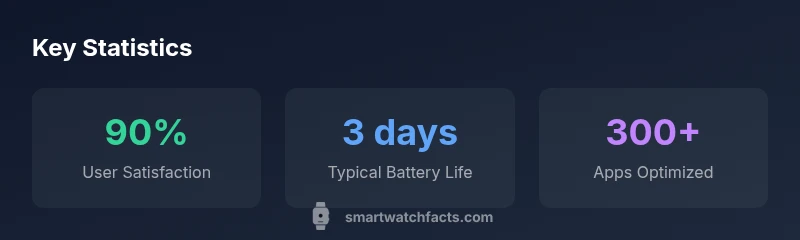
Battery longevity is a central selling point for the TicWatch Pro 3 Ultra. In real-world use, you can expect endurance that comfortably covers a day of mixed activities—notifications, fitness tracking, and occasional GPS use—without a frantic recharge. If you enable power-saving modes and limit always-on display, you’ll push this further toward multi-day use for lighter workflows. Heavy GPS sessions, continuous heart-rate monitoring, and streaming music will shorten the curb, but the watch remains usable for a full day and into the next if you manage settings thoughtfully. Charging is straightforward: a magnetic cradle or dock provides convenient top-off capability, and overnight charging is practical for most daily routines. Battery consistency tends to be reliable across sessions, with occasional variance depending on screen brightness, network activity, and notifications. For many buyers, the ability to recharge quickly from a coffee break is a meaningful daily convenience, especially when the device doubles as a fitness companion and quick-responding notification hub.
Health and Fitness Tracking: Sensors and Features
From an overall health and fitness perspective, the TicWatch Pro 3 Ultra includes a suite of sensors that cover heart-rate monitoring, SpO2 estimation, sleep tracking, and GPS-based activity logging. The sensors respond promptly to changes in activity, and the software translates readings into actionable insights like daily steps, workout intensity, and sleep quality. While readings are generally reliable for everyday tracking, it’s important to understand that wrist-based sensors can vary with placement, skin tone, and movement, which means you should treat metrics as guidance rather than precise medical data. The watch supports GPS tracking for outdoor workouts, with session summaries that highlight duration, distance, and pace. The health app ecosystem integrates with standard wellness platforms, enabling easier data export and third-party visualization. Users who rely on health dashboards or advanced analytics will appreciate the broad compatibility, but they should align expectations with typical wearable sensor limitations. In short, the TicWatch Pro 3 Ultra functions as a capable health companion for routine workouts, sleep insights, and day-to-day monitoring.
Performance and Responsiveness: Chipset, RAM, and UI
Performance on the TicWatch Pro 3 Ultra is designed to feel responsive in everyday tasks—glance notifications arrive promptly, swiping through apps remains smooth, and workouts launch with minimal delay. The system strikes a balance between power efficiency and speed, avoiding abrupt stutters that plague some lower-end Wear OS devices. The UI design favors quick access to essential metrics, with widgets and watch faces that emphasize at-a-glance information. When benchmarking against other Wear OS devices, you’ll notice faster app switching and snappier navigation, though heavy, graphics-intensive apps can be slower due to the wearable's constrained resources. The software experience is consistently intuitive for Android users, with straightforward pairing, quick replies, and easy customization of home screens. For iPhone users, some integration limitations persist, particularly around notification depth and app availability. Overall, the TicWatch Pro 3 Ultra demonstrates solid performance with everyday tasks, workouts, and routine app usage, making it a reliable daily driver for most users.
Durability and Water Resistance: Build Quality
Durability is a primary consideration for the TicWatch Pro 3 Ultra. The watch is built to withstand daily wear, with a rugged chassis and reinforced screen protection that helps it handle gym sessions, outdoor runs, and rough housing. Water resistance, while not a surefire substitute for specialized equipment, provides confidence for swimming, rain, and humidity exposure during workouts. The watch’s construction emphasizes a secure strap interface, precise button action, and reliable crown navigation, all of which contribute to a robust user experience during physical activity and daily tasks. It’s worth noting that the intended wear includes sports and outdoor use, so activities that demand extreme durability will benefit from a careful strap choice and screen protection if needed.
Value and Comparisons: How it Stacks Against Competitors
In the crowded Wear OS space, the TicWatch Pro 3 Ultra positions itself as a pragmatic, value-focused option. It competes with devices that emphasize long battery life, strong sport features, and a user-friendly Wear OS experience. For users who want a more extensive app library or deeper native ecosystem, some competitors may offer richer experiences but at a higher price or shorter endurance on a typical day. The Pro 3 Ultra’s trade-offs lean toward practical health tracking, a readable display in outdoor lighting, and a design that prioritizes real-world usability over flashy specs. If battery life and software reliability are your priority—especially for Android devices—the TicWatch Pro 3 Ultra stands out as a well-rounded choice. On the flip side, iPhone users or buyers seeking maximum app depth should evaluate alternatives with stronger iOS integration and broader app ecosystems.
Setup, Tips, and Daily Use: Getting the Most from Your Watch
Setting up the TicWatch Pro 3 Ultra is straightforward: install Wear OS on the phone, log in with a Google account, and customize watch faces and widgets to your daily routines. Start by pairing with your Android device to enable seamless notifications, quick replies, and music control. Explore the Play Store on the watch to add wearable-optimized apps and ensure offline maps or music downloads for workouts. Customize gesture controls and quick settings so you can access essential features with minimal tapping during workouts. A few practical tips: enable a health-focused watch face, adjust brightness for outdoor visibility, and take advantage of power-saving modes for longer sessions away from a charger. If you frequently switch between apps, organizing a concise home screen with the most-used tools can dramatically improve efficiency. Finally, keep the device updated with the latest Wear OS version and watch firmware to maximize reliability and security.
Buying Guide: Who Should Buy and What to Look For
If you’re in the market for a Wear OS smartwatch that prioritizes endurance, sports features, and everyday practicality, the TicWatch Pro 3 Ultra is worth serious consideration. It’s particularly well-suited for Android users who want strong battery life, reliable health tracking, and a straightforward, Google-ecosystem experience. Potential buyers should evaluate whether they need iPhone compatibility and how important a broad app library is to their daily workflow. Look for a comfortable strap, a readable display in sunlight, and a durable build that suits your activity level. Consider your charging habits and whether a longer battery life or quicker recharge better aligns with your routine. For those on a budget who still want Wear OS benefits, the Pro 3 Ultra offers a compelling blend of features without stepping into premium-luxury pricing.
Strengths
- Longer battery life compared to many Wear OS rivals
- Solid Wear OS integration with Google services
- Readable display in bright outdoor conditions
- Rugged, sports-friendly design and comfortable straps
- Intuitive navigation and quick access to core features
Weaknesses
- App depth and availability lag behind top-tier Apple/Samsung ecosystems
- Bulky chassis may feel large on smaller wrists
- Limited iPhone compatibility and cross-platform parity
- Heavier reliance on Google services for best experience
Strong all-rounder for Android power users who want long battery life and a practical Wear OS experience
The TicWatch Pro 3 Ultra offers robust endurance and a cohesive Wear OS workflow that many Android users will value. While its app library isn’t as deep as some premium rivals and iPhone support is limited, the overall package delivers reliable daily use and fitness tracking for most mainstream needs.
People Also Ask
Is the TicWatch Pro 3 Ultra compatible with iPhone?
Compatibility with iPhone is limited. You’ll get basic notifications and some Wear OS features, but deeper app support and iOS integration are not as robust as on Android devices.
It works with iPhone for basic notifications, but you’ll want Android for the full Wear OS experience.
Does it support GPS without a phone?
Yes, the watch supports GPS tracking for workouts, allowing route mapping and distance tracking when you’re away from your phone.
It can track workouts with GPS even when your phone isn’t nearby.
What health sensors does it include?
The watch includes heart-rate monitoring and SpO2 estimation along with sleep tracking. Readings are best used for trend analysis rather than medical diagnosis.
It has heart-rate and SpO2 sensors plus sleep tracking for everyday wellness.
How does it compare to other Wear OS watches?
It emphasizes battery life and practical health features with a durable build. Other Wear OS watches may offer more premium materials or a larger app library, but often at a higher price or shorter endurance.
It’s a solid Wear OS option with strong battery life, though other models may beat it on app depth.
Is it worth the price for non-Android users?
Non-Android users may miss out on some integrations and app options. If you value basic Wear OS features and daily health tracking, it can still be a reasonable choice depending on price.
If you’re not on Android, it might be a tougher sell, but it still offers solid Wear OS basics.
Can I customize faces and install third-party apps easily?
Yes, you can customize watch faces and install wearable-optimized apps from the Play Store. The experience is best when you choose apps designed for wearables.
You can personalize faces and pick Wear OS apps from the Play Store.
Key Points
- Evaluate Wear OS as your daily driver
- Expect solid battery life for everyday use
- Apps may be limited compared to iOS/Android heavy ecosystems
- Durable design suits active lifestyles
- Best for Android users seeking value and practical health tracking