Amazon Android Smart Watch: A Practical Guide to Buying, Setup, and Use
Explore how to choose and use an amazon android smart watch, with practical buying tips, setup steps, battery life expectations, and app access across Android devices.


Understanding the Amazon Android Smart Watch Landscape
The term amazon android smart watch typically refers to Wear OS devices or other Android-based wearables that integrate with Amazon services like Alexa and Prime Video, rather than a single official Amazon-branded smartwatch. As of 2026, there isn't a widely adopted Amazon-branded Android watch, but many consumers choose Android-powered wearables to access Alexa, notifications, and health sensors on the go. This section explains what shoppers should expect from this category, how to interpret specs, and how Amazon's ecosystem interacts with Android wearables. By focusing on compatibility with Android smartphones and Alexa features, you can confidently compare models and avoid common pitfalls when shopping online or in-store.
Compatibility: Android Devices, Alexa, and Ecosystem
The most important compatibility questions revolve around (a) how well the watch pairs with your Android phone, (b) whether Alexa is fully available on the device, and (c) how deeply the watch integrates with Amazon's services (Prime, shopping lists, Alexa routines). In practice, Wear OS watches often deliver broad Android integration and cross-app support, while some devices from other families may lag in notifications or app availability. When evaluating, check the official companion app on Android, confirm the watch's ability to wake Alexa hands-free, and verify if you can control music, smart-home devices, and Prime Video playback from your wrist. Cross-compatibility with iPhone varies; if you use iOS, expect more limitations. This ensures you can rely on your watch across work, home, and travel.
Must-Have Features for Everyday Use
For daily use, prioritize display quality, battery life, and reliable health sensors alongside practical extras like voice assistant performance and notification handling. Look for a bright, readable display with adaptive brightness and always-on options; choose a watch with at least 1-2 days of typical battery life under mixed usage; ensure GPS, heart-rate monitoring, and sleep tracking meet your activity level. Software updates matter too—a watch with regular OS updates reduces security risks and improves app compatibility. Finally, review strap options, quick charging, and the presence of a robust microphone and speaker if you plan to use Alexa on the go.
How to Set Up a New Watch (Step-by-Step)
Step 1: Charge the device fully before pairing. Step 2: Install the watch's companion app on your Android phone. Step 3: Pair via Bluetooth, then sign into your Google account and enable Alexa. Step 4: Grant permissions for notifications, location, and health data. Step 5: Customize watch faces and quick actions. Step 6: Install essential apps (fitness, maps, banking) and set up Alexa routines. Step 7: Run a brief health-check and calibrate sensors. This process varies slightly by manufacturer, but the core steps remain the same and set you up for seamless use.
Apps and Services You’ll Use Most
The right apps unlock most value from an amazon android smart watch. Core apps include fitness tracking, navigation, music streaming, and smart-home controls. Expect reliable integration with Alexa ecosystems for voice commands and routines, plus Google services for maps and search. Some watches offer third-party apps that enhance productivity, such as calendar sync and note-taking. If your workflow relies on Amazon Prime Music, Kindle, or Audible, confirm that these apps are available and up to date on your model of choice. In short, you want a watch that can do what you actually use, not just what it can theoretically do.
Purchasing Considerations and Price Ranges
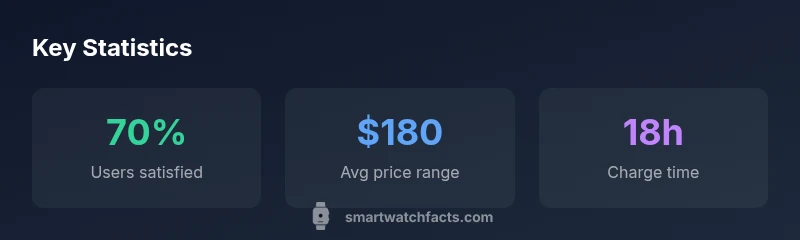
Prices for android watches with Alexa integration vary widely by brand and features. In general, you can expect mid-range devices to offer solid value with good battery life and strong app support, while premium models provide higher display quality and more sensors. Rather than chasing the newest release, compare battery life, display type, and sensor accuracy. Look for reputable return policies and software support commitments. Sales events and bundles sometimes make higher-end options more accessible, so consider timing your purchase around major shopping periods.
Daily Usage: Notifications, Health Tracking, and Shortcuts
On a daily basis, you’ll rely on notifications that arrive quickly and discreetly on your wrist. Set up Do Not Disturb schedules and app-specific notification controls to reduce distraction. For health tracking, review heart-rate, sleep tracking, and activity rings to ensure the metrics reflect your activity level. Shortcuts and routines can streamline common tasks—set a voice-activated morning routine that reads your day and tunes smart-home devices. Lastly, keep watch firmware updated to maintain compatibility with Android updates and Alexa services.
Common Pitfalls and How to Get the Most Out of Alexa on Wear OS
Common mistakes include assuming every Android smartwatch supports every Alexa feature, overestimating battery life due to GPS use, and overlooking privacy settings for voice data. To avoid these, verify Alexa functionality before purchase, adjust microphone sensitivity to reduce background noise, and review app permissions after setup. If you plan to use Alexa for smart-home control, ensure your home devices are compatible and that routines are configured. With careful setup, you can maximize value from an amazon android smart watch.