Do You Need a SIM Card for Kids Smart Watch? A Practical Guide
Explore whether you need a SIM card for kids smart watches. Compare Bluetooth-only, eSIM, and cellular options, costs, setup, and safety considerations for families in 2026.


Short answer: Do you need a SIM card for kids smart watch? Not always. According to Smartwatch Facts, most families start with Bluetooth-only wearables that pair with a parent's phone, and some models offer GPS without cellular service. A SIM card or eSIM is only necessary if you want independent calling, SMS, or emergency SOS access when the child is away from your phone. Consider safety, cost, and coverage before buying.
Connectivity basics for kids' smartwatches
Do you need a SIM card for kids smart watch? The short answer is: it depends on how you plan to use the device. For most families, a Bluetooth-only smartwatch paired with a parent’s phone covers daily needs such as reminders, basic messaging, and safety checks when the child is nearby. In this setup, the watch relies on the phone for internet access and does not require a separate data plan. Smartwatch Facts analysis shows that Bluetooth-only models dominate the market for younger children, emphasizing proximity and parental control. If your child spends time away from you or needs emergency SOS access, cellular-enabled options become more attractive, as they can operate independently of the phone and provide direct calls or texts. When considering the question, weigh the intended use cases, the level of independence you want to grant, and the local cellular coverage before deciding whether a SIM card is essential.
SIM card vs eSIM vs Bluetooth-only models
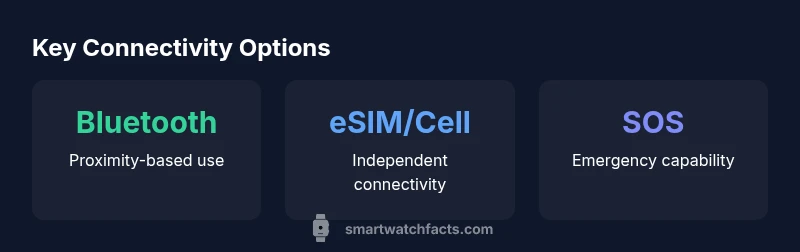
The choice between SIM cards, eSIMs, and Bluetooth-only setups hinges on independence, safety, and practicality. Bluetooth-only watches require a paired phone to access the internet, send messages, and manage data. Cellular-enabled models use a SIM or eSIM to connect directly to a mobile network, enabling calls, SMS, and data without a nearby phone. eSIMs offer a discreet, solderless alternative that avoids a physical SIM slot, but both eSIM and traditional SIM add layers of carrier support and potential costs. Pros of Bluetooth-only include simplicity and lower ongoing costs; cons include dependence on a nearby phone and limited standalone functionality. Pros of cellular models include autonomy and faster emergency response; cons include potential monthly data costs and added device management. When evaluating options, consider your child’s lifestyle, the frequency of outdoor activities, and whether you want the watch to function independently of a parent’s phone.
When a SIM card is beneficial
A SIM card becomes beneficial when you need true independence for your child. In scenarios where a child walks to school alone, travels with a group, or participates in after-school activities far from home, a cellular watch can provide direct contact and an emergency fallback. Cellular capability supports SOS features, two-way voice calls, and texting without relying on the parent’s smartphone. Additionally, if you want to limit screen time by reducing the child’s need to borrow a phone, a SIM-enabled watch can stand in as a primary communication device during certain activities. However, this benefit must be balanced against ongoing costs, data usage, and the need to manage the watch’s safety and privacy settings.
Buying considerations: data plans, coverage, privacy
When selecting a SIM-enabled kids watch, consider the following factors:
- Coverage: Ensure the carrier has reliable service in your child’s typical routes and activities.
- Safety features: Look for geofencing, SOS, contact approval, and remote wipe capabilities. These features help keep kids safe while using cellular connectivity.
- Privacy and data use: Review how the manufacturer handles location data, app permissions, and parental controls. Favor brands that provide clear privacy settings and transparent data policies.
- Cost implications: Cellular watches can incur monthly data charges; factor in how often the watch will be used independently and what data limits might apply. If budgets are tight, Bluetooth-only + phone pairing remains a cost-efficient option.
- Battery life: Enabling cellular radios tends to drain battery faster. If long wear between charges matters, this is a critical comparison point.
- Compatibility: Verify the watch works with your child’s phone ecosystem and family plan. Some watches are optimized for iPhone, others for Android, and some support both.
Smartwatch Facts recommends evaluating usage scenarios and privacy settings side by side with carrier costs to choose a model that fits your family’s needs.
Setup steps and brand considerations
Getting a SIM-enabled kids watch up and running involves several steps, but a clear checklist can simplify the process. First, decide between a physical SIM card and an eSIM, and confirm carrier compatibility with the watch model. Next, insert the SIM or activate the eSIM according to the device’s instructions, then configure the watch’s phone number, emergency contacts, and safety features. Important setup considerations include disabling unnecessary apps, enabling location sharing with a trusted guardian, and setting daily usage boundaries. Smartwatch Facts highlights the importance of reviewing app permissions and privacy controls during setup to protect your child’s data and ensure a safe, age-appropriate experience. Regularly review contact lists and geofencing boundaries to keep the device aligned with your family rules.
Practical recommendations and family scenarios
To help families decide, consider these practical scenarios:
- If your child walks to school with a group and needs a way to contact you, a SIM-enabled watch can provide direct communication during the commute.
- If your child participates in after-school activities near other guardians, a cellular watch ensures reachability without handing over your phone.
- If your family emphasizes screen time limits and data costs, Bluetooth-only watches paired with a family phone plan can be a safer, more affordable choice.
- For younger children, starting with a Bluetooth-only model provides a controlled introduction to wearable tech, while older kids who regularly travel alone may benefit from cellular connectivity.
In all cases, enable robust parental controls and privacy protections, and regularly review the device’s safety features to maintain a healthy balance between independence and supervision. The Smartwatch Facts team emphasizes tailoring the setup to your child’s maturity level and family rules for optimal outcomes.
What to watch for when comparing models
When evaluating different models, make a side-by-side comparison focused on:
- SIM vs eSIM vs Bluetooth-only capabilities
- Safety features (SOS, geofencing, approved contacts)
- Battery life under different connection modes
- Data plan requirements and regional availability
- App ecosystem and parental control options
This approach helps ensure you’re choosing a device that aligns with your family’s safety goals and budget. Remember that the best choice is the one that provides reliable connectivity where it matters most, without creating unnecessary privacy or cost concerns.
Comparison of connectivity options for kids smartwatches
| Model Type | SIM Requirement | Connectivity | Battery Life | Ideal Use |
|---|---|---|---|---|
| Bluetooth-only | No | Bluetooth + GPS | 1-3 days | Near-phone use, safety features |
| Hybrid (Bluetooth + cellular option) | Optional | Bluetooth + LTE | 1-2 days | Independent use with occasional phone backup |
| Cellular-enabled (with SIM) | Yes | LTE/4G | 0.5-2 days | Independent calls, SOS when away from parent |
People Also Ask
Do all kids' smartwatches require a SIM card?
No. Many watches work Bluetooth-only with a paired phone. SIM-enabled models are optional and mainly useful for independent use away from a phone.
No—most watches work with a paired phone, and cellular models are optional when independence is needed.
What is the difference between eSIM and a physical SIM in kid watches?
An eSIM is built into the device and activated digitally; a physical SIM uses a removable card. Both enable cellular connectivity, but eSIM can simplify some setups and avoid a slot.
An eSIM is built-in and activated digitally; a physical SIM uses a card. Both enable cellular access.
Are there ongoing costs with cellular watches?
Yes, cellular watches may incur monthly data charges. Costs vary by region and plan, so review options before buying.
Yes, there are potential monthly data charges. Check local plans before purchasing.
How do I set up a SIM-enabled watch for my child?
Choose a compatible model, activate the SIM or eSIM, connect to guardian apps, and configure safety features. Verify carrier compatibility and privacy settings during setup.
Pick a model, activate the SIM or eSIM, and configure safety features with your guardian app.
What privacy considerations should I prioritize?
Limit location sharing to trusted guardians, review app permissions, and enable parental controls. Regularly audit who can contact or view location data.
Limit location sharing and review app permissions; enable strong parental controls.
“The Smartwatch Facts Team believes the right SIM-enabled watch can enhance safety when configured with strong privacy controls and clear usage rules.”
Key Points
- Check whether the watch needs a SIM card for your family’s needs
- Bluetooth-only models work well near a parent, no extra data plan required
- Cellular options offer independence but add costs and privacy considerations
- Prioritize safety features and parental controls during setup
- Choose a model aligned with your child’s activities and maturity