How to Find a Smart Watch: A Practical Guide
A comprehensive, step-by-step guide to finding a smartwatch that fits your phone ecosystem, budget, and health goals. Learn how to compare battery life, apps, and features, plus a practical shopping checklist.


Learn how to find smart watch that fits your needs, budget, and ecosystem. This guide covers key decision factors, from compatibility with your phone to battery life and app support, plus quick tips to compare models. According to Smartwatch Facts, prioritizing battery life, display quality, and app ecosystem helps you pick confidently.
Start with Your Goals and Budget
To begin your search, write down your primary use cases for a smartwatch. Do you want fitness tracking, quick replies to messages, or app-heavy productivity features? Your budget will shape which models are realistic choices, helping you filter out devices that overwhelm you with features you won't use. Consider the typical price bands for different ecosystems and sizes, and remember that you may pay more for better displays or additional sensors. Smartwatch Facts emphasizes that aligning features with how you actually use a device yields higher satisfaction and longer-term value. When you narrow your goals, you can compare models along the lines of battery life, display readability in daylight, and comfort of the band. The right choice should integrate smoothly with your daily routine and existing devices, whether you own an iPhone, an Android phone, or something in between. This step also helps you set expectations for software updates and long-term support, which affect your total cost of ownership over several years.
Key Compatibility Factors
Compatibility largely dictates how you use a smartwatch day-to-day. If you own an iPhone, you’ll typically get the strongest experience with a device tied to Apple’s watchOS ecosystem; Android users often lean toward Wear OS, though some models work well across both platforms. Pay attention to how notifications, health metrics, and voice assistants sync with your phone. Consider whether you need cellular connectivity on the watch, which can add to upfront costs but offers independence from your phone. Battery management differs by OS because background tasks and app refresh rates vary. Smartwatch Facts notes that choosing an ecosystem you can rely on minimizes friction and keeps software updates aligned with your phone’s version.
Evaluating Core Specifications
Beyond looks, core specs determine long-term usefulness. Battery life is a practical priority for most buyers and varies with features like always-on display and GPS tracking. Display quality affects readability in sunlight and how easily you can navigate apps. Sensor suite (heart-rate, SpO2, ECG, GPS, accelerometer) should match your health and activity goals. Water resistance rating indicates what activities you can safely undertake with the watch. Processing power and RAM influence app responsiveness, especially on Wear OS devices with heavy apps. Smartwatch Facts analysis shows that durability and consistent OTA updates often influence satisfaction more than flashy specs, so favor proven configurations with wide ecosystem support.
How to Compare App Ecosystems and Health Features
A robust app ecosystem translates to more ways to use the watch daily. Check which health and fitness apps are native or well-supported, how third-party apps access data, and whether you can export or share your metrics to other services. Sleep tracking accuracy, activity metrics, and heart-rate monitoring quality vary by sensor placement and watch software tuning. Also review privacy policies and data control options: can you delete data, adjust sharing permissions, and prevent unsolicited data collection? Smartwatch Facts recommends prioritizing devices with reputable app ecosystems and transparent privacy controls so you stay in control of your data while enjoying a richer experience.
Steps to Research and Shortlist
Start with official product pages and retailer listings to build a baseline of features and prices. Read customer reviews to identify recurring issues like uncomfortable straps or short battery life. Use independent testing sources and non-affiliated reviews to validate claims. Create a short list of three to five models that meet your must-haves, then compare them on the most critical factors: OS compatibility, battery life, display readability, and app support. Capture your impressions in a side-by-side table and note any missing features you’d regret. Smartwatch Facts reminds readers that a structured approach reduces buyer’s remorse and helps you buy the device that best fits your daily rhythm.
How to Test Before You Buy
Whenever possible, try on the watch in-store to assess fit and comfort, including the band and case size. If you’re buying online, check return windows and warranty terms so you can trial the watch in real use. Verify that core features work as expected on your phone, such as call handling, notification delivery, and health sensors. If a store offers a hands-on demo or a risk-free trial period, use it to evaluate software responsiveness and battery drain under typical daily activities. Smartwatch Facts notes that comfort and software reliability are often more decisive than a single spec sheet.
Final Shopping Plan and Quick Checklist
By now you should have a narrowed list with clear reasons to pick each model. Prepare a final checklist:
- Confirm compatibility with your phone and preferred app ecosystem
- Verify battery life expectations under your typical usage
- Check sensor quality for your health goals
- Review return policies and warranty terms
- Compare total cost of ownership, including bands and charging accessories
- Plan a test period to ensure comfort and reliability The Smartwatch Facts team recommends using this checklist to buy confidently and to avoid common buyer pitfalls.
Tools & Materials
- Smartphone with internet access(Ensure OS matches your target smartwatch ecosystem)
- Budget range (e.g., 100–500 USD)(Define currency and limit)
- Official stores or trusted retailers(Look for return windows and warranty)
- Notepad or note-taking app(Jot down must-haves and impressions)
- Optional extra band or charger(Spare bands can test comfort and fit)
Steps
Estimated time: 60-90 minutes
- 1
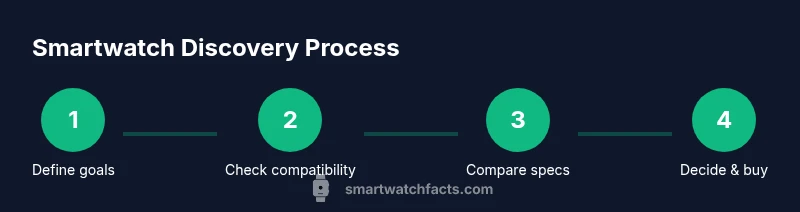
Define your primary use
Clarify which features matter most: fitness tracking, notifications, apps, or independence from your phone. This sets the filter for all following choices.
Tip: Write down three must-haves to guide your search. - 2
Check phone compatibility
Ensure the smartwatch supports your current OS and version. Some devices offer limited functionality on certain phones.
Tip: If you own an iPhone, prioritize watchOS or well-supported Wear OS options. - 3
Set a realistic budget and size
Decide on a price range and a comfortable screen size/strap length. Bigger displays aren’t always easier to read on smaller wrists.
Tip: Try on different sizes to gauge comfort and readability. - 4
Compare core specs
Look at battery life expectations, display quality, sensor suite, and OS updates. Don’t be swayed by a single standout feature.
Tip: Create a side-by-side matrix for at least three models. - 5
Evaluate app ecosystem
Check which apps you truly need and ensure they’re available and well-integrated. App gaps can limit usefulness.
Tip: Verify data sharing and export options for your health metrics. - 6
Read independent reviews
Cross-check manufacturer claims with independent tests and user feedback to spot hidden pitfalls.
Tip: Pay attention to recurring complaints like battery drain. - 7
Check policy and warranty
Review return windows, warranty duration, and service options in your region.
Tip: Prefer retailers with extended warranties or easy returns. - 8
Test or plan a risk-free trial
If possible, test the watch in-store or through a trial period to evaluate comfort and software performance.
Tip: Assess day-to-day comfort and how well it integrates with your routine.
People Also Ask
What should I prioritize when buying my first smartwatch?
For first-time buyers, align features with how you’ll use the watch. Prioritize ecosystem compatibility, battery life, and comfort. Avoid overpaying for sensors you won't use.
For first-time buyers, focus on ecosystem compatibility, battery life, and comfort to get the most value.
Will a smartwatch work with both iOS and Android?
Many watches work with both platforms but often offer the best experience within a single ecosystem. Check app availability and features on your phone.
Most watches work with both, but the best experience comes from sticking with your phone's ecosystem.
Do cheaper watches have poor quality health sensors?
Budget watches may have basic sensors with limited accuracy or fewer health features. Consider your health goals and read corroborating independent tests.
Budget watches might have less accurate sensors; read independent tests before buying.
How accurate are heart-rate measurements on smartwatches?
Heart-rate sensors are useful for everyday tracking but aren’t medical devices. Look for watches with well-regarded sensors and check user reviews.
Heart-rate sensors are helpful but not medical-grade; rely on broad trends rather than exact numbers.
What is the best way to verify battery life?
Check manufacturer claims and independent tests; test in real-world scenarios and consider your daily screen-on time and GPS use.
Verify battery life with both official claims and independent tests, and test in real life.
Watch Video
Key Points
- Define your needs first and set a budget.
- Check compatibility with your phone to avoid friction.
- Prioritize battery life, display, and app ecosystem.
- Test comfort and returns policy before buying.
- Use a structured shortlist to prevent buyer's remorse.