New SIM Supported Smartwatch with LTE: Buying Guide for 2026
A thorough guide to new SIM supported smartwatches with LTE, covering connectivity, carrier plans, battery life, setup, and real-world usage for 2026.


A new sim supported smart watch with LTE is a wearable device that includes cellular connectivity via an embedded SIM (eSIM) or, less commonly, a physical SIM slot. This enables calls, messages, and data services without your phone, expanding independence from your smartphone. According to Smartwatch Facts, LTE-enabled watches suit users who want quick access to notifications, streaming, and navigation on the go, with carrier support and careful power management shaping real-world use.
What is a new SIM supported smart watch with LTE?
A new SIM supported smart watch with LTE is a wearable device that integrates cellular connectivity, typically through an embedded SIM (eSIM). In some models you may find a nano-SIM slot, but the majority rely on eSIM for streamlined activation. This design lets you place calls, send messages, stream music, and run apps without tethering to a phone. According to Smartwatch Facts, the key benefit is independence from your phone while still sharing notifications and apps from your wrist. When shopping, prioritize broad carrier support, reliable standby times, and a straightforward data-plan experience, since LTE adds an ongoing data cost alongside device price.
From a user perspective, LTE-enabled watches can answer a question many buyers ask: do I still need my phone? In many daily scenarios, a smartwatch with LTE serves as a practical companion, especially when you’re exercising, commuting, or running errands where carrying a phone is inconvenient. Ensure the model you choose supports your region’s carriers and offers a clean on-device experience for managing plans and data usage.
LTE architecture and what it means for you
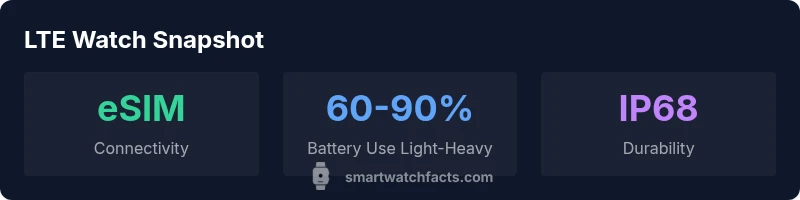
LTE connectivity on a smartwatch usually relies on eSIM, which is digitally provisioned with your carrier. A few models still provide a secondary SIM slot, but eSIM is the modern standard because it saves space and simplifies switching plans. The trade-offs include depending on carrier support, potential per-month plan costs, and occasional delays transferring service between devices. If you travel, verify international roaming policies and global data options. Smartwatch Facts notes that eSIM-based LTE can be cost-effective when tied to family plans or bundled services, but you should compare the total cost of ownership (device price plus monthly data) across models before committing.
For the practical shopper, confirm that your preferred carrier supports eSIM activations for smartwatches and whether there are setup steps inside the watch’s settings app for adding a plan. Some carriers require you to scan a QR code or use their app to finalize activation.
Features to evaluate before buying
When evaluating new SIM supported LTE watches, consider:
- Display quality and always-on readability in sunlight
- Processor and RAM for smooth app performance while on cellular data
- WatchOS/Wear OS or vendor’s OS compatibility with your Android or iPhone ecosystem
- Water and dust resistance (IP rating) to suit everyday life and workouts
- LTE band support and eSIM provisioning options for your region
- Battery life under LTE usage, including calls and streaming
- Health sensors and GPS accuracy to complement mobile connectivity
Create a short list of must-haves (e.g., always-on display, reliable GPS, and strong sleep-tracking) and a nice-to-have list (e.g., offline music storage) to guide your comparison. By focusing on both software experience and hardware durability, you’ll pick a model that remains usable even when your phone is charging.
Carrier plans, data costs, and activation
LTE watches rely on data plans that are separate from your phone’s plan. In many cases, you’ll choose a postpaid or prepaid data plan for the watch, sometimes offered as a single line or as part of a family/shared plan. Before purchasing, confirm:
- Whether your carrier supports eSIM provisioning for wearables
- The monthly data allotment and overage charges
- Roaming rules if you frequently travel internationally
- Whether the watch requires a separate SIM or can share your phone’s data via Bluetooth
Smartwatch Facts recommends contacting your carrier to compare plans side-by-side. Sometimes a bundled option with a discounted multi-device plan can yield meaningful savings. Also check if the watch offers data-saver modes to stretch battery life when LTE is active.
Battery life implications of LTE on a smartwatch
LTE connectivity tends to draw more power than Bluetooth-connected use because the modem stays engaged to maintain a cellular link. Expect reduced screen-on time when LTE remains active, especially during streaming or continuous data sessions. Manufacturers sometimes publish battery-life estimates for typical use, but real-world results depend on network strength, background app activity, and how often you send/receive data. Practical tips include:
- Use power-saving modes when not actively using LTE
- Turn off LTE when you’re near a trusted Bluetooth-connected phone
- Keep the watch’s software up-to-date to optimize power management
From a buyer’s view, plan for a modest daily battery experience if LTE is used heavily, and verify whether fast charging is available to quickly top up during the day.
Setup tips: pairing, privacy, and ongoing maintenance
Getting LTE working on a smartwatch usually means activating an eSIM on your watch and pairing it with your phone for initial setup. After activation:
- Run through permission prompts to control notifications, health data sharing, and location access
- Set data-usage alerts so you don’t unexpectedly exhaust your plan
- Review privacy settings and app permissions to guard personal information
- Keep the watch firmware updated to benefit from security fixes and feature improvements
If you run into activation issues, consult your carrier’s support portal and the manufacturer’s instructions. Many brands provide step-by-step videos to simplify eSIM activation and onboarding.
Real-world scenarios: do you really need LTE on your wrist?
LTE on a smartwatch is most valuable for active or busy people who want broad connectivity without the phone. Scenarios include running errands while leaving the phone at home, commuting with music streaming, or receiving important calls and messages during workouts. If you frequently need to be reachable without your phone, LTE can improve responsiveness and reduce the urge to pull your phone out of your pocket. However, for many users, Bluetooth-connected use with a nearby phone delivers most of the everyday benefits at a lower cost and with better battery efficiency. Smartwatch Facts suggests weighing your typical day and budget before committing to a cellular-enabled model.
LTE smartwatch models: LTE support, durability, and price range
| Model Type | LTE Support | Water Resistance | Battery Impact | Price Range |
|---|---|---|---|---|
| Entry-level | eSIM only | IP68 | Moderate | $150-$350 |
| Mid-range | eSIM + nano-SIM (rare) | IP68 | Moderate-High | $250-$550 |
| Premium | eSIM only | IP69K or high-end IP rating | High | $400-$700 |
People Also Ask
Do I need a separate data plan for an LTE smartwatch, and how does it work with my phone plan?
Yes, most LTE smartwatches require a data plan distinct from your phone. This plan supports the watch’s cellular connectivity. Activation is typically done through the watch or your carrier’s app, and you’ll need to choose a data allotment that fits your intended use.
Most LTE watches need their own data plan, and activation is usually via the carrier app or the watch itself.
Will an LTE smartwatch work with an iPhone or only with Android devices?
Many LTE watches are cross-ecosystem friendly, but some features may be limited on iPhones versus Android. Check the watch’s OS compatibility and carrier provisions for iPhone users before buying.
Compatibility varies by watch OS; verify iPhone support before purchasing.
How much does LTE actually impact battery life on a smartwatch?
LTE usage typically reduces battery life compared with Bluetooth-only operation. Real-world results vary by network strength and usage patterns; many users see a noticeable, but manageable, difference.
LTE cuts battery life compared to Bluetooth use, but results vary by usage.
Can I still receive notifications and track health data without a phone nearby?
Yes, LTE watches can receive notifications and track health data independently, but some apps may require occasional phone synchronization. You’ll want to review the data-sync behavior in the watch’s settings.
Yes, but some apps may still sync with your phone.
What should I consider about carrier roaming when traveling with an LTE smartwatch?
Roaming policies vary by carrier. If you travel, check international data options and roaming rates for the watch plan to avoid unexpected charges.
Check roaming options and rates before traveling.
“LTE-enabled wearables extend connectivity beyond the phone, but the practical value depends on carrier support, battery management, and the ecosystem.”
Key Points
- Prioritize global carrier support and eSIM provisioning.
- Expect higher battery drain with continuous LTE activity.
- Compare total cost of ownership: device price plus monthly data.
- Choose a model with a strong app ecosystem and durable build.