Plan for Smart Watch: Your Practical 2026 Buying Guide
Learn how to plan for smart watch purchases with a practical, step-by-step guide. Define needs, compare features, check compatibility, and map out maintenance to get the best value for your lifestyle in 2026.


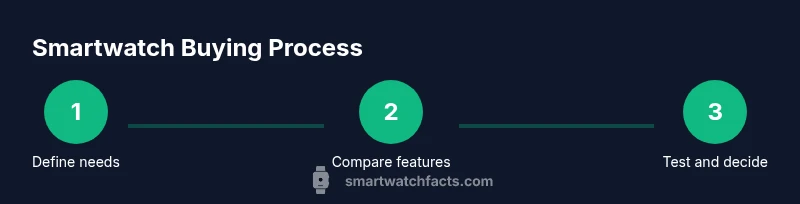
You can plan for smart watch by defining your daily needs, choosing a budget, and comparing core features like battery life, health sensors, and platform compatibility. This quick path helps you pick a model that fits your routines, ensures app availability, and stays comfortable on your wrist. Follow the steps below to craft a tailored smartwatch plan.
Defining Your smartwatch goals
If you’re trying to plan for smart watch purchases, start by defining why you want a smartwatch and how it will fit into your daily life. Consider tasks you want to offload—receiving messages on your wrist, tracking workouts, paying with your watch, or using GPS navigation during runs. Think about where you’ll wear it, how often you’ll charge it, and which activities will take priority. By articulating these goals, you create a baseline that guides every other decision. According to Smartwatch Facts, establishing clear use cases helps you avoid feature bloat and overpay for capabilities you won’t use. Document a typical day, list the apps you rely on, and identify must-have sensors to ensure your plan stays focused rather than chasing every new feature.
Budgeting for a smartwatch
Money matters shape what you can realistically buy. Start by grouping prices into broad bands rather than fixed numbers: a budget-friendly tier, a mid-range tier, and a premium tier. This helps you narrow options without fixating on exact prices. Remember that ongoing costs—like cellular connectivity, cloud storage for health data, or premium apps—can affect total ownership cost. Smartwatch Facts recommends mapping total cost of ownership over 12–24 months to avoid sticker shock and to compare models that offer the features you truly need. If one device covers your must-haves across multiple categories, you’ll often save by choosing it rather than adding separate gadgets.
Choosing the right operating system and ecosystem
The ecosystem you pick often dictates available apps, watch faces, and integration with your phone. Apple’s watchOS and Google’s Wear OS remain the two dominant platforms, with each offering strong app ecosystems, health features, and developer support. Consider your smartphone: iPhone users typically benefit from deeper native integration, while Android users gain more flexibility and compatibility with a broader range of devices. When planning, map which tasks you perform daily (navigation, payments, music, health tracking) to the OS strengths and limitations. This alignment reduces friction and improves long-term satisfaction.
Essential features to compare
Not all smart watches are equal in the features that matter most. Prioritize features that map to your goals: display quality for readability, health sensors (heart rate, SpO2, sleep tracking), GPS for outdoor activities, NFC for contactless payments, and enough storage for favorite apps and music. Consider waterproof ratings for workouts in different environments, microphone quality for calls, and the presence of LTE connectivity if you want standalone function without your phone close by. Decide which features are must-haves and which are nice-to-haves; this helps you avoid paying a premium for capabilities you won’t use.
Battery life and charging expectations
Battery life is a common source of buyer regret, so set realistic expectations based on your usage. Heavier tasks—GPS tracking, always-on display, and continuous health monitoring—drain power faster, while lighter use with notifications only can extend wear time. Some brands emphasize multi-day endurance, while others prioritize compact design and fast charging. Plan for charging frequency that fits your routine: if you charge overnight, a slightly shorter daily life might be acceptable; if you need all-day usage without charging, look for a longer life under typical scenarios. Always compare claimed lifespans against real-world experiences from reputable reviews.
Fitness and health sensors explained
Health and fitness sensors are often the deciding factor for many buyers. Common sensors include heart-rate monitors, SpO2 sensors, accelerometers, gyroscopes, and sometimes more advanced sensors like skin temperature or ECG. The accuracy of these sensors varies by model and use case, so treat health data as indicative rather than perfectly precise. Look for independent validation where possible and focus on how the data maps to your goals (calorie tracking, sleep quality, or activity rings). A solid sensor suite should integrate smoothly with your phone’s health app and the services you rely on.
Compatibility with devices and apps
Compatibility matters more than you might think. If you use a specific health app or streaming service, confirm it supports your chosen watch. Some ecosystems work best when paired with their own phone platform; others offer cross-platform freedom but with occasional feature limitations. Consider your typical workflows: receiving notifications, replying to messages, controlling music, and using navigation. Ensuring compatibility reduces friction and preserves access to your preferred apps and companions.
How to test models in-store or during trial periods
Hands-on testing is invaluable. Try on a few models to assess comfort, weight, and strap quality. Check the responsiveness of the touchscreen or bezel, the legibility of the display in bright sunlight, and the ease of accessing essential apps. If a retailer offers a trial period, take advantage of it to test real-world tasks: fitness tracking during a workout, message replies, and GPS navigation during a walk. Bring your own phone to the test to simulate your actual setup and catch any integration quirks early.
Building a long-term plan: maintenance and updates
A successful smartwatch plan includes ongoing maintenance. Keep your device’s firmware updated to access the latest features and security improvements. Manage app updates and review privacy settings regularly. Consider the watch’s repairability (screen durability, battery replacement options) and how you’ll handle potential hardware issues. Establish a simple routine to check charging accessories and compatibility with new phone updates. With a thoughtful maintenance plan, your smartwatch remains useful and secure for years.
Tools & Materials
- Smartwatch(Choose model that matches your OS ecosystem and must-have features)
- Smartphone(Needed for initial setup and ongoing synchronization)
- USB charging cable(Original or certified for safe charging and syncing)
- Power adapter(Check compatibility with your region’s outlets)
- Trusted internet access(Needed for app downloads and firmware updates)
- Replacement strap kit(So you can customize comfort for all-day wear)
Steps
Estimated time: 2-4 hours
- 1
Define your use case
Outline primary tasks the watch will support (health tracking, notifications, music, GPS). Create a short list of must-haves to guide feature decisions.
Tip: Write down 3 daily activities and identify which watch features directly support them. - 2
Set a flexible budget
Group potential models into budget bands and estimate total ownership costs, including apps and services.
Tip: Aim for a model that covers your must-haves within your chosen band to avoid overpaying. - 3
Check ecosystem and compatibility
Match the watch to your smartphone and preferred apps to ensure smooth integration.
Tip: Verify app availability and data sharing policies before committing. - 4
Compare core specs side-by-side
Create a simple matrix comparing battery life, display quality, sensors, storage, and connectivity.
Tip: Prioritize the features that map most to your goals; don’t chase every spec. - 5
Test in-store or via trial
Test comfort, responsiveness, and app setup with your phone for realistic usage.
Tip: During testing, simulate real tasks (replying to messages, tracking a workout). - 6
Finalize purchase and plan maintenance
Choose a model, enable essential settings, and establish a routine for updates and data privacy checks.
Tip: Set a periodic review to re-evaluate features and app needs as your usage evolves.
People Also Ask
What should I consider first when planning to buy a smartwatch?
Start by outlining your main use cases—fitness tracking, notifications, and phone independence. Then map these needs to features and ecosystem compatibility. This prioritization prevents feature creep and helps you select a model that truly fits your lifestyle.
Begin with your main goals, then check features and ecosystem to avoid buying something you won’t use.
Do I need an iPhone or Android phone to use a smartwatch?
Most watches work with multiple platforms, but some features are optimized for a specific ecosystem. If you rely on native health apps or messages, choose a watch that aligns with your phone to get the best experience.
Watch compatibility often depends on your phone. Choose a watch that aligns with your ecosystem for the best experience.
Is battery life the main deciding factor?
Battery life is important, but it depends on usage. A watch with stronger health tracking and GPS may consume more power. Balance expected wear time with your daily charging routine.
Battery life matters, but consider how you’ll use the watch daily and how often you’ll charge.
How accurate are health sensors on smartwatches?
Health sensors offer useful trends but aren’t a medical-grade substitute. Use them for relative insights (trends and consistency) rather than precise diagnoses, and verify critical readings with professional devices if needed.
Health sensors provide useful trends, not medical diagnoses. Treat readings as guides, not exact measures.
Are smartwatches worth the investment for beginners?
For many, a smartwatch is worthwhile if it streamlines daily tasks and encourages healthier habits. Start with a model that covers your top needs and expands as you gain comfort with the technology.
They can be worthwhile if they simplify daily tasks and support healthy habits.
What’s the best budget smartwatch strategy?
Set clear must-haves and compare mid-range models that meet them. Avoid premium features unless they address a real need; budget-friendly options often deliver excellent value with solid software support.
Budget smartwatches are usually great value when you focus on core features and lasting software support.
Watch Video
Key Points
- Define your primary smartwatch goals first.
- Balance price with essential features and ecosystem fit.
- Test with your phone to verify real-world usage.
- Plan for updates and ongoing maintenance to stay secure and functional.