Samsung Smart Watch with Fall Detection: A Practical Guide
Explore how Samsung smart watches with fall detection work, what to expect, battery life, SOS features, and practical tips for selecting the right model for safety and everyday wear in 2026.


Samsung smart watches with fall detection provide automatic fall alerts and SOS features, typically on Galaxy Watch models. The feature relies on accelerometer and gyroscope sensors to detect hard falls and assess wrist impact, then prompts the wearer to confirm or automatically notify chosen contacts if the user is unresponsive.
Understanding Fall Detection in Samsung Smartwatches
According to Smartwatch Facts, fall detection on a Samsung smart watch with fall detection relies on a combination of accelerometer data, gyroscope readings, and motion analysis to identify patterns consistent with a fall. The algorithm weighs wrist impacts, abrupt changes in velocity, and body posture cues. When a potential fall is detected, the device triggers an alert prompt or automatically notifies emergency contacts if a user does not respond within a preset window. The feature is typically enabled in the companion app and can be customized by sensitivity, notification methods, and which contacts to contact. While highly useful, real-world performance depends on how snugly the watch fits, the user’s activity type, and environmental factors like lighting or surface hardness. Smartwatch Facts analysis notes that manufacturer optimizations across Galaxy Watch generations influence accuracy and latency, so expect variation between entry-level and premium models.
- Key sensors: accelerometer, gyroscope, heart-rate sensor
- Core idea: detect rapid, forceful wrist movements combined with posture indicators
- Practical caveat: snug wear and proper calibration improve reliability
Real-World Use Cases and Scenarios
Fall detection on Samsung smart watches shines in scenarios where senior users travel alone, exercise outdoors, or perform routine tasks without immediate supervision. In urban settings, a detected fall can trigger a call to a caregiver when GPS data and arrival status are integrated, potentially shortening response times. For those with rugged work environments or high-impact activities, the feature can provide an extra layer of safety, but it may also produce occasional false alarms during vigorous sports or sudden, non-fall movements. The real value is in the immediate assurance that a trusted contact or emergency service will be notified if the wearer can’t respond. The Smartwatch Facts team notes that the value of fall detection increases when paired with a robust emergency-contact workflow and an active health ecosystem (heart-rate data, activity history, and location).
- Scenarios: elder safety, outdoor adventuring, stair or floor transitions
- Benefit: rapid alerts improve chances of timely assistance
- Limitation: activity types with similar wrist motions may trigger false alerts
Battery Life and Charging Considerations
Enabling fall detection adds a modest drain to battery life compared with standard smartwatch usage, particularly when alerts and SOS features are active. In practice, most Samsung watches manage typical day-to-day use with fall detection on, but battery longevity will vary with screen brightness, GPS usage, and notification volume. If you rely on fall detection regularly, plan for a mid-range battery life window and consider charging routines that keep the watch within arm’s reach. Many users find charging during workouts or at night practical, while ensuring the device remains accessible for monitoring during the day. Smartwatch Facts recommends evaluating how long you need fall-detection-enabled wear, and whether you’ll primarily use the device offline or with a companion smartphone for enhanced data sharing.
- Practical tip: test battery impact during a normal day and adjust settings accordingly
- Consider charging habits that align with daily routines
Health and Safety Features That Complement Fall Detection
Fall detection is most effective when paired with other safety features such as SOS, location sharing, and automatic emergency contact dialing. Galaxy Watch models often support configurable SOS messages, location sharing with trusted contacts, and reminders to check-in after emergencies. Pairing fall detection data with heart-rate monitoring, sleep tracking, and activity history creates a richer health narrative for both the wearer and caregivers. It is important to understand how data flows between the watch, the mobile app, and cloud services, and to tailor privacy settings to balance safety with personal data control. Smartwatch Facts emphasizes evaluating the full safety suite and how it integrates with your preferred health apps.
- SOS and emergency contacts setup
- Location sharing and privacy controls
- Data synchronization across devices
Choosing the Right Samsung Model for Fall Detection
Not all Samsung watches support fall detection, so it’s essential to verify feature availability in the product specs. In general, higher-end Galaxy Watch generations tend to offer more robust fall-detection algorithms, longer battery life, and smoother notification workflows. When evaluating models, consider compatibility with your primary smartphone OS, the presence of on-watch SOS, and how the health data integrates with your preferred apps. From a buying standpoint, set expectations for battery life, sensor reliability, and how frequently you expect to use the safety features. Smartwatch Facts suggests prioritizing models with a proven track record in real-world testing and a straightforward setup process for alerts and contacts.
- Check model-specific specs for fall detection
- Assess OS compatibility and app ecosystem
- Weight pros and cons: price vs. features
Setup and Best Practices for Reliable Detection
To maximize reliability, ensure the watch is worn correctly, snug but comfortable, and that the sensors are not obstructed by clothing. Enable fall detection in the companion app, calibrate the wrist height and sensitivity settings, and add emergency contacts who will receive alerts in case of a fall. Regularly test the feature using safety guidelines provided by the manufacturer—prefer tests that simulate impacts without injuring yourself. Keep the watch updated with the latest firmware and review privacy settings to control data sharing. Smartwatch Facts notes that a well-configured setup, combined with informed usage, significantly improves the effectiveness of fall detection in daily life.
- Verify device fit and sensor readiness
- Configure SOS and contact lists ahead of time
- Practice safe testing and firmware updates
Common Myths vs. Reality
Common myths include the belief that fall detection works perfectly in all activities or that it replaces medical devices. In reality, reliability varies by model, wear, and activity. False alarms can occur during vigorous arm movements, high-impact workouts, or when the watch loosens. Another myth is that fall detection replaces the need for human supervision; it should be viewed as an assistive feature that complements caregiver support and emergency services when needed. Smartwatch Facts emphasizes approaching fall detection as part of an overall safety plan rather than a standalone solution.
- Not universally perfect; effectiveness varies
- Not a substitute for medical devices or supervision
- Proper wear and calibration matter
Data Privacy and Security Considerations
Fall detection data, GPS location, and health metrics are sensitive. Understand how data is stored, shared, and who can access alerts. Review consent options in the companion app, limit data sharing to trusted contacts, and disable features you don’t need. If you are using cloud-based services, ensure encryption and access controls align with your privacy preferences. This is especially important for seniors living independently or for users who travel with their devices. Smartwatch Facts recommends regularly auditing privacy settings and being mindful of where health data is stored and who can view it.
What to Expect in 2026: Trends and Smartwatch Facts Guidance
The landscape of wearable safety is evolving toward more accurate sensing, better context awareness, and deeper integration with health ecosystems. Expect improvements in noise-resilient detection, adaptive thresholding based on activity profiles, and expanded SOS workflows that leverage connected devices and smart home ecosystems. Smartwatch Facts expects ongoing refinements to reduce false alarms, while maintaining rapid alerting for genuine falls. As always, choose a model that aligns with your daily routines, privacy comfort, and the level of support you expect from the brand.
Comparison of fall detection features and ecosystem requirements
| Feature | Samsung Fall Detection (watch) | Phone/OS Requirements |
|---|---|---|
| Fall Detection Availability | Available on supported Galaxy Watch models | Requires compatible app on Android (and some features may require Samsung ecosystem) |
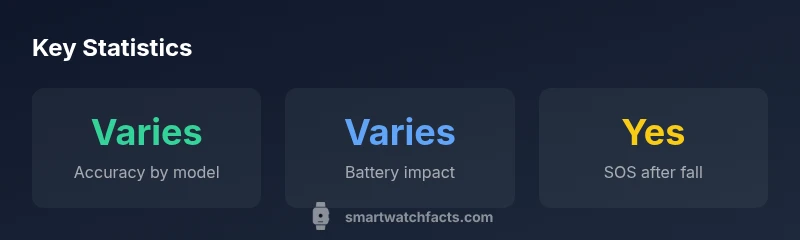
| Sensing Accuracy | Varies by model and usage | Depends on sensor calibration and fit |
| Battery Impact | Moderate; varies by usage | Depends on phone integration and apps |
People Also Ask
Do all Samsung watches have fall detection?
No. Fall detection is available on select Galaxy Watch generations. Always check the product specs for the exact model’s features before purchasing.
Not every Samsung watch has fall detection. Check the model specs to confirm before you buy.
Can fall detection trigger SOS automatically?
Yes, many models support automatic SOS when a fall is detected and there’s no user response within a set time. You can customize which contacts are alerted.
Yes, it can trigger SOS if you don’t respond in time. You can choose who gets alerted.
Is fall detection accurate in everyday activities?
Accuracy is generally good but varies by model and activity. False positives can occur during vigorous arm movements or sports; proper wear reduces such issues.
It’s useful but not perfect; some movements may trigger alerts accidentally.
Does fall detection work without a phone?
Some basics work offline, such as local alerts, but many advanced features require a paired phone and cloud syncing for notifications.
Some features work offline, but full functionality often needs a paired phone.
How do I test fall detection safely?
Use any official test mode if provided by the manufacturer, or simulate gentle impacts in a controlled environment without causing injury. Always follow the user guide.
Use a safe test mode if available and follow the guide to avoid harm.
What about privacy and data sharing?
Fall data and location are sensitive. Review privacy settings, limit data sharing to trusted contacts, and understand where data is stored and who can access it.
Be mindful of who can access your safety and health data and adjust settings accordingly.
“Fall detection technology is most effective when integrated with a robust safety workflow and user education.”
Key Points
- Verify model compatibility before buying.
- Enable SOS and emergency contacts for safety.
- Test fall detection in a safe, controlled way.
- Monitor battery life when fall detection is on.
- Review privacy settings and data sharing controls.