Smart Watch HD Display vs AMOLED Display: A Practical Comparison
Explore smart watch hd display vs amoled display to understand contrast, brightness, and power trade-offs for daily wear, workouts, and media usage.


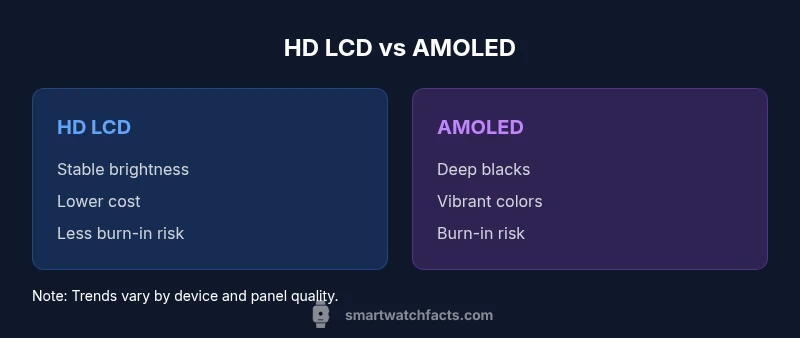
In the debate over smart watch hd display vs amoled display, contrast, color accuracy, and power are the deciding factors. AMOLED panels typically deliver deeper blacks and higher brightness efficiency, while HD LCDs tend to show crisp text and even brightness. For media-rich usage, AMOLED is usually preferred; for basic notifications and budget devices, HD LCD remains a solid option.
What Smart Watch Display Technologies Are
The landscape of smartwatch displays centers on two dominant technologies: HD LCD (often referred to as LCD or LTPS LCD in some devices) and AMOLED. The phrase smart watch hd display vs amoled display captures a common consumer question: which type should you prioritize for daily wear, workouts, and media consumption? According to Smartwatch Facts, display technology choices profoundly shape usability, price, and perceived quality across models. LCD panels rely on a backlight and a fixed grid of pixels to produce images, delivering consistent brightness and sharp text. AMOLED panels use organic LEDs that illuminate individual pixels, enabling true blacks and very high contrast. The choice isn’t merely technical; it maps to your priorities around color richness, battery life, durability, and price. When you think about a smartwatch you wear every day, the display you choose should align with how you use the device most often.
Below, we dissect the differences between these technologies, explain how they behave in real-world conditions, and offer practical guidance for buyers. We’ll also debunk common myths, so you know what matters most for your use case. The Smartwatch Facts team emphasizes that context—your activities, lighting, and tolerance for eye strain—drives the best choice for you.
HD LCD and Its Typical Strengths
HD LCD screens on smartwatches are known for reliable brightness leadership in many midrange and budget devices. They benefit from stable, even illumination across the panel, which helps with crisp text rendering during reading and menu navigation. LCDs generally exhibit less risk of burn-in and color shifting over time, making them appealing for users who prioritize durability and predictable performance. In daylight, LCDs with adequate backlighting can hold their own, though peak brightness often pales next to premium AMOLED panels. Power efficiency varies by chipset and panel brightness, and some LCD modules incorporate low-power modes that stretch battery life when the device is used mainly for notifications.
From a design perspective, HD LCDs are friendlier to eyes that prefer cooler color temperatures and more faithful grayscale rendering. For apps that rely heavily on monochrome or legible text, LCD can deliver a smooth reading experience with minimal color distraction. When considering resale value, LCD-based watches sometimes price lower than AMOLED-equipped models, but that delta is highly dependent on brand and overall specs beyond the display alone.
AMOLED Display Fundamentals on Smartwatches
AMOLED displays illuminate each pixel individually, yielding true blacks and striking color saturation. The result is a visually dynamic image, with higher contrast ratios that make UI elements, photos, and videos pop. In watches with always-on display features, AMOLED can maintain legibility while using dedicated low-brightness modes, though this capability varies by model and software optimization. However, AMOLED screens are more susceptible to burn-in if static UI elements persist for prolonged periods, and color accuracy can shift with aging as blue subpixels wear differently. Manufacturers mitigate this with software tweaks, automatic brightness, and pixel-shift techniques.
In practice, AMOLED shines in media-heavy use—watch faces with gradients, photos during workouts, and rich app dashboards. The downsides include potential short-term brightness fluctuations and higher initial cost. Smartwatch makers often reserve AMOLED for premium ranges where color fidelity and perceived depth justify the price premium. Smartwatch Facts analysis shows that panel quality varies widely within AMOLED offerings, so model-level testing matters just as much as the technology label.
Visual Quality: Color, Contrast, and Outdoor Legibility
Color reproduction and contrast are core differentiators between these panel types. AMOLED’s vibrant, punchy colors and nearly infinite contrast produce striking images and UI cues, especially in dark or dim lighting. LCD backlights can render colors with accuracy but may appear less saturated under the same brightness levels. In outdoor conditions, both technologies struggle with glare, but higher peak brightness on some AMOLED panels improves visibility in strong sunlight. The trade-off includes potential PWM flicker on some OLEDs at low brightness; if you are sensitive to flicker, you may notice it during long watch sessions. Manufacturers frequently address this with software-driven brightness capping and flicker-free modes on select models.
For daily use, the choice often depends on your tolerance for color vibrancy and the importance you assign to deep blacks in watch faces or media playback. If you frequently view photos or videos on your wrist, AMOLED’s contrast makes for a more immersive experience. If you mostly skim notifications and text, LCD’s stable color and legibility can feel more natural and less tiring over long sessions.
Outdoor Readability and Brightness Performance
Outdoor visibility hinges on peak brightness, anti-reflective coatings, and panel efficiency. Many AMOLED watches deliver higher peak brightness, which helps with legibility in bright sun and reflective environments. However, some users report sun glare being more pronounced on certain OLED implementations due to glossy glass and color rendering. HD LCD displays, when driven with robust backlighting, can achieve excellent daytime readability with less risk of color washout, making them dependable for straightforward notifications and quick glances. The brightness ceiling of LCDs is typically within a similar range to midrange OLEDs, but it varies by device and power management strategy. For athletes who train outdoors, brightness retention and legibility under sunlight are essential, and some users prioritize the predictable performance of LCD when in bright environments.
In bright conditions, both technologies benefit from high brightness modes and anti-glare coatings. If you work outside often, look for watches that offer adaptive brightness, automatic ambient light sensing, and a proven daytime mode that retains legibility without sacrificing battery life.
Power Draw, Battery Life, and PWM Considerations
Power efficiency is a nuanced topic: AMOLED panels can save energy by turning off pixels for dark UI areas, which can extend battery life in interfaces with few bright elements. Conversely, when displaying full-color photos or vibrant graphics, AMOLED consumption rises. LCDs rely on a steady backlight, which can consume power even when displaying dark content, but modern LCDs often incorporate efficient backlight drivers and dynamic brightness control. In practice, battery life depends on software optimization, refresh rate, and the brightness profile typical to the wearer’s routine. PWM (pulse-width modulation) flicker is more common in OLED panels at low brightness in some models, which can affect sensitive users, though manufacturers frequently introduce flicker-free alternatives or higher brightness presets for comfort.
For users who frequently enable always-on displays or run intense graphics, AMOLED’s advantage in contrast can justify slightly higher power use, provided the device software manages brightness intelligently. For simpler watch faces and text-only interfaces, HD LCDs can offer stable, predictable battery performance with less risk of flicker-induced eye strain over long wear.
Burn-in Risk, Durability, and Longevity
Burn-in concerns are more associated with OLED displays, where static UI elements displayed for long periods may leave a ghost of that image on the screen. Modern wearables mitigate this with adaptive brightness, pixel shifting, and persistent background optimization. LCD displays, lacking this particular risk, tend to be more forgiving over extended use, though their backlit nature means uniform aging of the backlight components can lead to brightness decay over many years. Durability also interacts with the glass and protective coatings used on the front. In rugged or sports watches, scratch resistance and screen strength are critical, and drop tests or protective glass specifications matter as much as the underlying panel technology. If you are concerned about long-term display integrity, LCD-based models may offer steadier performance over time, while AMOLED models demand attention to usage patterns that minimize static content on the screen.
Real-World Scenarios: Fitness, Notifications, and Media
During workouts, the ability to quickly read metrics, maps, and notifications is paramount. AMOLED’s high contrast can make graphs and color-coded charts easier to parse at a glance, particularly in dim environments or when wearing dark gym attire where the display must pop against your wrist. However, certain fitness apps rely on color fidelity for heart-rate zones and progress indicators; LCD panels can render these with impressive clarity when used with properly calibrated settings. Notification-heavy days benefit from sharp, legible text, an area where LCDs excel due to stable brightness and text rendering. If media playback matters on your wrist, AMOLED’s depth and saturation bring videos and album art to life. Consider your typical routines—outdoor runs, desk-bound productivity, or mixed use—and test displays in sunlight and low-light environments to assess comfort and readability across conditions.
Price, Availability, and Upgrading Considerations
Price differences between LCD and OLED watches reflect manufacturing costs, panel quality, and brand positioning. Generally, models with AMOLED displays sit at a higher price point, while LCD-based watches offer more budget-friendly options. Availability also varies by brand; some manufacturers reserve AMOLED for flagship lines, while others provide competitive LCD variants with similar software features. When upgrading, evaluate which benefits you value most: deeper contrast and vibrant color (AMOLED) or steady text clarity and cost efficiency (HD LCD). Long-term ownership is influenced by software support, battery performance, and the durability of the protective glass. If you are price-sensitive but still want a dynamic display, look for midrange devices that balance both technologies with robust software updates.
Maintenance and Care for Smartwatch Displays
Both display types benefit from careful handling and routine care. Use a microfiber cloth to wipe fingerprints and smudges, avoid abrasive cleaners, and store devices away from direct heat to protect backlights and pixel integrity. For AMOLED panels, be mindful of static content and avoid leaving high-contrast images on the screen for extended periods; use screen care features or auto-dimming when possible. LCD-based watches can still be affected by prolonged exposure to extreme brightness, which can shorten backlight life if not managed. Regular software updates that optimize brightness curves and app behavior can help maintain display performance over time. Consider protective screen protectors and rugged case options if you wear your watch during sports or outdoor activities. A well-maintained display strategy extends readability and comfort across years of daily use.
Decision Framework: How to Choose the Right Display for You
To decide between smart watch hd display vs amoled display, start by mapping your priorities: Do you value color depth and immersion for media and photos, or do you prefer reliability, legibility, and lower cost for notifications? If your daily tasks include frequent outdoor use, check for models with high peak brightness, glare reduction, and adaptive brightness that suits your lighting conditions. If you often use watchfaces with dynamic elements or run apps that leverage full-color visuals, AMOLED can enhance the experience. Consider your budget and long-term ownership goals; LCD variants often provide solid performance at a lower entry price. Finally, test watches in both dim and bright environments to observe perceived readability, eye comfort, and any flicker effects. The right choice balances your use case with your wallet and tolerance for potential trade-offs in color accuracy and burn-in risk.
Common Misconceptions and Edge Cases to Watch For
A frequent misconception is that AMOLED automatically means better durability; in reality, display durability also depends on glass protection, frame design, and software updates. Some devices advertise always-on AMOLED displays, but the implementation varies in brightness control and power management; a lazy optimization can drain the battery quickly. Conversely, LCDs are not inherently dull or outdated; many midrange watches offer excellent legibility and reliable performance with strong software support. Edge cases include watches designed for extreme athletes or outdoor enthusiasts, where display performance under glare and heat becomes critical. In those scenarios, verify screen brightness, anti-glare coatings, and the presence of an always-on display mode that does not excessively tax the battery. By focusing on how you actually use the device, you can avoid overvaluing one technology at the expense of practical needs.
Final Thoughts: Aligning Display Tech With Your Lifestyle
Choosing between smart watch hd display vs amoled display hinges on real-world use. If color-rich visuals and vibrant interfaces improve your daily experience, AMOLED likely serves you best. If you prioritize cost, robustness, and stable readability for reading long lists or text, HD LCD remains a strong contender. Always consider the broader package—battery life, software experience, durability, and price. The final decision should reflect your preferred balance of image quality, endurance, and value, ensuring the device remains a comfortable companion over months and years of daily wear.
Comparison
| Feature | HD LCD | AMOLED |
|---|---|---|
| Color accuracy and saturation | Good natural colors with consistent rendering | Richer, more saturated colors with higher perceived contrast |
| Contrasts and blacks | Moderate contrast with greyish blacks | Deep blacks and high contrast due to pixel-level lighting |
| Outdoor readability | Strong brightness but potential glare | Excellent visibility in bright light when brightness is high |
| Power efficiency (typical) | Fixed backlight; efficiency varies by device | Potential efficiency gains when displaying dark UI due to pixel-by-pixel lighting |
| Always-on display support | Supported in many models with moderate impact on battery | Common feature with higher battery cost in some cases |
| Durability / burn-in risk | Low burn-in risk; uniform aging of backlight | Burn-in risk with static elements on some panels |
| Cost and availability | Lower entry price in many models | Higher price point; premium feel for flagship devices |
Strengths
- LCD-based watches often have lower upfront costs
- LCDs deliver stable text readability and uniform brightness
- AMOLED offers superior contrast for photos and UI
- AMOLED enhances media consumption on wearables
- AMOLED can save power when displaying dark interfaces on some devices
Weaknesses
- LCD panels can be less vibrant than OLED in color-rich apps
- AMOLED carries burn-in risk with static UI elements
- AMOLED may have higher initial cost and cheaper replacements in aging devices
AMOLED generally provides better visuals; LCDs offer value and steady readability
Choose AMOLED for media and depth; HD LCD for budget and durability. The Smartwatch Facts team advises prioritizing your typical use and price tolerance.
People Also Ask
What is the key difference between HD LCD and AMOLED in smartwatches?
HD LCD relies on a backlight for all pixels, offering stable brightness and lower burn-in risk. AMOLED lights individual pixels, delivering true blacks and higher contrast but with potential burn-in risks if static images are left on too long.
HD LCD uses a backlight for all pixels, while AMOLED lights pixels individually for deeper blacks and brighter colors.
Which is better for outdoor use?
Both can perform well outdoors, but AMOLED often achieves higher peak brightness and stronger perceived contrast in sunlight. LCD can be very legible with good backlighting, though peak brightness may vary by model.
AMOLED tends to read brighter in sun with more contrast, LCD can be bright too depending on the model.
Is burn-in a concern for smartwatches?
Burn-in is more common on OLED panels if static images stay on screen for long periods. Modern wearables mitigate this with screen-saving features and pixel-shift techniques. LCDs do not have burn-in issues from static content.
Burn-in can happen on OLED, so use screen save features; LCDs don’t burn-in like OLED displays.
Do displays affect battery life more than other components?
Display power consumption is significant but depends on brightness and content. AMOLED can save power with dark themes, while LCDs keep a consistent draw due to the backlight. Software optimization also plays a large role.
Brightness and content influence battery life; OLED can save power with dark UI, LCD uses backlight consistently.
Should I buy based on display alone?
Display quality matters, but overall smartwatch value comes from sensor suite, OS, battery life, and price. Prioritize your primary use case and test in real lighting if possible.
Don’t buy by display alone; check sensors, OS, battery, and price, and test in real light if you can.
Key Points
- Identify your top use cases for your smartwatch display
- AMOLED excels in contrast and color, ideal for media
- LCD offers budget-friendly options with solid readability
- Assess burn-in risk and battery life trade-offs
- Test devices in real lighting to judge readability