Which Smartwatch Has Cellular: A Practical Buying Guide
Learn how cellular capability in smartwatches works, compare LTE models, and get practical guidance for choosing the best cellular smartwatch for iPhone or Android.


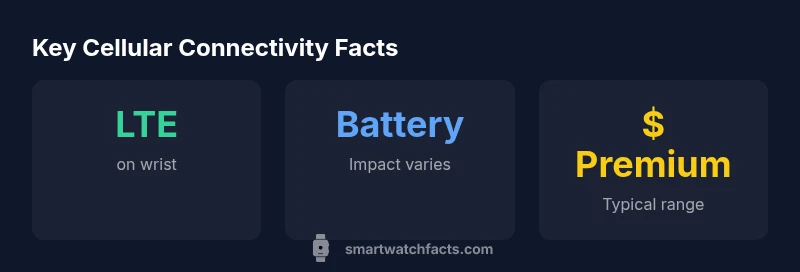
Cellular-capable smartwatches let you stay connected without your phone, and they unlock on-wrist calls, texts, and streaming. Common choices come from Apple, Samsung, and Garmin, plus several other brands offering LTE or eSIM models. Availability depends on region and carrier, and you’ll generally pay a modest premium. Real-world battery life varies with network use and features you enable.
What cellular capability means for smartwatches
The question of which smartwatch has cellular is more than a marketing cue: it defines how you can stay connected when your phone isn’t nearby. Cellular-capable watches attach to your carrier network via LTE or eSIM, enabling on-wrist calls, texts, and some streaming or app access. In practice, this means you can leave your phone at home during workouts, commutes, or quick errands while still answering a call or replying to a message. Most ecosystems support either embedded SIMs or standalone eSIM profiles, but availability varies by region and carrier. As you shop, compare models labeled LTE or cellular versus GPS-only to see what you gain and what you trade off, especially in terms of battery life and price.
How to decide if you need cellular
A cellular smartwatch adds independence from your phone, but it isn’t essential for everyone. If you frequently forget your phone, travel light, or engage in activities where carrying a phone is awkward, cellular can be valuable. Consider your typical use: do you need on-wrist calling, real-time navigation, or music streaming without your phone? Check whether your carrier supports the watch’s eSIM plan in your region, and factor in the potential monthly data plan cost. If most days you have your phone handy, GPS-only models may offer better value and longer battery life.
How cellular affects battery life and price
Having cellular enabled can shorten battery life compared with GPS-only usage, though the effect varies based on network conditions, the watch model, and how often you use cellular features. Expect a modest premium at purchase for cellular models, often in the range you’d pay to upgrade storage or a new band. If you rely on continuous connectivity, you may also see higher data usage across your plan. For many buyers, the trade-off is worth it for the convenience of not carrying a phone during short activities.
How to choose a cellular smartwatch for iPhone vs Android
If you use an iPhone, Apple’s cellular watches typically provide the most seamless experience within the Apple ecosystem, including features like iMessage and Handoff. Android users often benefit from broader compatibility with Google services and third-party apps, but experiences can differ by model. Before buying, verify how well the watch integrates with your primary phone, including app availability, notifications, and carrier activation. Also assess whether you want features like ECG, GPS accuracy, or sleep tracking in cellular mode.
Setup tips for using cellular on your smartwatch
Activation usually requires a carrier eSIM or physical SIM activation via the watch’s companion app. You’ll need a compatible data plan or an add-on from your provider. Ensure your watch is set to your preferred network (eSIM) profile, then test making a call, sending a message, and streaming a short track to confirm connectivity. Don’t forget to enable essential safety features and verify regional support for emergency services when using cellular standalone.
Common myths and misconceptions about cellular smartwatches
Myth: Cellular means the watch always works offline from your phone. Reality: some features require a network connection for full functionality. Myth: Cellular watches are universally compatible with every carrier. Reality: carrier support varies by region and plan. Myth: The cellular connection always drains battery dramatically. Reality: impact is usage-dependent, and modern watches optimize power when possible. Understanding real-world trade-offs helps you pick the right model.
Comparison of cellular vs GPS-only smartwatches
| Feature | Cellular (LTE/eSIM) | GPS-only |
|---|---|---|
| Calls on wrist | Yes | No |
| Music streaming | Yes | Depends on connection |
| Carrier setup | Yes | No |
| Battery impact | Moderate decrease | Baseline |
People Also Ask
Do all smartwatches with cellular work with iPhone and Android?
Most cellular watches work with both iPhone and Android phones, but the user experience and feature availability can vary by brand and model. Check compatibility notes before buying.
Most cellular watches work with both iPhone and Android, but features differ by brand.
Will cellular on my smartwatch reduce battery life significantly?
Enabling cellular typically shortens battery life compared with GPS-only use, though the exact impact depends on usage, network conditions, and device efficiency.
Yes, you’ll usually see shorter battery life when cellular is on, and it varies by usage.
Is the cellular feature required for offline music or GPS?
No. You can download offline music or maps and still use GPS features without cellular connectivity. Cellular mainly adds on-wrist calling and messaging.
No, offline music and maps don’t require cellular.
Do I need a data plan to use cellular on a smartwatch?
Yes, most carriers require a data plan or eSIM activation for cellular smartwatch features, which may add monthly costs.
Usually you need a data plan to use cellular on the watch.
Are there safety features tied to cellular watches, like SOS?
Many cellular watches offer emergency SOS and fall detection that work independently of a paired phone, enhancing personal safety.
Yes, many have emergency features that work without your phone.
“Cellular capability adds real value for people who want independence from their phone, but you should plan for limited battery life and carrier availability.”
Key Points
- Identify your ecosystem and carrier coverage before buying.
- Choose a model with true LTE/eSIM support for calls.
- Expect a price premium and potential battery impact.
- Check iPhone vs Android compatibility for best experience.
- Test setup: activate eSIM, pair with your phone, verify connectivity.