How Smartwatches Monitor Heart Rate: A Practical Guide
Explore how smartwatches measure heart rate, the sensors used, accuracy factors, and practical steps to improve reliability for everyday health and fitness tracking.


This guide explains how smart watches monitor heart rate, including the sensors used (optical PPG and ECG on select models), how measurements are taken at rest and during activity, and the key factors that can affect accuracy. You’ll learn practical steps to improve reliability and data quality for day-to-day health and fitness tracking.
What heart rate monitoring on a smartwatch actually measures
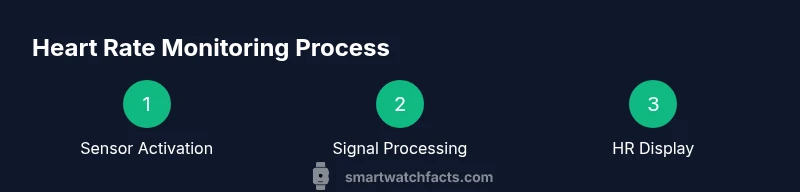
Heart rate monitoring on modern smartwatches tracks how fast your heart beats per minute, but the underlying data comes from sensors, not a direct heartbeat video. In most consumer devices, optical sensors shine light into the skin and watch how blood volume changes with each pulse. Those tiny fluctuations are translated into a heart rate number you can read in real time. If you’ve ever wondered exactly "how smart watch monitor heart rate", you’ll find the core idea is to convert blood flow into a numeric value that your wrist device can display and your apps can log. The accuracy of the reading depends on sensor type, placement, skin conditions, and motion. While the concept is simple, the engineering behind stable, repeatable measurements is complex and ongoing.
This section lays the groundwork for understanding how the measurement process works in everyday life, including indoor workouts, outdoor activities, and daily wear. You’ll also see why a single reading might differ slightly from one moment to the next and why comparing readings across devices should be done with context rather than precision. The practical takeaway is that heart rate data is a useful guide, not a guaranteed medical reading, and you should use trends over time rather than any single value for decision-making.
Core sensing technologies: optical PPG vs ECG
The two most common heart rate sensing approaches in smartwatches are optical photoplethysmography (PPG) and electrocardiography (ECG). Optical PPG uses light to detect blood volume changes in the skin. Each heartbeat causes a tiny increase in blood flow, changing the light absorption that the sensor records. This method is widely available, inexpensive to implement, and works well for resting and light-to-moderate activity.
ECG sensors, when available on premium devices, measure the electrical activity of the heart. ECG can provide more detailed information about heart rhythm and can be used for features like detecting irregular rhythm or certain cardiac conditions. ECG readings typically require a more secure contact with the skin and may be used in guided tests or on-demand checks. The key difference for users is that PPG is continuous and convenient, while ECG tends to be more specialized and often requires explicit user initiation.
How readings differ in rest vs. exercise
During rest, heart rate is relatively stable, making readings easier to interpret. Movement, sweating, or poor contact can introduce noise into the signal, causing momentary spikes or dips. When you exercise, your heart rate increases to meet your body’s demands, and sensors may have to work harder to maintain accuracy. Sweat, motion, and variable pressure on the wrist can mask subtle changes, causing slight lag or drift in the displayed rate. Expect some normal fluctuations between the resting baseline and peak exercise values, and rely on trend data over multiple sessions for the clearest picture.
Factors that influence accuracy on wearables
Several factors can influence how accurately a smartwatch reads your heart rate. Skin tone and tattoos can affect light-based sensors. Ambient temperature and skin moisture can also change readings. Do not rely on a single measurement during high-intensity activity; use average values over a period of time to reduce noise. The fit of the watch matters: too loose, and the sensor can lose contact; too tight, and circulation may be restricted, both of which distort results. Data processing algorithms and how the device handles motion artifacts also play a role, varying by brand and model.
How to read HR data on your smartwatch and apps
Most devices display your current heart rate and offer historical charts and daily summaries. Learn to read the rate in beats per minute (bpm) and observe how it changes with activities, rest, and recovery. Many apps provide training zones or targets based on your estimated maximum heart rate and resting heart rate. While exact values depend on age and fitness, consistent monitoring helps you notice trends, such as improved recovery or daytime variability when you change routines.
Setup steps to ensure reliable HR monitoring across platforms
To maximize reliability, start with proper wear. Place the device on the top of the wrist, just above the bone, and ensure it sits snugly without restricting blood flow. Update the firmware to enable the latest sensor tuning and calibration features. Within the companion app, enable continuous heart rate tracking and, if offered, ECG or
Common mistakes and how to avoid them
Common mistakes include wearing the watch too loosely, wearing it over heavy tattoos or hair, and starting workouts with wet skin or sweaty hands. Avoid measuring immediately after moving from extreme cold to warm environments, which can temporarily affect readings. Keep screens and sensors clean, and give the device a few minutes after putting it on to warm up before relying on the first readings.
Integrating HR data into workouts and health goals
Heart rate data helps tailor workouts, track progress, and gauge recovery. Use trend data to adjust training loads, pacing, and rest periods. Remember that HR data should complement perceived exertion and other metrics like sleep quality and activity duration. Treat the data as a guide to inform decisions rather than a precise medical record.
Looking ahead: future trends and privacy considerations
Manufacturers continue to refine sensor fusion, combining PPG with accelerometer data and user profiles to improve accuracy. Some devices will offer more detailed health insights, but privacy and data sharing remain important considerations. Review your privacy controls and understand what data is stored locally, synced to the cloud, or shared with third-party apps.
Tools & Materials
- Smartwatch with HR sensor(Ensure optical sensor is accessible on the underside of the wrist with clear skin contact)
- Charging cable(Have a full charge or power bank available during testing)
- Smartphone with companion app(Useful for reviewing historical HR data and settings)
- Clean, dry skin(Avoid lotions or oils that can interfere with the sensor)
- Comfortable clothing(Avoid tight sleeves that cover the sensor during testing)
Steps
Estimated time: 15-20 minutes
- 1
Prepare the watch
Wipe the sensor area clean and attach the watch securely to the wrist above the bone. Ensure the skin is dry and free of lotions. This reduces signal noise and improves contact for accurate readings.
Tip: Keep the strap snug but comfortable; a loose strap can introduce motion artifacts. - 2
Access HR monitoring settings
Open the health or sensors section of the smartwatch and enable continuous heart rate monitoring if it isn’t already active. Verify that the watch is set to measure HR during both rest and activity.
Tip: If ECG is available, enable it only when you plan to run the ECG test to avoid battery drain during normal wear. - 3
Take a baseline reading
Record several minutes of resting heart rate while seated. Note the average to establish a baseline, which helps you compare changes over time.
Tip: Avoid reading immediately after intense activity or caffeine intake for a stable baseline. - 4
Test during light activity
Walk or perform gentle cycling while monitoring HR. Look for a steady alignment between perceived effort and HR trend over several minutes.
Tip: If readings spike unnaturally, pause and re-seat the device to re-establish contact. - 5
Calibrate if possible
Some devices offer calibration prompts or guided tests. Run these when available to fine-tune the reading accuracy.
Tip: Calibration is more effective after the device has warmed up on your skin. - 6
Review and interpret
Check the app’s HR history, averages, and recovery metrics. Look for consistent patterns over multiple sessions rather than a single reading.
Tip: Use weekly trends to gauge progress; avoid overreacting to one-off readings.
People Also Ask
How accurate are heart rate readings on smartwatches?
Accuracy varies by sensor type, fit, and activity. Optical sensors are convenient for daily use, while ECG-enabled devices can offer more rhythm details. For best results, wear the device as directed and review trends rather than relying on a single value.
Accuracy varies by sensor type and fit. Use trends over time to gauge your health and training.
Can I use HR data for medical diagnosis?
No wearable HR data should substitute professional medical advice. Use it to monitor trends and discuss notable changes with a clinician if you have concerns.
Use HR data for trends, not for diagnosis. Consult a clinician for medical concerns.
Why does heart rate rise during workouts?
During exercise, your body requires more oxygen and energy, so the heart beats faster. Sensor readings will reflect this change, though the exact bpm can vary with intensity and fitness level.
Exercise increases heart rate to meet oxygen needs; readings will rise accordingly.
Do tattoos or skin conditions affect HR sensors?
Tattoos and certain skin conditions can affect light-based sensors by altering light transmission. Calibration or ECG-only features on select models may mitigate this issue.
Tattoos can influence readings; some devices offer alternatives like ECG for clearer data.
Which sensors provide the most reliable data?
ECG sensors can provide more rhythm detail, while optical PPG is highly convenient for continuous monitoring. The best choice depends on your goals and how you plan to use the data.
ECG offers rhythm detail; PPG is convenient for daily monitoring.
How can I improve HR monitoring accuracy?
Ensure proper fit, calibrate when available, keep the skin dry, and review multiple sessions to identify consistent patterns rather than single readings.
Fit well, calibrate, keep skin dry, and review trends across sessions.
Watch Video
Key Points
- Wear the watch properly for accurate readings
- Know the difference between PPG and ECG sensors
- Use trends over individual readings to assess health and training
- Regular calibration and setup improve reliability
- HR data should complement, not replace, medical advice