How to Use a Smart Watch Bracelet: A Practical Guide
Learn how to wear, pair, and maintain a smart watch bracelet with a practical, step-by-step approach. This guide covers compatibility, fit, features, and care for durable, accurate readings.


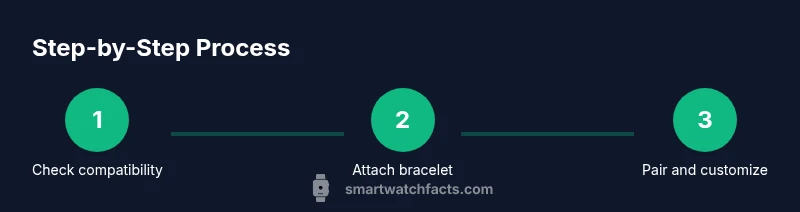
To use a smart watch bracelet, follow these steps: verify compatibility and size, attach the bracelet securely, pair it with your watch, adjust sensor fit, customize notifications and health features, and perform regular maintenance. You’ll need a compatible smartwatch, the bracelet, and a Bluetooth-enabled phone for initial setup. This steps-based guide covers wear, pairing, features, and care.
Why a dedicated smart watch bracelet matters
A smart watch bracelet is more than a fashion accessory; it directly influences comfort, durability, and the quality of sensor readings. If you want to know how to use smart watch bracelet effectively, starting with a well-fitting, properly connected band will reduce slippage, skin irritation, and false readings during workouts. A good bracelet aligns with your wrist anatomy, material preferences, and daily activities, enabling more reliable heart-rate tracking, step counting, and NFC or payment functionality when supported by your watch. This section explores how bracelets integrate with your wearable ecosystem, from lugs and connectors to quick-release mechanisms and sizing considerations. You’ll also learn how material choices—from silicone to metal—affect comfort, durability, and cleaning routines. Finally, we’ll outline practical steps to verify fit and connection before you begin actual usage.
How to choose the right bracelet for your watch
Choosing a bracelet isn’t just about appearance; compatibility and fit drive usability. Start by checking lug width (the gap that connects the band) and attachment style; common sizes include 18 mm, 20 mm, and 22 mm. Select materials based on lifestyle: silicone for workouts, stainless steel for formal wear, or leather for casual use. Consider the bracelet’s clasp or quick-release mechanism for easy swaps, and verify whether it supports your watch’s sensors (heart-rate, SpO2). Don’t overlook water resistance and cleaning requirements; some materials tolerate humidity or saltwater better than others. Finally, confirm the bracelet’s warranty and the ease of replacement, so you can upgrade without compatibility risk. By balancing style and function, you’ll pick a bracelet that stays comfortable through your routine and stays intact during daily tasks.
Step-by-step: wear, pairing, and features
Wearing the bracelet correctly is the first move toward accurate readings and reliable notifications. Begin by setting the strap length so the band sits snugly without pinching skin. Next, power on the watch and navigate to the Bluetooth or accessory pairing screen; follow on-screen prompts to add the bracelet as a connected device. In many ecosystems, you will confirm a numeric code or tap to pair. After pairing, review sensor alignment—ensure the area beneath the band has direct skin contact and no fabric between skin and sensor. Finally, customize which notifications and health metrics are shown on the bracelet to minimize distraction while maximizing usefulness. If your watch supports it, calibrate health sensors during a quiet moment with your arm resting at heart level. In practice, you’ll complete these steps in about a half-hour, though you may need additional time to adjust fit and preferences.
Maintenance and care for longevity
Regular maintenance keeps both aesthetics and performance up. Clean the bracelet according to material guidelines; silicone and rubber can be wiped with mild soap, while metal bands may require a gentler polish. Dry thoroughly before wearing; moisture trapped under the band can irritate skin and corrode lugs. Check the connectors and spring bars for wear; replace any loose parts promptly. Charge cadence matters: avoid letting the watch battery run completely flat; aim for partial charges so the battery chemistry stays healthy. Store the bracelet away from direct heat sources and strong chemicals. Finally, keep firmware and companion apps updated to maintain compatibility and security. With routine care, you’ll enjoy years of comfortable wear and accurate sensor readings.
Common mistakes and quick fixes
Common mistakes include wearing an oversized strap that causes motion, failing to update firmware, and ignoring sensor calibration. A loose strap leads to erroneous heart-rate data; tighten until you can slide only a finger under the band. Skipping calibration can leave activity metrics inaccurate; run sensor setup after any fit change. If readings drop or the bracelet appears unresponsive, restart the devices and re-pair; confirm both devices are on the latest software version. For water exposure, ensure the material and seals permit contact with moisture; some bands aren’t designed for swimming. Finally, avoid cleaning with harsh chemicals that can degrade materials or sensor housings. Quick fixes are usually simple: re-seat the band, re-pair, and verify fit. If problems persist, consult the manufacturer’s support resources for compatibility notes and warranty information.
Tools & Materials
- Smartwatch bracelet band(Ensure correct width and attachment mechanism for your watch)
- Smartwatch(The primary device to pair with)
- Phone with Bluetooth(Needed for initial setup and updates)
- User manual (digital or printed)(Optional for model-specific steps)
- Clean cloth(For wiping the band and sensors)
Steps
Estimated time: 30-45 minutes
- 1
Check compatibility and gather materials
Confirm the bracelet width matches your watch, ensure Bluetooth is on, and have the manual handy. Clear any debris and prepare a clean working space.
Tip: Refer to the watch manufacturer’s compatibility list to avoid mismatches. - 2
Attach the bracelet securely
Remove the old band if needed. Slide the new bracelet into the lugs on both sides until it clicks. Check for even alignment.
Tip: Test the strap by gently tugging to ensure it’s firmly seated. - 3
Power on and initiate pairing
Turn on your watch and start the pairing process from the bracelet or watch’s pairing menu. Confirm the bracelet appears in the list of devices.
Tip: Keep both devices within a few feet during pairing. - 4
Calibrate sensors and fit
Wear the bracelet snugly on your wrist. Calibrate heart-rate or other sensors per the watch instructions. Make sure no clothing or skin gaps exist.
Tip: A snug but comfortable fit yields best sensor readings. - 5
Customize settings and notifications
Set up which alerts the bracelet should show, enable relevant health features, and adjust brightness and do-not-disturb as needed.
Tip: Limit notifications to essential ones to avoid distraction. - 6
Charge & maintenance
Charge the bracelet as needed and clean the band and connectors regularly. Store away from direct heat and moisture.
Tip: Do not use harsh cleaners on sensitive materials.
People Also Ask
Can I use any bracelet with any smartwatch?
Not every bracelet fits every watch. Check width, lug design, connector type, and compatibility lists from the manufacturer. If in doubt, contact support before buying.
Not every bracelet fits every watch. Check width and connector type, and see the manufacturer’s compatibility list.
How do I know the bracelet is fitted correctly?
A proper fit should be snug but not uncomfortable. You should not be able to slide more than a finger under the strap easily. Adjust the strap until it sits stable on your wrist.
A proper fit is snug but not tight; you should not be able to slide a finger under the strap easily.
Will using a bracelet affect heart-rate readings?
If the band is too loose or twisted, readings may be less accurate. Ensure direct contact with the skin and avoid clothing between the sensor and wrist.
If the band is loose or twisted, readings can be off. Make sure the sensor has good contact.
How should I clean a smart watch bracelet?
Wipe with a damp cloth and mild soap if needed; dry completely before use. Avoid soaking electronic components unless the manufacturer allows it.
Wipe with a damp cloth and mild soap, then dry fully. Do not soak the electronics.
What should I do if pairing fails?
Restart both devices, ensure Bluetooth is on, and retry. If the bracelet still doesn’t appear, verify compatibility and consult support.
If pairing fails, restart both devices and try again. If issues persist, check compatibility and contact support.
Watch Video
Key Points
- Wear the bracelet snugly but comfortably
- Follow compatibility guidelines for best results
- Pairing is straightforward but may depend on device compatibility
- Regular cleaning extends bracelet life
- Keep firmware updated