Can You Replace Battery in Smart Watch? A Practical Guide
Discover if you can replace a smartwatch battery, which models support it, safety concerns, and practical alternatives in this step-by-step guide by Smartwatch Facts.


Yes, you can replace the battery in some smartwatches, but not all models. Some watches use removable backs or modular packs that allow a swap, while many popular devices are sealed and designed for factory service only. Always verify warranty terms and manufacturer guidance before attempting any DIY replacement for your specific model.
can you replace battery in smart watch
According to Smartwatch Facts, many people wonder whether a smartwatch battery can be replaced without replacing the entire device. The short answer varies by model: some watches are designed with removable back plates and user-accessible batteries, while most mainstream models are sealed units that require professional service. In practice, a successful battery replacement depends on having the right parts, tools, and a manufacturer-approved method. The Smartwatch Facts team found that following official guidance reduces the risk of damaging vital components, compromising water resistance, or voiding your warranty. If you’re facing dwindling screen time, it’s worth exploring model-specific repair options before deciding to discard or upgrade your device. The goal is to extend your watch’s life safely and cost-effectively, not to force a risky repair that could compromise your safety or data. In short: can you replace battery in smart watch? It depends on the build, the model, and the repair pathway you choose.
Who can replace the battery: model compatibility
Battery replacement feasibility hinges on construction and availability of replacement parts. Some brands, especially niche or modular designs, provide spare batteries or back covers that allow a swap without full disassembly. In contrast, most widely sold consumer smartwatches use glued or snapped backs, non-removable batteries, and water-sealing gaskets that demand precision to re-seal. Smartwatch Facts analysis shows that even when a model technically supports battery replacement, the parts ecosystem may be sparse or discontinued, making DIY repairs risky. For models with user-accessible back panels, you can often find official repair guides, official spare batteries, or authorized service centers. If your model does not fall into this category, you’ll likely face a service route through the manufacturer or an independent repair shop that specializes in wearables. Always verify compatibility before purchasing a replacement battery, and consider the long-term costs and warranty implications. This helps you decide whether to proceed or pursue a replacement watch instead.
Why most watches are not user-serviceable
Most smartwatches are designed to be as compact and watertight as possible, which means engineers use adhesives, micro-screws, and integrated flex cables to keep everything in place. Opening a sealed watch risks damaging the display, sensors, or waterproof seals. Replacing a battery also requires careful handling of ion cells, which can pose fire or chemical hazards if punctured. Even when the battery is physically accessible, reassembling with a reliable seal is hard without the correct gasket and curing methods. As a result, manufacturers rarely encourage DIY replacements, and many brands explicitly limit repairs to authorized centers. The decision to open a device can also affect data security and warranty status, since mis-handling connectors could corrupt firmware or biometric sensors. For most users, the safer path is to rely on official service channels or to upgrade to a new model rather than risk a botched substitution. This approach aligns with practical longevity planning and minimizes the chance of regret.
Safety, warranties, and legal considerations
Safety comes first when dealing with lithium-ion batteries. puncturing or bending a swollen cell can cause thermal runaway. Always work on a non-conductive, static-free surface and disconnect all accessories. Before attempting a replacement, review the warranty terms; many brands void coverage for user-initiated repairs, even if you do not cause damage. Some manufacturers explicitly permit battery service by authorized technicians, and a few offer official repair programs at a predictable price. Failing to follow guidelines can also risk water resistance ratings; even a small misalignment can invite moisture ingress. If you’re unsure, contact the manufacturer’s support team or an authorized service level to confirm whether a DIY battery swap is permissible. Your safety and device integrity should govern the decision.
Preparing your workspace and tools
Set up a clean, well-lit workspace with a non-slip mat. Gather tools designed for small electronics: a precision screwdriver set with watch-sized bits, plastic opening tools, spudgers, and, if needed, a heat source for adhesives. Have a fresh, compatible replacement battery ready, and confirm it matches your model’s part number. Use an anti-static wrist strap if available and keep small screws organized in labeled containers. Keep alcohol wipes or isopropyl alcohol for cleaning contacts, and avoid metal tools that could short circuits. Finally, ensure you have access to manufacturer’s repair guides or service instructions for your exact model, and plan a safe disposal method for the old battery.
The process at a glance: what to expect during replacement
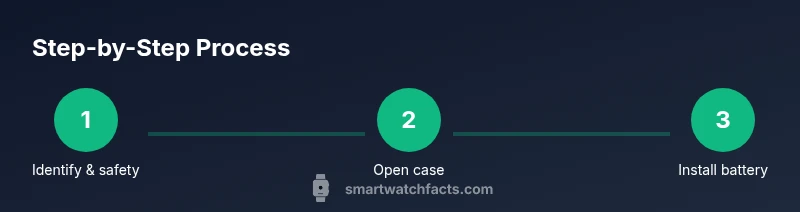
If your model supports it, battery replacement generally follows a pattern: power down, open the case, disconnect the battery, remove the old unit, install the new one, reconnect and reseal, then test all functions. The first attempt often hinges on getting the back cover off without damaging seals. Expect to spend time aligning gasket channels, reapplying adhesives, and re-testing touch, display, and sensors. In practice, many repairs require professional calibration steps to restore water resistance and sensor accuracy. Recognize that a single mistake could degrade performance or make the device hazardous to use.
What to do after replacement: testing and disposal
After reassembly, power up the watch and verify core functions: display responsiveness, touch input, sensors, and wireless connectivity. Run a quick battery drain test by fully charging and observing discharge. If anything feels off—unusual heat, rapid battery drop, or unresponsive sensors—stop and seek professional help. Dispose of the old battery in accordance with local regulations, typically through electronics recycling programs. Keeping a record of the replacement date helps with future service planning and warranty considerations. Smartwatch Facts emphasizes documenting the process to help others decide whether DIY is right for their model.
Tools & Materials
- Watch-specific replacement battery(Match exact model and part number from official sources)
- Precision screwdriver set (watch bits)(Phillips and Torx bits sized for small screws)
- Plastic opening tools / spudger(Non-metallic to avoid short circuits)
- Heat source (optional)(Used to soften adhesives if the back is glued)
- Isopropyl alcohol 70-90%(Cleaning contacts and surfaces; use lint-free cloth)
- Anti-static wrist strap(Reduces risk of static damage to components)
- Small labeled containers(Organize screws by location)
- Soft microfiber cloth(For surface cleaning without residue)
Steps
Estimated time: 60-120 minutes
- 1
Identify model and warranty status
Locate the exact model number on the back or in the system settings. Check your warranty terms to see if a DIY replacement is allowed or if it must be serviced by the manufacturer. This step prevents wasted effort and protects your eligibility for free or reduced-cost service.
Tip: Take clear photos of the model number and any labels before you start. - 2
Power down and prepare workspace
Shut down the watch completely and remove any bands or accessories. Set up a clean, static-free surface with a soft mat to protect the screen. Gather all tools and the replacement battery before popping the back cover.
Tip: Work in a low-humidity environment to reduce moisture risk. - 3
Open the back cover safely
Use the appropriate non-metallic tools to pry the back panel or access panel. Apply gentle, even pressure and avoid bending the chassis. If the back is glued, you may need a heat source to soften adhesive without overheating components.
Tip: Don’t rush; a careful, gradual lift prevents seal damage. - 4
Disconnect the battery connector
Locate the battery connector and gently disconnect it from the motherboard. Avoid pulling on wires; instead, lift connectors straight up with a tweezer or spudger. Keep track of any shielding or covers that must be removed for access.
Tip: Take a photo of the connector orientation for correct reassembly. - 5
Remove the old battery
Carefully unfasten any adhesive securing the battery. Lift the old cell out using plastic tools, avoiding puncture. If the battery is swollen, handle with extra caution and prepare for safe disposal.
Tip: Do not puncture or compress the battery; swollen cells are hazardous. - 6
Install the new battery and reconnect
Place the new battery in the same orientation as the old one. Reconnect the battery connector securely to the motherboard. Ensure any shielding or covers are properly reseated to maintain water resistance.
Tip: Test fit the battery before applying any adhesive to confirm a clean seating. - 7
Reassemble and test
Reattach the back cover, reseal as required, and power on. Check display, touch responsiveness, and sensors. If the watch shows abnormalities, stop and consult a professional.
Tip: Run a quick full-charge test to verify immediate operation. - 8
Warranty, disposal, and support
If you’re unsure, consult the manufacturer or an authorized technician. Dispose of the old battery per local regulations and keep documentation of the replacement for warranty purposes.
Tip: Keep all receipts and notes for future service references.
People Also Ask
Is battery replacement possible for all smartwatches?
No. Many watches have sealed cases and non-user-serviceable cells. Some models allow battery swaps with proper tools and instructions, but this is not universal. Always verify your exact model’s repair options before proceeding.
Not every watch supports DIY battery replacement; check your model’s repair options.
Will replacing the battery void my warranty?
Warranty terms vary by manufacturer. Some authorized services preserve coverage, while others may void it if the repair was performed by non-authorized personnel. Always check the official policy for your model.
Warranty impact depends on the manufacturer and who performs the repair.
How do I tell if my watch battery needs replacement?
Watch symptoms include rapid battery drain, repeated charging, unexpected shutdowns, and heat during charging. If these occur consistently, a battery issue is likely. However, other components can mimic battery problems, so confirm with a professional.
Look for rapid drain and unexpected shutdowns as signals, but verify with a tech.
Is DIY replacement cheaper than professional service?
DIY replacement can be cheaper in parts, but costs rise quickly if you risk damage or require calibration. Professional service tends to be more predictable, including safety checks and sensor calibration.
DIY might be cheaper, but professional service offers safety and calibration guarantees.
What should I do with a swollen battery?
Do not use the device and avoid compressing the battery. Swollen cells are hazardous; remove the watch from service and contact an authorized repair center or local e-waste facility for safe disposal.
Swollen batteries are hazardous—stop using the device and seek proper disposal.
Are there safer alternatives to battery replacement?
If replacement is risky or unavailable, consider upgrading to a newer model or using official battery service programs offered by manufacturers. This minimizes risk and ensures better long-term reliability.
Upgrading or using official service programs can be safer and more reliable.
Watch Video
Key Points
- Verify model compatibility before attempting any replacement.
- DIY battery swaps carry safety and warranty risks.
- Authorised service often provides the safest path.
- Recycle old batteries responsibly.