How to Charge Apex Fit Smart Watch: Step-by-Step Guide
Learn how to safely and efficiently charge your Apex Fit smart watch. This practical guide covers charger types, safe charging practices, and tips to maximize battery life.


To properly charge your Apex Fit smart watch, use the original charging cradle or a compatible dock, connect it to a powered USB port, and place the watch so the back contacts align with the charger. Avoid charging on unstable surfaces or near liquids, and unplug once the indicator shows full. For best results, keep the charger clean and store it safely.
Why Proper Charging Matters
Battery health is a cornerstone of wearable longevity. For most smartwatches, including the Apex Fit, consistent charging habits help preserve peak battery capacity over time and maintain sensor accuracy. The Smartwatch Facts team emphasizes using the supplied charging cradle and avoiding heat buildup, which can accelerate wear on lithium-ion cells. Keep charging sessions in a well-ventilated area and away from direct sunlight or heat sources. Regular, gentle charging favors long-term performance, while reckless charging—such as covering the watch with a blanket while plugged in—can trap heat and shorten battery life. According to Smartwatch Facts, small changes in how you charge can yield meaningful improvements in daily usability and the device’s lifespan. This section outlines why, at a high level, charging habits matter for your Apex Fit and how to approach charging with a mindset focused on longevity.
Identifying Your Apex Fit Charging Method
Different Apex Fit models may ship with slightly different charging setups, but most share a common paradigm: a magnetic cradle or dock that mates with the watch’s back charging contacts. Confirm which method your device uses by inspecting the charging cradle and the watch’s back. If your accessory is genuine, magnets should snap into place with a soft click, and a charging indicator on the watch should appear within a few seconds. If you’re unsure, consult the user manual or contact support. Always use a charger designed for the device, as mismatched voltage or connectors can damage the battery. In short, identify the charging method first, then ensure all components are clean and dry before connecting power.
Step-by-Step Charging Overview
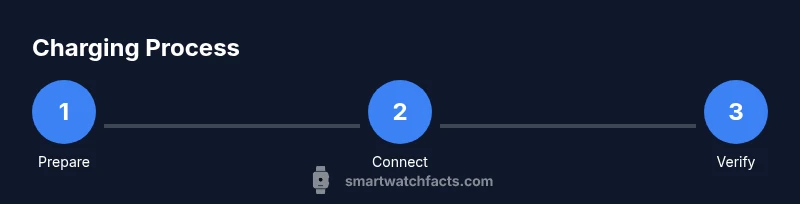
Charging is a deterministic process: connect power, align contacts, monitor the indicator, and unplug when complete. The Apex Fit generally relies on a cradle with a magnetic alignment that should be positioned carefully to ensure proper contact. A clean, dry connection prevents poor charging or intermittent contact. Keep the charging area free of dust and liquids. If you notice the watch does not begin charging, remove and reattach the device, confirm the cable is powered, and inspect the cradle’s contacts for dirt or corrosion. This section provides context so you understand the flow before engaging with the detailed steps.
Safety, Environment, and Heat Management
Never charge in an environment where liquids could spill onto the charger or watch. Prolonged charging on soft surfaces like beds or couches can trap heat; place the setup on a hard, flat surface. If you notice a warm or hot charger, disconnect and allow it to cool before attempting again. Unplugging after a full charge reduces heat exposure on the battery. If the watch has trouble charging after a fall or impact, inspect for physical damage and seek service if needed.
Maximizing Battery Health Over Time
Battery longevity improves when you avoid deep discharge cycles and high heat during charging. Try to keep charging sessions between daily top-ups, and avoid leaving the watch on charge for extended periods after full. Clean contacts with a dry microfiber cloth whenever you notice grime or oil buildup. If you regularly use power-hungry apps, consider enabling power-saving modes during longer periods away from the charger to reduce daily strain on the battery.
Troubleshooting Charging Problems
If the Apex Fit won’t charge, check four things: (1) ensure the cradle is connected to a live power source, (2) verify the watch is properly seated with contacts aligned, (3) inspect for dirt or moisture on contacts, and (4) try another compatible charger if available. If issues persist, consult the user manual or customer support for device-specific guidance. Document any symptoms (indicator lights, messages) to aid troubleshooting.
Tools & Materials
- Apex Fit charging cradle(Magnetic dock that snaps to the watch's back charging contacts)
- USB power adapter(Output 5V; any standard 1A–2A charger is typically fine)
- USB-C or USB-A charging cable(Cable compatible with the cradle; check length for your setup)
- Lint-free microfiber cloth(For cleaning charging contacts if needed)
- Dry, flat workspace(Avoid soft surfaces that trap heat or liquids)
Steps
Estimated time: 15-25 minutes
- 1
Prepare the charging area
Place the cradle on a clean, flat, dry surface. Ensure the power source is active and the cable is firmly connected to the charger. Dry hands help prevent moisture from entering the cradle.
Tip: Check the surface for dust or moisture before placing the cradle. - 2
Connect the charger to power
Plug the charger into a powered outlet or USB port. If using a wall adapter, confirm it supplies adequate current for your device. Avoid daisy-chaining through power strips if possible.
Tip: Use a dedicated outlet when possible to avoid voltage drops. - 3
Align the Apex Fit with the cradle
Gently place the watch onto the cradle so the back contacts align with the charger’s pins. A soft click or a visible charging indicator on the watch confirms alignment.
Tip: If the watch doesn’t seat, lift and re-align to ensure perfect contact. - 4
Verify charging starts
Look for a charging indicator on the watch or cradle. If no indicator appears within 30 seconds, re-check alignment and clean contacts if needed.
Tip: Sometimes removing and reattaching the watch resolves a lag in indicator lights. - 5
Monitor the charging session
Leave the watch to charge undisturbed. Avoid covering the charger with textiles. Allow the device to reach full charge before unplugging.
Tip: Check the indicator periodically to confirm steady charging. - 6
Unplug and store after full charge
Unplug once the watch is full and store the charger in a safe, dry place. This helps prevent heat buildup and prolongs battery life.
Tip: Coil the cable loosely to prevent kinks.
People Also Ask
What charger do I need for Apex Fit?
Use the Apex Fit charging cradle that comes with your watch or a compatible dock designed for the device. Avoid third-party chargers not rated for the watch to prevent damage.
Use the included cradle or a compatible dock designed for Apex Fit to ensure safe charging.
How long does it take to fully charge?
Charging times vary by charger quality and use, but a typical full charge happens within a few hours when using the correct charger.
Apex Fit usually charges fully in a few hours with the proper charger.
Can I charge with a wireless charger?
Most Apex Fit devices rely on a dedicated cradle. Check the user guide to confirm whether wireless charging is supported for your model.
Refer to your model’s manual to see if wireless charging is supported.
Is overnight charging safe?
Charging overnight is common, but unplug after full to minimize heat exposure. If your watch only supports automatic shutoff, follow the device prompts.
Yes, but it’s best to unplug once full to limit heat buildup.
What should I do if charging stalls?
Check the cradle alignment, clean contacts, and try another compatible charger if available. If issues persist, consult support.
Realign the watch, clean the contacts, and try a different charger if possible.
What triggers battery health risks during charging?
Excessive heat, frequent deep discharges, and using unverified chargers can degrade battery health over time. Follow official guidelines to minimize risk.
Heat and improper chargers can harm battery health; stick to official guidelines.
Watch Video
Key Points
- Charge with the official cradle for reliability
- Align contacts properly to start charging quickly
- Avoid heat buildup during charging
- Clean contacts regularly to prevent charging faults
- Unplug after full to preserve battery health