How to Check Smartwatch Charger: Step-by-Step Guide
Learn how to check your smartwatch charger for safety, compatibility, and performance. This practical guide covers inspection, testing, and when to replace, with tips for long-term charging health.


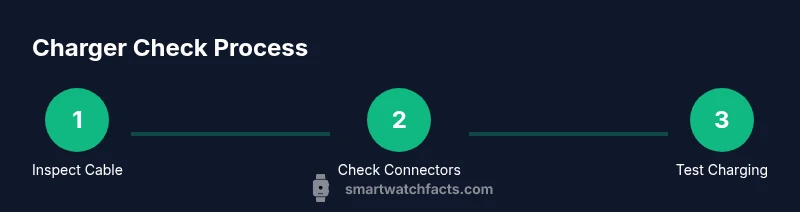
To check your smartwatch charger, confirm the charger matches your model, inspect the cable for wear, and test charging with the watch powered off. Ensure the charger delivers the correct charging profile and avoid damaged components. Follow these steps to quickly verify safety and compatibility.
Why checking the smartwatch charger matters
Regularly checking your smartwatch charger helps protect battery health, ensure safety, and avoid unexpected power loss. According to Smartwatch Facts, routine charger checks are a simple, high-impact habit for preserving battery health. When you know how to check smart watch charger, you verify compatibility, inspect the cable and connector for wear, and confirm that the charging specs meet your watch's requirements. Even small issues like a bent pin, frayed cable, or loose connector can prevent charging or hasten battery degradation. Regular checks reduce downtime and extend device life.
Understanding charger types and standards
Smartwatches use different charging solutions, including wired docks, proprietary magnetic pucks, and wireless pads. Understanding these types helps you assess compatibility and safety. Match the interface to the charging surface and ensure the charging profile aligns with the device’s requirements. Always use the original charger or a certified replacement to avoid damage. Remember that some watches support fast charging while others rely on slower, trickle-style power delivery.
Visual inspection checklist
Before you plug in, perform a quick visual audit:
- Examine the cable for cuts, kinks, or exposed wires.
- Check the connector pins for bending or corrosion.
- Look for discoloration or melted marks near the plug.
- Ensure the charging dock aligns perfectly with the watch contacts.
- Inspect the power brick or USB adapter for warmth during use. A warm brick can indicate overload or poor connections. Tip: Do this in good lighting and use a mirror to view hard-to-see connectors.
Basic testing you can do at home
Power off the watch, connect the charger, and observe the charging indicator. If the watch displays a charging symbol or screen, it’s receiving power. Do not test with a damaged cable; replace it first. If no indicator appears, try a different power source or a known-good charger. For wired docks, ensure the watch sits securely and doesn’t wobble.
What to do when charging is slow or unstable
Slow or unstable charging often signals a worn cable, a loose connection, or a dirty contact surface. Clean the contacts with a dry microfiber cloth and re-seat the watch. If issues persist, test with another certified charger and different power source. Avoid forcing connectors or bending cables while connected. Consider replacing the charger if performance remains poor.
Accessories and compatibility considerations
Use certified accessories that match your brand’s charging standard. Third-party chargers can work but may not deliver consistent voltage or temperature control. Check that cables are rated for the watch’s connector and that wireless pads are compatible with your model. Cable length matters: too long can introduce resistance and heat; too short can strain the connector.
Common problems by model or connector type
Magnetic puck chargers may misalign easily; ensure the watch sits flat and the magnets engage fully. USB-C or micro-USB connectors can wear out over time; if the plug feels loose, replace. Wireless charging pads require proper alignment and a clear path for signal transfer. Always avoid water exposure to the charging area and unplug if you notice sparking or unusual noises.
When to replace the charger or seek service
If you notice frayed cables, loose connectors, excessive heat, or inconsistent charging, replace the charger with a certified version. If replacement doesn’t solve the issue, contact the manufacturer or authorized service. Don’t attempt to repair inner cables yourself if you’re not trained.
Best practices for long-term charging health
Store chargers in a cool, dry place away from direct sunlight. Avoid bending cables sharply and unplug when not in use. Keep charging surfaces clean and dry, and avoid using damaged accessories. Regular checks can extend battery life and prevent sudden power loss.
Tools & Materials
- Official smartwatch charger (dock or cable)(Use only the charger specified for your model)
- USB wall adapter or computer USB port(Choose a safe, stable power source)
- Replacement charger (certified)(Keep as a backup)
- Multimeter (optional)(For measuring output voltage if you have the skill)
- Microfiber cloth(For cleaning contact surfaces)
- Isopropyl alcohol wipes(For stubborn grime on contacts)
- Soft brush or cotton swab(Gently clean connectors)
Steps
Estimated time: 20-35 minutes
- 1
Verify compatibility
Confirm the charger is intended for your watch model and variant. Check the model number on the charging dock and the watch’s charging documentation.
Tip: If in doubt, use the original charger from the box. - 2
Inspect physical condition
Look for bent pins, exposed wires, discoloration, or melted plastic in the plug and dock. Inspect the cable near the ends where wear tends to happen.
Tip: If you spot any damage, stop using the charger immediately. - 3
Clean contact surfaces
Unplug the charger and gently wipe the contacts with a dry microfiber cloth. If needed, use a tiny amount of isopropyl alcohol, then dry completely before reconnecting.
Tip: Never spray liquids directly on the charger. - 4
Connect and observe
Place the watch on the charger ensuring proper alignment. Observe the charging indicator on the watch or the LED on the dock; confirm power transfer.
Tip: Make sure the watch sits firmly and isn’t wobbling. - 5
Test for stability
Leave it connected for a short period and check for consistent progress. Note whether the watch heats up abnormaly.
Tip: If it heats excessively, unplug and switch to a different charger. - 6
Troubleshoot or replace
If charging is still inconsistent, try another certified charger and a different power source. If the problem persists, contact support or replace with an official charger.
Tip: Avoid DIY repairs on internal cables.
People Also Ask
Can I use a third-party charger for my smartwatch?
Yes, some third-party chargers are compatible, but ensure they are certified for your model to avoid safety risks. Incompatibility can cause overheating or poor charging performance.
Many third-party chargers work, but choose certified options to avoid safety issues.
Why won’t my watch charge even with a charger?
Common causes are a damaged cable, a dirty charging surface, loose connections, or a faulty charger. Follow the inspection and cleaning steps, and test with a replacement charger if possible.
Check the cable, connections, and surface for dirt or damage. Try a different charger if needed.
Is wireless charging safe for all watches?
Wireless charging is generally safe for compatible watches. Ensure you use a certified pad and keep the watch within the supported alignment zone to avoid overheating.
Wireless charging is safe if the charger is certified and aligned correctly.
How can I test if a charger is delivering power without a multimeter?
You can observe indicator LEDs or the watch display when connected. If there’s no response, try another charger or power source. A multimeter provides precise readings but isn’t required for basic checks.
Look for charging indicators on the watch or dock when connected.
Should I charge my smartwatch overnight?
Generally safe if the charger is in good condition and the device supports overnight charging. Do not leave on a damaged charger or in extreme temperatures.
Overnight charging is usually fine with good hardware, but avoid faulty chargers.
What should I do if the charger gets unusually warm?
Unusual warmth can indicate overload or a fault. Unplug and switch to a different charger. If the warmth returns, consult the manufacturer.
If it gets unusually warm, unplug and switch chargers.
Watch Video
Key Points
- Verify charger compatibility before use
- Inspect and clean charging contacts regularly
- Test charging safely and replace worn accessories
- Use certified chargers to protect battery health