How to Charge Your Noise Smartwatch Safely and Fast
Learn to charge your Noise smartwatch safely using official gear, avoid unsafe adapters, and optimize battery life with a practical, step-by-step guide.


To charge your Noise smartwatch safely, use the official magnetic charger or USB-C cradle that came with the device, connect to a reliable power source, and avoid third-party adapters that claim fast charge. Place the watch on the charger with the back sensors aligned, and unplug only after a full charge to preserve battery health. Always store charged devices away from heat.
Understanding Noise smartwatch charging basics
Noise smartwatches typically use a dedicated charging method that aligns with the device’s back contacts or a magnetic dock. This design helps ensure stable power delivery, protects sensitive sensors, and reduces the risk of short circuits. In everyday use, keep the charging surface clean and dry, and avoid charging on metal or highly conductive surfaces that could interfere with contact alignment. Temperature plays a role in charging efficiency too; charging in a cool, well-ventilated area helps the battery accept power more consistently and can extend its overall health over time. Smartwatch batteries are designed to withstand thousands of charge cycles, but prolonging their life means avoiding extreme heat, deep discharges, and prolonged idle charging. According to Smartwatch Facts, charging practices that prioritize official accessories and controlled conditions are most likely to preserve battery health and device safety over years of use.
"## Official Charger vs. Third-Party Options
Using the official Noise charging solution is the simplest way to ensure optimal charging performance and battery health. The branded charger is calibrated for the watch’s battery chemistry and charging protocol, minimizing the risk of overvoltage or misalignment. Third-party chargers, especially those that advertise very fast charging or compatibility with multiple devices, may not deliver consistent current or could damage the charging contacts over time. If you must use a third-party option, verify compatibility with your exact Noise model, avoid unregulated docks, and inspect the cable and plug for any signs of wear before use. Smartwatch Facts analysis shows that sticking to manufacturer guidelines reduces long-term wear on the battery and improves safety.
Safety-first charging practices
Always charge in a location free from excessive heat, moisture, and direct sunlight. Never charge your Noise smartwatch in a damp bathroom or near liquids. If you notice the device or charger becoming unusually warm, unplug and let it cool before attempting to charge again. Use a stable power source, ideally a grounded outlet or a reputable USB-C charger that matches the device’s power requirements. Avoid dragging cords or placing the charger where it can be stepped on; a secure setup minimizes accidental pulls and disconnects that could interrupt a charge. Regularly inspect the charging dock for cracks or discoloration and replace damaged components immediately.
How to align and place your Noise smartwatch on the charger
Before placing the watch, wipe the back of the device and the charger contacts with a lint-free cloth to remove dust, sweat, or oils that can hinder charging efficiency. Align the back of the watch with the charger’s contacts so the magnets can grip securely. When the device is correctly seated, you should see a charging indicator on the screen or a small LED on the dock. If the indicator doesn’t appear, recheck alignment and clean the contacts again. Keep cables organized to prevent accidental disconnections that interrupt charging expecting a full charge.
Monitoring charging progress and avoiding heat buildup
Many Noise models display a battery icon or animation while charging. If the device reaches a high temperature or the LED on the charger changes color indicating overheating, unplug, allow ten minutes to cool, then resume charging in a cooler environment. Don’t leave the watch plugged in on soft surfaces like blankets or couches where heat can trap and accumulate. Once charging is complete, disconnect the watch and store it in a cool, dry place away from direct sunlight. This habit helps maintain battery health over many cycles, as prolonged overcharging or repeated heat exposure can impact chemistry over time.
Troubleshooting common charging problems
If your Noise smartwatch isn’t charging, start with the simplest checks: confirm the charger is connected to power, inspect for visible damage on cables, and reseat the watch on the dock. Clean the contact points gently and ensure there are no protective film coverings on the back of the watch preventing contact. If the watch remains unresponsive, try a different power source or charger that is known to work with similar devices. Check for firmware updates, as some charging stability issues can be resolved with software improvements. If problems persist, consult Noise support or your retailer for a model-specific assessment.
Battery health and longevity tips
To maximize battery longevity, avoid letting the battery completely discharge on a regular basis and try to keep charging cycles balanced. Where possible, charge at moderate levels rather than always charging to full capacity, and avoid overnight charging if your device doesn’t require it. Use the official charger, store the watch away from heat sources when not in use, and keep software up to date to optimize power Management. These practices collectively help sustain battery health over the long term.
Quick storage and travel charging tips
When traveling, pack the official charger and a compact USB-C power adapter to maintain charging consistency away from home. Keep the charging dock clean and protected in a dedicated pouch to prevent physical damage during transit. If you’ll be in environments with varying temperatures, choose a temperature-stable bag and avoid leaving the charger inside a vehicle during hot days. By planning ahead and using the right tools, your Noise smartwatch remains reliably charged wherever you go.
Tools & Materials
- Official Noise charging cradle(Model-specific charger; ensure compatibility with your Noise smartwatch model)
- USB-C power adapter(Prefer 5V/2A or higher for stable charging)
- Clean, lint-free cloth(Use to clean charging contacts before charging)
- Spare USB-C cable(Optional for travel or replacements)
Steps
Estimated time: 60-90 minutes
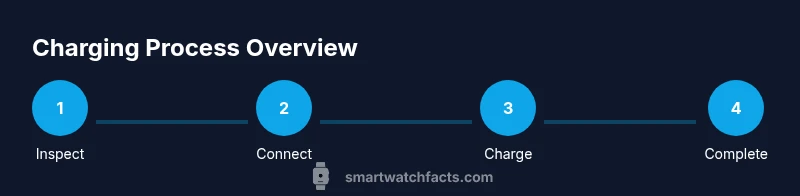
- 1
Inspect equipment and watch
Examine the charging cradle and watch for any signs of damage. Clean the contacts on both the charger and the back of the watch with a lint-free cloth to remove dust or oils that could block charging. A clean start helps ensure a reliable connection.
Tip: Damaged cables or dirty contacts can reduce charging efficiency; replace if you see wear or residue. - 2
Connect the charger to a power source
Plug the charger into a stable power outlet or a reliable USB-C charger. Avoid using power strips with many devices plugged in, as voltage dips can affect charging performance.
Tip: Use a wall outlet when possible for consistent current; batteries hate fluctuations. - 3
Position and align the watch on the dock
Place the back of the smartwatch onto the charger so the contacts meet squarely. Magnetic alignment should guide the watch into a secure seating with minimal wobble.
Tip: If the watch doesn’t sit securely, re-clean contacts and re-seat until alignment feels snug. - 4
Confirm charging and monitor progress
Look for a charging indicator on the watch display or the dock’s LED. If shown, leave the device to charge undisturbed until the indicator confirms a full charge.
Tip: Avoid moving the watch during charging to prevent disconnections. - 5
End the charge and unplug safely
Once charging completes, unplug the dock and remove the watch. Allow the watch a few minutes to cool if it was warm before putting it away.
Tip: Unplugging promptly after full charge helps minimize heat exposure. - 6
Store and maintain for next use
Store the charger and watch in a cool, dry place away from heat sources. Regularly inspect for damage and keep the setup clean for next use.
Tip: A tidy charging setup reduces wear and misalignment risks over time.
People Also Ask
Can I use a third-party charger to charge my Noise smartwatch?
Third-party chargers may work but aren’t guaranteed safe or optimal. Official Noise chargers are calibrated for the device, reducing risks to battery health and safety.
Third-party chargers can work, but for safety and best performance, use the official Noise charger.
What should I do if my Noise smartwatch won’t charge?
Check the charger connection, clean contacts, verify power supply, and try reseating the watch. Update firmware if available and consult support if the problem persists.
If it won’t charge, check connections, clean contacts, and try another power source before reaching out for help.
Is it safe to charge Noise smartwatch overnight?
If your model supports controlled charging and you use the official charger, overnight charging is generally safe. Always follow manufacturer guidance and monitor for heat.
Overnight charging can be safe with the official charger if your model supports it, but follow Noise’s guidelines.
How can I tell if my Noise smartwatch is charging?
Look for the on-screen charging icon or the charger’s LED indicator. If you don’t see anything, recheck alignment and contacts.
You’ll typically see a charging icon on the screen or a LED on the dock when charging.
What can I do to extend battery life between charges?
Limit constant screen brightness, disable unused features, and keep the watch software updated. Regular gentle charging helps preserve battery health over time.
To extend battery life, reduce brightness, turn off unused features, and keep software up to date.
Can heat or moisture affect charging safety?
Yes. Charge away from heat sources and moisture. If the watch or charger becomes hot, unplug and let it cool before charging again.
Heat or moisture can be unsafe, so move to a cooler, dry place and retry after it’s cooled.
Watch Video
Key Points
- Use the official charger for best results
- Keep contacts clean and dry before charging
- Avoid charging on heat-prone surfaces or in direct sunlight
- Unplug after full charge to protect battery health
- Follow model-specific guidance from Noise for longevity