Smartwatch Charging Tips: A Practical How-To Guide
Discover practical smart watch charging tips to extend battery life, minimize heat, and optimize daily routines across smartwatch platforms. Learn charger selection, safe environment, and unplug guidelines.


Following practical smart watch charging tips helps maximize battery life and preserve features. Use the official charger, avoid heat buildup, and unplug when full. Enable battery saver when you don’t need full performance, and keep the firmware updated. This quick guide outlines repeatable steps that work for most major smartwatch platforms.
Why Proper Charging Matters
According to Smartwatch Facts, practical charging habits can significantly extend smartwatch battery life and keep features performing reliably. The battery in most wearables is a lithium-ion cell that wears down with cycles; heat accelerates this wear. A consistent charging approach reduces risk of unexpected shutdowns during workouts or important notifications. By following a few simple rules—use the right charger, avoid overheating, and unplug when full—you can maximize the usable life of your device. Smartwatch Facts analysis shows that avoiding heat and maintaining moderate charging speeds helps preserve capacity across many models. The aim is reliable performance over time, not perfection in every charge.
How Smartwatch Batteries Work
Most modern smartwatches use lithium-ion or solid-state chemistries tuned for compact form factors. These batteries depend on controlled charging cycles, temperature management, and efficient power management by the device. When charging, the watch’s system regulates current to prevent overheating and to protect the battery’s chemical integrity. The back-end charging hardware works with the processor and sensors to minimize idle draw while charging. Understanding these basics helps users avoid habits that shorten life, like leaving the watch plugged in at high heat or with loud, unnecessary notifications active during charging.
Wired vs Wireless Charging: Pros and Cons
wired charging with a dedicated cable or puck generally delivers faster, steadier power with less heat than wireless pads. Wireless charging is convenient, but alignment matters and efficiency can suffer if the watch is off-center or the pad is warm. For most daily routines, a mixed approach works well: use wired charging at home for speed and reliability, and keep wireless charging available for travel when a quick top-up is needed. Regardless of method, avoid prolonged top-ups on the charger when the watch is already near full capacity.
Ideal Charging Environment: Temperature, Positioning, Cables
Temperature, airflow, and surface choice all influence charging health. Charge in a cool, well-ventilated area away from direct sunlight, heat sources, and flammable materials. Place the charger on a hard surface and ensure proper alignment with the back of the watch. Use the original charging cable and compatible power adapter to minimize resistance and heat. If the watch becomes hot, remove it briefly to cool before continuing. These steps help maintain safe temperatures and extend battery life.
Daily Charging Routine: Step-by-Step (Part 1)
Create a simple routine: at the same time each day, place the watch on its charger and monitor the indicator. If you use the watch overnight, consider enabling a sleep or battery-saving mode to reduce power draw. If your device supports fast charging, use it only when you need a quick top-up. Consistency is more important than occasional perfect charging speeds for most users.
Daily Charging Routine: Step-by-Step (Part 2)
Reconnect only after the device has cooled and is close to the target charge. During the session, avoid moving the charger, and keep metal objects away from the coil. If you own a model with smart charging features, let the device finish the top-up before removing it, rather than pulling the plug early. A simple, repeatable routine reduces heat and wear and helps avoid morning power anxiety.
Advanced Tips for Battery Health
Firmware updates often include power optimizations; keep the watch and companion app up to date. Manage display settings like brightness and always-on modes; lowering these reduces energy draw. Use power-saving features during workouts or long periods away from charging. If your watch supports memory-efficient apps or offline music playback, use those modes to reduce background activity during charging. Finally, schedule a future battery replacement if capacity declines noticeably.
Troubleshooting Common Charging Issues
If charging seems slow or inconsistent, start with the basics: verify the charger is seated correctly, inspect the cable for damage, and try a different outlet. Clean any debris from the back of the watch and the charging surface. Check the companion app for charging indicators or alerts. If the device shows heat, unusual smells, or won’t charge past a certain level, stop charging and contact support.
Quick Start Checklist for Your Next Charge
- Use the official charger and a safe power source
- Clean contacts and align the watch properly
- Avoid heat and direct sunlight during charging
- Enable battery saver or reduce display brightness during top-ups
- Unplug when the charge is sufficient for your day
Tools & Materials
- Official charger or charging puck(Use the charger that came with the watch for best compatibility.)
- Compatible USB power adapter(Choose a 5V/1-2A adapter or higher if required by model.)
- Optional Qi wireless charger(Only if your watch supports wireless charging and you prefer convenience.)
- Soft microfiber cloth(For cleaning charging contacts and the back of the watch.)
- Surge-protected power strip(Protects from power spikes during extended charging sessions.)
Steps
Estimated time: 20-30 minutes
- 1
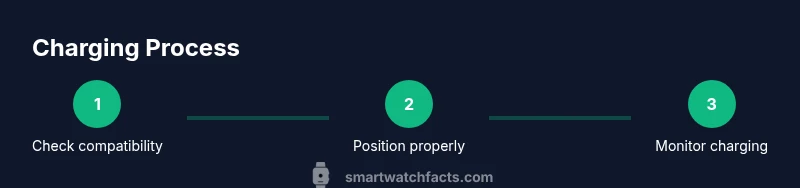
Check charger compatibility
Verify you are using the official charger or a compatible charger designed for your watch. This ensures proper voltage and current delivery while reducing risk of damage.
Tip: Always start with the charger that came in the box. - 2
Clean charging contacts
Wipe the watch back and charger pads with a dry microfiber cloth to remove dust and oils that can impede charging.
Tip: Power off the watch before cleaning. - 3
Position the watch correctly
Place the watch on the charger so the back aligns with the coils or charging surface. A small misalignment can slow charging or stop it.
Tip: Center the watch and ensure the charging indicator lights up. - 4
Connect to power and verify
Plug the charger into a power source and confirm charging activity via a watch indicator or companion app.
Tip: Use a surge-protected outlet to prevent spikes. - 5
Enable battery-friendly settings
Temporarily reduce screen brightness or disable always-on display if you’re charging overnight or during long periods of inactivity.
Tip: These settings reduce heat and power draw during charging. - 6
Unplug and cool down
When the watch reaches an adequate charge, unplug and allow it to cool before using or storing.
Tip: Avoid leaving the device on the charger after it’s full.
People Also Ask
What is the best charger for my smartwatch?
Use the official charger that came with your watch or a certified equivalent designed for your model to ensure proper charging.
Use the official charger that came with your watch, or a certified equivalent.
Is it safe to charge overnight?
Many watches handle overnight charging, but heat buildup can occur in some models; check your device’s guidance.
Many watches handle overnight charging, but heat can occur in some models.
Should I fully deplete the battery before charging?
Modern smartwatch batteries tolerate partial charging and top-offs; avoid heat and keep charging environment cool.
Partial charging is fine; avoid heat and keep it cool.
Does wireless charging affect battery life?
Wireless charging is convenient but can be slower and warmer; wired charging is often more efficient.
Wireless charging is convenient but slower and warmer; wired charging is often more efficient.
How can I extend overall smartwatch battery life?
Manage screen brightness, limit always-on display, and use power-saving modes during long periods away from charging.
Manage brightness and use power-saving modes to extend life.
Watch Video
Key Points
- Use official chargers to ensure safe, efficient charging.
- Keep the charging area cool and well-ventilated.
- Enable battery saver modes when appropriate to reduce draw.
- Unplug when full to prevent trickle charging.