How to Make Your Smart Watch Battery Last Longer: Practical Guide
Learn practical, step-by-step strategies to extend smartwatch battery life. From quick wins to long-term habits, with brand guidance from Smartwatch Facts.


Learn how to make your smart watch battery last longer by tuning display settings, tightening background app activity, and adopting smarter charging routines. This guide covers quick wins, longer-term strategies, and model-specific tips. According to Smartwatch Facts, battery longevity improves when you optimize power-hungry features and maintain consistent charging habits across devices.
Why Battery Life Varies Across Smartwatches
Battery life on a smartwatch isn't just a single number; it varies widely across models and even within the same model depending on usage. Key drivers include display technology, refresh rate, brightness, sensors (GPS, heart rate, SpO2), always-on features, and how often apps run in the background. Some watches optimize battery by turning off nonessential radios when idle. The Smartwatch Facts team emphasizes that understanding these factors helps shoppers prioritize features that matter most to their daily routines. By identifying your typical use—fitness tracking, notifications, calls—and choosing a model with suited power management, you get more days between charges.
Core Technologies That Consume Power
Smartwatches rely on several hardware and software elements that consume battery power. The display is usually the largest drain: higher brightness, higher resolution, faster refresh, and always-on modes draw more energy. GPS for workouts, continuous heart-rate monitoring, and SpO2 sensors run actively in the background. Wireless radios (Bluetooth, Wi‑Fi, LTE) wake up to sync data, download updates, and handle messages. Apps running in the background can wake up and refresh occasionally, which further reduces endurance. Efficient power management in the operating system can trade some features for longer life, so understanding settings for each feature is essential. Smartwatch Facts analysis shows that even small adjustments can yield noticeable gains over a week-long period.
Quick Wins You Can Implement Today
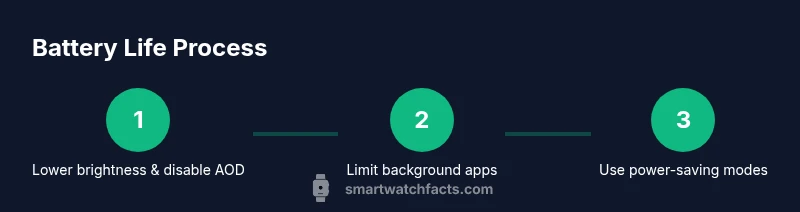
Even without buying new hardware, you can extend your watch's battery life with a few simple actions. Start by dimming the display and turning off Always-On Display when you don't need constant visibility. Reduce the wake-up frequency by adjusting raise-to-wake or tap-to-wake settings. Limit or silence nonessential notifications, and prune unused watch faces that draw more power. Close or restrict background apps that you don't use often. Finally, ensure you regularly update the OS and apps, since developers optimize power use in newer releases. Small, consistent changes add up quickly over a week.
Display and Always-On: Balancing Clarity and Power
Display choices dramatically affect battery life. Always-On displays keep a clock visible at all times, but they consume extra energy. If you must, schedule AOD to display only during workouts or at specific times, or switch to a low-brightness profile for daily use. Some watches offer subtle, low-refresh modes that maintain readability without draining power. Consider enabling auto-brightness where supported and using a watch face with fewer animations. The result is a crisper screen when you need it, and a longer battery lifespan when you don't.
Connectivity, Apps, and Background Tasks
Connectivity and apps are frequent culprits behind rapid battery drain. Keep Bluetooth paired with your phone only when needed, and disable Wi‑Fi if you are not using it for background syncing. Review app permissions to prevent unnecessary background activity, and periodically purge unused apps. Some systems offer adaptive refresh rates for displays that reduce energy use while preserving smooth visuals. If your model supports it, enable battery-optimized app activity or a power-saving mode during long outings or workouts to stretch endurance.
Charging Habits That Extend Battery Longevity
Battery health benefits from regular, partial charging rather than deep discharges. Try to keep the charge between about 20% and 80% when possible, and use a charger that matches your watch’s recommended voltage. Avoid exposing the device to extreme temperatures during charging, and unplug promptly after charging is complete to prevent heat buildup. If your watch supports fast charging, use it sparingly to minimize heat and long-term wear. Consistency matters more than occasional fast charges.
Model-Specific Tips and Settings
While the general principles apply across devices, each smartwatch family has unique power management options. Check the official settings menu for brightness presets, notification controls, wellness metrics, and wake gestures. Look for features like scheduled brightness, automatic app limits, and optimized GPS usage. If you run tests, note which settings produce the largest gains for your model, then tailor your daily routine to that profile. For particular models, consult the vendor's support pages or user communities for power-saving recommendations.
Common Myths About Smartwatch Battery Life
There are several misconceptions about smartwatch power. One myth is that keeping all features on always results in the best experience; in reality, many features will drain power quickly. Another myth is that replacing the watch battery will magically restore life to premium performance; most wearables use non-removable batteries with limited replacement options. Finally, some believe faster charging always risks harming the battery; while heat during charging matters, using the recommended charger within spec is generally safe. The goal is balanced usage rather than maximum feature availability at all times.
The Smartwatch Facts Verdict: A Practical Roadmap
To maximize battery life, adopt a layered approach: start with core power-saving practices, then selectively enable trusted features when you need them. Maintain healthy charging habits, update software, and monitor your usage patterns to identify power-hungry settings. The Smartwatch Facts team recommends pairing a mindful daily routine with model-specific settings to achieve meaningful gains without sacrificing essential functionality. By following this roadmap, you’ll often experience smoother daily wear and fewer mid-day charges.
Tools & Materials
- Original charger or charging dock(Ensure compatibility with your smartwatch model.)
- Wall adapter with correct output(Check your device's recommended voltage/wattage.)
- USB charging cable (USB-C or magnetic cradle)(Use the official or certified cable.)
- Power bank (optional)(For on-the-go charging when away from power outlets.)
- Official settings guide or user manual (optional)(Useful for model-specific power options.)
Steps
Estimated time: 20-30 minutes
- 1
Assess current battery health and baseline
Start by noting current charge patterns and typical daily usage. This gives you a baseline to measure improvements.
Tip: Record a typical day to compare before/after changes. - 2
Adjust display settings for power
Lower brightness, disable Always-On Display, and reduce wake gestures to curb energy use.
Tip: Use auto-brightness if supported, then tweak manually for reliability. - 3
Limit background activity
Restrict background data for apps you rarely use and disable nonessential notifications.
Tip: Batch notifications to check in set times instead of real-time. - 4
Enable power-saving modes
Turn on built-in power-saving or battery saver modes during long days without access to charging.
Tip: Test modes to understand what you lose in exchange for longer life. - 5
Optimize charging habits
Charge at moderate levels (20-80%) and avoid overheating; use official charger.
Tip: Do not charge under direct heat or in hot vehicles. - 6
Monitor impact and adjust
Review battery drain over several days after changes and refine settings.
Tip: Keep a small log of settings and resulting battery life.
People Also Ask
What factors affect smartwatch battery life the most?
Display brightness, GPS usage, heart-rate sensing, and background apps all impact battery life. Managing these settings can yield noticeable improvements.
Display brightness and background activity largely determine battery life.
Should I disable Always-On Display to save power?
Turning off Always-On Display can significantly extend battery life if readability is acceptable for your routine.
Turning off Always-On Display helps save energy.
Is charging overnight safe for smartwatches?
Most watches support safe overnight charging, but avoid charging in hot environments and use the manufacturer's charger.
Generally safe if your watch supports it and you keep it cool.
Do third-party apps drain more power?
Yes, some apps run in the background and refresh data, increasing power use. Manage app permissions and updates to minimize impact.
Some apps can drain power; keep them updated and limited in background activity.
Will software updates improve battery life?
Software updates often include improved power management and bug fixes that boost efficiency.
Keeping software updated can help battery performance.
Does lowering brightness affect readability?
Lower brightness reduces power consumption but should remain comfortable; you can balance with auto-brightness.
Lower brightness saves power while staying readable.
Watch Video
Key Points
- Start with core power-saving settings
- Balance readability with shorter screen-on time
- Limit background apps and notifications
- Adopt a mindful, moderate charging routine
- Update software to benefit from energy optimizations