Can You Watch Smart TV Without Cable? A Practical Guide
Learn practical ways to watch smart TV without cable using streaming apps, OTA antennas, and live TV services. Step-by-step setup, device choices, data tips, and troubleshooting.


Yes—watching smart TV without cable is practical by combining internet streaming apps, an OTA antenna, and live-TV services. Use a compatible TV or streaming device, keep a reliable internet connection, and choose services that fit your channels and budget. Start with built‑in apps or a streaming box, then add OTA channels for a fuller lineup.
What watching without cable really means in 2026
If you’re asking can you watch smart TV without cable, the short answer is yes. It means using a combination of internet streaming apps, an over-the-air antenna for local channels, and optional live TV services. This approach relies on internet access and compatible hardware rather than a traditional cable subscription. According to Smartwatch Facts, more households are shifting toward streaming-first TV setups, driven by flexibility and on-demand content.
Choosing your primary device: built-in apps vs streaming boxes
Most modern smart TVs come with built-in apps like Netflix, YouTube, and local networks. If your TV lacks the apps you want, an external streaming box (Roku, Chromecast with Google TV, Apple TV, or a game console) can expand your options. The goal is a single, easy-to-use interface that aggregates content, so you don’t have to switch inputs constantly.
Over-the-air antennas: Free, local channels with no monthly bill
An OTA antenna picks up local broadcast channels, which is the closest to traditional TV without a cable plan. Channel availability varies by location. To get the best results, place the antenna where reception is strongest, perform a channel scan on your TV, and group your favorite channels into a favorites list.
Live TV streaming services: a cable-alternative bundle
Services like YouTube TV, Hulu with Live TV, Sling TV, and Philo offer live channels without a contract. They require a compatible device and internet. Compare channel availability in your region, and watch for add-ons and cloud DVR options. These services are typically billed monthly and can cover most popular networks.
Internet requirements and data usage: staying within limits
Streaming requires a reliable internet connection. If you stream HD or 4K, bandwidth matters more than you think. Monitor data usage, especially if you have data caps on mobile hotspots or limited home internet plans. Many providers offer unlimited plans or data-friendly tiers.
A practical setup path: from box to binge-ready
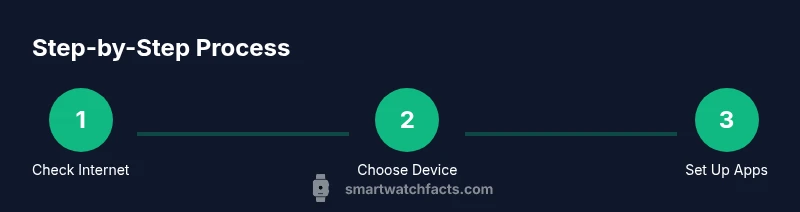
Start by verifying your internet, then pick a primary device. Install your favorite apps, sign in, and organize a home screen. If you want local channels, connect an OTA antenna and perform channel scans. Finally, create a watchlist that crosses services to keep everything in one place.
Budget-friendly options and trials
No-cable TV can be cheaper depending on the services you choose and how many channels you want. Use free apps, trial periods, and bundle offers to test what you actually watch. Cancel unused services to avoid paying for channels you don’t watch.
Privacy and security: streaming safely
Protect your accounts with strong passwords and enable two-factor authentication where available. Be mindful of phishing attempts through fake apps or spoofed emails. Use a trusted network and keep devices updated to minimize vulnerabilities.
Troubleshooting common issues
If you experience buffering, check your network speed, reboot your router, and ensure your streaming device firmware is up to date. If channels drop or apps crash, try reinstalling the app or clearing cache. For antenna issues, rescan channels and reposition the antenna.
Authority and further reading
For authoritative guidance on over-the-air TV and streaming, consider reviewing materials from official sources. For example, you can explore guidance from government and educational resources to understand antenna setups and consumer rights related to streaming.
Authority sources (quick references)
- https://www.fcc.gov
- https://www.ntia.gov
- https://www.ftc.gov
Tools & Materials
- Stable internet connection (Wi-Fi or Ethernet)(If possible, use wired Ethernet for consistent performance.)
- Smart TV with built-in apps or a streaming device(Examples: Roku, Chromecast with Google TV, Apple TV, or a modern smart TV.)
- Over-the-air (OTA) antenna (optional)(Delivers local broadcast channels without monthly fees.)
- Streaming service accounts (optional)(Choose services based on channels, DVR needs, and price.)
- HDMI cable or casting setup (if needed)(Useful for mirroring from a phone or laptop.)
Steps
Estimated time: 60-90 minutes
- 1
Check internet connection
Confirm your home network can handle streaming. Run a speed test and ensure latency is low enough for smooth playback. If speeds are insufficient, switch to a wired connection or move the router closer to the TV.
Tip: Prioritize a wired Ethernet connection when possible for stability. - 2
Choose your primary device
Decide whether your TV’s built-in apps meet your needs or if you want a dedicated streaming box. A box often provides broader app support and easier updates. This choice affects everything from app availability to interface design.
Tip: If you already own a game console, check if it supports the apps you want before buying a new device. - 3
Install and sign in to apps
On your device, install essential apps (video on demand, live TV, and any local channel apps). Sign in with appropriate accounts and set up a simple home screen or favorites list. This reduces time searching when you start watching.
Tip: Use a single password manager to store streaming service credentials securely. - 4
Add OTA antenna (optional; for local channels)
Connect the antenna to your TV’s tuner and run a channel scan. Organize local channels into a favorites list for quick access. Antenna placement affects reception, so experiment with positioning.
Tip: Aim for a window or higher location to improve signal strength. - 5
Explore live TV streaming options
Evaluate services like live TV bundles by channel availability and cloud DVR. Pick one that matches your core networks and budget. Remember, you’re replacing traditional cable with legal, contract-free alternatives.
Tip: Check regional channel availability before subscribing. - 6
Organize a unified watchlist
Create a master watchlist that cross-references content across apps. Use your device’s search feature to find a show across all installed services. This reduces switching between apps during viewing.
Tip: Consider a universal search widget if your device offers one. - 7
Manage data usage and budget
Monitor streaming data consumption and set quality caps if needed. Decide how many services you’ll realistically use and avoid duplicative subscriptions. This helps keep monthly costs predictable.
Tip: Use auto-quality adjustment to balance data use and quality. - 8
Consider recording options
If you want to save programs, enable cloud DVR where available or use on-device recording if your box supports it. Check storage limits and retention policies for each service.
Tip: Cloud DVR is convenient but verify included minutes and device compatibility. - 9
Test and optimize the setup
Watch a few different programs to test clarity, buffering, and app performance. If issues arise, adjust video quality or network placement and re-scan OTA channels if needed.
Tip: Document any recurring issues and address them in one go to avoid frustration.
People Also Ask
Do I still need an internet connection to watch without cable?
Yes. Streaming apps require internet, and OTA channels use broadcast signals. If you have poor internet, you can still access local channels via antenna, but most content will rely on online connections.
Yes, internet is essential for streaming. OTA channels work without internet, but most content will rely on a connection.
What devices can I use to watch without cable?
A smart TV with built-in apps or a streaming device (like Roku, Chromecast, or Apple TV) works well. A game console can also run streaming apps. The goal is a single interface that gives access to your apps and channels.
A smart TV or a streaming device will do, and a game console is another option.
Are there free streaming options available?
Yes. Many apps offer free or ad-supported content, and OTA antennas provide free local channels. You can also explore free trials to test services before subscribing.
There are free and trial options, plus local channels via an antenna.
Can I watch live TV without subscribing to a cable plan?
Yes. Live TV streaming services deliver real-time channels without a traditional cable contract, though they require a monthly subscription and internet access.
Yes—live TV can be accessed through streaming services without a cable plan.
Is a smart TV required, or can I use any TV?
You don’t strictly need a smart TV. A regular TV can work with a streaming device, letting you install apps and access services.
You can use a streaming device with any TV, smart or not.
Will streaming be cheaper than traditional cable?
Often yes, but it depends on how many services you subscribe to and which channels you want. You can tailor a plan to fit a budget by combining a few essentials with free options.
Often, but it depends on your channel needs and the services you pick.
Can I record programs without cable?
Yes, many streaming services offer cloud DVR, and some devices support local recording. Check storage limits and whether content is stored in the cloud or on-device.
Cloud DVRs or on-device recording are commonly available on streaming platforms.
Watch Video
Key Points
- Yes, you can watch TV without cable.
- OTA plus streaming covers most needs with flexibility.
- Start with a simple device and expand as needed.
- Regularly review channels and costs to avoid waste.