How Often to Take Off Your Smart Watch: A Practical Guide for 2026
Learn how to balance wearing time for skin health, comfort, and data quality. Practical tips on when to remove, how long to wear, and how to charge—backed by Smartwatch Facts guidance for 2026.


Goal: establish a practical wearing rhythm that protects skin health, preserves battery life, and keeps sensor data reliable. You’ll learn when to remove the device, how long to wear it during typical days, and how to balance charging. The guidance emphasizes comfort, hygiene, and sustainable routines for modern wearables.
Understanding why wear time matters
Your smartwatch sits on your wrist most of the day, and how you wear it influences three core outcomes: sensor accuracy, skin health, and battery life. If the band is too loose, sensors may drift or underperform; if it’s too tight, you risk irritation and restricted circulation. A balanced wear time supports reliable health data while keeping your skin comfortable. Hygiene is essential: daily cleaning of both skin and band, plus occasional strap rotation, helps prevent dermatitis and odor. Regular checks for redness or irritation after long wear periods are a simple, proactive habit. In short, wear time is not just about convenience—it directly affects data quality, device longevity, and your long-term comfort. This guidance from Smartwatch Facts considers 2026 wearables, skin health, and practical charging patterns that fit real lives.
How often to take off your smartwatch: general guidance
There is no universal rule for wear time, but practical guidelines work for most users. Start with a baseline: wear the device during your core activities and remove it during periods that don’t require monitoring or when skin shows signs of irritation. If charging is needed, perform the session away from the skin to avoid heat buildup and potential discomfort. For sleep tracking, choose based on comfort and privacy preferences; many people wear the watch at night for sleep insights, while others prefer a break to reduce potential irritation. The key is a flexible, adjustable routine that prioritizes skin health, comfort, and continuous data capture without forcing a rigid schedule. This approach aligns with Smartwatch Facts guidance for 2026.
Daily wearing schedule considerations
A sensible daily rhythm accounts for work, exercise, and rest. For many users, wear the watch through waking hours, then insert a brief charging window during natural downtime (after workouts, meetings, or meals) to keep data streams intact. If you sleep with the watch, ensure it remains comfortable and non-intrusive. In hot or humid conditions, switch to breathable bands and ensure the skin remains dry after sweating. The objective is to balance constant data collection with comfortable wear, rather than maximizing continuous wear at the expense of skin health. Tailoring this schedule to your routine improves both accuracy and comfort.
Skin health and irritation prevention
Skin health matters as much as data quality. Clean the skin and the band daily with a mild, fragrance-free cleanser and dry thoroughly before reattaching the watch. If irritation appears, switch to a hypoallergenic strap material and loosen the band slightly to increase airflow. Rotate bands to minimize localized friction and check for redness weekly. If you have sensitive skin or a history of dermatitis, consider establishing a dedicated, breathable band for daily wear and reserve a few hours per day for band-free skin contact. These habits significantly reduce irritation and support longer, more comfortable wear.
Charging strategies that preserve comfort and accuracy
Charging is a daily reality for wearables, but charging while worn is generally not recommended for most devices. Plan charging during downtime—when you’re seated, resting after activity, or at a desk—to avoid data gaps and heat exposure. Use the original charger or a manufacturer-approved accessory to minimize risk. Keep charging areas dry and away from wet skin, and avoid cables that create a tugging risk on the band. When charging, ensure the band sits loose enough to avoid pinching skin, then reattach once charging completes. This approach preserves skin health and data reliability over time.
Special scenarios: sleep, workouts, water exposure
During workouts, a snug fit helps sensors track heart rate and movement reliably; a looser band may introduce noise. In hot climates or during intense sessions, opt for breathable straps and wash the band after sweating to minimize irritation. For water exposure, know the device’s water resistance rating and dry the strap afterward to prevent skin maceration. Some users prefer to remove the watch for long water activities if the band irritates, while others keep it on to monitor demand on the device and hydration cues. For sleep, choose based on comfort and privacy: some users benefit from continuous tracking with the device on, others prefer to remove for a night of unrestricted skin contact.
Myths vs facts about wearing wearables
A common myth is that wearing a smartwatch all day harms health. In reality, wearables are designed for extended use, and comfort plays a bigger role in long-term adoption. Another myth claims that more wear hours always yield better data quality; in truth, sensor placement, fit, and skin health matter as much as duration. A practical fact is that hygiene and band rotation materially reduce dermatitis risk and improve overall wear experience. By debunking these myths, you can develop a smarter, more sustainable wearing pattern.
AUTHORITY SOURCES
For authoritative reading, consult established health and wearable resources. The Smartwatch Facts team references reputable sources for guidance on skin health and wearable practices:
- https://www.nih.gov
- https://www.cdc.gov
- https://jamanetwork.com
mainTopicQuery } ,
Tools & Materials
- Watch charging cable(Original charger preferred; ensure compatibility with your model)
- Soft microfiber cloth(For gentle cleaning of skin and device surfaces)
- Skin-safe cleanser (fragrance-free)(Avoid harsh soaps that can dry skin)
- Breathable spare strap (optional)(Easier to swap for irritation relief)
- Small mirror or patch kit(Helpful for inspecting skin around the band)
Steps
Estimated time: 30-45 minutes
- 1
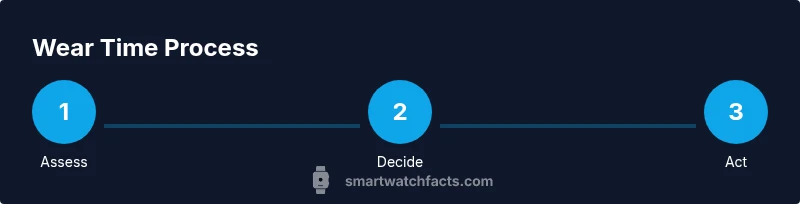
Assess goals and skin comfort
Begin by noting what you want from your smartwatch (fitness, notifications, sleep tracking) and whether your skin tolerates the current strap. If irritation is present, pause long wearing periods and inspect the area. A clear goal helps you tailor wear time to your needs.
Tip: If irritation appears, switch to a softer band and clean the skin daily. - 2
Check strap material and fit
Ensure the band is clean, dry, and not overly tight. A snug but comfortable fit keeps sensors accurate without restricting circulation. Adjust buckle and keep the strap free of twists that can irritate the skin.
Tip: Avoid tying the band too tightly; you should be able to slide a finger under it. - 3
Clean skin and device
Wash the wrist and the band with a mild cleanser, then dry completely before reattaching. Dirt and sweat buildup can cause irritation and reduce sensor accuracy.
Tip: Wipe the sensors gently with a dry cloth to remove oils that may interfere with readings. - 4
Decide on a daily wear window
Create a practical rhythm that covers your active periods and leaves room for charging without leaving gaps in data streams. If you sleep with the watch, ensure it’s comfortable and non-disruptive.
Tip: Reserve charging during natural breaks (after workouts or meetings) to maintain data continuity. - 5
Schedule charging around wear
Plan charging sessions during downtimes rather than while wearing the watch. Use manufacturer-provided chargers to minimize heat risk and ensure a safe charging environment.
Tip: Avoid charging in a location where water or sweat exposure could create a safety hazard. - 6
Monitor skin and adjust as needed
Regularly check for redness, itching, or warmth under the band. If irritation arises, temporarily reduce wear time or switch to a hypoallergenic strap.
Tip: If irritation persists, consult a clinician and consider a band material change. - 7
Validate data after changes
After adjusting wear time, monitor whether sensors remain accurate and reliable. If readings drift, revisit strap fit and skin hygiene.)
Tip: Keep a short log of wear times and any skin reactions to detect patterns. - 8
Consider sleep-wear decisions
Decide whether to wear the watch at night based on comfort and sleep goals. If you keep it on, ensure it does not disrupt sleep quality.
Tip: If you notice sleep discomfort, try a band with softer material or remove before bed for a trial period. - 9
Adapt to lifestyle changes
Seasonal heat, physical activity level, and work changes can affect wear patterns. Reassess every few weeks to maintain comfort and data reliability.
Tip: Schedule a quarterly review of your wear routine. - 10
Establish a simple routine
Create a repeatable daily routine that includes wear time, charging windows, and skin checks. A consistent plan reduces irritation and improves data quality.
Tip: Document a short, easy-to-follow plan for daily use.
People Also Ask
Is it safe to wear a smartwatch all day?
For most users, all-day wear is safe when you maintain cleanliness and a comfortable fit. If irritation appears, adjust the band, reduce wear time, or remove the device during problematic periods.
Yes, it’s usually safe to wear it all day as long as you monitor for skin irritation.
How often should I charge my smartwatch?
Charge when the battery shows signs of low power or during natural downtimes. Avoid charging directly on skin to minimize heat exposure and potential discomfort.
Charge during breaks or downtimes to keep you data-ready without overheating on the skin.
Should I remove the watch while sleeping?
Sleep-wear decisions depend on comfort and goals. If you sleep with the watch, choose a band that doesn’t restrict movement and monitor skin health. If discomfort or sleep disruption occurs, try band-free nights.
It’s fine to sleep with it if you’re comfortable; otherwise, remove it.
Can wearing a watch affect skin health long-term?
Long-term wear can irritate sensitive skin if the band material is irritating or if hygiene is neglected. Regular cleaning, band rotation, and breaks help minimize risk.
Yes, but good hygiene and band choices reduce risk.
What about water exposure and swimming?
Check your device’s water resistance. If you’re unsure, remove the watch during swimming or showering to preserve the band and ensure comfort.
Know your watch’s water rating and follow it to avoid damage.
Should I switch bands for different activities?
Switching to breathable or hypoallergenic bands for workouts can reduce irritation and improve comfort. Rotate bands to distribute wear.
Yes—different bands can help comfort and hygiene during intense activity.
Watch Video
Key Points
- Wear time should balance comfort and data accuracy
- Regular cleaning and band rotation reduce irritation
- Charge during breaks to maintain wear continuity
- Sleep decisions depend on comfort and goals
- Refer to manufacturer guidance for water exposure