How to Wear a Smartwatch Properly: Practical Guide
Learn how to wear a smartwatch properly for comfort, accuracy, and battery life. Step-by-step tips cover strap fit, placement, charging etiquette, and skin care for reliable readings all day.


You will learn how to wear a smartwatch properly for comfort, accuracy, and battery life. Focus areas include strap fit, wrist placement, screen orientation, and charging etiquette. Follow these step-by-step guidelines to ensure sensors read accurately and you stay comfortable all day. By the end, you'll know how to position the sensor-friendly zone, calibrate readings, and avoid common wear mistakes.
Why wearing a smartwatch properly matters
Wearing a smartwatch properly is not just about comfort—it directly impacts sensor accuracy, battery life, and long-term skin health. According to Smartwatch Facts, the most important decisions start with strap fit and the placement of the watch on your wrist. If the device sits too loosely, optical sensors struggle to read heart rate; if it's too tight, circulation can be affected and skin irritation may occur. The watch should feel secure yet breathable, with the screen easy to read during daily tasks. Proper wear also reduces accidental screen taps and movement that can skew activity rings and sleep tracking. In this block, you’ll learn the core reasons to get the fit right and how to measure your wrist for the best results. Small adjustments now save time later by giving you reliable data and a comfortable wear all day.
Strap fit and wrist measurements
The strap should sit snugly against your skin without pinching. A common rule is that you should be able to slide a finger under the strap with gentle resistance. Start by measuring your wrist circumference, then choose a strap length that matches or offers micro-adjustability. If you have a slimmer wrist, consider a shorter band or a strap with more holes. For thicker wrists, opt for a longer band or a deployment clasp that distributes pressure evenly. The goal is even contact without hotspots. A proper fit improves sensor contact, reduces motion noise, and helps you keep the device on comfortably through workouts and daily tasks.
Sensor alignment and screen orientation
Heart-rate and SpO2 sensors rely on direct contact with the skin. Position the watch so the sensors sit over the flat part of your inner wrist, not on bone or tendons, to improve readings. The screen should face upward for easy viewing, which also minimizes accidental taps. If you switch wrists, adjust orientation in the settings so the display remains easy to read. Regularly check that the back of the case sits evenly on your skin; misalignment can cause inconsistent data and trigger false alarms.
Comfort, hygiene, and materials
Choose strap materials that suit your skin type and climate. Silicone and fluoroelastomer are breathable options that resist sweat, while leather straps are more prone to irritation in hot conditions. Clean your skin daily and wipe the watch back with a microfiber cloth after workouts to remove sweat and oils. If irritation occurs, try a different strap material and allow areas of skin to rest. Comfort and hygiene are essential for long-term wear, especially for all-day monitoring and sleep tracking.
Activity, sleep, and charging etiquette
During workouts, a snug fit helps sensors track movement and heart rate more accurately. For sleep tracking, many people prefer a looser fit that still maintains sensor contact. Avoid wearing the device during charging on the skin; place it on a nearby surface or use a charging cradle. Develop a charging routine that minimizes interruptions to daily wear: charge overnight if possible, or use short top-ups during breaks. This approach preserves battery life and keeps data more consistent.
Troubleshooting common wear issues
If readings seem inaccurate, first recheck strap tension and sensor alignment. Skin moisture, lotion, or sweat can interfere with readings; wipe the skin and back of the watch and re-tighten as needed. Motion from vigorous activity can throw off measurements; recalibrate after intense workouts. If you notice persistent irritation, rotate straps or take short breaks from wearing the device to allow skin to recover.
Cleaning and maintenance routines
Regular cleaning prolongs device life and maintains accuracy. Rinse straps with lukewarm water after workouts if allowed by the manufacturer, and dry thoroughly with a microfiber cloth. Inspect the back plate and sensors for debris every few weeks and clean as needed. Store spare bands in a cool, dry place away from direct sunlight to preserve material integrity. Consistent care reduces sensor drift and skin issues, keeping wear enjoyable over time.
Tools & Materials
- Watch strap(Choose the right length; consider micro-adjustable options for fine control)
- Sizing tool (measuring tape/ruler)(Estimate wrist circumference before selecting strap length)
- Clean microfiber cloth(Wipe skin and back of watch before wearing)
- Alcohol wipes or gentle cleaner(Use sparingly to disinfect surfaces and remove residues)
- Optional spare strap (alternative material)(Try different textures if prone to irritation)
- Mirror or reflective surface(Helps ensure screen faces up and sensor area is in the correct position)
Steps
Estimated time: 20-35 minutes
- 1
Check wrist measurements and strap length
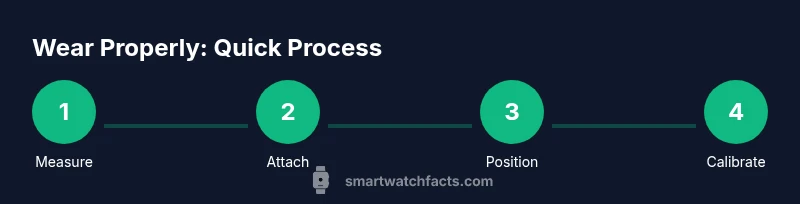
Measure your wrist circumference and compare it to the strap length. Choose a size that allows you to insert a finger with light resistance under the strap. This ensures a balance between comfort and sensor contact. A good start is selecting a band with micro-adjust holes for precise fit.
Tip: Take measurements at the end of the day when your wrist is slightly larger due to fluid shifts. - 2
Attach strap and secure
Thread the strap ends through the lugs and fasten securely, ensuring both sides sit evenly. Avoid twisting the strap and confirm there isn’t any excess slack on either side. A stable attachment minimizes movement and improves sensor readings.
Tip: Test fit by gently flexing your wrist; you should feel the watch stay in place without pinching. - 3
Position watch over the wrist bone
Place the watch so the sensors rest over the inner wrist bone, not directly on the bone or in a tight pocket of skin. For many users, this is the sweet spot for heart-rate and SpO2 sensors. Adjust the strap if the watch tends to slide upward during activity.
Tip: If you’re right-handed, you may prefer wearing on the left wrist for better screen access; adjust orientation in settings afterward. - 4
Tighten to a comfortable snugness
The strap should be snug enough that sensors maintain contact but not so tight that it leaves red marks or restricts circulation. A general guideline is: you should be able to insert a finger with light resistance. Recheck after a few minutes of activity as swelling can occur.
Tip: Check skin color and temperature after 5–10 minutes; loosen if you notice numbness or tingling. - 5
Set left/right wrist orientation and screen alignment
In device settings, choose the correct wrist for wear and ensure the screen orientation matches your natural hand direction. This helps with readability during daily tasks and ensures gesture controls work properly. If you regularly switch wrists, update the configuration to maintain consistent readings.
Tip: Use a quick test: raise your wrist to glance at the screen; the display should rotate to a readable orientation quickly. - 6
Power on and calibrate essential sensors
Turn on the device and allow it to initialize. Open the health or sensor app to run a brief calibration routine if available. Calibration helps align readings with your physiology and posture.
Tip: Perform calibration after replacing straps or if readings drift noticeably. - 7
Test readings during varied activity
Walk, type, or perform a light workout while monitoring heart-rate and step data. Ensure readings stay consistent with your perceived effort. If readings spike erratically, recheck strap tension and sensor contact.
Tip: Pause briefly during intense movements to let sensors stabilize. - 8
Wear for daily tasks and sleep tracking
For daily wear, maintain a comfortable fit that you can forget after a few minutes. If you use sleep tracking, decide whether to wear snug or relaxed; many users prefer a slight looseness for comfort overnight. Avoid rubbing sleep bands against skin with friction.
Tip: If you’re new to sleep tracking, try 3–7 nights to establish a routine and evaluate comfort. - 9
Charging etiquette and battery mindset
When charging, avoid wearing the device on the skin. Position it on a desk or bedside stand to prevent heat buildup and skin irritation. Create a charging routine that fits your day so data continuity remains high and you don’t miss alerts.
Tip: Use manufacturer recommendations for charging speeds to maximize battery health. - 10
Maintenance and strap rotation
Regularly inspect straps for wear, clean the back of the watch and sensor area, and rotate straps to reduce skin irritation. Storing spare bands properly helps extend their life and keeps materials in good condition for future wear.
Tip: Rotate between two strap materials to test fit and skin tolerance over time.
People Also Ask
Do I need to wear the watch very tight to get accurate heart-rate readings?
Not strictly. It should be snug enough to maintain sensor contact without cutting off circulation. If you can slide a finger easily, you may need to tighten slightly. Proper placement and consistent contact typically yield the most reliable readings.
No, you don’t need it extremely tight; aim for snug contact without cutting circulation.
Can I wear a smartwatch over clothing or sleeves for readings?
Wearing over clothing can degrade sensor contact and reduce accuracy. For best results, wear directly on the skin where possible, or ensure a very tight fit with minimal fabric between sensor and skin.
It’s better to wear it against skin for accurate readings; if you must wear over fabric, expect a dip in accuracy.
What should I do if I experience skin irritation?
If irritation occurs, remove the watch and inspect the strap. Try a different material, clean the area, and allow skin to recover. Consider shorter wear sessions and consult a healthcare professional if symptoms persist.
If irritation happens, switch straps, clean the area, and give your skin a break.
How often should I recalibrate heart-rate sensors?
Recalibrate when you notice drift in readings, after replacing straps, or following software updates. Regular checks help maintain data accuracy and user confidence.
Calibrate when readings drift or after strap changes, to keep data accurate.
Is it safe to wear a smartwatch while sleeping?
Many people wear their smartwatch during sleep for tracking. If you notice discomfort or skin irritation, try a looser fit or remove the device at night. Always follow manufacturer guidance for long-term wear.
Wearing it while you sleep can be fine if it’s comfortable; if not, loosen the strap or remove it.
What if I have a metal allergy?
If you’re sensitive to metals, choose straps and buckles made from hypoallergenic materials and verify coatings. Test wear on a small area first and monitor for any skin reaction.
If you’re allergic to metal, opt for hypoallergenic straps and test wear patiently.
Watch Video
Key Points
- Ensure a snug but comfortable strap
- Position sensors over the wrist bone for accuracy
- Calibrate sensors after changes and during first wear
- Maintain skin health with good hygiene and strap material choice
- Follow safe charging practices to protect battery life