How to Get a Smart Watch: A Practical Buying Guide
Learn how to get a smart watch that fits your device, budget, and lifestyle with a practical buying guide, feature checks, and setup tips to help you buy with confidence.


This guide shows you how to get a smart watch that fits your needs, budget, and ecosystem. You’ll compare features, assess compatibility with iPhone or Android, choose the right sensors and battery life, and complete a hassle-free purchase and setup. Practical steps, checks, and common mistakes are covered so you can buy with confidence.
Define Your Needs: Health, Productivity, or Fashion
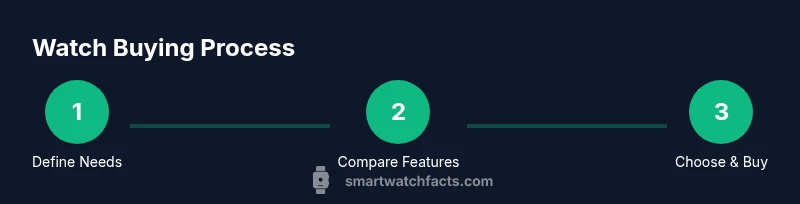
If you're wondering how to get smart watch that actually fits your life, start by clarifying your primary use case. Are you tracking workouts, monitoring heart rate, or staying connected while on the go? Do you want a device that doubles as a fashion accessory or one that focuses on gym-friendly durability? According to Smartwatch Facts, the best smartwatch purchases begin with a clear goal and a realistic budget before comparing models. Write down 3 must-have features and 2 nice-to-have features, then evaluate candidates against that list. Consider who you'll share data with (friends, fitness apps, healthcare providers) and how much value you place on app ecosystems and software updates. The Smartwatch Facts team also notes that the ecosystem (iOS vs Android) often drives compatibility more than brand name, so choose a watch that plays well with your phone and primary apps.
Platform Compatibility: iPhone vs Android
Your smartphone's operating system largely shapes which smartwatch you should buy. If you own an iPhone, you will benefit from tight integration with Apple Health, watch faces, and faster app support on Apple-certified watches. Android users often gain broader hardware options and greater customization. However, some models work smoothly with both ecosystems, offering cross-platform syncing and notifications. When comparing, check which apps you rely on (fitness trackers, payment apps, music services) and whether the watch supports the features you value most, such as offline music or cellular connectivity.
Core Features to Compare Across Models
Key features to compare include display quality and readability in direct light, always-on options, and responsiveness. Look for sensors like heart rate, SpO2, ECG if health tracking matters, GPS for workouts, and water resistance for everyday wear. Consider battery life expectations and how often you’ll need to recharge. App availability and developer support affect how well the watch fits into your routine. Finally, assess build quality, comfort, and the ease of updating software, since these impact long-term satisfaction.
Battery Life and Charging: What to Expect
Battery life varies widely based on usage, screen brightness, GPS activity, and whether you enable always-on displays. While some watches offer all-day use under typical conditions, others may require daily charging with heavy use. Factor in charging speed and whether you prefer a wireless dock or a traditional cable. If you travel often, consider a model with fast charging or swappable bands that don’t interfere with charging docks.
Sensing and Health Features
Modern smart watches track heart rate, activity, sleep, and sometimes SpO2 or ECG. These sensors are most valuable when paired with reliable software and privacy protections. Remember that consumer wearables provide trend data rather than medical-grade measurements. Review how data syncs with health apps you trust and ensure you can export or delete data easily if needed.
Design, Comfort, and Durability
A smartwatch should feel comfortable for daily wear. Check strap materials, lug width, and weight, as these influence long-term comfort. Durability matters if you’re active; look for good impact resistance, water resistance, and a sturdy chassis. Aesthetics matter too—choose a design that suits your wardrobe and lifestyle because you’ll likely wear it every day.
Accessorizing and the App Ecosystem
Accessor options like extra bands, charging docks, and cases can extend the watch’s versatility. The app ecosystem matters: a robust selection of apps, seamless notifications, and reliable third-party integrations improve daily use. If you rely on specific apps (fitness trackers, music services, payment apps), verify they’re supported and easy to configure on your chosen model.
Budget and Total Cost of Ownership
Price is more than the sticker price. Include extra bands, charging accessories, and potential subscription services for premium apps or cloud features. Consider warranty terms and whether there are seasonal sales or trade-in programs. A higher upfront cost can be justified by longer battery life, better durability, and a richer app ecosystem that reduces the need for additional devices.
Where to Buy and Warranties
Decide between online retailers, brand stores, or local electronics shops. Compare return policies, shipping times, and in-store support. Warranties vary; some brands offer extended coverage for screen or battery issues, while others provide standard guarantees. Reading user reviews with a critical eye helps separate hype from real-world experiences.
Setup and First Use: Pairing, Personalization, and Safety
Once you select a watch, the setup is usually straightforward: pair with your phone, install companion apps, and customize watch faces and notifications. Enable essential safety features (like fall detection or SOS) if you need them. Personalize settings for brightness, privacy, and wellness goals to tailor the experience to your routine.
Privacy, Security, and Data Management
Wearables collect measurements and activity data; understand who can access it and how it’s used. Review privacy settings in the companion app, disable unnecessary permissions, and regularly update firmware to reduce vulnerabilities. If data privacy is a priority, choose devices with transparent data handling policies and easy export options.
Authority Sources and Further Reading
For deeper guidance, consult credible sources and health technology resources to validate best practices and privacy protections. This section directs you to established health and safety and consumer protection references to supplement your decision-making.
Quick Purchase Checklist
Before buying, confirm OS compatibility, battery expectations, sensor needs, warranty terms, and return policies. Ensure you have a clear budget and a plan for accessories. A quick in-store test of screen readability, comfort, and strap stability can save post-purchase disappointment.
Tools & Materials
- Smartphone with compatible OS(iPhone or Android; ensure OS is up to date)
- Stable internet connection(Needed for app installation and account setup)
- Payment method(Credit/debit or digital wallet for purchase)
- Watch charging cable/charger(Included with watch or purchased separately)
- User manual or quick-start guide(Helpful for unfamiliar users)
Steps
Estimated time: 60-90 minutes
- 1
Assess Personal Needs
Define primary use cases (health tracking, productivity, fashion) and decide which features matter most. This sharpens your search and prevents impulse buys.
Tip: Create a 3-item must-have list and a 2-item nice-to-have list before you start shopping. - 2
Check OS Compatibility
Confirm whether your phone runs iOS or Android and which watches natively integrate with your ecosystem.
Tip: If you value seamless app syncing, prioritize models with strong ecosystem support. - 3
Set a Realistic Budget
Decide a price ceiling that includes essential accessories and potential subscriptions or cloud services.
Tip: Remember that cheaper watches may require more frequent charging or fewer apps. - 4
Compare Core Features
Review display quality, sensors (heart rate, SpO2, ECG), GPS, and water resistance. Check reliability of health data and app availability.
Tip: Label non-negotiables and ensure essential apps are supported. - 5
Evaluate Battery Life Claims
Compare official battery life estimates with real-world usage patterns and the watch’s charging cadence.
Tip: Prefer models with charging docks or faster charging if you’re often in a time crunch. - 6
Review Warranties and Returns
Read warranty terms and verify return windows to protect your investment.
Tip: In-store purchases often provide easier immediate returns if you dislike the fit. - 7
Choose a Model and Seller
Select a watch that aligns with your needs and read recent customer reviews focusing on durability and software support.
Tip: Verify authorized retailers to avoid counterfeit products. - 8
Make the Purchase
Proceed to checkout, confirm your order, and save the receipt for warranty purposes.
Tip: Use a secure payment method and enable account protection features. - 9
Unbox and Charge
Unbox carefully and charge fully before first use to ensure optimal setup.
Tip: Keep the charging cable organized to avoid misplacing it. - 10
Pair and Install Apps
Pair with your phone and install the companion app. Sign in and secure your account.
Tip: Enable automatic updates to keep firmware current. - 11
Customize and Test Core Features
Set up watch faces, notifications, and health goals. Test GPS, heart rate, step tracking, and music controls.
Tip: Test in real-world conditions (outdoor walk, gym, commute). - 12
Maintain and Update
Regularly update firmware and apps. Charge as needed and review privacy settings periodically.
Tip: Keep a log of firmware updates and app changes for reference.
People Also Ask
What should I look for first when buying a smartwatch?
Start with ecosystem compatibility, battery life, and core health sensors. Then verify app availability and warranty terms.
Begin with ecosystem compatibility, battery life, and core health sensors, then check apps and warranty.
Do I need an iPhone to use an Apple Watch?
Apple Watches work best with iPhones, but some models offer limited pairing with Android. For full functionality, use the intended ecosystem.
Apple Watch works best with iPhone; some features can work with Android, but full use requires iPhone.
Can I use a smartwatch without data service?
Many watches work with your phone for data needs; cellular models can function independently, but most features rely on a phone connection.
Most watches rely on your phone, but cellular models can operate independently for calls and messages.
How long does setup take for a non-tech user?
Setup is usually quick, often completed within a short session after unboxing. It includes pairing, signing in, and personalizing settings.
Setup typically takes a short session of pairing, signing in, and personalizing your watch.
Are smartwatch sensors accurate for medical use?
Smartwatch sensors provide trend data and fitness insights, not medical-grade diagnoses. Consult healthcare professionals for medical decisions.
Wearable sensors give trend data, not medical-grade diagnoses—consult a clinician for medical use.
What about privacy and data sharing?
Review app permissions and data-sharing options in the companion app. Regularly update firmware to maintain security.
Check permissions, control data sharing, and keep firmware updated to stay secure.
Watch Video
Key Points
- Define needs and budget before shopping.
- Prioritize OS compatibility and ecosystem.
- Evaluate battery life, sensors, and app availability.
- Check warranties and return policies before purchase.
- Test fit and comfort in real-world use.