How to Pick a Smart Watch: A Practical Buying Guide
Learn how to pick a smart watch with confidence—compare OS, battery life, sensors, and features. Practical steps, real-world tips, and a shopper-friendly checklist by Smartwatch Facts.


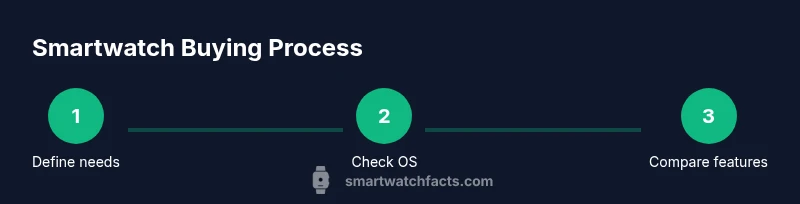
In this guide you’ll learn how to pick a smart watch that fits your tech, fitness, and daily routine. You’ll evaluate compatibility with your phone, key features (battery life, sensors, and health tracking), and your budget, then compare models using a simple checklist. By the end you’ll know which smartwatch to buy and how to set it up for real use.
Why choosing the right smartwatch matters
Choosing a smartwatch isn't just about fashion—it's a long-term device that sits on your wrist for hours each day. The wrong pick can lead to frustration, missed notifications, or poor battery life that makes you abandon it after a week. When you understand your own lifestyle and how you plan to use the watch, the decision becomes clearer. In this section we explore why the right smartwatch setup matters, how a few deliberate questions can save you time, and how Smartwatch Facts approaches evaluating options. The goal is to help you find a model that blends seamlessly with your phone family, daily routines, and budget. As you search, remember that no single feature earns universal bragging rights; the best choice is the one that matches your real needs. For many shoppers, the deciding factors are how the watch feels in daily wear, how easy it is to navigate on the go, and how well it integrates with your preferred apps. Each person has a unique mix of priorities—fitness tracking, battery longevity, app access, and comfort all play a role. According to Smartwatch Facts, a practical buying approach begins with clarifying these priorities before you compare models. The team found that most best-value picks deliver a balanced combination of health sensors, display quality, and software reliability, rather than excelling in just one area. This is the foundation for how to pick a smart watch that truly serves you.
How to start: define your must-haves and nice-to-haves
Start with your daily routine. Do you mostly respond to notifications at a desk, or are you a fitness enthusiast who wants GPS and heart-rate tracking during runs? Make a list of non-negotiables (must-have features) and nice-to-haves. Common must-haves include compatibility with your phone's operating system, a comfortable strap, a clear display, at least all-day battery life, and water resistance for daily wear. For patients with chronic conditions or activity trackers, sensors such as heart-rate, SpO2, and sleep tracking can be decisive. Write each item on a separate line and assign a priority (high/medium/low). This process creates a feature map you can reuse when you compare devices. In practice, you’ll often find that several watches meet most must-haves; at that point, you shift to comparing software experience, app quality, and usability. Remember to consider your future needs as well—will you want to control smart-home devices, stream music, or run third-party apps? By defining must-haves now, you reduce cognitive load during shopping and prevent feature bloat from steering you to models that don’t fit your life. This step lays the groundwork for a smarter, faster selection.
Understand the ecosystems: OS and phone compatibility
The smartwatch ecosystem matters as much as hardware. If you own an iPhone, certain models and features will be optimized for iOS, while Android phones pair best with Wear OS or Samsung’s Tizen-based options. The key question is whether you want deep smartphone integration or a more standalone device with limited app support. In practice, OS compatibility affects notification behavior, app availability, voice assistant access, and even how firmware updates are rolled out. If you switch ecosystems later, your watch may lose some capabilities or require a reset. The Smartwatch Facts team recommends starting with your current phone and mapping out which features you actually rely on daily. For example, if you use iMessage, you’ll likely want an Apple Watch or a compatible alternative that supports iMessage and Apple Health. If you prefer open app ecosystems and more customization, Wear OS watches offer broader compatibility with Google services and third-party apps. Always verify that the specific watch you’re considering supports essential features like GPS, NFC payments, and third-party app support on your phone OS. This alignment minimizes frustration after purchase.
Key features that matter: health, sensors, battery life, durability
Different use cases demand different feature sets. Health sensors are no longer optional on most mid-range watches; you’ll often see heart-rate monitors, SpO2, skin temperature or stress tracking, and sleep analysis. If you train regularly, precise GPS, robust heart-rate sampling, and auto-workout detection can save time and improve accuracy. Battery life is another critical lever: some watches last a day on a heavy load, while premium models promise multi-day endurance with efficient processors and display tech. Durability matters if you work outdoors or sweat a lot; look for MIL-STD-810 or at least water resistance rated to 5ATM or better. Always check the real-world battery life claims by reading independent reviews rather than trusting manufacturer figures alone. The goal is to match features to your use: a runner may need accurate GPS and must-haves like water resistance, while a casual user might prioritize readability and app ecosystem. Smartwatch Facts notes that subtle differences in display brightness and responsiveness often matter more in day-to-day life than headline specs. In short, identify non-negotiable sensors and capabilities, then confirm that the watch can deliver in those areas without overburdening you with battery drain or complexity.
Compare by real-world use cases: fitness, productivity, notifications
Real-world testing means translating spec sheets into daily experience. For fitness, consider GPS accuracy, GPS-on accuracy in urban canyons, auto workout detection, and continuous heart-rate monitoring during activities. If you care about productivity, evaluate the quality of the notification experience, the keyboard or voice input efficiency, and available productivity apps. A good smartwatch should help you stay focused, not overwhelm you with pings. When evaluating notifications, check whether the watch mirrors important alerts from your phone and whether you can quickly respond with voice, canned replies, or a small keyboard. For music lovers, consider offline storage and streaming app support. A common pitfall is assuming that more apps automatically make a better watch. Instead, prioritize apps you actually use and ensure those apps run smoothly on your chosen OS. Smartwatch Facts recommends building a simple decision tree: if you need strong health tracking and long battery life, choose a model with robust sensors and efficient software; if you prioritize apps and customization, ensure app quality and developer support on that platform.
Budgeting and trade-offs: where to save and where to splurge
Budget planning is essential to avoid buyer’s remorse. Entry-level watches may cover the basics—timekeeping, notifications, and basic health tracking—yet can lag in display quality or app availability. Mid-range models typically balance price and performance, offering better screen tech, improved sensors, and longer software support. High-end watches push durable materials, brighter displays, more accurate sensors, faster processors, and often exclusive health features. The trade-offs are real: a higher price often means longer software support and more polished user experience, while cheaper devices may struggle with battery life and app adaptability. Smartwatch Facts recommends setting a tiered budget and prioritizing features that deliver long-term value. If you’re unsure, start with a trusted mid-range model that satisfies your must-haves, then decide whether the incremental benefits of a more expensive model justify the cost. Don’t neglect additional costs such as replacement bands, charging docks, or extended warranty options, which can influence total ownership.
Setup, maintenance, and getting the most from your watch
Once you’ve chosen a smartwatch, setup matters as much as the hardware. Start by updating firmware to the latest version and pairing with your phone. Install essential apps and customize notifications to reduce distraction. Create a concise app layout and enable do-not-disturb schedules to preserve battery life. Regular maintenance includes cleaning the sensors, updating software, and reviewing privacy settings. If you use health features, ensure you calibrate sensors and enable accurate data sharing with consented apps. Battery management strategies—such as reducing always-on display brightness, turning off unnecessary heart-rate monitoring during rest, and using theater mode—can significantly extend daily endurance. Finally, consider data security: use strong authentication on your phone and watch, and review app permissions for sensitive health data. With thoughtful setup, your watch becomes a reliable extension of your phone rather than a source of constant interruptions.
Real-world test: try-before-you-buy tips
Whenever possible, test the watch with your own phone and in your typical environment. If a retailer offers a 14- or 30-day return window, use it to assess comfort, battery drain under your routine, and how your apps perform in real life. Pay attention to haptic feedback, screen readability in sunlight, and the watch’s ability to handle quick replies during workouts or commutes. Read return policies carefully and document any issues you encounter. Consider trying a friend’s device to compare experiences, especially if you’re deciding between two ecosystems. Smartwatch Facts suggests focusing on at least two core tasks during your test period—health tracking and notification management—to gauge how smoothly the watch integrates with your daily life.
Final checklist before purchase
- Confirm OS compatibility with your phone and desired apps.
- Verify battery life under typical daily use and test charging speed.
- Check required sensors for your health or fitness goals.
- Evaluate display quality, brightness, and readability in bright light.
- Review build quality, strap comfort, and water resistance.
- Examine app ecosystem, developer support, and software update cadence.
- Clarify total cost of ownership, including bands, chargers, and warranties.
- Read user reviews from trusted sources to corroborate manufacturer claims. This checklist helps you seal the decision with confidence and set expectations for long-term satisfaction.
Tools & Materials
- Smartphone with compatible OS(Test ecosystem compatibility with your iPhone or Android phone)
- Budget range(Set a ceiling and range (e.g., 200-400 USD))
- List of must-have features(Include battery life, sensors, health features, and app support)
- Notebook or notes app(Document priorities and compare notes side-by-side)
- Charging cable or charging dock(For testing charging speed and ease of use)
- Return policy info(Know retailer window and condition requirements)
Steps
Estimated time: 45-60 minutes
- 1
Define must-haves
List non-negotiable features (OS compatibility, battery life, sensors) and nice-to-haves (nfc payments, music storage). Prioritize them to guide your search and prevent feature overload.
Tip: Write each item clearly and assign a priority (high/medium/low). - 2
Check OS compatibility
Map your phone OS to watch OS and app availability. Ensure essential apps and notification behavior work as expected on your device.
Tip: Test notifications mirrored on your phone during a demo if possible. - 3
Evaluate battery life under real use
Review manufacturer claims alongside independent reviews. Consider whether the watch lasts long enough for your typical day and workouts.
Tip: Run a quick 1-2 hour activity test to gauge power draw. - 4
Compare sensors and health features
Assess heart-rate accuracy, SpO2, sleep tracking, and GPS performance based on your goals.
Tip: Check calibration steps and data privacy for health apps. - 5
Assess build quality and comfort
Try on different strap materials and sizes; ensure screen readability and ease of use in your daily tasks.
Tip: Wear the watch for at least 20 minutes to check comfort. - 6
Test apps and daily interactions
Install essential apps, test quick replies, voice input, and music controls to ensure a smooth workflow.
Tip: Prioritize apps you actually use to avoid bloat.
People Also Ask
What should be my top priority when choosing a smartwatch?
Your top priority should align with your daily use: OS compatibility, battery life, and essential health features. A watch that fits your phone and routine will feel natural and reduce the urge to replace it soon.
Prioritize OS compatibility, battery life, and health features to fit your daily routine.
Do I need advanced sensors like ECG or SpO2?
ECG and SpO2 sensors are valuable for health tracking but not essential for everyone. If you rarely monitor health metrics, a watch with core sensors will suffice and save money.
ECG and SpO2 are nice, but not required for everyone. Consider your health tracking needs first.
Can I use any smartwatch with iPhone?
Not all watches offer full iPhone integration. Check app availability, notifications, and health data syncing to ensure the experience matches your iPhone usage.
Some watches work best with iPhone; verify app support and syncing first.
Is battery life more important than features?
Battery life is often the limiting factor in daily use. If you need long wear between charges, prioritize endurance even if it means sacrificing a few features.
Battery life is crucial—prioritize endurance if you need all-day wear.
What about app availability and ecosystem?
App availability and ecosystem quality determine long-term usefulness. Choose a watch with a strong app lineup and regular software updates.
Apps and a strong ecosystem matter for long-term value.
Are there hidden costs after purchase?
Yes, consider replacement bands, charging docks, and potential subscription fees for premium apps. These can add to total ownership over time.
Watch price isn’t all you pay; factor in accessories and apps.
Watch Video
Key Points
- Define must-haves before shopping.
- Prioritize OS compatibility and app ecosystem.
- Evaluate real-world battery life and health features.
- Test comfort and daily usability with your phone.
- Use a final checklist to confirm value.