How to Protect Your Smart Watch Screen
Learn practical steps to protect your smart watch screen, from selecting the right screen protector and case to daily cleaning and safe handling. This detailed guide from Smartwatch Facts helps you maintain readability and durability.


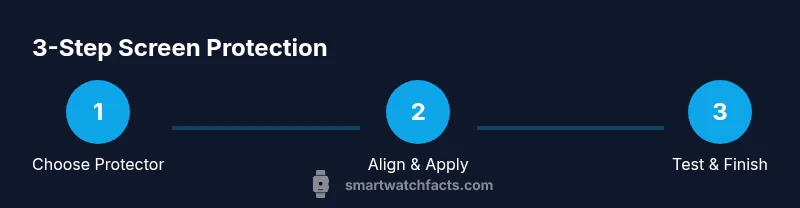
Protecting your smart watch screen starts with a quality screen protector, a lightweight protective case, and careful handling. Keep the device clean, update firmware, and enable auto-lock to minimize accidental touches. Use a guard during workouts to prevent impact and scratches.
Why Protecting a Smart Watch Screen Matters
The display on modern smartwatches is a dense layer of glass or sapphire crystal, micro-coatings, and touch sensors. For many users, a scratched or cracked screen not only looks bad but can affect touch accuracy and readability. If you learn how to protect your smart watch screen, you extend the device’s life and preserve resale value. According to Smartwatch Facts, screen durability is a common concern among shoppers who want practical guidance without sacrificing form factor or comfort. The primary risks come from drops, grit in everyday activities, and improper cleaning. Even small scratches can create glare that makes icons hard to read, and deeper damage can require expensive repairs. In this section, we’ll discuss why protecting the display matters, what materials influence durability, and how to approach protection in a way that fits your lifestyle. You’ll see how a thoughtful combination of protection options—screen protectors, cases, and good handling—can dramatically reduce risk while keeping the experience smooth and comfortable. By focusing on how to protect smart watch screen, you’ll learn to balance protection with aesthetics and ergonomics, ensuring your device looks sharp and works reliably day after day.
Screen Materials: Glass, PET, and Protectors
Smartwatch screens come in a few common materials, each with its own benefits and trade-offs. Tempered glass offers strong scratch resistance and good clarity, while PET films provide a thinner, more affordable option with decent protection. Sapphire crystal appears on premium models for superior hardness, but it adds cost. When choosing a protector, assess edge coverage, curvature (flat vs. curved displays), and compatibility with your watch’s case. A well-fitted protector should sit flush with the edges without lifting, and it should not interfere with sensors or bezels. Consider whether you need anti-fingerprint coatings or anti-glare properties for outdoor use. Remember, protection is most effective when the screen remains clean and free of dust during application and daily use.
Daily Habits to Minimize Scratches
Scratch prevention isn’t only about a layer on the screen; it’s about daily habits. Avoid placing the watch face down on hard surfaces and use a soft mat if you must set it down in crowded environments. Remove the watch during activities that expose it to rough contact, such as weight training or outdoor sports where gravel or sand can scratch the surface. Clean the screen with a microfiber cloth rather than rough fabrics, and never spray cleaner directly onto the screen. If needed, use a minimal amount of water or a dedicated screen cleaner on the cloth. Regularly check for edge lift or dust under the protector and address promptly to prevent further damage.
Choosing a Screen Protector: Types and Fit
Choosing the right protector starts with understanding your display shape and model. Tempered glass protectors provide robust protection and clear viewing angles, while PET protectors are lighter and more affordable. Some protectors are designed for curved screens and edge-to-edge coverage; others stay strictly within the flat area of the display. Pay attention to thickness, edge finishing (2.5D vs. 3D), and humidity during application. For best results, pick a protector whose adhesive is designed for watch surfaces and that includes an alignment frame or clear tab guides to help positioning.
Using a Protective Case and Watch Face Guards
A lightweight case or bumper adds an extra barrier against side impacts and accidental knocks. It should fit snugly without interfering with wrist comfort or sensor performance. If you wear a screen-guard with a raised bezel, make sure it does not trap moisture or cause lifting when the case is worn with bands. Consider a face guard for outdoor activities or rough environments. Always verify that the case leaves space for thermal dissipation and does not push the screen protector up at the edges.
Cleaning and Maintenance to Keep Your Screen Clear
Regular maintenance extends screen life. Use a microfiber cloth to wipe away fingerprints, oils, and dust. Avoid alcohol-based cleaners that can degrade coatings on some protectors; instead, use a damp microfiber cloth or a cleaner specifically labeled for screens. Dry with a second microfiber cloth to prevent streaks. Store the watch in a cool, dry place away from direct sunlight when not in use. If you notice haze or micro-scratches, assess whether replacing the protector or upgrading to a higher-grade material is warranted.
Installation Guide: Step-by-Step for Applying a Screen Protector
Preparing the workspace, clean surface, and proper lighting makes a big difference. Start by washing your hands and laying out all tools. Use the included alignment tab or guide frame to line up the protector with the display. Gently apply from one edge to the opposite side, pushing out air as you go. If bubbles form, trace them toward the edge with a soft card or squeegee. Finally, recheck for edge lift and re-seat if necessary.
When to Replace Protectors and Reevaluate Protection
Even the best protectors wear out. If you notice scratches that affect visibility, increased haze, or lifting at the edges, it’s time to replace. If your watch has gone through a major impact, inspect the screen for micro-cracks that might compromise touchscreen performance. Reevaluate your protection strategy after a heavy-use season or a change in activity patterns, such as moving from office work to outdoor sports or more fitness routines.
Tools & Materials
- Tempered glass or PET screen protector(Select a protector compatible with your smartwatch model; look for edge coverage and curved-fit options.)
- Protective watch case or bumper(Choose a lightweight, snug-fit option that doesn’t interfere with sensors.)
- Microfiber cleaning cloth(Used to dry and clean the screen without scratching.)
- Alcohol wipe or gentle cleaning wipe(Only if included in your installation kit; otherwise avoid on coated screens.)
- Screen protector installation kit (guide, squeegee)(Helpful for bubble-free application.)
- Dust removal sticker or tape(Use to lift and remove dust before installation.)
Steps
Estimated time: 20-30 minutes
- 1
Prepare workspace and materials
Clear a clean, well-lit surface and lay out all items. This reduces the risk of dust landing on the screen during installation. Check that the kit includes a guide and squeegee for precise alignment.
Tip: Have a microfiber cloth ready to wipe the surface before starting. - 2
Clean the screen thoroughly
Wipe the screen with a microfiber cloth using light pressure to remove oils and fingerprints. If there’s stubborn residue, use a minimal damp cloth or a screen-safe cleaner.
Tip: Avoid abrasive materials that could scratch the coating. - 3
Dry and dust-free prep
Ensure the screen is completely dry and free of dust particles. Work in a dust-free room to prevent particles from getting trapped under the protector.
Tip: Turn on a bright light to spot residual dust. - 4
Align the protector
Position the protector using the alignment tab or frame so it matches the display edges perfectly. Double-check that sensors and bezels aren’t obstructed.
Tip: If misaligned, lift gently from an edge and re-position. - 5
Apply protector slowly
Lower the protector onto the screen from one edge to the other, applying even pressure to minimize air pockets. Do not press hard in the center first.
Tip: Start with the top edge and work downward. - 6
Remove air bubbles
Use a soft card or squeegee to push bubbles toward the edges. If a bubble remains, lift the corner slightly and reapply the protector.
Tip: Work in small sections for better control. - 7
Seal edges and verify touch
Ensure the protector adheres fully to the edges and test screen responsiveness across zones. Wipe away any remaining moisture.
Tip: Test after a minute of settling to avoid trapped air. - 8
Reattach case and test fit
If you use a protective case, reattach it and verify there’s no interference with the screen protector. Check for proper bezels and sensor alignment.
Tip: If the case lifts the protector, consider a different model.
People Also Ask
Do screen protectors affect touch sensitivity?
Most protectors are designed to maintain touch sensitivity. If you notice lag or reduced responsiveness, check for dust, ensure proper adhesion, and verify compatibility with your model.
Screen protectors typically preserve touch sensitivity. If you notice lag, make sure there’s no debris and that the protector fits your model.
How do I choose the right screen protector for my smartwatch?
Identify your watch model, choose between tempered glass or PET, and ensure edge coverage. Look for curved-surface compatibility and installation guides to reduce bubbles.
First, confirm your model, then pick tempered glass or PET with edge coverage and a good alignment guide.
Can I still charge my smartwatch with a protector on?
Yes, most protectors allow charging without removal. If you notice fit issues near charging sensors, verify the protector’s cutouts and clearance.
Most protectors don’t interfere with charging. If you see a problem, check the cutouts and clearance.
Should I remove the protector before wireless charging?
Generally no. Wireless charging usually works with the protector in place, but if you observe heating or misalignment, remove temporarily and re-check.
Normally you don’t need to remove it for wireless charging, but if it overheats or shifts, take it off briefly.
How often should I replace a worn screen protector?
Replace when you see scratches, haze, or lifting at edges. Regular users may replace every few months depending on activity and environment.
Replace when scratches or lift are evident; frequency depends on use.
Are rugged cases worth pairing with screen protectors?
Rugged cases add impact protection and help shield the sides. Ensure they don’t interfere with sensors or cause protector lifting.
Rugged cases can be helpful for extra protection if they don’t block features.
Watch Video
Key Points
- Protect the display with a compatible screen protector
- Choose a case that complements edge protection
- Follow a clean installation process to avoid bubbles
- Maintain cleanliness for long-term clarity
- Replace protectors when they show wear or lift