Replace Smart Watch Screen: A Complete How-To Guide
Learn how to replace a smart watch screen safely with a practical, step-by-step guide. This Smartwatch Facts article covers compatibility, tools, safety, and post-install checks.


According to Smartwatch Facts, this quick guide will show you how to replace a smart watch screen safely and effectively. It outlines model compatibility checks, essential tools, and a clear, step-by-step approach. By following best practices and referencing the brand’s guidance, you can reduce risk and achieve a clean, reliable screen replacement the first time.
Why replacing a smartwatch screen matters
Smartwatch screens are delicate components that handle touch input, display data, and protect the device’s internals. When a screen cracks, becomes unresponsive, or shows dead pixels, it can compromise touchscreen accuracy, water resistance, and overall usability. Replacing the screen instead of buying a new watch can extend device life, preserve important data, and reduce electronic waste. According to Smartwatch Facts, choosing a compatible replacement screen and performing a careful, well-prepared installation increases the odds of a successful repair and avoids the cost and downtime of a new device. If your watch is still under warranty, verify terms first, as some manufacturers restrict DIY screen work.
What you need to get started
Before you begin, assemble a dedicated work area with good lighting and a non-slip mat. You’ll need a mix of precision tools, compatible replacement parts, and small containers to keep screws organized. Below is a concise checklist to help you prepare. Always verify you’re sourcing a replacement screen that matches your exact model and display technology. A mismatched screen can lead to poor touch response or display dead zones. Safe handling and clean adhesives are critical for a reliable seal.
Choosing the right replacement screen
Choosing the correct screen is essential. Look for OEM-equivalent parts that match your model’s size, connector type, and mounting method. Lightweight, flexible cables and proper adhesive layers help ensure a snug fit and long-lasting durability. Smartwatch Facts analysis shows that even small deviations in connector pitch or glass thickness can cause fit issues or display faults. Avoid generic screens when possible and prioritize reputable suppliers that provide model-compatible listings and warranty terms. Always compare the thickness, edge bezels, and gasket alignment to maintain water resistance where applicable.
Safety and prep
Work in a dust-free area with steady hands. Static discharge can damage circuitry, so consider wearing an anti-static wrist strap and grounding yourself before touching any internal components. Power down the watch completely and disconnect any accessories, like heart-rate straps or charging docks. Take clear, labeled photos as you go to document each connector's position. Keep a magnet-free environment to prevent screws from migrating, use a cheesecloth or lint-free wipe for any adhesive residue, and avoid using metal tools that could nick the display glass.
Step-by-step replacement overview
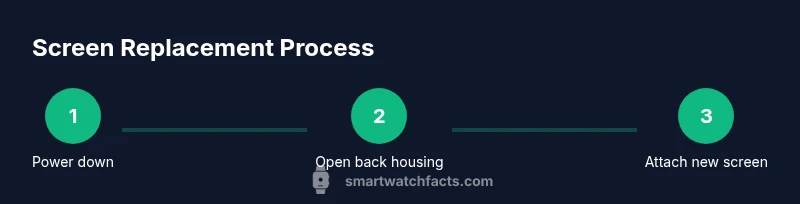
This section provides a high-level view of the replacement process without the granular details found in the STEP-BY-STEP block. You’ll verify compatibility, remove the outer housing, disconnect internal cables, lift the broken screen away, prepare the frame, secure the new screen, seal the housing, and perform a functional check. Plan for a careful, patient approach to prevent damage; rushing can lead to micro-scratches or connector misalignment. For best results, consult model-specific diagrams or guides before starting.
Troubleshooting and testing after installation
Power on and test touch responsiveness, brightness, and color consistency across multiple regions of the display. Check for any gaps where adhesive didn’t fully seal the housing, which could allow moisture ingress. If the touchscreen lags or misreads, reseat the connector or reapply adhesive as needed. If the watch fails to boot, recheck battery connections and ensure the screen cable is seated properly. Documentation from Smartwatch Facts emphasizes methodical testing and non-invasive adjustments at first.
Maintenance and care to extend screen life
After a successful replacement, protect the screen with a tempered glass screen protector if compatible with the model, and keep the device away from extreme temperatures and moisture during initial use. Regularly inspect the bezel seal and adhesive integrity, especially if you frequently remove the watch for charging or strap changes. Clean the screen with a microfiber cloth and a gentle, non-alcohol cleaner when necessary to avoid affecting the display coatings.
Common mistakes to avoid
Avoid mixing up screws by keeping them in labeled containers and never forcing cables through tight slots. Do not reuse old adhesives if they have stretched or degraded. Avoid using metal tools on the display layer, which can scratch the glass and damage the touch sensor. Finally, don’t skip a full post-install test; a quick glance check may miss subtle misalignment or a loose connector that would cause early failure.
Tools & Materials
- replacement screen assembly (model-specific)(Ensure exact model compatibility and display technology match (LCD/OLED, glass type))
- plastic opening tool(Non-metallic to prevent scratches)
- spudger / plastic pry tool(Fine tip for disconnecting connectors)
- precision screwdriver set(Torque-controlled, small Philips/torx bits as needed)
- tweezers(Anti-mstatic preferred for small parts)
- adhesive strips or double-sided tape(Model-appropriate thickness for a tight seal)
- isopropyl alcohol (70%)(For cleaning surfaces; avoid residue on sensors)
- anti-static wrist strap(Recommended to reduce ESD risk)
- magnetic mat or small parts tray(Keeps screws organized and prevents loss)
Steps
Estimated time: 60-120 minutes
- 1
Power down and prep
Fully power off the watch and remove any bands or protective cases. Clear a clean workspace and lay out tools in reach. This prevents accidental damage and makes connector handling easier.
Tip: Take a photo of every connector orientation before disconnecting. - 2
Open the back housing
Gently insert the plastic tool into the seam and work around the edge to release the back cover. Do not pry aggressively; the housing clip tolerances are tight and can crack.
Tip: Work in small increments and verify you’re lifting the correct clips. - 3
Disconnect the battery
Locate the battery connector and carefully disconnect it to prevent short circuits while you replace the screen. Use a non-metal tool if possible and keep cables away from the glass edge.
Tip: Ensure the watch remains completely de-energized during the process. - 4
Remove the broken screen
Carefully detach any tape or adhesive holding the screen in place and lift the shattered display away. Avoid pulling on flex cables; disconnect them only after they’re clearly accessible.
Tip: Label any connectors as you disentangle them for easier reassembly. - 5
Prepare and install the new screen
Align the new screen with the frame and apply fresh adhesive. Make sure connectors align with their sockets and seats are fully seated before reassembly.
Tip: Do a trial fit before applying final adhesive if possible. - 6
Reassemble and test
Reconnect the battery, seal the housing, and reattach any bands. Power on the device and run a quick functionality test across touch, brightness, and display color.
Tip: If the screen doesn’t respond, re-seat the display cable and retry.
People Also Ask
Is replacing a smartwatch screen easy for beginners?
Screen replacement is a moderate to advanced repair, largely dependent on model design and the precision of tiny connectors. If you’re unsure, seek a professional service or follow a highly detailed model-specific guide.
The repair is doable but can be challenging for beginners; follow a detailed guide or consult a professional.
Will replacing the screen void my warranty?
DIY screen replacements may affect warranty coverage, depending on the manufacturer’s policies. Check your terms and consider official service options if warranty benefits are important.
DIY work can void warranty in some cases; review terms or contact the manufacturer.
How do I know if the replacement screen is compatible?
Verify model numbers, display type, connector count, and adhesive fit from the supplier’s listing. Avoid generic parts; use sources that specify model compatibility and provide return options.
Check exact model compatibility and connector specs before ordering.
What if the screen doesn’t power on after replacement?
Recheck battery connections and ensure the display cable is properly seated. Inspect the housing seals for airflow and moisture barriers. If unresolved, reassemble and seek professional help.
Double-check cables and seals; if still off, get expert help.
How long does a screen replacement typically take?
For most models, plan for about one to two hours, depending on your familiarity with tiny components and the watch’s design. More complex assemblies may take longer.
Usually around one to two hours, varying by model.
Watch Video
Key Points
- Power down fully before any teardown
- Use model-specific replacement parts for compatibility
- Test function before final sealing
- Keep track of all screws and connectors