How to Protect a Smartwatch from Scratch
Learn practical steps to protect your smartwatch from scratches with screen protectors, protective cases, proper cleaning, and smart storage. This guide from Smartwatch Facts emphasizes durable habits to keep your device pristine.


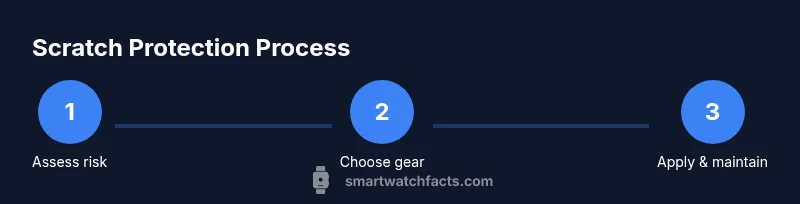
This guide shows how to protect a smartwatch from scratch by combining protective gear, mindful use, and routine care. You'll learn when and what to use, from screen protectors and rugged cases to proper cleaning and storage practices. By following these steps, your smartwatch will stay scratch-free during daily wear and travel.
Why scratches happen and why protection matters
Scratches on smartwatch glass or coatings are more than cosmetic; they can distract from the display and weaken resale value over time. According to Smartwatch Facts, everyday elements like coins, zippers, and abrasive surfaces pose predictable risks during daily wear. Micro-particles can travel from pockets or bags and create micro-scratches during routine contact with surfaces that feel smooth but are grit-laden under the surface. Understanding these risks helps you tailor a simple, durable protection plan that fits your lifestyle and budget. The goal isn’t to promise perfect invincibility but to reduce the chance of visible wear so your screen remains clear and legible for longer. A smart protection habit also helps maintain sensor alignment and display clarity for accurate touch input over the device’s lifespan.
Types of protective gear that actually work
There are two main guardrails: screen protectors and outer cases. Screen protectors come in tempered glass or PET film formats; tempered glass provides stronger surface protection and is easier to reapply if it lifts at the edges, while PET film tends to be thinner and less noticeable on curved displays. For round or curved screens, choose a protector specifically designed for that curvature to avoid edge gaps that invite chips. Outer cases or bumper frames add edge protection and can buffer impacts from accidental drops. These come in silicone, polycarbonate, or hybrid materials. For athletes or travelers, layered protection (protector plus case) reduces risk during rough handling. Anti-fingerprint coatings and edge-friendly designs help maintain display clarity and comfortable touch sensitivity over time.
Daily care habits to minimize scratches
Build a routine that minimizes contact with rough materials. Clean the screen with a microfiber cloth, avoiding paper towels or abrasive cloths that can micro-scratch the surface. Wipe with a mild soap solution if needed, then dry gently with a clean, lint-free cloth. When putting the watch on, ensure jewelry, keys, or other metal items aren’t rubbing against the screen. During workouts, consider a lightweight case that shields the bezels without hindering movement or comfort. Store the device in a dedicated pouch or on a stand when not wearing it to reduce incidental contact with abrasive surfaces or desk edges. Regular gentle cleaning also helps keep protective layers clear of oils that can reduce touch accuracy.
Choosing the right combination for your lifestyle
Consider your typical day: office environments with desk edges and metal surfaces, gym sessions, outdoor activities, or travel with varied baggage. For most office users, a slim protector plus a flexible bumper suffices; for hikers, builders, or travelers, a rugged case may be worth the extra bulk. Water resistance by design offers some protection, but it’s not a substitute for physical protection against grit and sand. Check the watch’s rating and ensure your protective gear aligns with it, replacing worn protectors or damaged edges promptly. The right mix keeps daily wear comfortable while reducing long-term risk, especially when you swap bands for different activities to minimize contact with hard or abrasive surfaces.
Maintenance routine to keep protection effective
Inspect the screen protector weekly for lifted edges or micro-bubbles and replace immediately if damage becomes evident. Clean both sides before reapplication; avoid reusing old protectors after removal to prevent trapped dust. When you remove or replace a case, reseal the edges to prevent dust intrusion. Periodically reassess protection as your usage changes or as new protector models release. Keeping a simple rotation schedule, like changing protectors with a seasonal wardrobe, helps ensure you always have a fresh, protective layer that fits the current device configuration and lifestyle.
Tools & Materials
- Screen protector (tempered glass or PET)(Choose a protector compatible with your smartwatch model and screen curvature)
- Protective case or bumper(Silicone, polycarbonate, or hybrid materials; consider edge protection)
- Microfiber cleaning cloth(Lint-free and non-abrasive)
- Mild cleaning solution or water(Use sparingly; avoid harsh chemicals)
- Storage pouch or watch stand(Helpful for travel and desk storage)
Steps
Estimated time: 25-40 minutes
- 1
Power down and prep workspace
Turn off the smartwatch to prevent accidental input while you handle screens and edges. Clear a clean, dust-free surface and gather your protective gear so everything is within reach. This reduces the chance of dust or lint getting under your protector during application.
Tip: Work in a bright area with good lighting to spot dust particles before applying protective layers. - 2
Clean the screen thoroughly
Wipe the display with a microfiber cloth in gentle, circular motions to remove oils and fingerprints. If needed, dampen the cloth slightly with water or a mild soap solution and wipe again, then dry with a clean section of the cloth. Ensure there are no fibers left on the surface before proceeding.
Tip: Avoid household cleaners that can leave residues; stick to microfiber and light moisture. - 3
Apply the screen protector
Align the protector carefully with the display edges and any curved portions. Slowly press from the center outward to push out air bubbles. If dust sneaks in, use a small piece of tape to lift the edge and reseat, then re-press.
Tip: Have a second person assist if your watch is small or the screen edges are tight; dust removal tape can save a flawless finish. - 4
Attach the protective case
Install the bumper or case according to the manufacturer’s directions, ensuring access to all sensors and buttons. Confirm the case’s edges are sealed and there’s no gap between the case and screen protector. Recheck the screen for any lift that could create gaps.
Tip: Avoid forcing fit on a tight case; slight adjustments often improve alignment and reduce edge exposure. - 5
Test touch responsiveness and fit
Power the watch on and test scrolling, tapping, and swiping across all areas, including the edges. If sensitivity drops or there’s edge distortion, recheck alignment and reseat the protector or case. This step helps ensure long-term usability with protection installed.
Tip: Test with everyday gestures you use most; if something feels off, stop and reapply rather than continuing with a misaligned setup. - 6
Create a maintenance and replacement plan
Set a routine to inspect protectors and cases regularly and replace them when you notice wear, peeling, or micro-bubbles. Record when you last replaced components to keep protection consistent. A simple maintenance habit extends the life of both screen and device.
Tip: Keep a spare protector and case so you can swap quickly after wear or during seasons of higher activity.
People Also Ask
Do I really need a screen protector for a smartwatch?
A screen protector adds a barrier against micro-scratches and helps maintain display clarity, especially with shared surfaces and daily wear. It’s a low-cost layer that can extend the life of your screen.
A screen protector adds a protective barrier and can help keep your display clear with everyday wear.
Can I use any cleaning solution on a smartwatch?
Use mild soap and water or a dedicated cleaning wipe. Avoid harsh chemicals, alcohol on certain coatings, or abrasive cleaners that can damage the screen or protective layers.
Use mild soap and water or a gentle wipe; avoid harsh chemicals that could harm coatings.
Will a protective case affect touchscreen sensitivity?
Most cases are designed to preserve touch functionality and access to sensors. If you notice reduced sensitivity, check alignment and ensure edges aren’t bulging over the screen.
Most cases don’t affect touch, but check alignment if you notice any lag.
How often should I replace a screen protector?
Replace when you see visible scratches, chips, or lifting at the edges. Regular checks help prevent further damage and ensure screen clarity.
Replace when you see damage or lifting to keep the screen protected.
Is it safe to wear a smartwatch with a case during workouts?
Yes, many cases are designed for active use and won’t interfere with sensors. Ensure the case fits snugly and doesn’t snag on clothing or equipment.
Most cases work during workouts; just ensure a snug fit and no snagging.
Should I upgrade protection with new models released in 2026?
When new models come out, review the protection options for curvature, screen type, and durability. A fresh protector or updated bumper can offer better edge coverage.
With new models, check if updated protectors or cases fit curved screens better.
Watch Video
Key Points
- Protect the display with purpose-built screen protectors.
- Layer protection with a case for edge durability.
- Maintain a clean, mindful routine to minimize scratches.
- Regularly inspect and replace protection as needed.