Pixel Watch vs Fitbit: A Practical 2026 Comparison
A data-driven comparison of Pixel Watch and Fitbit devices, covering design, health features, battery life, ecosystems, pricing, and real-world usage to guide your smartwatch choice in 2026.


Pixel Watch vs Fitbit: which smartwatch fits your daily routine better? This comparison evaluates ecosystem compatibility, health sensing, battery life, design, and price to help you decide. If you use Android, Pixel Watch offers deep Wear OS integration and Google services; Fitbit shines in long-term health tracking and value across wearables. Read on for a detailed breakdown.
Market context and buying mindset
When you start evaluating wearable options in 2026, the question often boils down to ecosystem alignment and daily habits. If you search the phrase pixel watch fitbit, you’re usually comparing Wear OS (Pixel Watch) against Fitbit OS (Fitbit Sense 2 or Versa). According to Smartwatch Facts, choosing an ecosystem that matches your smartphone, apps, and health workflow yields higher long-term satisfaction than chasing marginal feature gains. In this section we map typical user journeys—work, workouts, commuting, and sleep—to device behavior, so you can identify which smartwatch reduces friction in your day. Expect a trade-off between Google services depth and health-tracking specialization, with price and battery life guiding the final call.
Pixel Watch overview: Wear OS, Google integration, and what it means for you
The Pixel Watch sits at the center of Google’s Wear OS ecosystem, offering deep integration with Google Assistant, Maps, Gmail, and the Google Fit health stack. Its strengths are seamless smartwatch notifications, native Google app experiences, and strong cross-device syncing with Android phones. For users who rely on Google services, this device often feels like a natural extension of their digital life. However, Wear OS experiences can vary by app availability and regional software updates, so consider what apps you actually need on your wrist. In practical terms, Pixel Watch is typically favored by Android users who want a cohesive Google-powered experience that ties into their everyday productivity and wellness routines.
Fitbit devices overview: health-first design and ecosystem
Fitbit devices have carved out a niche around health metrics, guided programs, and battery life. The Sense series and Versa line emphasize sleep tracking, heart-rate monitoring, SpO2, and ECG where available, with a user-friendly Fitbit app that provides long-term trends. Fitbit OS generally offers a straightforward path to staying motivated with daily goals, adaptive coaching, and offline workout modes. While app breadth and third-party support may be more limited than Wear OS in some regions, Fitbit devices excel at turning everyday activity into actionable insights, especially for users who want reliable metrics with minimal setup.
Design and comfort: fit for daily wear
A smartwatch’s design affects day-to-day usability more than many people admit. Pixel Watch tends toward a circular, premium look with a prominent crown and a glass-front build that feels fluid on the wrist for both workdays and workouts. Fitbit Sense 2 favors a more compact, squared-off silhouette with rounded corners, designed for all-day wear and discreet gym sessions. Both devices offer interchangeable bands and water resistance suitable for swimming and workouts. In practice, comfort depends on wrist size, strap material, and your sensitivity to screen brightness—so if possible, try both styles for a full day before deciding.
Health tracking and sensors: accuracy and scope
Health tracking is a core battleground. Fitbit devices have long been recognized for robust sleep insights, continuous heart-rate monitoring, SpO2, and ECG capabilities in supported regions. Pixel Watch delivers core health metrics including heart rate and SpO2 with Wear OS apps that aggregate data through Google Fit, but ECG availability can be region- and software-version dependent. In real-world terms, Fitbit often provides stronger long-term trend visibility and guided wellness programs, while Pixel Watch offers strong immediate health readings integrated into a broader Google ecosystem. Users should expect some regional variance in sensor availability and data interpretation.
GPS, activity tracking, and sports features
GPS accuracy and activity-tracking depth matter for runners, cyclists, and hikers. Pixel Watch relies on built-in GPS with Wear OS activity apps and Google services, delivering route data and pace metrics when paired with compatible Android devices. Fitbit Sense 2 emphasizes continuous tracking with the Fitbit app ecosystem, offering robust activity summaries, on-device coaching, and fewer interruptions from other apps. If you prioritize third-party sport apps and Google maps on your wrist, Pixel Watch tends to be the more integrated choice; if you want a health-focused, screen-on-activity experience with guided workouts, Fitbit shines.
Battery life, charging, and daily usage
Battery life is a frequent deciding factor. Pixel Watch typically delivers about a full day of use under moderate workloads, with battery saver modes extending endurance but limiting features. Fitbit Sense 2 generally offers longer sustained use—often multi-day battery life under typical activity and sleep tracking—though GPS-intensive workouts will shorten that horizon. Charging speeds are similar enough that most users top up overnight or during short breaks. If you need a watch that runs all day with minimal charging, Fitbit’s approach often wins; if you rely on Google services and on-watch notifications, Pixel Watch’s daily charge is well worth it.
App ecosystem, notifications, and smart features
Wear OS provides broad app availability and strong integration with Google services, which translates into richer notification handling, maps, and productivity tools. Fitbit OS emphasizes health-first experiences, with simpler app exposure and strong fitness coaching built in. For users who live inside a specific app ecosystem (Google, Gmail, Maps) Pixel Watch can feel very natural, while Fitbit users often appreciate seamless health insights and long battery life even when apps are fewer. Both watches support essential notifications, music control, and contactless payments where available, but the depth of available apps and services will shape your daily interaction patterns.
Price, value, and long-term ownership
Price is a practical reality that colors the decision. Pixel Watch typically commands a premium upfront in many markets due to its premium materials and Wear OS integration, whereas Fitbit Sense 2 positions itself as a strong value proposition with longer battery life and robust health tools. Smartwatch pricing fluctuates with promotions and regional taxes, so compare current offers and bundled accessories. In the long run, Fitbit’s battery longevity can translate into lower ownership costs, while Pixel Watch’s software ecosystem may deliver more value if you are deeply invested in Google services.
Real-world usage scenarios: who should buy which
Android-first users who rely on Google apps will likely prefer Pixel Watch for the tight integration and smooth Wear OS experience. Health-focused users who want long battery life, proactive coaching, and comprehensive sleep and heart-rate metrics may prefer Fitbit Sense 2. If you value a compact, gym-friendly design or specific workouts tracked with guided programs, Fitbit can be more immediately useful. For mixed households with both Android and iOS devices, consider which ecosystem offers consistency in daily tasks and health-tracking data across devices.
Setup tips and troubleshooting
Begin with a clean pairing process via your phone’s app store. Ensure you enable required permissions for health data, notifications, and GPS. Update to the latest software on both devices, and review companion app settings to tailor which metrics you want to see first. Common issues include inconsistent heart-rate readings, GPS drift during runs, or notification delays; these are typically resolved through software updates, re-pairing, or refreshing app permissions. If you rely on voice assistants, verify permissions for Google Assistant on Pixel Watch and the limited on-device controls on Fitbit devices.
Common myths and misperceptions
A frequent myth is that longer battery life alone makes a device superior; in reality, ecosystem fit, app availability, and daily usability matter more. Another misconception is that Wear OS is always less privacy-preserving than Fitbit OS; both platforms offer configurable privacy settings, but data handling depends on account controls and device region. Finally, some users assume all watches track every health metric equally well; sensor quality, software features, and user behavior create uneven data quality. Look beyond headlines to your actual day-to-day needs when evaluating Pixel Watch and Fitbit.
Quick decision framework: pick your path
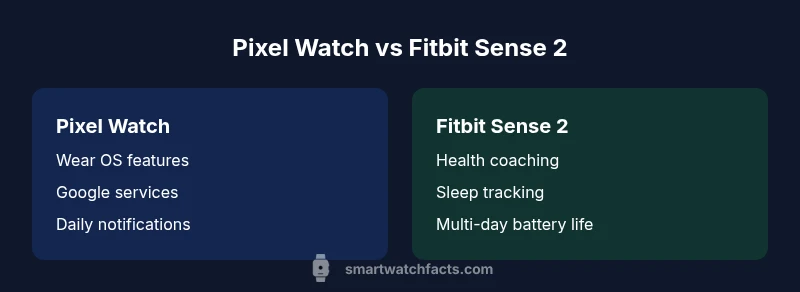
If you value Google services, Maps, Gmail, and a broad app library, pick Pixel Watch. If your priority is deep health insights, guided coaching, and multi-day battery life, choose Fitbit Sense 2. For mixed device environments, assess which ecosystem will minimize daily friction and keep your health data consistent across devices. In practice, your choice should minimize setup complexity and maximize consistency in your typical routines.
Comparison
| Feature | Pixel Watch | Fitbit Sense 2 |
|---|---|---|
| Display and design | Circular AMOLED with premium build; rotating crown; modern look | Square/rounded design with AMOLED display; sport-friendly aesthetics |
| OS and app ecosystem | Wear OS with Google services and broad app store | Fitbit OS with health-first app ecosystem and guided workouts |
| Health sensors | Heart rate, SpO2; ECG availability varies by region/software | Heart rate, SpO2, ECG; skin temperature; strong health-tracking focus |
| GPS and tracking | GPS built-in with Google integration and Wear OS activity apps | GPS with focused activity metrics and on-device coaching |
| Battery life | Typically up to 24 hours; battery saver extends life with feature trade-offs | Up to multi-day use under typical activity; GPS reduces endurance |
| Phone compatibility | Best with Android devices; tight Google account integration | Broad compatibility with Android and iOS; some features limited on iOS |
| Price range | Higher upfront price in most markets | Mid-range price with longer battery life and health tools |
| Best for | Android users seeking deep Google integration | Health-focused users wanting guided programs and longevity |
Strengths
- Broad app ecosystem and Google service integration
- Strong health features and guided wellness options (Fitbit OS)
- Solid cross-platform compatibility and notifications
- Good perceived value for battery life on Fitbit Sense 2
- Premium build and responsive displays on both devices
Weaknesses
- Pixel Watch can have shorter real-world battery life
- Wear OS app availability may vary by region; some apps limited
- Pixel Watch often carries a higher upfront price
- Fewer third-party apps on Fitbit OS compared to Wear OS in some regions
Pixel Watch is the better choice for Android users seeking deep Google integration, while Fitbit Sense 2 delivers superior health tracking and battery life.
If your daily workflow relies on Google services, Pixel Watch offers a cohesive experience. If health metrics, coaching, and long battery life are your priorities, Fitbit Sense 2 provides stronger value.
People Also Ask
Is Pixel Watch compatible with iPhones?
Pixel Watch pairs best with Android devices and Google services. Some features may be limited or unavailable on iOS, depending on software versions and regional support. If iPhone compatibility is a priority, Fitbit devices may offer more consistent cross-platform support.
Pixel Watch works best with Android; iPhone users may see limited features depending on software updates.
Do Fitbit Sense 2 and Pixel Watch support ECG?
ECG support is available on Fitbit Sense 2 in many regions where the feature is approved. Pixel Watch offers ECG in supported regions and software versions; availability can vary by country.
ECG is available on Fitbit Sense 2 in many regions; Pixel Watch ECG depends on location and version.
Which smartwatch lasts longer between these two?
Fitbit Sense 2 generally provides longer battery life for typical use, especially with GPS off or moderate activity. Pixel Watch typically lasts about a day with normal use, though battery saver modes can extend life with trade-offs.
Fitbit Sense 2 usually lasts longer; Pixel Watch often needs daily charging.
Can you use third-party apps on Pixel Watch?
Yes, Wear OS supports a wide range of third-party apps, though availability can vary by region. Fitbit OS emphasizes built-in health features with fewer third-party options, focusing on a guided wellness experience.
Wear OS supports many apps; Fitbit OS emphasizes health features with fewer third-party options.
Which is better for health tracking overall?
If health tracking with coaching and long-term trends is your priority, Fitbit Sense 2 often provides a more robust health suite. Pixel Watch offers solid health metrics, with strong integration into Google's wellness ecosystem.
For health tracking, Fitbit Sense 2 is usually stronger for coaching and long-term trends; Pixel Watch is solid with Google health tools.
Key Points
- Think ecosystem first: Android/Google vs Fitbit health focus
- Pixel Watch excels with Google services and broad app reach
- Fitbit Sense 2 wins on health coaching and longevity
- Budget and upfront cost vary by region and promotions
- Choose based on your primary daily routines and data needs