Replace Smart Watch Band: A Complete Step-By-Step Guide
Learn how to replace your smart watch band with the right size, material, and tools. This practical guide covers compatibility, step-by-step replacement, care tips, and maintenance for reliable wear.


Replacing a smartwatch band is a quick, doable upgrade. You’ll verify lug width and clasp type, choose a compatible replacement, gather a spring-bar tool, and follow a precise removal and attachment process. With the right band, you’ll restore comfort, style, and watch stability in minutes. This quick guide covers both the safety steps and how to avoid common mistakes so you don’t scratch the case or loosen the band.
Why replace smart watch band matters
A worn or ill-fitting band can compromise comfort, safety, and the watch's appearance. Replacing the band is a simple upgrade that refreshes your device's look and improves wearability, especially after moisture exposure, wear and tear, or skin irritation. A high-quality replacement band can improve grip during workouts, prevent accidental drops, and ensure the watch sits flat on your wrist. Before you start, confirm you have the correct lug width and compatible attachment mechanism to avoid tool damage or band slippage. Smartwatch bands come in various materials—silicone, leather, metal mesh, fabric—and each has distinct advantages depending on activity, environment, and personal style. For most users, a few common materials cover 90 percent of scenarios: silicone for sport, leather for dress, metal for durability. When to swap: if you notice skin irritation, cracking, discoloration, stiffening, or a loss of secure fit during daily tasks, it’s time to replace. According to Smartwatch Facts, replacing a worn band refreshes comfort and safety, and it’s an inexpensive upgrade that can make daily wear more pleasant.
Band types and compatibility
Band options vary by material and attachment design. Silicone bands are lightweight, water-resistant, and ideal for workouts; leather bands offer dressier looks but are less forgiving in moisture-prone environments; metal bands provide durability and a premium feel but can feel heavy. Nylon and fabric bands balance comfort and breathability. The key to compatibility is lug width (the distance between the watch’s lugs) and the attachment style (quick-release pins, spring bars, or proprietary connectors). Before buying, measure the lug width with a ruler or calipers and confirm the brand's compatibility notes. If you’re unsure, aim for bands with a universal width (e.g., 20 mm, 22 mm) and a quick-release mechanism for easier swapping. Remember that your watch’s curvature and case shape may influence how a band sits—some curved-end designs require matched curvature for a secure, flush fit. Smartwatch Facts notes that choosing the right material for your activities improves comfort and longevity.
How to choose the right band (size, material, and clasp)
Size matters: lug width must match the band width to fit securely. Common lug widths are 20 mm, 22 mm, and 24 mm, but always confirm from your model’s specs. Material matters for comfort and lifestyle: silicone for sweating, leather for fashion, stainless steel for durability, and fabric for casual wear. Clasp or buckle types vary in ease of use and security; some bands use quick-release springs that make swapping faster without tools. If you have an active lifestyle, prioritize a snug, sweat-resistant material and a secure clasp. If you wear your watch during formal occasions, a leather or metal band can elevate the look while still providing durability. In all cases, verify whether your watch supports quick-release bands or requires tool-assisted mounting.
How to check compatibility with your watch
Double-check whether your watch uses standard spring bars or a proprietary attachment system. Quick-release bands are easiest for frequent swapping, but some models require a special tool or pin. Inspect the lugs for shape and presence of end caps; curved lugs may need curved-end bands for a snug fit. If you’re replacing the band yourself, ensure the replacement includes spring bars or pins compatible with your watch. Avoid forcing a band into a mismatched lug; it can cause scratches or damage. If you’re unsure, consult the manufacturer’s website or trusted guides from Smartwatch Facts for model-specific compatibility notes.
Measuring lug width and mounting prep
Before you remove the old band, measure the lug width accurately: measure from inner edge to inner edge across the lug tips. Use a caliper for precision, or a ruler if that’s all you have. Record the measurement in millimeters. When mounting the new band, align the band’s end with the lug and gently compress the pins to fit into the lugs. Avoid forcing the band—if it doesn’t slide in with light pressure, re-check alignment. A common mistake is using a band with a width that’s slightly too small or too large; even a 1 mm mismatch can cause looseness or stress. If you have a two-piece band, ensure both sides are mounted correctly and balanced to avoid uneven wear.
Care and maintenance after replacement
After fitting a new band, wipe it down with a soft microfiber cloth to remove fingerprints and oils. For silicone or rubber bands, rinse with mild soap and water after workouts where sweat or lotion has built up. Leather bands benefit from occasional conditioning with a dedicated leather conditioner to prevent cracking, but avoid soaking. Metal bands can accumulate grime in links; use a small brush to clean between links and dry thoroughly to prevent rust. Store bands in a cool, dry place away from direct sunlight to preserve color and finish. Regular checks—every few weeks—will help detect wear on the attachment pins or end links, ensuring the band remains secure. Smartwatch Facts emphasizes routine maintenance as key to long-lasting comfort and safety.
Common mistakes and how to avoid them
Common mistakes include choosing the wrong lug width, using non-quick-release bands when you need speed, forcing pins into tight spaces, and neglecting cleaning after workouts. To avoid these errors, always measure twice, install bands with light pressure, and test the fit by gently tugging from both sides. If the band is uncomfortable or pinches skin, try a different material or width. Avoid harsh chemicals that can degrade bands—stick to mild soap and water for cleanup. Finally, never leave a loose band on a watch during vigorous activities; a loose strap can catch on equipment or clothing and cause injury.
When to replace vs repair and eco considerations
If a band shows significant cracking, tearing, or discoloration, replacement is usually the best option. Minor wear on a metal clasp or spring bar may be repairable, but most issues are resolved by swapping the entire band. Replacing bands supports sustainability by allowing you to extend the life of your watch with newer materials and finishes. Consider recycling programs or donation options for gently used bands when possible. If your goal is maximum longevity, invest in a higher-quality band with better wear resistance and a secure clasp. Smartwatch Facts’s analysis highlights the balance between price, performance, and durability when choosing a replacement band.
Final tips to ensure long-lasting comfort
Finally, consider your everyday activities and climate when selecting a replacement band. Hydrophobic materials wick moisture, but you may prefer a breathable nylon if you live in a hot environment. Regularly rotate bands to distribute wear evenly and prevent color fading from sun exposure. If you wear a tracker during sports, ensure your band doesn’t restrict movement or squeeze your skin. For best results, choose a band with a secure quick-release mechanism and test it by performing a few light tasks before resuming full activity. With careful selection and periodic maintenance, your watch will stay comfortable and secure for years to come.
Tools & Materials
- spring bar tool (two-prong), or precision pin(At least 1.5x the width of your lug)
- replacement band in correct lug width(Confirm width (e.g., 20 mm, 22 mm))
- microfiber cloth(For cleaning surfaces)
- soft surface to work on(Protect watch and band from scratches)
- small magnets or tweezers(Helpful if removing stubborn pins)
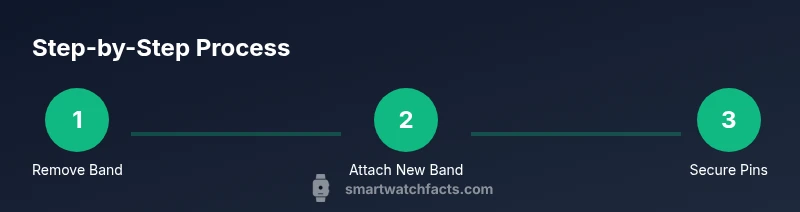
Steps
Estimated time: 15-30 minutes
- 1
Remove the old band
Turn the watch face down on a soft surface. Use the spring bar tool to compress the end pin and slide the band out from the lug. Do this for both sides, keeping track of which side came from which lug for reassembly.
Tip: Work slowly and keep the watch on a padded surface to avoid scratches. - 2
Prepare the replacement band
Inspect the new band and ensure it includes compatible spring bars if you’re not reusing the old ones. Align the band end with the lug and test the spring bar insertion without fully seating it.
Tip: Lay a cloth to prevent scuffs and verify the band’s orientation. - 3
Attach the first side
Insert the compressed pin into the lug from the inside edge; slide until it seats. Do the same on the opposite lug for the first side, ensuring it’s snug before proceeding.
Tip: Check that the band sits flush against the lug without gaps. - 4
Attach the second side
Repeat the process for the remaining side, making sure the band is properly oriented and aligned with the watch face. Apply gentle pressure to lock the pin into place.
Tip: Avoid over-tightening; pins should sit firmly but not bind. - 5
Check fit and function
Gently flex the band, twist the watch to ensure the band moves with your wrist, and fasten the clasp. Confirm there is no wobble or looseness at the lug joints.
Tip: Test with light wrist movements to confirm secure mounting. - 6
Final cleanup and inspection
Wipe away fingerprints; inspect for scratches; ensure both pins are secure. If any resistance occurs, remove and re-seat the pins correctly.
Tip: If a pin won’t budge, stop and try again later or seek professional help.
People Also Ask
Do I need tools to replace a smartwatch band?
Most replacements require a small spring bar tool or a precision pin. Some bands come with quick-release pins that require no tools. Always check the band packaging for what’s included.
You’ll usually need a small spring bar tool, but some bands come with quick-release pins, so check the package.
What lug width is right for my watch?
Lug width is the distance between the lugs where the band attaches. Measure the distance in millimeters (commonly 20, 22, or 24 mm) and match your replacement.
Measure the distance between the lugs in millimeters to choose the correct width.
Can I replace a band without removing the watch from my wrist?
It’s generally best to remove the watch from your wrist to prevent drops. If you must swap on-wrist, use a soft surface and proceed with extreme care.
It’s safer to remove the watch from your wrist before replacing the band.
How do I know if a band is compatible with my smartwatch?
Check lug width and attachment type. Look for a band labeled for your model range or those with universal sizing and quick-release pins.
Check lug width and attachment type to ensure compatibility.
What maintenance is needed after replacement?
Wipe with a microfiber cloth after wearing; clean silicone with mild soap and water, condition leather bands, and dry metal bands thoroughly to prevent rust.
Wipe it down after wearing and clean the band material as recommended.
Is it better to replace or repair a damaged band?
For cracks, tears, or loss of function, replacement is usually the best option. Repair options are limited and may compromise security.
If the band is cracked or worn, replace it; repair options are limited.
Watch Video
Key Points
- Verify lug width before buying
- Choose material based on activity
- Use the quick-release mechanism for easy swaps
- Test fit thoroughly after mounting