Can Your Smartwatch Connect to Strava? A Practical Guide
Explore how smartwatches connect to Strava, which brands offer direct or indirect syncing, setup steps, data quality, and practical tips to maximize reliability—brought to you by Smartwatch Facts.


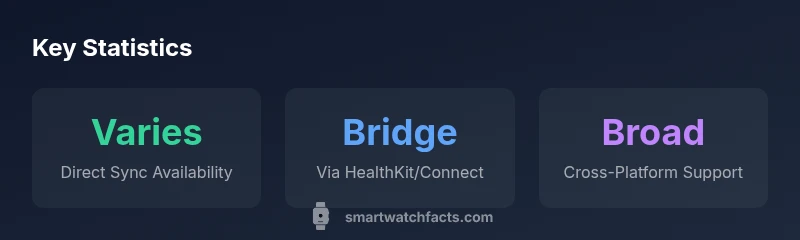
Across mainstream smartwatches, direct, native Strava uploads are not universal. In practice, most watches can connect to Strava through the Strava mobile app or via HealthKit/Garmin Connect bridges, enabling automatic or near-automatic syncing once the watch and phone are linked. This quick answer summarizes how to expect Strava integration across popular wearables.
How Strava Integration Works on Smartwatches
Strava activity syncing from a smartwatch typically travels through two main pathways: a direct, device-native option (which is not universally available) or an indirect route via a companion app on your phone. In practice, most major brands rely on a chain that starts with the wearable collecting GPS and sensor data, then transferring the data to a mobile app (such as Strava, HealthKit, or Garmin Connect). When the phone is connected, the app uploads your activity to Strava, preserving route data, pace, distance, and elevation as your device records it. The key takeaway is that the smartwatch often serves as a data collector, while the phone acts as the bridge to Strava’s cloud. For many users, this arrangement delivers reliable syncing with minimal extra steps, especially after initial setup.
From a data perspective, Strava uses the activity file generated by the watch (often in GPX/fit format) and merges it with your profile during upload. Battery life, GPS accuracy, and signal strength can influence how complete an activity looks once it lands in Strava. Practically, this means you may see slightly different GPS traces depending on whether the watch logged GPS points in real-time or saved the data to the phone afterward. To maximize reliability, keep both devices charged, ensure time settings are synchronized, and verify that Strava is granted the necessary permissions to access health and activity data on your phone.
Which Smartwatches Most Easily Connect to Strava
The landscape for Strava syncing spans Apple, Google, Garmin, Samsung, Fitbit, and other brands. In general, watches from the Apple and Garmin ecosystems tend to offer the most consistent workflows because their companion apps (Strava app on iPhone, Garmin Connect) are mature and actively maintained. Apple Watch users typically rely on the Strava app or HealthKit bridge to push workouts to Strava, while Garmin wearables often synchronize through Garmin Connect and then forward to Strava. Samsung and Fitbit devices usually require the Strava app on the phone or bridging through Health/fitness apps. The overarching pattern is simple: the more mature the app ecosystem around a watch, the smoother the Strava sync, even if the direct watch-to-Strava path isn’t always present by default.
For shoppers, the practical implication is to prioritize devices with strong Strava integration histories and clear setup paths. If you live inside an Apple iOS or Google Android environment, expected workflows will align with either HealthKit-based syncing or Garmin Connect-based uploads. For those who ride or run in a more cross-platform setup, consider a watch ecosystem that supports straightforward linking to your Strava account via a mobile app and, ideally, a robust companion app that you already use daily.
Setting Up Strava on Your Watch: A Practical Walkthrough
Getting Strava syncing up typically involves a few core steps that apply across brands, with device-specific twists. First, ensure you have an active Strava account and that the Strava app is installed on your phone. Then, link your watch’s companion app to your phone and grant the necessary permissions for activity data and GPS access. If you’re on iOS, enabling HealthKit permissions can improve data flow by letting Strava read workouts logged on the watch. On Android, ensure Google Fit or the watch’s native health app is allowed to share data with Strava. After permissions are granted, perform a short test workout to confirm the activity appears in Strava. If the activity does not upload automatically, open the Strava app and trigger a manual upload from the device’s recorded activities. In practice, once the initial pairing is complete, most users experience reliable automatic uploads, though occasional delays can occur due to connectivity or background refresh settings.
Tip: Turn on auto-sync in the Strava app, keep Bluetooth connected, and ensure your phone has a solid data connection during workouts. If you rely on a bridge via HealthKit or Google Fit, confirm that both sides are set to share new activities with Strava. A quick check after your first few workouts helps you calibrate the exact flow for your hardware and software stack.
Common Limitations and Workarounds you Should Know
Despite strong overall support, several limitations commonly affect Strava syncing from smartwatches. Battery-saving modes can suppress background syncing, causing delays until the watch or phone is charging or the app is reopened. GPS drift or gaps in point sampling may occur on some devices in dense urban areas or during activities with intermittent signals. The type of workout can also influence how Strava interprets the data; for example, certain indoor or non-standard activities may upload with limited GPS data. If you notice missing segments or inaccurate distances, a workaround is to briefly reconnect the wearable to the phone, re-authorize the Strava connection, or re-run a workout to create a fresh activity that uploads cleanly. Privacy controls can also shape what data gets shared with Strava; review your health and app permissions to ensure you’re comfortable with the data being uploaded.
Data Quality, Privacy, and Your Strava Footprint
When syncing to Strava via a smartwatch, data quality hinges on GPS accuracy, sensor calibration, and the fidelity of the watch’s own activity log. Strava consolidates data into a single activity feed, and users should be mindful that privacy settings govern who can view workouts. If you share activities publicly, your route details and timing become accessible to others; consider setting your account to private or limiting visibility to followers if you’re concerned about location data. It’s also worth noting that syncing can sometimes introduce duplicate activities if both watch and phone upload the same workout. Regularly reviewing recent uploads helps you spot and clean duplicates. Keeping firmware and app versions up to date reduces the likelihood of data gaps and ensures better compatibility with Strava’s evolving data schemas.
Fast-Track Workflow: Quick Start for Weekend Warriors
For time-crunched users, the fastest path to Strava syncing is to pick a watch that clearly showcases Strava integration in its ecosystem. Install Strava on your phone, link your Strava account in the watch’s companion app, and grant the necessary permissions. Do a quick test run and confirm the activity appears in Strava within a minute or two after finishing. If it doesn’t, open the Strava app and manually upload the latest activity, then check the timeline. This approach minimizes friction and helps you confirm the end-to-end flow quickly, especially when you’re traveling or trying a new device.
How to Enhance Your Strava Experience with Smartwatch Apps
In addition to Strava, many smartwatch apps offer complementary data that can enrich your workouts. For example, you can connect to route-planning apps, live tracking services, or heart-rate apps that feed into Strava via HealthKit/Google Fit bridges. By leveraging the broader app ecosystem, you can improve data fidelity, analyze pace and heart-rate trends more effectively, and export GPX or TCX files for offline analysis. The key is to ensure that whatever extra apps you enable do not interfere with the primary Strava syncing flow. Regularly review app permissions, update when available, and test new integrations with a short workout to verify seamless data transfer.
Overview of Strava sync paths by smartwatch brand
| Brand/Platform | Direct Strava Sync | Indirect via App/Bridge | Notes |
|---|---|---|---|
| Apple Watch | Indirect sync via Strava app or HealthKit bridge | Yes (via iPhone) | Requires iPhone nearby; watch pushes to HealthKit first |
| Garmin (Fenix/Forerunner) | Direct sync via Garmin Connect to Strava | N/A | Strong Strava integration; primary path for many runners |
| Samsung Galaxy Watch | Indirect via Samsung Health or Strava app | Yes | Depends on app versions and permissions |
People Also Ask
Can I sync from a smartwatch directly to Strava without using a phone?
In most cases, you cannot push new activities directly from the watch to Strava without a phone. Most ecosystems rely on a companion app to upload activities, or on a data bridge through HealthKit/Google Fit. Some devices offer limited direct transfer, but reliability varies by model.
Most watches need a phone to upload activities to Strava; direct watch-to-Strava isn't universally available.
Which watches provide the simplest Strava setup?
Garmin and Apple Watch ecosystems typically offer the smoothest Strava workflows due to mature companion apps and established upload paths. Other brands may require extra steps or bridging apps to reach Strava.
Garmin and Apple Watches usually have the easiest Strava setup.
Does Strava preserve GPS data and segments when syncing from a watch?
Strava generally preserves GPS routes and segment data uploaded from wearables, but the precision may vary by device and how the data is captured. Ensure your watch records GPS consistently and that the upload path supports GPS data.
GPS data is usually kept, but watch-specific quirks can affect precision.
Can I mix iOS and Android devices with Strava syncing from my smartwatch?
Yes. Strava supports cross-platform syncing, so you can use an iPhone with an Apple Watch or an Android phone with a compatible watch. The critical factor is ensuring the Strava app and health bridge permissions are correctly configured.
Strava works across iOS and Android as long as the apps are linked correctly.
What are common issues and how can I fix them quickly?
Common issues include connectivity hiccups, permissions problems, and battery-saving modes interfering with syncing. Fixes include re-authorizing Strava access, ensuring background refresh is enabled, and keeping devices charged during workouts.
Check permissions, re-authorize, and keep devices charged during workouts.
“Direct smartwatch-to-Strava syncing is evolving; the practical path often runs through the Strava app or a bridge app, which we observe across multiple platforms.”
Key Points
- Most watches sync to Strava via a phone app or bridge
- Direct watch-to-Strava uploads are not universal
- Set up permissions and bridge apps during initial setup
- GPS data quality varies by device and environment
- Keep firmware and apps updated for reliability