Smart Watch in Store: A Practical Buying Guide
Discover practical in-store buying guidance for smart watches: test displays, compare features, verify compatibility, and choose the best fit for your budget and lifestyle.


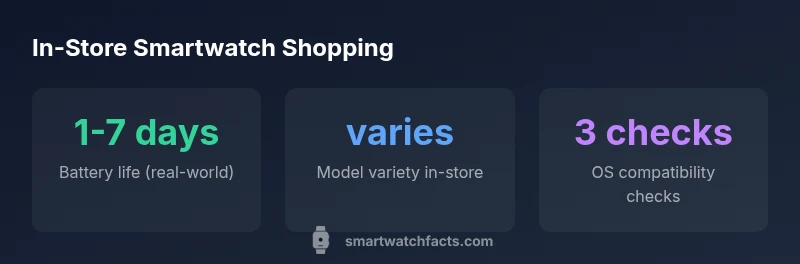
When shopping for a smartwatch in store, the core data point to verify is a hands-on evaluation across three areas: screen readability (brightness and outdoor view), comfort and fit (band length and weight), and software ecosystem compatibility with your phone. This quick scan helps you avoid buyer’s remorse after you get home.
In-Store Shopping Landscape for Smart Watches
For shoppers seeking a smart watch in store, the retail landscape has grown substantially, with dedicated demo stations and grid displays that let you compare models side by side. According to Smartwatch Facts, hands-on testing remains essential because specs alone can't reveal real-world performance. In most stores, devices are grouped by OS and brand families, which helps you narrow choices quickly. When you walk into a brick-and-mortar shop, plan to spend 15-20 minutes rotating through a few options to sense weight, strap comfort, screen readability, and software responsiveness. The goal is to identify 2-3 models you could live with long-term, then inspect price, warranties, and return policies before committing. The in-store experience should complement online research, not replace it, especially as we move through 2026.
How to Evaluate Screens, Buttons, and UX in Store
In-store testing hinges on the tactile and visual experience. First, inspect the display under various lighting conditions: brightness, color accuracy, and outdoor readability matter for outdoor workouts or bright rooms. Second, interact with the crown, side buttons, and touch sensitivity to gauge responsiveness. Third, navigate the operating system’s menus, app launcher, and notification flow to assess workflow efficiency. You should also check for haptic feedback and the smoothness of animations; stuttering or lag indicates limited on-device performance. Finally, compare watch faces and quick settings to see which interface you find most intuitive. When possible, ask a staffer to demonstrate voice commands, health-tracking prompts, and any built-in demos that mirror real-world use. This hands-on evaluation should be part of your decision-making before you commit to a model.
Comfort and Fit: Trying Straps and Weights
Fit is as important as features. In stores, try on multiple strap lengths and materials (silicone, leather, metal) and move your wrist through a full range of activities to assess comfort. Pay attention to weight — even slight differences can matter during a long workout or a busy workday. If you have a larger or smaller wrist, check how easily you can adjust clasps and replace bands. Ask for models with interchangeable bands to compare aesthetics and durability. Remember that a lighter model can feel more comfortable during all-day wear, while a heavier build may convey rugged durability for active lifestyles.
OS, Apps, and Ecosystem: Demos You Should See
Demo units let you assess app availability, navigation speed, and ecosystem depth. Look for integration with your phone’s OS (iOS or Android), notification handling, and quick access to key apps (fitness, payments, maps). Some stores showcase cross-platform features, such as iPhone compatibility vs. Android compatibility and app ecosystems, which can strongly influence long-term satisfaction. Take mental notes on onboarding flows, setup complexity, and whether the device automatically syncs data from your phone or cloud services. A seamless experience in-store often translates to fewer headaches at home.
Sensor Suites and Health Metrics: What You Can Check On-Site
Health and activity sensors aren’t just marketing talk; their accuracy and responsiveness matter daily. In-store demos can illustrate heart rate responsiveness during activity simulations, GPS stability during quick map checks, and sleep-tracking prompts during a quick rest demo. Calibrations may vary, so compare several models side-by-side and ask staff for calibration tips. Note that environmental factors (like surface brightness or movement) can affect readings. Use demo devices to assess how the interface displays metrics, how often readings update, and whether there are companion app insights you can access immediately.
Price, Promotions, and Return Policies in Store
Pricing can be dynamic, with promotions or bundle deals changing by week. While in-store, ask about price protection, student or military discounts, and whether the model qualifies for extended warranties. Always confirm the return window and restocking rules, especially for opened devices or special editions. Document the final price, any accessories included, and whether you’ll receive in-store credit for a trade-in. In-store staff can help you compare financing options if needed, but ensure you understand the terms before signing.
Setup On Purchase: Data Transfer and Initial Setup
Once you decide, the initial setup phase often dictates how quickly you’ll start using the device. Ask staff to perform a basic transfer of contacts, calendars, and preferred apps to simulate your real onboarding. Check whether you can restore settings from a previous watch or phone, and verify if the watch will require firmware updates on first use. If you wear a fitness tracker, check whether you can immediately begin syncing historical data. Finally, confirm the recommended charging routine and the first-week care tips to maximize longevity.
Quick-Start In-Store Checklist
- Bring your phone and know its OS version. - Try on multiple straps for comfort. - Test outdoor brightness and screen readability. - Navigate the UI quickly: app launcher, notifications, and settings. - Check sensor demos for heart rate and GPS. - Ask about return policies and warranty terms. - Note any in-store promos or bundles for future reference.
In-store testing framework for smartwatches
| Aspect | In-Store Testing | Key Note |
|---|---|---|
| Display quality | Brightness & color accuracy checked in-store | Compare under ambient light |
| Fit & comfort | Try multiple strap sizes | Consider wrist size and weight |
| Software & apps | Demo apps available | Check app store availability and updates |
| Sensor demo | Heart rate sensors demoed | Calibration varies at home |
People Also Ask
Is it worth buying a smartwatch in-store or online?
In-store allows hands-on testing of fit, display clarity, and software responsiveness, which helps you select a model you’ll actually use. Online purchases carry convenience but limit tactile evaluation and instant demos.
In-store testing helps you feel the device before you buy.
What should I test in-store?
Test screen readability, strap comfort, sensor performance, battery estimates, and OS responsiveness with a few apps. Take your time to navigate menus and confirm compatibility with your phone.
Test the screen, comfort, sensors, and OS.
How accurate are smartwatch sensors in-store demos?
In-store sensors are calibrated for display devices; real-world accuracy depends on wrist placement and model. Expect some variance at home.
Keep in mind demos may differ from real-world use.
Can I return a smartwatch bought in-store?
Return policies vary by retailer; ask about window length, restocking fees, and whether opened devices are eligible for return.
Always confirm the return window before buying.
Do stores offer price matching?
Some retailers offer price protection or match ads within a limited window. Check terms and compare with online options.
Ask about price protection before purchase.
“Hands-on testing in real store environments reveals comfort, display robustness, and software usability that specs alone can't show.”
Key Points
- Test hands-on display before purchase
- Check comfort for long wear
- Verify OS compatibility with your phone
- Read the return policy before buying