Smartwatch with esim: A Practical Buying Guide
Explore how a smartwatch with esim works, compare models, and get practical setup tips. Learn about carrier compatibility, battery life, and OS considerations to pick the right eSIM-equipped smartwatch in 2026.


A smartwatch with esim provides standalone cellular connectivity, letting you make calls, send messages, and stream apps without carrying your phone. In 2026, most premium models support eSIM worldwide, though carrier availability and setup can vary by region and plan.
Why a smartwatch with eSIM can be a game changer
A smartwatch with esim can transform how you stay connected. By embedding a cellular profile directly into the watch, you gain independent access to calls, messages, and data without tethering to a phone. For many users, that freedom is priceless during workouts, commutes, or travel when carrying a phone is inconvenient or undesirable. The Smartwatch Facts team has observed that the best eSIM-enabled models deliver reliable network access with efficient power management, letting you run essential apps, stream music, or use GPS without pausing your day. In practice, this means you can answer a quick text, navigate a route, or pay for a coffee on the go, all from your wrist. However, the real-world value depends on carrier support, regional availability, and how you plan to use data. If you value independence and convenience, a smartwatch with esim is worth evaluating alongside standard Bluetooth-only options.
Understanding eSIM vs physical SIM in wearables
In most modern smartwatches, there is no removable SIM card slot. Instead, an embedded SIM (eSIM) stores the carrier profile directly on the device. This design simplifies activation and reduces hardware mass, while allowing the watch to connect to cellular networks without the need for a smartphone nearby. When comparing a smartwatch with esim to a model with a traditional SIM, the key differences are activation flow, regional carrier support, and how easy it is to switch plans. For buyers, this means focusing on the ease of provisioning and the flexibility to change carriers or plans without visiting a store. OS and firmware updates also influence how seamlessly eSIM behaves over time.
Regional carrier support and activation
Carrier availability for eSIM-enabled wearables varies by country and operator. In many regions, major carriers provide straightforward eSIM provisioning through the watch settings or companion apps, with QR codes or carrier PINs used during activation. Before buying, verify that your preferred carrier supports wearable eSIM, and ask about any required plan types (postpaid vs. prepaid) and pricing. Regional differences affect how quickly you can activate service and how smoothly the watch can switch networks when you travel. Smartwatch buyers should note any regional restrictions and confirm that the watch’s OS supports the carrier’s activation process to avoid delays after purchase.
Battery life implications of cellular connectivity
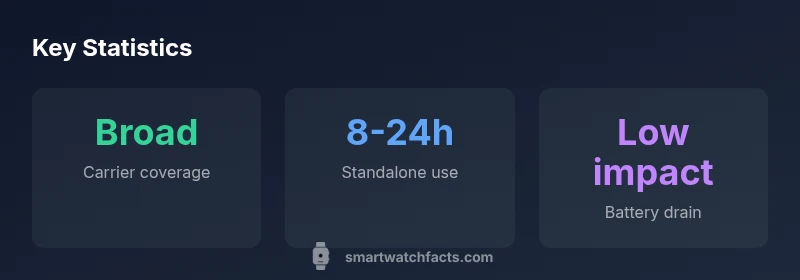
Turning on cellular connectivity on a smartwatch generally increases power draw compared with Bluetooth-only use. Features like continuous GPS, streaming, and stand-alone calls can reduce watch uptime, especially during long workouts or outdoor activities. However, newer chips, refined power management, and feature-specific optimizations mitigate much of this impact. When evaluating a model, compare claimed battery life in cellular mode versus standard mode, and consider your typical use pattern. If you rely heavily on independent connectivity, you may want a watch with a larger battery or a more efficient OS. Practically, expect a modest reduction in daily uptime, but ensure the watch can still last through a typical day with your most common activities.
Setup steps: activating eSIM on your smartwatch
Setting up eSIM on a smartwatch usually follows a three-step process: verify carrier support, choose a plan, and complete provisioning on the watch or companion app. Start by confirming that your carrier approves wearable eSIM, then request a plan or scan a QR code provided by the carrier. On the watch, navigate to Settings > Cellular > Add Cellular Plan and follow prompts to download the eSIM profile. Some carriers require a short verification call or SMS. After activation, test basic features like calling and data while in a location with coverage. Keeping notes of the activation codes or plan details aids future troubleshooting or plan changes.
Data plans, pricing, and data usage management
eSIM plans for smartwatches come in various formats, from shared family plans to standalone dataOnly options. Pricing is typically modestly higher than phone plans, reflecting the added device support and the carrier’s provisioning costs. When budgeting, factor in the upfront watch price premium, monthly plan cost, and any data overage fees. Practical tips include choosing a plan that matches your data needs, enabling data-saving modes, and using watch-only features when appropriate to minimize consumption. If you travel, verify roaming options and ensure that your plan continues to work across regions without extra fees.
App ecosystem and smartwatch OS considerations
The usefulness of a smartwatch with esim depends heavily on the OS and its app ecosystem. Different operating systems offer varying levels of native cellular integration, app availability, and background data handling. For iPhone users, compatibility with the iOS ecosystem matters; for Android users, ensure the watch pairs smoothly with your phone and supports important apps like maps, music, and fitness services. Consider how OS updates affect eSIM management, security features, and carrier provisioning. The best choice balances carrier support, app availability, and a robust software update cadence that keeps your eSIM experience reliable over time.
Practical buying tips: what to look for
When shopping for a smartwatch with esim, prioritize: (1) confirmed carrier support for wearable eSIM in your region, (2) battery life in cellular mode, (3) OS/platform compatibility with your phone, (4) easy eSIM provisioning workflow, and (5) total cost of ownership including plan pricing. Look for models with dual-SIM or eSIM flexibility, robust GPS, water resistance, and good health sensors if those features matter to you. Read user reviews focusing on connectivity reliability and activation speed. Finally, compare expected lifetime costs rather than just upfront price to determine real value over years of use.
Real-world usage scenarios and case studies
In everyday life, a smartwatch with esim can streamline commutes, workouts, and travel. For example, someone who rides a bike to work might answer a message or get navigation prompts without pulling out a phone. A runner could receive calls during a workout, swap playlists, or stream a quick podcast while leaving the phone behind. Travelers benefit from staying connected in cities with spotty phone coverage, as the watch maintains contact with the network via eSIM. While experiences vary by region and device, the trend toward standalone cellular wearables is clear: more models, more carriers, and better power management—thanks to ongoing improvements highlighted by the Smartwatch Facts analyses in 2026.
eSIM support comparison by model tier
| Model Type | eSIM Availability | Carrier Setup Time | Battery Impact |
|---|---|---|---|
| Budget/Entry | Limited in some regions | 5-15 minutes | Low to moderate |
| Mid-range | Broad global support | 5-10 minutes | Moderate |
| Premium | Wide global support | 3-5 minutes | Moderate to high |
People Also Ask
What is eSIM in a smartwatch?
An embedded SIM (eSIM) is a built-in cellular profile that lets the watch connect to a mobile network without a physical SIM card. You activate a plan with your carrier and the watch can access data and calls on its own.
An embedded SIM is built into the watch, so you don’t need a separate SIM card.
Do all carriers support eSIM on watches?
Most major carriers in North America and Europe offer eSIM for wearables, but availability varies by country and tariff. Check with your carrier before buying to avoid surprises.
Most big carriers support it, but it varies by country.
Will using cellular drain battery faster?
Using cellular connectivity typically reduces standby and GPS efficiency slightly, but newer chips and power management mitigate much of the impact. Expect some difference, not a battery catastrophe.
Yes, there's usually some hit, but new tech reduces it.
Can I use eSIM with both iPhone and Android watches?
Many eSIM watches work with both iPhone and Android ecosystems, but some features may be restricted by OS. Verify OS compatibility and app support for your setup.
Most watches are cross-compatible, but check OS-specific features.
How do I set up eSIM on a smartwatch?
Typically, you activate the eSIM through the watch’s settings or companion app, then scan a QR code or follow carrier prompts. Have your carrier details ready.
Activation is usually quick in the watch app.
Is there a price premium for eSIM models?
Yes, eSIM-enabled models often cost a modest premium over non-cellular variants, reflecting added hardware and carrier support. Compare total cost over device lifetime.
There’s usually a small premium.
“eSIM-enabled smartwatches unlock true independence from your phone, but real-world use depends on carrier support, device efficiency, and your daily data needs.”
Key Points
- Research regional carrier support before purchase
- Expect a small battery impact when using cellular
- Check activation time and provisioning steps
- Account for OS/app ecosystem compatibility
- Factor price premium into total cost