Can Smart Watches Cause Headaches? A Practical Troubleshooting Guide
Urgent, practical guide to diagnosing headaches linked to smartwatch use, with quick fixes, step-by-step actions, and safety tips from Smartwatch Facts.


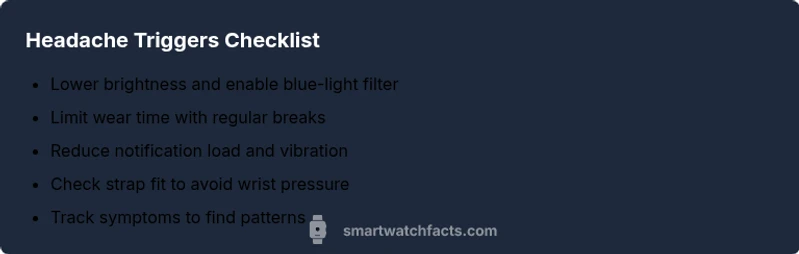
Yes—the phrase can smart watches cause headaches is a concern for many users. Quick fixes: lower screen brightness and enable blue-light filters; limit wear time and take regular breaks; reduce notification frequency and vibration; adjust strap fit to ease pressure; if symptoms persist, seek medical advice.
Why can smart watches cause headaches
According to Smartwatch Facts, headaches related to wearable tech are more common than you might expect. Many readers ask can smart watches cause headaches, and the answer is that multiple factors can contribute on different days. The most frequent culprits are bright OLED or LCD screens and blue-light exposure, especially when you stare at the screen for long stretches. Constant notifications and rapid screen changes add cognitive load, which can trigger tension-type headaches in sensitive individuals. Wrist-based sensors, vibration, and the need to tilt the wrist to view the display can create awkward neck or shoulder postures that radiate pain up toward the head. In addition, dehydration, poor sleep, and caffeine withdrawal can amplify these effects. Recognizing these patterns is the first step toward relief and prevention.
Common triggers you should check first
Headache risk from wearables often stems from predictable culprits. Start with display brightness and color temperature: high brightness with a cool blue tint can worsen eye fatigue. Next, wear time matters: continuous usage for hours without breaks increases visual strain and nerve tension. Strap pressure is another well-known contributor; even subtly tight bands can compress nerves at the wrist and refer discomfort to the forearm and neck. Finally, notification volume and vibration intensity can create a sensory onslaught that wears you down. By addressing these four areas you’ll likely reduce headache frequency and severity over days.
Reducing screen-related strain with smart settings
One of the simplest ways to answer can smart watches cause headaches is to optimize display settings. Activate a night or reading mode if available, which reduces blue light and lowers contrast. Enable the system-wide blue-light filter and set a warmer color profile during evening hours. Consider enabling auto-brightness that adapts to ambient light rather than forcing a high-brightness default. Reduce animation and refresh rates where possible; minimal motion can lessen eye strain. Finally, schedule short screen breaks every 20-30 minutes to give your eyes and neck a chance to recover. These adjustments can dramatically cut the toll on your head and eyes.
The role of fit, posture, and wrist wear
Pressure from the watch band and the position of the watch on your wrist can influence headaches. A tight strap or a watch sitting high on the wrist can alter forearm muscle tension and even trigger referred pain in the shoulder or neck region. Ensure the band sits snugly but not painfully, with the sensor resting comfortably over the artery without impeding blood flow. Rotating wrists and changing wear position during the day can help. If you frequently lean your wrist upward to read the screen, consider a different mount or a larger font so you don’t strain your neck.
Managing notification load and cognitive load
Non-physical factors like notification overload can amplify headaches, especially in sensitive users. Start by limiting notification types and prioritizing high-importance alerts. Turn off nonessential vibrations and sound alerts, or switch to a quieter or visual-only cue. Use quiet hours during rest periods to prevent disturbances. Consider using do-not-disturb modes with personalized exceptions for important messages. Reducing the cognitive load keeps your brain from over-processing stimuli and can prevent stress-related headaches during the day.
Other factors that can contribute to headaches
Beyond screen brightness and fit, several lifestyle and health factors interact with smartwatch wear. Inadequate hydration, irregular sleep, stress, and unrecognized food triggers can all prime the body for headaches. If you report headaches after wearing a watch, track patterns: time of day, wear duration, brightness level, and activities before onset. This information helps distinguish watch-related triggers from ordinary headaches. If headaches persist after optimization, consult a clinician to rule out underlying conditions such as ocular strain or cervical strain that may be amplified by wearable use.
Quick at-home checks before seeking help
Before booking a visit, perform a few quick checks: reduce brightness to a comfortable level, enable blue-light filters, enable a softer color profile, and limit wear time to 60 minutes segments with breaks. Reassess posture—avoid tilting the head forward to read the screen. If removing the watch relieves symptoms, document these findings for your clinician. Keep a simple headache diary noting brightness, wear duration, and activities to identify patterns quickly. If symptoms worsen or include neurological signs, seek urgent medical care.
When to seek professional help
If headaches persist despite optimal wear settings and break schedules, or if you experience vision changes, persistent neck pain, dizziness, or confusion, consult a healthcare professional. Bright headaches that don’t respond to standard adjustments could indicate other conditions that require examination beyond wearable usage. A clinician can assess ocular strain, cervical issues, or migraine patterns and provide guidance on whether continued smartwatch use is advisable or if alternative wearables or settings are needed.
Putting it all together: a practical plan
A practical plan starts with a quick audit of display settings, wear duration, and notification load. Schedule regular 20-30 minute breaks to reset visual and neural load, and adjust the strap fit for comfort. Keep a daily log of when headaches occur relative to watch use, brightness, and activity. If symptoms persist after a week or two of optimization, consult your healthcare provider for a personalized assessment and possible device-adjustment recommendations.]]
Steps
Estimated time: 45-60 minutes
- 1
Assess and adjust display
Start by lowering brightness to a comfortable level and enabling a blue-light filter or night mode. Test reading comfort for 5-10 minutes, then reassess symptoms. Recheck in different lighting conditions to find a stable baseline.
Tip: Set a specific brightness level you can maintain for long sessions. - 2
Reduce wear time and schedule breaks
Implement a schedule: wear for 60 minutes, then take a 10-minute break away from the screen. Repeat as needed and monitor how headaches respond to this rhythm.
Tip: Use a timer or reminder to enforce breaks. - 3
Check strap fit and wrist positioning
Ensure the band is snug but not tight, and the display sits comfortably where you naturally view it. Avoid bending the wrist excessively to read the screen. Consider rotating wear locations if pain persists.
Tip: A looser but secure fit often reduces pressure-induced discomfort. - 4
Tune notifications and do-not-disturb
Limit alerts to essential notifications only. Disable nonessential sounds and vibrations. Try silent visual cues if possible. This reduces cognitive load that can contribute to headaches.
Tip: Consolidate alerts to minimize interruptions. - 5
Track patterns and triggers
Keep a simple headache diary noting wear duration, brightness level, and triggers like caffeine or dehydration. Look for consistent associations that you can adjust.
Tip: A simple notebook or app log keeps patterns clear. - 6
Consult a clinician if symptoms persist
If headaches continue despite optimizations or include vision changes or neurological signs, seek medical evaluation. A clinician can check for ocular strain, neck issues, or migraines.
Tip: Document your wear patterns before the visit to aid diagnosis.
Diagnosis: Headache or migraine-like pain after wearing a smartwatch
Possible Causes
- highBright screen and blue light exposure
- mediumPersistent watch wear with awkward posture and neck strain
- lowHigh notification load causing cognitive stress
Fixes
- easyLower screen brightness and enable blue-light filter
- easyTake regular breaks; remove watch for 5-10 minutes every hour
- easyAdjust strap fit to reduce wrist pressure and reposition screen to minimize neck strain
- easyLimit notification frequency and vibration intensity
- mediumIf headaches persist, consult a clinician for evaluation
People Also Ask
Can wearing a smartwatch for long periods cause headaches?
Yes, prolonged wear can lead to eye strain, neck tension, and increased cognitive load from notifications, all of which can trigger headaches in sensitive individuals.
Yes—long wear can lead to headaches due to eye strain and neck tension.
Is blue light from smartwatch screens dangerous?
Blue light can contribute to eye fatigue and headaches, especially with extended screen time. Using a blue-light filter and warmer color profiles can help.
Blue light can cause fatigue; using filters can help.
What should I do first if I feel a headache after wearing a smartwatch?
Take a break from wearing the device, lower brightness, enable blue-light filtering, and reduce notification load. If pain continues, seek medical advice.
Take a break and adjust settings; if it persists, see a clinician.
Can medical conditions interact with smartwatch use?
Underlying eye, neck, or migraine conditions can interact with wearables. A clinician can help distinguish wearable-related factors from other causes.
Some medical conditions can interact with wearables; see a clinician to be sure.
Are there smartwatch features that help reduce headaches?
Yes—features like low-brightness modes, blue-light filters, reduced vibration, and do-not-disturb patrols can lessen headache triggers.
Look for brightness and notification controls to help headaches.
When should I see a doctor about headaches related to wearables?
If headaches persist despite optimization, or if you notice vision changes, neck pain, or dizziness, seek medical evaluation.
See a doctor if headaches persist or worsen despite changes.
Watch Video
Key Points
- Identify triggers: brightness, blue light, and wear duration.
- Optimize wearing and notification settings to reduce cognitive load.
- Regular breaks and posture adjustments can prevent headaches.
- Consult a clinician if headaches persist despite optimization.