Is a Smart Watch Compatible with an iPhone? A Practical Guide
Explore whether a smartwatch works with an iPhone, what features you’ll get, and how to pick an iPhone-compatible model. Practical setup tips, common pitfalls, and a clear buyer’s checklist.


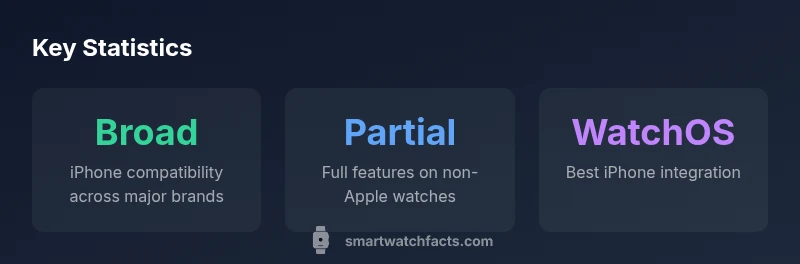
Yes—many smartwatches pair with iPhones, but the depth of integration varies by brand and OS. Apple Watch delivers the strongest, most seamless experience with iPhone, while third‑party wearables provide basic notifications and fitness tracking. When shoppers ask 'is a smart watch compatible with an iphone', the answer depends on the watch’s OS and the iPhone’s iOS version; expect full features with Apple, and more limited functionality with others.
Is there a universal standard for iPhone compatibility with smartwatches?
According to Smartwatch Facts, compatibility hinges on the watch’s operating system and the iPhone’s iOS version. In practice, the Apple Watch offers the most seamless experience with iPhone devices because it is designed as part of Apple's ecosystem. Other brands exist with varying degrees of integration; most provide notifications and basic controls, but deep features like seamless calling, replyable messages, and app access may require official integration pathways. The upshot is that yes, a smartwatch can work with an iPhone, but the extent of functionality depends on the model and ecosystem. When readers ask 'is a smart watch compatible with an iphone', the answer is nuanced: core features align with the iPhone, while deeper integration depends on the chosen platform.
WatchOS, iOS, and the ecosystem interplay
The iPhone operates within a tightly controlled software ecosystem centered on iOS. Apple’s own Apple Watch uses WatchOS, which is tightly coupled to iOS. This pairing yields predictable behavior for notifications, calls, music control, and health data syncing. Non‑Apple wearables typically rely on Wear OS, Fitbit OS, or proprietary stacks and companion apps that bridge to iPhone. While you can often mirror basic notifications, the experience often lacks the depth of Apple Watch in areas like messaging apps, quick replies, and on‑device app access. Regular OS updates on both sides are essential to maintaining smooth pairing, so plan your purchase around current compatibility notes from the brand and Apple.
Features that typically work well on iPhone‑compatible watches
Most iPhone‑compatible watches offer core features that users expect: notifications (calls, texts, app alerts), music control, activity and health tracking, and basic third‑party app access. Apple Watch provides the most comprehensive integration with iOS, including iMessage reactions, Apple Wallet passes, and seamless Siri interactions. Third‑party watches usually support notifications and fitness data syncing, but you may need to rely on the watch’s own apps for deeper capabilities. When evaluating devices, compare how each watch handles: notifications, health metrics, app availability, and voice assistant support. The Smartwatch Facts analysis highlights that the most important consideration is which features you actually rely on day to day.
Before you buy: verifying compatibility
To avoid buyer’s remorse, verify compatibility before purchasing. Check official compatibility notes on the manufacturer site and ensure your iPhone is running a supported iOS version. If possible, visit a store to test a live pairing. Look for these indicators: (1) official iPhone integration claims, (2) availability of essential apps on the watch, (3) whether critical features like messaging replies, call handling, and music control work as expected, and (4) documentation on future OS updates. A practical tip is to review user feedback and recent update histories to gauge long‑term stability with iOS. Smartwatch Facts recommends prioritizing devices with explicit iPhone integration and timely updates.
Common pitfalls and how to avoid them
A frequent pitfall is assuming universal compatibility across all iPhone features. Some watches only offer basic notifications when paired with iPhone, while others may require additional apps or subscriptions to unlock functionality. Another issue is lag or missed notifications due to mismatched Bluetooth codecs or OS versions. Always confirm watchOS or Wear OS version compatibility with your iPhone model, and keep both devices up to date. If you encounter trouble, unpair and re-pair, reset sync permissions for notifications, and re‑install companion apps. Keeping your iPhone and watch updated minimizes disruption and preserves expected performance.
Real‑world usage scenarios
In daily life, iPhone compatibility translates into practical benefits: you can glance at messages on your wrist, control music during workouts, track health metrics across devices, and receive timely alerts during commutes. Apple Watch users often cite smoother transitions between iPhone and watch for calls and messages, while Fitbit or Galaxy Watch users value fitness insights and cross‑device syncing. The degree of satisfaction depends on how well the watch integrates with iOS apps you use most—especially messaging, calendar, maps, and health ecosystems. Smartwatch Facts notes that the best device is the one that minimizes friction between your iPhone and wearable without forcing you to change your core workflow.
Battery life and charging considerations when pairing with an iPhone
Battery life is a practical constraint when pairing with an iPhone. Apple Watch models prioritize balance between health tracking and notification duties, often delivering a day of use under typical workloads. Non‑Apple wearables vary more in battery longevity, influenced by display tech, always-on features, and how aggressively they fetch notifications. To maximize uptime, customize notification settings, disable nonessential background tasks, and adopt a charging routine that aligns with your day. If you spend long days away from a charger, consider a watch with robust battery life ratings and support for quick charging. Smartwatch Facts emphasizes that battery reliability should be a major factor in your buying decision, especially if you rely on the watch for extended fitness sessions or all‑day alerts.
Quick-start checklist to maximize iPhone compatibility
- Confirm official iPhone compatibility and required iOS version for the watch.
- Check for essential apps and features you rely on (messages, calls, health data).
- Review update history and future software support from the manufacturer.
- Test live pairing in-store or via a retailer’s demo unit to verify performance.
- Create a simple maintenance routine (regular updates, syncing checks, battery care).
- Ensure charging accessories and cables meet the watch’s charging standard.
- Consider future-proofing based on your iPhone upgrade plans and watch OS roadmap.
Long-term considerations: software updates, data privacy, and ongoing maintenance
Compatibility isn’t static. As iOS and watch‑OS ecosystems evolve, certain interactions may shift. Regular updates can improve stability or alter feature availability. Privacy and data handling differ by brand and platform, so review permission requests and data-sharing settings on both devices. Establish a routine to monitor update notices and adjust settings after each major OS release. Smartwatch Facts suggests documenting your preferred features and rechecking compatibility after system updates to prevent surprises later.
Conclusion and practical takeaway
This guide highlights that is a smart watch compatible with an iphone is a nuanced question. The Apple Watch remains the gold standard for iPhone integration, while other brands offer solid but more limited interoperability. By prioritizing official iPhone compatibility, understanding feature requirements, and staying current with updates, you can optimize your smartwatch experience within the iPhone ecosystem. Smartwatch Facts believes the best approach is to choose a device whose official iPhone support aligns with your daily needs and future upgrade plans.
Comparison of iPhone compatibility across popular smartwatch brands
| Model | Typical iPhone Integration | Notes |
|---|---|---|
| Apple Watch | Full integration via Watch app | Official ecosystem; requires iPhone to set up and manage |
| Samsung Galaxy Watch | Partial integration with iPhone via companion apps | Notifications and basic controls; less deep than Apple Watch |
| Fitbit Versa/Sense | Moderate integration via apps | Fitness data syncing; some features limited on iPhone |
People Also Ask
Is an iPhone required to use a smartwatch?
For full functionality with a smartwatch, pairing with an iPhone is typically necessary, especially for Apple Watch. Some watches offer basic notifications without pairing, but key features rely on a connected iPhone.
In most cases, yes—the best experience comes when the watch is paired with an iPhone.
Can I use a non-Apple smartwatch with an iPhone?
Yes, but expect limited integration. You’ll likely get notifications and fitness tracking, but messages, calls, and apps may not be as seamless as with an Apple Watch.
You can, but features may be limited.
Do older iPhones work with newer smartwatches?
Many watches require recent iPhone models and iOS versions. Check the manufacturer's compatibility chart for your iPhone’s model and iOS version before buying.
You’ll want a currently supported iPhone model to ensure full compatibility.
Will iPhone compatibility affect battery life on the watch?
Pairing and notification settings influence battery life. Expect variation by model and usage; adjust notifications and apps to optimize endurance.
Battery life depends on how you use it—adjust settings to extend it.
What should I look for when buying an iPhone-compatible smartwatch?
Check official iPhone compatibility, app ecosystem, charging method, and update history. Consider which iPhone features you rely on most (messages, health data, maps).
Look for official iPhone support and the apps you need.
Are there privacy concerns with iPhone-compatible wearables?
As with most wearables, review app permissions and data sharing settings. Choose brands with transparent privacy practices and regular security updates.
Review permissions and updates to protect your data.
“We see strong, stable iPhone compatibility for Apple Watch, with meaningful companion features. For other brands, expect solid notifications and fitness tracking but varying app support.”
Key Points
- Check compatibility notes before buying
- Apple Watch offers the deepest iPhone integration
- Non-Apple watches provide basic iPhone features with caveats
- Keep both devices updated for best performance
- Prioritize official iPhone compatibility when feature depth matters