How Smartwatches Measure Sleep
Explore how smartwatches measure sleep, the signals used, how algorithms translate data into stages, and practical steps to improve accuracy for better sleep health.


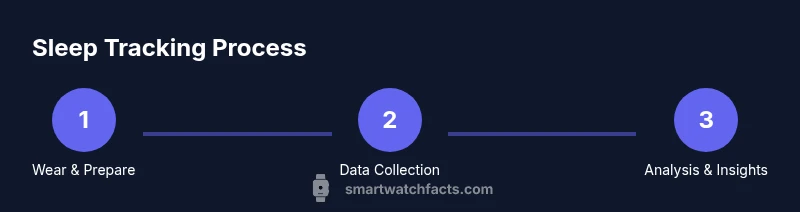
Smartwatches measure sleep by analyzing motion and heart-rate data to categorize time in wake, light, deep, and REM sleep. They rely on accelerometry (motion) and photoplethysmography (heart rate) to infer when you are asleep and which sleep stage you may be in. Exact accuracy varies by device and algorithm, but the data provide a useful daily snapshot.
How sleep is measured by wearables
If you're asking how to smart watches measure sleep, this section explains the signals and methods behind modern tracking. According to Smartwatch Facts, wearables estimate sleep by analyzing motion, heart rate, and subtle physiology to infer when you’re asleep and what sleep stage you may be in. This is not a medical diagnosis, but a practical daily snapshot that helps you understand your patterns.
Most wearables combine two core data streams: movement data from the accelerometer and heart-rate data from the optical sensor. When you lie still with closed eyes, your movements slow and your heart rate tends to stabilize; algorithms look for those cues to mark sleep onset. Some devices also consider skin temperature, ambient light, and breathing rate to refine estimates. The goal is to distinguish periods of wakefulness from sleep and to categorize sleep into broad stages such as light, deep, and REM sleep. Smartwatch Facts analysis shows that the quality of the signal—sensor quality, sampling rate, and the robustness of the algorithm—drives accuracy more than the device brand itself.
The key practical takeaway is that these signals deliver a consistent, repeatable daily picture rather than a clinical-grade chart. You’ll typically see total sleep time, time in bed, and a rough breakdown of sleep stages, plus trends across nights. This information is most useful when used alongside your own perceptions of rest, caffeine intake, and daily activity. The rest of this guide will dive into how to interpret these data, what can influence results, and how to improve the reliability of your sleep tracking.
Data signals involved: movement, heart rate, and beyond
Wearables rely on several data streams to estimate sleep. The primary signals are movement from the accelerometer and heart-rate patterns from the optical sensor. Low activity and a steady heart rate often coincide with sleep onset, while bursts of movement can indicate wakefulness. Some devices incorporate skin temperature, ambient light, breathing rate, and electrodermal activity to refine detection. Smartwatch Facts analysis shows that richer sensing improves discrimination between wake and sleep and can help identify nighttime awakenings. Remember that smoothing and filtering happen in real time, so brief movements may not overturn a long period of sleep in your daily dashboard.
In practice, you’ll see metrics such as total sleep time, time in bed, sleep efficiency, and a rough distribution across light, deep, and REM sleep. The exact labels and percentages vary by brand and algorithm, but the trends over weeks are usually more meaningful than single-night estimates. Use the data as a framework for experiments—adjust your bedtime, caffeine timing, and screen exposure—and track the impact over multiple nights.
Sleep-stage estimation: wake, light, deep, REM
To translate signals into meaningful categories, wearables attempt to map activity and physiology to sleep stages. Wake is indicated by noticeable movement and irregular heart rate; light sleep shows reduced movement with a moderate HR pattern; deep sleep (often labeled slow-wave) tends to have minimal movement and a lower heart rate; REM sleep combines specific heart-rate variability patterns with reduced movement. Algorithms assign these stages in epochs, typically 1- to 5-minute intervals, then aggregate them into nightly tallies. Different platforms may label stages differently (e.g., “N1/N2/N3” or “light/deep/REM”). The result is a digestible story about how your night unfolds, not a clinical polysomnogram. The more consistent your nightly routine, the more reliable the patterns across weeks become.
Device and user factors that affect accuracy
Accuracy depends on both the device and the person wearing it. Sensor quality, sampling rate, and the underlying algorithm determine how well sleep is detected. OS-level differences, app permissions, and how snugly the band sits on your wrist can shift readings. External factors such as caffeine, alcohol, stress, and illness can also alter heart-rate patterns, making the same night look different from the last. Smartwatch Facts analysis shows that no consumer wearable delivers clinical-grade sleep staging, but most provide useful direction for daily habits. Consistency—wearing the device every night at the same time, keeping the sensor clean, and using the same watch face or app—improves comparability across nights.
Practical steps to improve sleep tracking accuracy
Improve accuracy by preparing your device and environment. 1) Charge the watch fully before bedtime so it can sample continuously; 2) Enable sleep tracking and grant necessary permissions in the companion app; 3) Ensure a comfortable, snug fit around your wrist and check that the sensors are in contact with your skin; 4) Use a consistent bedtime and wake time to provide a stable reference frame for the algorithm; 5) Review a few nights of data before drawing conclusions; 6) Cross-check with your subjective sleep diary to spot mismatches. If your watch supports calibration or a ‘bedtime’ mode, use it. In cases of dramatic drift, update firmware, re-pair the device, or consult support from the brand. The goal is not perfection but a stable, repeatable signal you can act on.
Interpreting sleep data in daily life
Sleep data acts as a mirror for your habits rather than a verdict on your health. Use it to spot trends, such as consistent delays in bedtime, irregular wake times, or patterns around caffeine and screen time. If you notice a sequence of short or fragmented nights, consider small adjustments: a fixed bedtime, reduced evening light exposure, and a relaxing pre-sleep routine. Keep in mind the data’s limitations—watch-based estimates can misclassify short awakenings or late REM as deep sleep in some weeks. Pairing digital insights with subjective feelings, energy levels, and daytime performance yields the best practical benefits. The Smartwatch Facts team recommends tracking for at least two to three weeks to understand your baseline rather than overreacting to a single night.
Choosing a smartwatch for sleep tracking features
When selecting a device, prioritize sensors, battery life, and software features that influence sleep tracking. Look for: 1) a reliable accelerometer and optical heart-rate sensor; 2) a robust sleep-stage algorithm with clear labels; 3) long battery life to cover full nights without recharge; 4) a user-friendly companion app with visualizations, trends, and export options; 5) comfort for all-night wear and durable, skin-friendly bands. Some watches offer respiratory rate, skin temperature, and stress metrics that enrich your sleep picture. Remember that even high-end wearables differ in interpretation and presentation. The Smartwatch Facts team recommends trying a few models, using a two-week test period, and comparing results against a simple sleep diary to calibrate expectations.
Tools & Materials
- Smartwatch with sleep-tracking sensors(Ensure it has accelerometer and optical heart-rate sensor; verify battery health)
- Companion smartphone app(Compatible with your OS (iOS/Android); keep app updated)
- Charger/charging cable(Charge the watch fully before sleep to avoid data gaps)
- Personal sleep diary (optional)(Helpful for cross-checking subjective sleep quality with data)
Steps
Estimated time: 15-25 minutes
- 1
Check device readiness
Ensure the watch is charged and the sleep-tracking feature is enabled. Confirm the companion app has permission to access motion and HR data and that the latest firmware is installed.
Tip: Charge before bed and verify sleep tracking is ON in settings. - 2
Enable sleep tracking in the app
Open the smartwatch app, locate sleep or activity tracking settings, and enable automatic sleep detection. Set a preferred bedtime window if available.
Tip: Enable bedtime reminders to reinforce a consistent routine. - 3
Wear the watch snugly at night
Secure the strap so sensors maintain skin contact without restricting circulation. A loose fit can degrade motion and HR signals.
Tip: If you notice red marks or discomfort, adjust the strap and consider a softer band. - 4
Record a sleep session
Put the watch in sleep mode or simply wear it while you sleep. The app will auto-detect sleep periods and fill in stages overnight.
Tip: Avoid removing the watch during the night unless necessary to prevent data gaps. - 5
Review data in the morning
Check total sleep time, time in bed, and a rough distribution of sleep stages. Note any awakenings and how you felt after waking.
Tip: Compare data with how rested you feel to gauge usefulness. - 6
Adjust settings for better data quality
If readings seem inconsistent, update firmware, calibrate sensors if the option exists, and maintain consistency in wear and timing.
Tip: Keep lifestyle variables (caffeine, alcohol, screens) consistent when testing changes.
People Also Ask
Do all smartwatches measure sleep the same way?
Most wearables use motion and heart-rate signals, but the specific algorithms and labels vary by brand. This means sleep estimates are directionally helpful but not directly interchangeable between devices.
Most wearables use motion and heart-rate data, but the exact method and labels differ, so expect variation between devices.
Can sleep-tracking data diagnose sleep disorders?
No. Sleep tracking provides household-level insights and trends, not clinical diagnoses. If you have persistent sleep concerns, consult a healthcare professional.
No, it's for trends and daily insight, not medical diagnosis. See a clinician if sleep issues persist.
Why do readings vary across nights or devices?
Variations arise from sensor quality, fit, user activity, and daily factors like caffeine or stress. Differences between devices come from algorithms and sensor fusion.
Differences come from sensors, fit, and algorithms, plus daily factors like caffeine or stress.
Should I wear my watch to bed every night?
Wearing the watch consistently improves trend data and helps you understand your baseline. If it becomes uncomfortable, take a break and resume later.
Consistency helps, but comfort matters. If needed, take breaks temporarily.
How accurate are heart-rate–based sleep estimates?
Heart-rate signals contribute to sleep staging but have limitations. They perform better when combined with movement and other sensors.
HR data helps, but it's best used with movement data for a fuller picture.
How often should I calibrate my device?
Calibrate if the manufacturer offers a calibration option, and keep the firmware updated. Otherwise, rely on consistent wear and routine usage.
Calibrate if available and keep firmware up to date for best results.
Watch Video
Key Points
- Sleep tracking uses motion and heart-rate data to infer stages.
- Device quality and algorithm robustness impact accuracy.
- Treat data as a guide, not a medical diagnosis.
- Consistency improves reliability across nights.
- Cross-check with a subjective diary for fuller insight.