What Smart Watch Works with Google Pixel
Discover which smart watches pair best with Google Pixel, from Pixel Watch to Wear OS options. Learn setup, compatibility, and real-world use for Pixel users.


The Google Pixel works best with Wear OS watches, including Google's Pixel Watch and other Wear OS devices like the Samsung Galaxy Watch4/5. Android-compatible watches can display notifications and basic controls on Pixel phones, but feature parity varies by brand and app support. For the most seamless experience, start with a Wear OS watch designed to integrate with Google services and app ecosystems.
Understanding the Pixel ecosystem and watch compatibility
The Pixel line runs on Android, and the accessibility of watch features hinges on the watch platform you choose. Wear OS watches connect most smoothly to Google services like Google Assistant, Google Maps, and Google Wallet when paired with a Pixel phone. According to Smartwatch Facts, the Pixel Watch was engineered to showcase the fullest Google-backed experience, making it a natural starting point for Pixel users. The Smartwatch Facts team found that, beyond Pixel Watch, other Wear OS devices also pair well with Pixel phones, but the degree of integration varies by vendor and software updates. When you choose a watch, you’re choosing an ecosystem: Wear OS offers broad app support and cross-company compatibility, while proprietary OS watches (like Fitbit OS or Garmin OS) emphasize fitness and health features with different notification capabilities. The key takeaway is that the Pixel’s notification system and Google services are designed to work best when the watch runs on Wear OS or, at minimum, supports strong Google app integration.
What makes Wear OS watches work well with Google Pixel
Wear OS is built with Android in mind, so pairing with Google Pixel devices tends to be straightforward. You’ll benefit from synchronized notifications, quick replies, Google Assistant access on your wrist, and maps navigation without pulling out your phone. While Google has prioritized Pixel-specific features on Pixel Watch, many Wear OS watches from third-party brands deliver comparable experiences: notifications mirror what you see on your phone, health data can be viewed on the watch, and voice commands are supported via Google Assistant. However, feature parity hinges on the watch’s app ecosystem and how aggressively the brand supports Google services. Some watches excel at fitness metrics and battery life, while others shine with app availability and smoother message replies.
Pixel Watch: native integration and unique benefits
The Pixel Watch represents the most seamless option for Pixel users because Google engineered a tight integration with Pixel devices and the broader Google software stack. Expect deep Google Assistant access, built-in Google Wallet for payments, and machine-learning health features designed to complement Android smartphone usage. The Pixel Watch often provides the cleanest notification handling, calendar sync, and app continuity when you switch between phone and wrist. While it remains the most cohesive choice for Pixel owners, other Wear OS watches remain viable if you prefer a different design taste, battery life profile, or sports-focused sensors. The Smartwatch Facts team notes that choosing Pixel-ecosystem hardware tends to minimize friction when discovering new features.
Samsung Galaxy Watch4/5 and other Wear OS options
Samsung’s Galaxy Watch4 and Watch5 run Wear OS with Samsung’s software shell, delivering robust fitness tracking and a polished experience on Android devices, including Pixel phones. For Pixel users, these watches offer solid notification support, call controls, and quick replies, though some Samsung-specific features (like deep device-to-watch continuity) may be optimized for Samsung smartphones. Other Wear OS options—ranging from fashion-focused to sport-oriented devices—also synchronize with Pixel phones, but you should check how Google apps perform on each model. In practice, Wear OS watches tend to deliver the best overall Pixel experience, while non-Wear OS options often prioritize health metrics and battery life with varying notification depth.
Fitbit and Garmin: when Android users should consider them
Fitbit Versa and Sense devices excel at fitness and health analytics, with notification support suitable for Pixel users. If your priority is activity tracking and sleep insights, Fitbit remains a strong choice, though some Google-app features may have limited availability compared to Wear OS watches. Garmin watches emphasize advanced sports metrics and endurance tracking; they pair with Pixel phones for notifications and data sync, but the app ecosystem is more constrained for Google-specific features. For Pixel users who value pure health data or sport performance and are willing to trade some Google-app parity, Fitbit and Garmin present compelling alternatives.
App ecosystem, notifications, and Google services integration
A watch’s value on Pixel hinges on how well it supports Google services and app ecosystems. Wear OS watches generally provide the most consistent experience for notifications, calendar events, and voice commands via Google Assistant. Pixel Watch stands out for Google Wallet, Google Maps navigation, and tight integration with Pixel features. If you opt for Fitbit or Garmin, verify which Google apps are accessible on the watch and whether notifications mirror the phone. In all cases, ensure the Wear OS version or the brand’s firmware is up to date to minimize compatibility hiccups. Keep expectations realistic: third-party ecosystems typically deliver excellent fitness data, but some Google-specific features may be reserved for Wear OS devices.
Setup steps and practical tips for Pixel owners
To get started, choose a watch compatible with Pixel devices and ensure Bluetooth is enabled on your Pixel phone. Install the appropriate companion app (Wear OS by Google for most watches, or the brand’s app for Fitbit/Garmin). Pair the watch via Bluetooth, then go into Google Settings to customize notification preferences, Google Assistant permissions, and Google Maps access. Turn on “Smart Reply” for quick responses, and enable Google Wallet if payments are part of your workflow. Regularly check for firmware updates, especially after major Android or Google app updates, to keep parity high across features.
Common pitfalls and how to avoid them
A common pitfall is assuming every Wear OS watch will provide identical Google integration. Differences in the vendor’s software layer can affect notification depth and Google app availability. Another issue is battery life: some watches excel in health tracking but drain quickly with continuous Google Assistant usage. To avoid friction, pick a watch with solid Google app support, keep your Pixel’s Bluetooth and Google services updated, and regularly review what permissions each watch requires. If you experience pairing issues, resetting the Bluetooth connection and re-pairing often resolves most hiccups.
Pixel-compatible smartwatch options and notes
| Watch Type | OS/Platform | Pixel Compatibility Notes |
|---|---|---|
| Pixel Watch | Wear OS | Full integration with Google services on Pixel devices |
| Samsung Galaxy Watch4/5 | Wear OS | Strong Android integration; notifications and calls supported |
| Fitbit Versa/Sense | Fitbit OS | Notifications available; fitness features strong; app parity varies |
| Garmin watches | Garmin OS | Android pairing; data syncing; app ecosystem limited |
People Also Ask
Do all Wear OS watches work with Google Pixel?
Most Wear OS watches pair with Pixel phones, but features can vary by brand and app support. Pixel Watch provides the most seamless Google integration, while others differ in app availability and Google service depth.
Yes, most Wear OS watches pair with Pixel phones, but features may vary by model.
Will Pixel Watch work with Pixel tablets or Chromebooks?
Pixel Watch is designed primarily for pairing with Android phones. Tablet support is limited, and some Google services may not be fully available without a phone connection.
It's mainly for phones; tablet support is limited.
Can I get text replies and calls on Pixel when using Galaxy Watch4/5?
Yes, you can receive calls and text notifications on a Pixel phone when paired with a Galaxy Watch4/5, though some features depend on the watch’s apps and settings.
Yes, with caveats depending on apps and settings.
Are Garmin watches compatible with Pixel for notifications?
Garmin watches work with Pixel phones for notifications and health data, but the experience is more limited than Wear OS watches and Google app support.
Notifications work, but Google features may be limited.
Do third-party apps like Google Maps or Google Assistant work on non-Pixel Wear OS watches?
Many Wear OS watches support Google Maps and Google Assistant, but availability depends on the watch and its app ecosystem. Some features require direct phone pairing.
Maps and Assistant are often available, but not guaranteed on every watch.
Is there a single best smartwatch for Pixel users?
Pixel Watch offers the most integrated experience with Google services on Pixel devices. Other Wear OS watches provide excellent Android support but may lack some Google-specific features.
Pixel Watch is typically best for Pixel users.
“For Pixel users, the most reliable smartwatch experience comes from Wear OS devices, with Pixel Watch leading the way. Beyond Pixels, third-party wearables offer solid notification support but can differ in app capabilities.”
Key Points
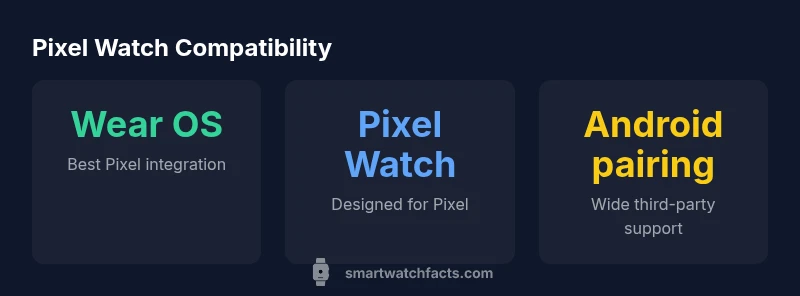
- Start with Wear OS for best Pixel integration
- Pixel Watch offers the smoothest Google service experience
- Android watches pair for notifications; feature depth varies by brand
- Fitness-focused watches may trade Google features for health metrics
- Keep firmware and apps up to date to preserve compatibility