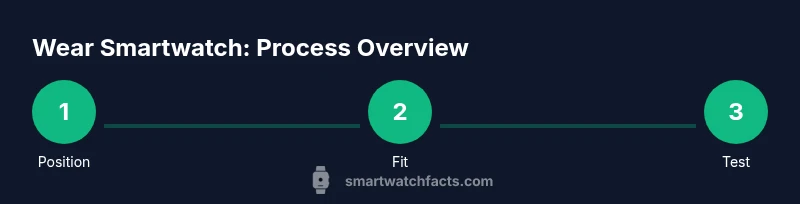
The Best Way to Wear a Smartwatch: A Practical Guide
A practical guide to wearing a smartwatch for optimal sensor accuracy, comfortable all day wear, and easy access to features. Learn placement, strap choices, hygiene, and activity-specific tips to optimize performance and longevity.


The best way to wear a smartwatch is to place it flat on the wrist with the sensor side against the skin, snug but not tight, and adjust for activities. This approach supports accurate readings, comfortable all-day wear, and easy access to controls. According to Smartwatch Facts, customization matters for individual comfort and sensor accuracy.
Why placement matters for sensor accuracy and comfort
Placement matters because the sensor array sits against the skin on the underside of the wrist. If the watch is too high, tilted, or pressed over clothing, readings for heart rate, oxygen saturation, and motion tracking can become noisy or biased. Comfort is equally important because persistent discomfort leads to reduced wear time and lower data quality over days or weeks. In practice, most users achieve stable metrics by letting the watch rest near the lower forearm, with the screen facing outward for easy interaction. strap material and fit play a role too, since sweat and friction can cause irritation if the band is too tight or rough. A balanced setup supports reliable metrics and a pleasant daily experience, which is what Smartwatch Facts aims to help shoppers understand during the buying and setup phase.
How placement affects readings and comfort
The wrist is a curved surface with sensitive skin and soft tissue beneath. The sensor backs on most watches require close contact with minimal gaps. A snug fit that still allows air to circulate reduces skin irritation while maintaining sensor contact during motion. For sleep tracking, a slightly looser fit can prevent pressure buildup overnight, while still keeping the watch from sliding off. Wider straps distribute pressure more evenly, reducing hotspots and improving long term comfort. Personal anatomy varies, so the key is starting with a secure baseline and then fine tuning by activity type and skin response. Smartwatch Facts notes that small changes to strap orientation or position can noticeably improve data stability over a typical day.
Subsequent considerations for placement include the orientation of the face for readability and how the band interacts with sleeves or gloves. If you commute or work in a cold environment, a tighter baseline may be needed to keep readings stable when circulation changes. Conversely, hot environments or intense workouts may require a looser baseline to prevent overheating and skin irritation. The overarching rule is to maintain consistent skin contact while preserving user comfort and ease of use. By starting with a standard position and adjusting gradually, you can tailor the setup to your physiology and daily routine.
Takeaway: Start with the watch resting on the underside of the wrist, strap snug but not tight, and adjust until readings stay stable across activities.
Tools & Materials
- Small screwdriver tool set(for adjusting metal link bracelets)
- Watch strap adjustment tool(to measure and adjust strap length precisely)
- Flexible measuring tape(to determine wrist circumference)
- Soft cloth and mild cleaning solution(for pre-wear skin clean and watch surface)
- Additional straps (silicone, leather)(to switch for activities)
- Phone or computer to configure watch settings(optional for pairing and updates)
Steps
Estimated time: 15-25 minutes
- 1
Measure wrist and select strap length
Use a flexible measuring tape to measure the exact circumference of your wrist. Choose a strap length that leaves about a finger's width of gap when fastened. If you have a metal bracelet, count the links to adjust the size before wearing.
Tip: A properly sized strap prevents over tightening and improves sensor contact. - 2
Attach the watch securely to the strap
Thread or snap the watch module into the chosen strap. Ensure the lugs are seated and the strap ends are flush against the case to avoid wobble. Confirm that the watch sits level on your wrist.
Tip: Check alignment before proceeding to the next steps. - 3
Fasten snugly but comfortably
Fasten the strap so the watch is snug but not tight. You should be able to slide a fingertip under the band without much resistance. If your skin feels numb or tingly, loosen slightly.
Tip: If you feel pressure marks after longer wear, recheck fit at the end of the day. - 4
Position sensors against the skin
Rotate the watch until the sensor area lies flat on the underside of the wrist. Avoid wearing the watch over hair or skin folds that create gaps. This step improves heart-rate and oxygen readings during activity.
Tip: Ensure there are no folds that push the sensor away from the skin. - 5
Test during common activities
Try walking, typing, and a short stretch to see whether the readings stay consistent and the watch remains secure. If readings drift, adjust strap tension and sensor alignment.
Tip: Use the watchs workout mode to gauge consistency across efforts. - 6
Check accessibility of controls and display
Ensure you can easily press the side button, crown, or touchscreen without removing the watch. Change to a more accessible watch face if necessary to reduce friction when you bend the wrist.
Tip: Position the face to minimize glare for outdoor use. - 7
Confirm comfort and plan maintenance
Spend a few hours wearing the watch normally and evaluating comfort. If irritation develops, consider a different strap material or rotating straps daily.
Tip: Regular strap rotation can extend the life of both strap and skin health.
People Also Ask
What is the recommended tightness for a smartwatch strap?
A snug but comfortable fit is best. It should be tight enough that the sensor maintains contact with your skin, but not so tight that you cannot breathe or feel numbness after extended wear.
Keep it snug but comfortable so sensors stay in contact without cutting off circulation.
Should I wear the smartwatch on my non-dominant wrist?
Wearing on your non-dominant wrist is common to minimize daily movement interference. You can wear on the dominant wrist if you prefer; just ensure the sensor is properly aligned.
Most people wear it on the non-dominant wrist for steadier data.
Can wearing a smartwatch too tight affect heart-rate readings?
Yes. Excessively tight wear can compress blood flow and distort readings, while too loose wear increases motion noise. The goal is stable contact with minimal pressure.
Yes—too tight can skew readings, too loose adds noise.
Is it safe to wear a smartwatch while swimming?
Most watches are water-resistant; follow the manufacturer’s rating. For swimming, use a silicone strap and ensure the clasp remains secure, and rinse after pool or saltwater exposure.
Most watches handle swimming if they are rated for water, just be sure the strap is secure.
How often should I change or rotate watch straps?
Rotate straps every few days to reduce wear on a single surface and minimize skin irritation. Inspect the connectors for wear and replace as needed.
Consider rotating straps every few days and check for wear.
What should I do if readings drift after adjusting fit?
Recheck sensor alignment and strap tension. If drift persists, recalibrate through the watch or contact support.
If readings drift, recheck fit and sensor alignment and recalibrate if needed.
Watch Video
Key Points
- Wear the watch with the sensor against skin, not over clothing.
- Choose strap material based on activity to balance comfort and durability.
- Regularly adjust fit to maintain sensor accuracy and avoid skin irritation.
- Rotate straps and maintain hygiene for long-term wear.