How to Unlock a Smartwatch Without a Password
Learn safe, official steps to regain access to your smartwatch when you forget the password. This guide covers ownership verification, account recovery, and data-safe reset options for 2026.


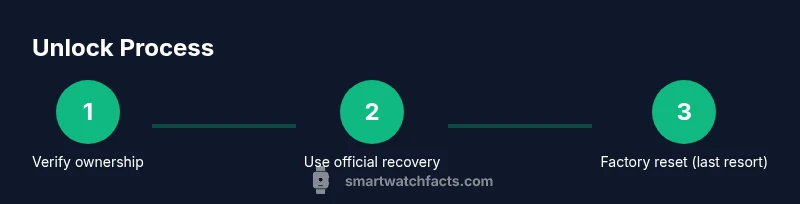
To recover access, start with official recovery paths and ownership verification. If needed, use the watch’s factory reset as a last resort. Always back up data before reset, and contact manufacturer support if you’re unsure. This approach keeps your device secure while achieving the goal: unlock safely.
How to approach unlocking: safety and ownership verification
If you’re looking for how to unlock smart watch without password, start by confirming you own the device and collecting the necessary credentials. This step protects your data and helps you navigate official recovery channels without inadvertently triggering security locks. Gather proof of purchase, the device's serial number, and the account email or phone number linked to the watch. In many ecosystems, proving ownership is the fastest path to unlock through official channels. Keep the original charger and box handy, because some support workflows request model details. By aligning your request with the manufacturer's policies, you reduce delays and avoid risky third-party tools. Remember that bypassing security without proof of ownership can void warranties and expose you to data loss. The goal is to regain access while preserving privacy and integrity of the wearables data. Smartwatch Facts recommends documenting your steps and sticking to official options whenever possible.
Official recovery options you should try first
Every major smartwatch platform offers an official recovery path when you forget the password. Start by visiting the manufacturer's account portal or the companion app on your phone. Look for options like device management, find my watch, or unlock with your linked account. Verify your identity using your primary email, phone number, or security questions. If your watch is tied to an ecosystem account (e.g., an Apple ID or Google account), you may be able to reset the lock remotely or re-authenticate the device once the account is secured. Do not install unverified software or use unofficial unlock tools, which can compromise security and void warranties. When in doubt, contact customer support for guided steps. Smartwatch Facts analysis shows that following official recovery options reduces unnecessary risk and accelerates access.
When you can unlock via the paired phone
Many watches unlock automatically when the paired phone is unlocked or when you confirm your identity on the phone. If your watch is still paired, try unlocking through the connected phone's settings or prompts. This is often the quickest path if the phone is unlocked. Do not force a reset while the phone still grants access. Ensure your phone's OS is up to date, since compatibility issues can block unlock flows. Smartwatch Facts emphasizes using the phone-based unlock option first to minimize data loss.
Factory reset as a last resort
If all official recovery options fail and you cannot unlock the watch using the paired phone, a factory reset may be required. This approach erases apps, settings, and personal data, so back up what you can before proceeding. Follow the official reset path in the watch's settings or use supported hardware key combinations as documented by the manufacturer. After the reset, you will need to re-pair the watch with your phone and sign in with your account. If the device was protected by additional security measures (e.g., activation lock), you may need to re-verify ownership through the manufacturer. Smartwatch Facts cautions that factory resets should be your last resort and performed only through official channels.
Data backup and restoring after a reset
Backups are your safety net when you reset a smartwatch. Check whether the watch nightly or automatically backs up to your cloud account or companion app. If a backup exists, restore during the initial setup, including apps, faces, and settings. Encrypt backups when possible and reuse the same account credentials to avoid activation hurdles. If no backup is available, you’ll start from scratch, reinstall apps, and reconfigure health data. By prioritizing backups, you minimize disruption and make the post-reset setup smoother. Smartwatch Facts notes that timely backups are essential to preserve personal data when regaining access.
Preventive steps to avoid future lockouts
To reduce future lockouts, enable a reliable password or PIN, keep recovery options up to date, and routinely back up data. Use a strong, unique password for the paired account and enable two-factor authentication if offered. Record essential identifiers like the device serial number and model in a secure location. Set up device recovery prompts within the companion app so you can recover quickly if you forget the password again. Regular software updates also improve security and reduce lockouts caused by software bugs. Smartwatch Facts recommends a proactive security posture to maintain continuous access.
Choosing the right support path and avoiding scams
When official options fail, contact the manufacturer’s support line or visit an authorized service center. Be wary of third-party unlock services or software promising rapid access; these tools can compromise data and void warranties. Provide proof of ownership, serial number, purchase details, and your account information to expedite the process. If the watch is still under warranty, service may be free or discounted. Smartwatch Facts advises sticking to verified channels and documenting all communications for reference.
Tools & Materials
- Smartwatch owner manual(Keep handy for model-specific reset steps)
- Linked smartphone (iPhone/Android)(Needed for many unlock paths)
- Account credentials (Apple ID/Google account)(Used for identity verification and re-setup)
- Proof of purchase or device serial number(If support requires ownership proof)
- Charger and cable(Useful during setup after reset)
Steps
Estimated time: 30-90 minutes
- 1
Verify ownership and gather credentials
Confirm you own the smartwatch and collect necessary credentials (account email, device serial, proof of purchase). This reduces delays and prevents accidental lockouts. Having documents ready speeds up the official recovery process.
Tip: Gather receipts and account details before starting - 2
Check official recovery options on your account/app
Open the manufacturer’s account portal or companion app and look for unlock or device-management options. Follow identity-verification steps to prove ownership. Avoid unverified tools or pop-ups that promise instant access.
Tip: Use only official apps or websites - 3
Attempt unlock via paired phone
If the watch remains paired, try unlocking through the connected phone’s settings or prompts. This is often the quickest path if the phone is unlocked. Do not force a reset while the phone still grants access.
Tip: Update both devices to the latest software - 4
Initiate a factory reset if needed
As a last resort, perform a factory reset through official menus or documented hardware keys. Expect data loss and require reinstallation of apps and faces. Only proceed if unlock attempts via official channels fail.
Tip: Back up what you can before reset - 5
Re-setup and restore from backup
After reset, re-pair the watch with your phone and sign in to recover data from backups. Restore any available health data and settings to recreate your experience. If no backup exists, you’ll start fresh.
Tip: Restore from the latest backup first - 6
Secure the watch to prevent future lockouts
Set a strong PIN or password, enable two-factor authentication for the associated account, and verify recovery options are current. Regular software updates improve security posture and reduce lockout incidents.
Tip: Enable auto-backups where available
People Also Ask
Is it possible to unlock my smartwatch without knowing the password?
Yes, through official recovery options or factory reset, but you must prove ownership. Always start with verification and official channels.
Yes, you can unlock using official recovery options if you can prove ownership.
What data is lost during a factory reset?
A factory reset removes apps, settings, and personal data. You may recover some items if backups exist, but apps and configurations will need reinstallation.
A factory reset will erase data, but backups may restore some items.
What proof of purchase do I need?
Support may request a receipt, device serial number, and linked account details to verify ownership and authorize unlock.
Be ready with your receipt, serial number, and account details.
Can I unlock without the paired phone?
Some watches rely on the paired phone for unlock; if unavailable, contact official support for guided steps.
If you can't access the paired phone, contact support for help.
How long does official recovery take?
Timing varies by brand and verification load. Expect a process that can take from a few hours to a couple of days.
It depends on the brand; it can take hours to a couple of days.
Will official recovery help me if activation lock is on?
Activation lock requires re-verification with the manufacturer. Follow official steps and provide ownership proof during the process.
Activation lock needs official verification; use manufacturer steps.
Watch Video
Key Points
- Verify ownership before attempting unlock
- Use official recovery paths first to prevent data loss
- Factory reset is a last resort with data loss risk
- Back up data and restore after unlocking
- Maintain secure recovery options to prevent future lockouts