How to Find a Lost Smartwatch: Step-by-Step Guide
Learn practical steps to locate a lost smartwatch using Find My Watch features, phone integration, and security tips. This actionable guide helps you recover your device quickly in 2026.


According to Smartwatch Facts, you can locate a lost smartwatch by using built-in Find My Watch features, paired phone location, and recent activity history. Start by confirming the watch is powered on, then enable location services, check last known coordinates, and use the companion app to ring, locate, or remotely lock the device. If stolen, report promptly.
Understanding How Location Features Work Across Platforms
According to Smartwatch Facts, understanding how Find My Watch systems work helps you interpret location results and privacy implications. Most mainstream smartwatches offer built-in locate capabilities that rely on your phone to report position, recent activity, and proximity. These features vary by platform (iOS, Android, or vendor-specific apps) and by whether the watch is online, paired, or offline. Knowing the basics helps you interpret a map pin correctly and act quickly.
Quick Checks Before You Start Locating
Before you dive in, verify basic conditions that dramatically affect success. Ensure your watch is powered on and within range of its paired phone. Confirm the watch and phone both have active internet connections, up-to-date firmware, and location permissions enabled for the vendor app. If you recently changed passwords or logged out of your account, re-authenticate to restore access. These upfront checks prevent wasted time when you initiate a search.
Using Your Phone: Find My Watch, Maps, and History
Your primary tool is the companion app that paired the watch to your phone. Open the app, select the device, and view the last known location on a map. Some platforms provide a live map, while others show only timestamps and accuracy estimates. Cross-check the map with recent activity, such as last activity time or steps, to triangulate where the watch might be.
Ringing the Watch and Remotely Locking for Visibility
Most watch ecosystems let you ring the device remotely or trigger a loud notification. This is especially useful if the watch is nearby but not in sight. If you believe the watch is lost or stolen, enable Lost Mode or lock the device remotely to prevent data access. Include a contact message for return or for authorities when applicable.
Interpreting Location Data: Last Seen vs Live Location
Location data can come from multiple sources: GPS, Wi‑Fi positioning, or Bluetooth proximity to your phone. A last-seen timestamp isn’t a guarantee of current location; it’s a clue. If the watch is quiet, use the map’s accuracy radius and consider retracing your steps from the last known point. Remember, some devices drop location updates when battery is low or out of range.
Offline or Dead Watch: Next Steps
If the watch is offline or the battery is dead, focus on the last known location and the time it was recorded. Review your recent routes or places you visited. Contact family or coworkers who might have seen the watch, and keep monitoring the app for any status changes as soon as the device reconnects. In some cases, the device won’t appear until recharged.
Safety, Privacy, and Reporting The Most Likely Scenarios
Protecting personal data is essential. Do not attempt risky searches or confrontations. If theft is suspected, report to local authorities and your carrier, and consider suspending service to prevent misuse. Review privacy settings in the vendor app and remove exposed personal data if you suspect unauthorized access. Always balance prompt action with personal safety.
Troubleshooting Common Issues and When to Seek Help
If locating features fail, ensure firmware and app versions are current, re-link the device, and re-login to your account. If results are inconsistent, check for known outages or maintenance notices from the vendor. When in doubt, contact official support channels for your device brand to avoid scams or incorrect data.
Tools & Materials
- Smartphone with compatible OS(iOS or Android; ensure vendor app is installed and logged in)
- Smartwatch charger and USB cable(Keep both devices charged during the search)
- Internet connection (Wi‑Fi or mobile data)(Needed for location services and syncing with the cloud)
- Vendor companion app(Find My Watch or equivalent app linked to your account)
- Notebook or notes app(Log times, locations, and actions taken)
- Police report or contact information(Useful if the device is stolen)
Steps
Estimated time: 20-30 minutes
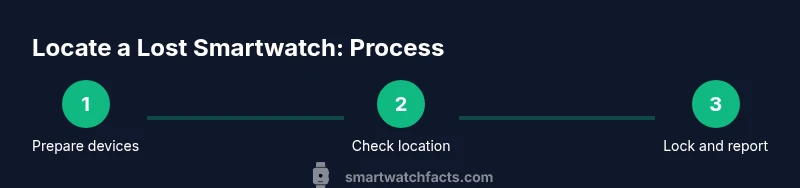
- 1
Prepare your devices
Charge both the watch and the phone if possible and confirm you have an internet connection. Ensure the vendor app is up to date and you can sign in with your account credentials. This setup prevents interruptions during the locate process.
Tip: Charge now to avoid mid-search power loss. - 2
Open the Find feature in your phone's app
Launch the smartwatch companion app and select your device from the list. If multiple devices exist, choose the lost one to isolate its location data and controls. Ensure location services are enabled for accurate results.
Tip: If you don’t see the device, re-authenticate or re-link the watch to your account. - 3
Check the map for last-known location
View the map pin and the timestamp of the last update. Compare with recent locations or routes you took to narrow down potential areas. Use the zoom and street view features to plan your search route.
Tip: Note the accuracy radius and adjust your search area accordingly. - 4
Ring or sound the watch
If the watch is nearby, trigger a ring or audible alert to locate it by sound. This is especially effective in quiet indoor spaces or around your home. Do not rely on sound alone if the device is far away or in a bag.
Tip: Stay within range and listen for the tone. - 5
Enable Lost Mode or remote lock
If you suspect theft or cannot recover the device, enable Lost Mode or lock the watch remotely to protect data. Include a contact message or instructions for return if possible.
Tip: Add a contact number in the message to facilitate returns. - 6
Notify contacts and authorities if stolen
Share relevant details with trusted contacts and, if warranted, file a police report. Provide model, serial number, last known location, and time. Do not attempt confrontations.
Tip: Preserve any screenshots or logs for reporting. - 7
Document findings and follow up
Log every step you take, including timestamps and outcomes. If the device reappears, verify it is yours and remove any security locks. If unresolved, monitor the account for unusual activity.
Tip: Keep a simple chronicle for insurance or warranty purposes.
People Also Ask
What should I do immediately after realizing my watch is lost?
Act quickly by checking nearby areas, using Find My Watch, and notifying contacts if you suspect it was misplaced rather than stolen. Start a fresh search with the assistant app’s map view and sound options.
Act quickly by checking nearby areas, using Find My Watch, and contacting someone to help. Start a fresh search using the map and sound features.
Can I locate my watch if it's offline?
Offline devices may only show the last known location. Keep the device charged and monitor the app for when it comes back online. If the battery is dead, focus on the last known point and retrace steps.
If offline, you may only have the last known location. Charge the device if possible and watch for updates in the app.
Will Find My Watch drain my battery quickly?
Location services and remote commands can impact battery life. You don’t need to keep location on at all times; re-enable only during active search periods and when you’re at a likely location.
Location services use battery, so turn them on only during active searches and at likely locations.
What if my watch isn’t linked to my phone or account anymore?
If the device isn’t linked, you may not be able to locate it via the app. Reconnect your account if possible and ensure the watch is reset to factory settings if you regain access.
If it’s unlinked, locating it is harder. Try to reconnect your account and reset if you regain access.
How long does location data stay available after an event?
Location data retention depends on platform and settings. Typically, recent updates persist for a limited window; older data may be purged. Review your privacy settings to understand retention.
Location data is retained for a limited time and varies by platform; check your privacy settings for details.
Can I locate other brands’ watches with the same method?
Most brands offer similar locate features within their own apps. Availability and accuracy depend on the device, firmware, and account status. Always use the official app for your device.
Most brands offer locate features in their own apps, but compatibility varies by device and firmware.
Watch Video
Key Points
- Act quickly using Find My Watch and your phone to maximize chances.
- Know the difference between last seen and live location data.
- Lock the device remotely if theft is possible to protect data.
- Charge both devices and keep logs for follow-up or insurance.
- Prioritize safety and report suspicions to authorities when needed.