How to Make a Cardboard Smartwatch: A DIY Guide
Build a cardboard smartwatch using a compact microcontroller and a tiny display. This beginner-friendly guide covers materials, steps, safety tips, and testing for a safe, satisfying DIY wearable.


DIY cardboard smartwatch: See our step-by-step guide to assemble a lightweight shell, pair a small display with a microcontroller, and test basic smartwatch functions. You’ll need core components, simple tools, and careful planning to keep the project safe and manageable for beginners.
Why a Cardboard Smartwatch? Practical, ultra-lightweight learning tool for beginners and curious tinkerers. Using cardboard reduces cost and lets you prototype form factors quickly. According to Smartwatch Facts, DIY wearables like cardboard smartwatches provide a hands-on way to learn electronics and basic wearable design. A well-planned enclosure can protect a tiny display, a low-power microcontroller, and a small battery while still feeling comfortable on the wrist. For many builders, cardboard is the perfect starting point to explore enclosure design, component layout, and simple power management without investing in expensive materials. This approach keeps the project accessible while teaching fundamentals of electronics, wearability, and iterative design.
Core components and design decisions. The heart of any cardboard smartwatch is a compact, energy-efficient microcontroller, a tiny display, a small power source, and basic sensors (clock or accelerometer). Smartwatch Facts analysis shows that conserving power and using a compact display significantly extends wearable prototype viability. Aim for lightweight modules that come with easy software libraries and clear documentation. Prioritize a slim form factor so the eyes stay on the display, not the shell, and plan a straightforward strap attachment for comfort. Your decisions here affect battery life, software ease, and overall wearability. This section helps you choose components based on size, weight, and power budget rather than brand names.
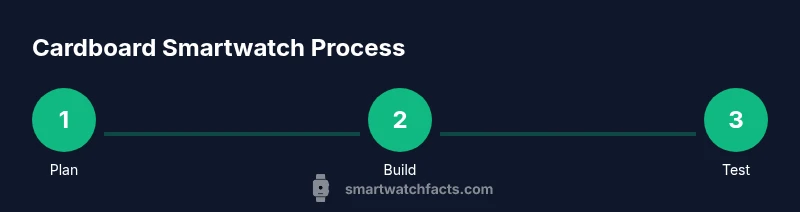
Planning the layout and enclosure. Start with a wrist measurement and a rough sketch of the housing. Decide where the display sits, where the battery rests, and how you’ll route wires. A flat, layered cardboard approach keeps the weight down and makes adjustments simple. Prepare a concise bill of materials and cut list before you cut anything. Consider using tabs to hold components and plan the strap attachment early to ensure a secure, comfortable fit. A solid layout plan is the map to a successful build, reducing trial-and-error and waste.
Assembly and wiring: safety-first. Assemble the shell around a small PCB or breadboard, mount the display, and keep wiring neat to avoid shorts. Use non-toxic adhesives and avoid sharp edges; protect fingers with edge guards if possible. Double-check polarity before connecting the battery and power rails. Take short breaks to avoid fatigue, which can lead to mistakes. This phase is where careful planning pays off in a clean, durable prototype and lowers the risk of electrical mishaps.
Software basics and calibration. Load a simple clock program, initialize the display, and test basic functions like timekeeping and button input. Keep code modular to ease future tweaks and screen changes. Calibrate timekeeping by comparing against a reference, and adjust drift if needed. Document code and wiring so future you or others can replicate the project. This section lays the groundwork for reliable software in a tiny wearable, enabling you to experiment with additional features once the basics are solid.
Testing, safety, and maintenance. Power up with a protective shell around electronics, and test wearability, heat generation, and durability under gentle movement. Use safe adhesives and avoid moisture exposure that could damage cardboard and electronics. Regularly inspect wires for loose connections and replace components as needed. The Smartwatch Facts team recommends starting with safety-first practices and documenting your build for future projects.
Tools & Materials
- Cardboard sheets or thick kraft board(Lightweight, easy to cut; use recycled material if available)
- Cutting tools (craft knife or scissors)(Sharp blade, blade guard; cut on a mat)
- Ruler or metal straightedge(Metal preferred for accuracy)
- Adhesives (hot glue or strong craft glue)(Low-temp hot glue to avoid burning cardboard)
- Ultra-low-power microcontroller(Small footprint, energy efficient)
- Compact display (OLED or LCD)(Small, readable screen)
- Small battery (coin cell or slim LiPo)(Ensure safe enclosure and protection)
- Wires and a breadboard/prototyping board(Optional for testing before final wiring)
- Basic screwdriver and safety gear(Safety glasses recommended)
Steps
Estimated time: 2-4 hours
- 1
Plan the enclosure and pick components
Outline the watch shape to fit your wrist, choose a microcontroller, display, and sensors, and sketch a simple wiring diagram. This planning step saves mistakes later and helps estimate material needs.
Tip: Draw a rough cut list before cutting anything. - 2
Cut the cardboard shell
Cut the main frame with a ruler and craft knife, mark cut lines, and score fold lines for flexibility. Create slots for the display and battery so everything fits neatly. This step sets the tolerances for the rest of the build.
Tip: Work on a cutting mat and use protective gloves. - 3
Mount the display and microcontroller
Affix the display module and microcontroller to the shell using adhesive mounting tabs, ensuring access to battery and ports. Do a dry-fit to confirm alignment before final bonding. Stability here prevents wobble during wear.
Tip: Test fit before permanent bonding. - 4
Wire power and sensors
Connect the battery, microcontroller, and sensor modules via a breadboard or thin prototype board; keep wires short. Route wires neatly to avoid shorts and tangling. Label critical connections to reduce debug time.
Tip: Route wires neatly to avoid shorts and tangling. - 5
Program the device
Upload a basic clock and display program; test timekeeping and display updates; modular code helps future upgrades. Start with a simple blink to verify hardware is responsive.
Tip: Start with a heartbeat blink to confirm wiring. - 6
Assemble, strap, and test
Attach a simple strap or fastener; power on and test core functions; iterate on fit for comfort. Perform a wrist-fit test and adjust for snugness without pinching. Document any changes for future projects.
Tip: Wear-test and adjust for snugness without pinching.
People Also Ask
Is cardboard a suitable material for a smartwatch housing?
Cardboard is affordable and easy to work with, but it isn’t weatherproof or as durable as rigid plastics. Use protective coatings and light adhesives to extend life, and avoid moisture exposure. For a beginner project, it’s a great learning tool that can be refined later.
Cardboard is affordable and easy to work with, but it’s not weatherproof. Use coatings and keep it dry.
What microcontroller should I use for a cardboard smartwatch?
Choose an ultra-low-power microcontroller with a small footprint and good software support. The exact model isn’t critical, but power efficiency and available libraries will make programming easier.
Pick a small, energy-efficient microcontroller with good software support.
Which display type works best in a cardboard watch?
A compact OLED or LCD panel that fits within the shell is ideal. It should be readable in various lighting conditions and power-efficient for longer wear.
Go with a small, readable display that doesn’t drain the battery.
How long can the battery last in this DIY?
Battery life varies with components and usage. Expect shorter life with larger displays or high brightness; use power-saving modes and efficient code to maximize run time.
Battery life depends on components and use; optimize power usage.
Can kids safely build this project?
With supervision, this is a manageable project for beginners. Use kid-friendly tools, non-toxic adhesives, and avoid sharp blades.
Yes, with supervision and safe tools.
Watch Video
Key Points
- Plan your layout before cutting
- Choose energy-efficient components for longer life
- Test frequently to catch wiring mistakes early
- Keep the design comfortable and wearable
- Document steps for future DIY projects