How to Turn an Old Phone into a Smart Watch: A Practical DIY Guide
Learn to repurpose an old smartphone into a wearable-style smartwatch with a wrist strap, simple launcher apps, and thoughtful power management. A step-by-step, beginner-friendly guide with safety tips and real-world use cases.


You can turn an old phone into a functional DIY smartwatch by mounting it on a wrist strap, installing a watch-style launcher, and tuning power settings. This guide covers hardware setup, software options, and safety tips to get a practical wearable from your spare device. Expect hands-on steps, recommended tools, and common pitfalls.
Why repurposing an old phone makes sense
Repurposing an old phone as a wearable gadget is a clever way to breathe new life into a device you already own, cut down on e-waste, and test-drive wearable tech before investing in a dedicated watch. According to Smartwatch Facts, repurposing spare hardware can be a practical, budget-friendly entry point into the world of wearables. You get a time-teller, notification previews, and quick-glance information at a fraction of the cost of a new smartwatch. This approach works best when the phone is small enough to wear securely, the screen is readable in daylight, and the battery can be managed without frequent charging. In short, you’re leveraging what you already have to explore ideas such as fitness tracking, quick responses, and glanceable data on your wrist. The Smartwatch Facts team found that beginners often appreciate the hands-on learning and reuse involved, which aligns with eco-friendly goals and tech-curiosity.
Core design goals for a DIY smartwatch
A DIY smartwatch should be readable at a glance, power-efficient, and able to surface essential information quickly. Priorities include clear time display, glanceable notifications, and simple interactions. From a practical perspective, you want a device that doesn’t demand constant charging and respects privacy by only mirroring important alerts. According to Smartwatch Facts analysis, the most successful projects balance simplicity with usability, avoiding feature bloat that drains the battery. Consider your primary use cases: notifications, weather, quick replies, fitness data, or calendar reminders. By defining these goals upfront, you’ll choose software that supports your needs rather than chasing every possible feature. This sets a realistic baseline for what the old phone can reasonably deliver on your wrist.
Hardware prerequisites and mounting considerations
Before you start, verify the old phone’s condition: screen responsiveness, battery health, and network behavior matter for a wearable setup. You’ll want a lightweight wrist strap or armband that fits securely, plus a charging method you can rely on during the day. Gather a USB charger or portable power bank, and ensure the phone has a micro USB, USB-C, or Lightning cable compatible with your charger. The mounting method should distribute weight evenly to minimize fatigue. If you plan to wear the device for extended periods, choose a strap material that’s breathable and skin-safe. Finally, keep a small screen protector handy to guard against scratches under motion. Smartwatch Facts emphasizes choosing materials that maximize comfort without sacrificing access to the device’s primary controls.
Software options: Launcher apps and watch faces
Software is the heart of a wearable-style phone. Look for a watch-style launcher that presents a simplified home screen with large digits and limited taps. You’ll also want an app to display a glance-friendly watch face, with time, weather, and essential shortcuts. Consider enabling an always-on display option when available to keep the time visible with minimal energy cost. If your phone supports it, introduce a dedicated “watch mode” or a low-brightness skin that imitates a traditional smartwatch UI. Smartwatch Facts notes that the right launcher and watch-face combination can dramatically improve readability, reduce battery drain, and improve the overall user experience. Finally, ensure the launcher respects notification privacy by filtering non-essential alerts.
Setting up notifications and controls
Start by enabling essential notifications only, then configure quick actions for common tasks like replying to messages or checking weather. Grant necessary permissions for notifications, location (if needed for weather), and activity tracking, but disable permissions that aren’t useful to the wearables experience. Set up a simple gesture or button shortcut to wake the screen or silence notifications. If possible, pair a lightweight Bluetooth accessory for audio prompts or haptics. This keeps you informed without constantly interacting with the phone. Smartwatch Facts reminds readers to test notification reliability in real-world conditions so you won’t be surprised by delays during daily use.
Power management: Battery life strategies
Power management is the deciding factor for a watch-like phone. Enable battery saver modes, limit background activity for non-essential apps, and reduce screen brightness to a readable but battery-friendly level. Turn off high-energy features like continuous GPS tracking unless you need them for specific tasks. Use a shorter screen timeout and disable auto-sync when the device isn’t needed. If you’ll wear the device daily, consider charging routines that align with your day to day schedule. Smartwatch Facts analysis shows that disciplined power settings often yield the most practical wearables, allowing several hours of use without frequent recharging.
Safe mounting and comfort on the wrist
Comfort and safety come first in any wrist-worn device. Choose a strap that distributes weight and breathes well, and strap the device snugly but not tightly. If the phone is bulky, consider a small external pad or cushion under the device to prevent chafing. Periodically loosen the strap to prevent skin irritation and apply a breathable band to avoid moisture buildup. Ensure all ports and buttons remain accessible for adjustments. Regularly inspect the mounting for wear or metal edges that could cause discomfort. A thoughtful setup improves wearability and reduces the likelihood of removing the device mid-activity.
Real-world use cases and limits
A repurposed phone can serve as a timepiece, quick-message receiver, weather checker, or fitness reminder, but expect limits compared with purpose-built smartwatches. You’ll typically get glanceable information rather than deep app ecosystems. Use cases include quick replies with pre-set templates, calendar reminders, music or guided workouts, and on-wrist timers, all designed for short bursts of interaction. Battery life will depend on screen usage, notifications, and apps running in the background. Smartwatch Facts notes that realistic expectations help users avoid disappointment and focus on tangible benefits like increased awareness, convenience, and budget-conscious exploration of wearables.
Troubleshooting common issues
If the device dies quickly, check if a resource-heavy app is running in the background and replace it with a lighter alternative. If notifications lag, ensure the launcher is updated and permissions remain intact. Overheating can indicate excessive background processes; reduce brightness and limit background tasks. If the watch UI freezes, perform a brief restart and reset only essential settings. Compatibility gaps may arise if the old phone lacks required sensors or software features. In such cases, you can adjust use cases to timekeeping and glanceable alerts rather than full-featured smartwatch experiences.
Maintenance and longevity tips
Keep the device clean and dry, especially around connectors and the camera. Regularly update the launcher and any watch-face apps to improve stability and security. If you plan to reuse the phone in other ways, maintain a dedicated power bank or charging routine to avoid deep discharge events. Store the device in a cool, ventilated place when not in use and inspect the strap for wear at regular intervals. Smartwatch Facts reminds readers that a well-maintained setup can maximize the learning value and extend the life of your DIY wearable.
Next steps: what to expect and how to improve
This project is a learning exercise and a budget-friendly entry into wearable tech. Expect a practical device that serves as a timepiece and notification viewer with limited app depth. As you gain confidence, you can experiment with alternative launchers, refine the watch-face design, or scale up to a purpose-built wearable. If you enjoy the experience, consider upgrading to a purpose-built smartwatch later, taking what you learned and applying it to a more polished device. The Smartwatch Facts team encourages readers to share their setups and iterate based on real-world results.
Authority sources
- https://www.android.com
- https://www.wired.com
- https://www.cnet.com
Tools & Materials
- Old smartphone (Android preferred for flexibility)(Prefer a phone with decent battery life and removable to minimize risk when mounting.)
- Wrist strap or armband(Choose a strap that fits securely and distributes weight evenly.)
- Charging cable and power source(USB-C/USB-A or Lightning as appropriate; include a portable power bank.)
- Watch-style launcher app(Select a launcher that presents a simple, glanceable UI.)
- Screen protector(Optional protection against scratches during wear.)
- Mounting pad or soft spacer(Helps distribute weight and prevent chafing.)
- Low-energy accessories (optional)(Bluetooth beacon or haptics for notifications.)
Steps
Estimated time: 3-6 hours
- 1
Assess the old phone
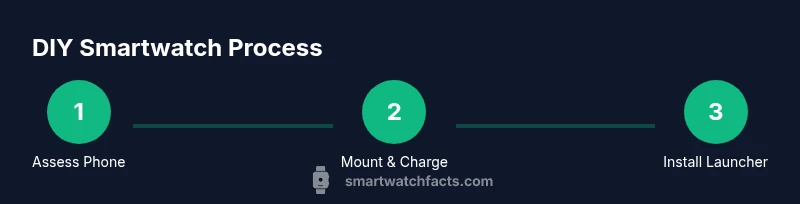
Inspect screen responsiveness, battery health, and overall condition. Confirm it can run a lightweight launcher and has adequate storage for the apps you’ll install. This step prevents wasted effort on devices that won’t perform well as wearables.
Tip: If battery health is poor, consider a dedicated power bank with a secure mounting. - 2
Gather and prepare mounting hardware
Select a wrist strap or armband designed to hold a phone and secure it firmly without restricting movement. Gather your charger, cable, and any spacers to help with fit. Test fit the phone in the strap before proceeding.
Tip: Make sure the setup feels balanced so the device doesn’t rotate while you move. - 3
Install a watch-style launcher
Choose a launcher designed for glanceability and simple navigation. Install it and set the home screen to display time, weather, and a few core shortcuts. Disable non-essential widgets to save battery.
Tip: Keep the launcher lightweight to avoid extra background load. - 4
Configure Always-On-style time display
Enable a low-brightness clock face that remains visible when the screen is dimmed. Adjust font size for readability in outdoor light and ensure the clock uses minimal power.
Tip: If your phone supports it, enable a dimmed ambient display to save energy. - 5
Limit notifications to essentials
In the launcher or OS settings, select only critical apps to mirror to the wrist. This reduces scrolling, distraction, and battery drain.
Tip: Create a separate notification profile for “watch mode.” - 6
Fine-tune power settings
Activate battery saver modes during prolonged wear and restrict background activity for nonessential apps. Reduce screen brightness and shorten screen timeout.
Tip: Test different brightness levels to find the sweet spot between readability and longevity. - 7
Secure the device to the wrist
Place the phone in the strap so the display faces outward and the hardware isn’t pinching skin. Add a spacer if the phone shifts during movement.
Tip: Move slowly during the first wear to check for any chafing or discomfort. - 8
Test core functions
Check time accuracy, notification mirroring, weather, and any quick replies. Confirm everything feels responsive without overheating.
Tip: Run a short routine (walk or workout) to see how the device behaves under real use. - 9
Troubleshoot common issues
If you notice lag, crashes, or rapid battery drain, review app permissions and background activity. Reinstall launcher if needed.
Tip: Keep a backup of essential apps to avoid reinstall hassles. - 10
Plan maintenance and upgrades
Schedule periodic checks for strap wear, screen damage, and battery health. Consider upgrading to a dedicated wearable if needs grow.
Tip: Document your setup steps so you can replicate them later. - 11
Expand into broader wearables exploration
Treat this project as a stepping stone to learning about sensors, apps, and wearable ecosystems. You can reuse insights for future builds.
Tip: Share your setup with the community to learn from others’ experiments.
People Also Ask
Can I use any old phone to make a smartwatch?
Most phones can be repurposed for a wearable-like setup, especially Android devices that support lightweight launchers. iPhones present compatibility hurdles due to iOS restrictions. In general, choose a phone with decent battery life and a smooth display for best results.
Most Android phones work best for this, while iPhones can be trickier due to iOS limits.
Will this replace a real smartwatch?
No. A repurposed phone provides basic watch-like features such as time, notifications, and quick actions, but it won’t match the broad app ecosystem or sensors of a purpose-built smartwatch.
It’s a budget-friendly learning project, not a full replacement for a real smartwatch.
How long will the battery last on daily wear?
Battery life varies with screen brightness, notifications, and how often you use apps. Expect shorter duration than a new smartwatch, but optimizations can extend use in typical daily scenarios.
Battery life depends on how you use it, and you can optimize it with power-saving settings.
Is it safe to wear an open smartphone on the wrist?
Choose a secure strap and ensure proper fit to avoid discomfort or skin irritation. Avoid sharp edges and periodically check for heat buildup during long wear sessions.
Wear it with a comfortable strap and check for heat or irritation after a while.
Do I need to root or jailbreak the phone?
Typically not. Use a launcher and settings that don’t require system modifications. Rooting or jailbreaking adds risk and complexity with little benefit for this project.
Usually you don’t need to modify the system to get basic smartwatch features.
Watch Video
Key Points
- Repurpose an old phone to explore wearable tech without buying new hardware
- Use a light launcher and optimized power settings to extend wear time
- Secure, comfortable mounting is essential for long sessions
- Expect a simplified experience focused on time, notifications, and glanceables
- The Smartwatch Facts team supports DIY wearables for learning and eco-friendly tech recycling