How to Fix Noise on a Smartwatch: A Practical How-To Guide
Learn practical steps to diagnose and reduce smartwatch noise—from alarms and vibrations to hardware rattles. Practical fixes, setup tweaks, and when to seek service.


Learn how to identify smartwatch noise sources and apply safe fixes to reduce or silence the disruption. You’ll distinguish software alerts from hardware rattles, adjust settings, and decide when replacement or professional service is needed. Gather basic tools, back up data, and follow a clear step-by-step plan to improve daily wear comfort.
Understanding the noise landscape on smartwatches
Noise from a smartwatch can stem from several sources, and recognizing them is the first step in a reliable fix. Common culprits include software alerts such as alarms, timers, and messages, which can be louder than you expect on some models; haptic feedback, which can feel invasive if set to high intensity; and the watch's speaker or vibration motor, which may emit buzzing or rattling sounds when stressed or worn improperly. Mechanical factors also play a role: a loose screen protector, a rattling wristband, or a case edge rubbing against the housing can create additional noise. If you’ve ever asked yourself how to on smart watch noise, you’re not alone; the answer usually points to a mix of software, fit, and hardware issues. By methodically isolating each potential source, you can apply targeted fixes without risking the device’s integrity. Smartwatch fans often report that a clean start—checking settings, updating software, and inspecting physical components—reduces most day-to-day noise. See Smartwatch Facts analysis for practical context on how noise patterns vary across brands and models.
Quick software fixes you can try first
Software-level fixes are fast, accessible, and non-destructive. Start by reviewing notification settings and ensuring the device isn’t set to maximum volume for every alert. If your watch supports adaptive or quiet modes, enable them to reduce the perceived loudness of pings and alarms. Disable or limit nonessential sounds, especially if you use third-party apps that might push frequent alerts. Check for any pending firmware updates; manufacturers often release patches that optimize sound profiles or fix bugs that cause rattling or buzzing. If you use a companion smartphone app, verify that the watch’s sound controls aren’t overridden by the phone’s accessibility settings or a linked profile. In many cases, software tuning alone can dramatically lower smartwatch noise without user intervention in hardware.
Hardware sources and checks
Hardware issues require a careful inspection. Start with the most accessible components: the wristband and the case. A loose or poorly seated band can create a clicking or tapping sound as the wrist moves. Inspect the screen edge and any protective layer to ensure there isn’t loose glass or a bubbling film that contact with the housing. If your watch has removable backs or panels, ensure all screws are snug according to the manufacturer’s torque specification. A rattling motor or speaker coil is less common but can be present in some models; listening closely with the device powered on can help you isolate a buzz or hum from the vibration mechanism. Remember to power down and handle internal components only if the device’s manual permits it. A cautious approach preserves warranty and avoids damage.
Adjusting notifications and haptics to reduce noise
Tuning alerts often yields the fastest wins. Adjust notification volume to a comfortable level and switch off notifications you rarely use. Many watches offer per-app sound controls—use them to silence noisy apps while keeping essential alerts active. Tweak haptic strength: lowering the vibration intensity or reducing vibration patterns can dramatically reduce perceived noise during daily activities or workouts. If your model supports silent or Do Not Disturb modes, learn to schedule them at work or during sleep to prevent nighttime disturbances. Don’t forget vibration patterns: shorter, gentler pulses can be less jarring than deep, repeated taps. Test each change with common tasks (timers, messages, alarms) to gauge impact before moving on to more involved fixes.
Handling speaker and vibration issues
If the speaker or vibration motor produces unusual sounds—hiss, buzz, or intermittent pops—consider a systematic test. Run a simple audio test from the device’s diagnostics menu if available, or play a short, consistent tone to confirm whether the issue is steady or intermittent. A distorted tone may indicate a degraded speaker or motor assembly that needs service or part replacement. For many users, replacing a worn band or using a damping pad can mitigate chatter caused by motion transfer. If noises persist despite software updates and hardware checks, consult the user manual for service options, as some models may require factory support to avoid voiding warranties.
When to seek professional service and replacement parts
Not all smartwatch noises are user-fixable. If you ruled out software tweaks and physical adjustments but the noise remains, it’s time to consider professional service or a replacement part. Contact the manufacturer’s support line or authorized service center to confirm warranty coverage and repair options. In some cases, a simple component swap—like a vibration motor, speaker module, or back cover seal—can restore quiet operation. Always ask for a written estimate before approving repairs and verify that service adheres to manufacturer specifications to maintain device integrity and resale value. In the meantime, you can reduce disruption by enabling modes like Quiet Hours or enabling per-application sound controls until a fix is completed.
Best practices to prevent noise in daily use
Prevention is easier than repeated fixes. Keep the software current with regular updates, monitor installed apps for noise-heavy behavior, and manage watch faces and widgets that could trigger background alerts. Use a high-quality, snug-fitting band and verify that any protective films or cases aren’t pressing on the chassis. Regular cleaning reduces debris that could rattle against the housing. Finally, establish a short routine to check for new noises after firmware updates or app installs, so you catch issues early and prevent long-term nuisance. By pairing thoughtful setup with routine maintenance, you’ll minimize smartwatch noise over the device’s lifetime.
Tools & Materials
- Precision screwdriver set (Phillips #0/#1)(Essential only if your model allows user-accessed panels and you follow the manufacturer’s service guidelines)
- Anti-static tweezers(For handling tiny components safely)
- Soft microfiber cloth(For cleaning dust, tape residues, and screen edges)
- Replacement accessories (band, dampening pad, or seals)(Optional, depending on hardware checks)
Steps
Estimated time: 20-35 minutes
- 1
Identify the noise source
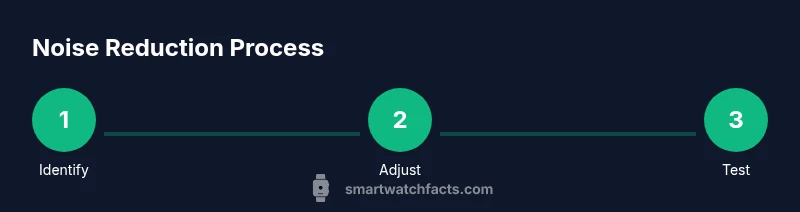
Power on the watch and listen carefully to determine whether the noise comes from software alerts, the speaker, the vibration motor, or a mechanical contact (band, case edge, or screen protector). Use a few common tasks (alarm, incoming message, timer) to reproduce each candidate source.
Tip: Use a quiet room and start with software sounds before checking hardware to avoid misattribution. - 2
Back up data and prepare the device
Before making any hardware adjustments, back up your data and ensure the device is charged. Note any warranty terms about opening the case and only proceed if your model permits user access or you’re in a supported service scenario.
Tip: Backups prevent data loss if a reset or repair is required. - 3
Adjust software notifications
Open the watch’s notification settings and reduce volume, disable nonessential alerts, and enable Do Not Disturb during the investigation window. Apply changes incrementally and test after each adjustment.
Tip: Document which apps you muted to help revert later if needed. - 4
Update firmware and apps
Check for pending firmware updates and app updates from the official store. Install them and perform a quick reboot to ensure the changes take effect.
Tip: Firmware fixes often address noise by optimizing drivers and audio paths. - 5
Inspect hardware contacts
Close the watch and inspect for loose components: band connection, screen protector alignment, and edge contacts. Tighten any screws only if the manufacturer explicitly allows it and you have the proper tool.
Tip: Do not force components; over-tightening can cause damage. - 6
Test vibration and speaker components
Play a short audio sample and trigger vibration to confirm whether the noise persists in either channel. If the issue remains, consider dampening or part replacement.
Tip: If you hear noise only during certain movements, this hints at a mechanical contact rather than a faulty motor. - 7
Consider hardware replacement or service
If the noise continues after all tests, contact the manufacturer or an authorized service center for a diagnosis and possible part replacement. Obtain an estimate before authorizing work.
Tip: Keep warranty/service records and request replacement parts that match your device model. - 8
Re-test and finalize
After any fix or service, test common tasks again (alarms, calls, workouts) to confirm sustained quiet operation. Revert any temporary settings if you prefer a louder everyday experience.
Tip: Document results to track improvements over time.
People Also Ask
What causes smartwatch noise most often?
Most smartwatch noise results from software alerts, loud haptics, or small mechanical contacts. In many cases, software adjustments and a snug fit reduce the issue without hardware work.
Most noise comes from alerts or vibration; start with software tweaks and fit checks before hardware changes.
Can I fix smartwatch noise with a firmware update alone?
Yes, a firmware update can fix drivers and sound paths that cause noise. Check for updates via the watch’s settings and install pending releases before attempting hardware changes.
Try updating first—the fix is often included in newer firmware.
Is it safe to open my smartwatch to fix noise?
Only if the manufacturer explicitly allows user-accessible panels. Otherwise, opening can void warranties or cause damage. Seek official service for hardware issues.
Avoid opening the device unless the manual says it’s OK.
When should I replace the watch because of noise?
If noise persists despite software updates and professional service, and the device is out of warranty, replacement may be the most cost-effective option.
If fixes don’t work, consider replacement for reliability and value.
How long should I test after applying fixes?
Test for at least 24 hours across typical daily tasks to confirm stability. If noise recurs during specific activities, revisit the suspect source.
Give it a day of daily use to be sure the fix holds.
Watch Video
Key Points
- Identify whether noise is software- or hardware-related.
- Back up data before any fix.
- Tweak notifications and haptics before hardware inspection.
- Seek official service if the noise persists after stepwise fixes.