How to Fix a Smart Watch Leaving Mark on Your Wrist: A Troubleshooting Guide
A practical, step-by-step guide to diagnose and fix why a smart watch leaves marks on your wrist. Learn common causes, prevention tips, safe band choices, and when to seek medical advice.


The quickest fix is to loosen the strap to a comfortable fit and swap to a soft, breathable band. Common culprits include a tight band, rough edges, and moisture buildup under the watch. Wipe the skin and back of the watch, and give the area a dry, clean start before re-wearing. If irritation continues, consult a clinician.
Why a smart watch leaves mark on the wrist
A mark or indentation from a wearable device usually happens when the band is too tight, the edges of the watch or band are rough, or moisture gets trapped under the strap. Even small friction over several hours can cause redness, heat, and temporary skin indentations. If you notice the issue shortly after putting the watch on or if marks persist after removing it, the fit and materials are likely the root cause. According to Smartwatch Facts, many users experience this mainly due to fit and material choices rather than a defect in the device itself. This means the solution is often simple and adjustable, not expensive or complicated. For longer wear, aim for a snug but comfortable fit that keeps the sensor in place without pinching skin. The goal is to balance accurate tracking with skin health, especially if you have sensitive skin or a history of dermatitis. smart watch leaving mark on wrist is a common concern, but it’s usually solvable with mindful adjustments and better materials.
Materials and fit: the science behind skin irritation
The skin under a smartwatch is a dynamic surface that reacts to friction, heat, moisture, and chemical exposure from sweat and skincare products. Band materials differ in flexibility and breathability: soft silicone, fabric, leather, or metal all interact differently with skin. Rough edges can create micro-abrasions that trap sweat and oils, amplifying irritation. The Smartwatch Facts team notes that the most comfortable bands distribute pressure evenly and minimize creasing against the skin. If your band is rigid or has sharp transitions at lugs or clasps, you’re more likely to see marks after hours of wear. For sensitive skin, prefer hypoallergenic materials and avoid coatings that can wear off with sweat. A well-fitted watch reduces localized pressure and improves overall skin health while preserving sensor accuracy.
Step-by-step quick checks you can perform today
To quickly diagnose the issue, start with simple checks you can do in minutes:
- Loosen the strap to a comfortable level; ensure you can slide a finger under the band.
- Inspect the band for rough edges, scratches, or material stiffness near the contact points with skin.
- Wipe the underside of the watch and the skin with a gentle, fragrance-free wipe; allow to dry before re-wearing.
- Switch to a different band (different material) for a day to see if marks lessen.
- Ensure the watch isn’t just sitting on top of the skin but resting flat without pinching at the wrist crease. If the mark appears only on certain bands, the material or construction is likely the culprit. Persisting irritation warrants medical advice and possibly a medical-grade skin patch test for allergies.
Prolonged wear: care routines to prevent marks
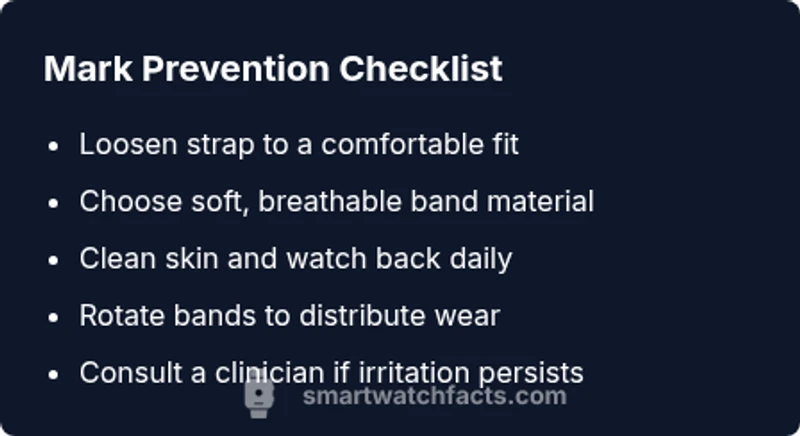
Prevention hinges on a few practical habits. Alternate bands to reduce continuous contact in one area. Clean both skin and band daily, especially after workouts where sweat is heavier. Dry thoroughly before putting the watch back on. Consider breathable bands for hot climates or active days. If you wear skincare products, apply them well before putting on the watch and wait for them to dry. These steps minimize moisture-trapping under the strap and keep the skin cool and dry, reducing the chance of marks or irritation. If moisture remains trapped, try rotating the watch to the other wrist or taking breaks during long sessions.
How to choose the right band and watch design for comfort
Band material and watch design significantly affect skin comfort. Fabric bands with breathable weaves, soft silicone, or leather that remains flexible over time tend to cause fewer marks than rigid metals. The width of the band should complement your wrist size; too wide can press on the hand, too narrow can slip and chafe. Clasps and excess strap length should sit away from the skin to prevent pressure points. When possible, test different brands and materials in-store or during trial periods. For heavy sweating or skin sensitivity, hypoallergenic materials and tactile-backed bands offer extra comfort. Remember that comfort directly influences adherence to fitness tracking goals.
Sensor health and skin safety tips
Wearing comfort also supports sensor performance. If a band is too loose, sensor data may drift due to movement; if too tight, it can cause skin compression and marks. Check that the back of the watch sits evenly against the skin, not pressed into the wrist bone. Clean the sensor area gently to avoid buildup, which can impact readings and cause skin irritation. If you notice persistent redness, swelling, or a rash, discontinue use and consult a clinician. Smartwatch-related skin issues can escalate with allergen exposure, so consider testing a hypoallergenic strap for a few days to gauge tolerance.
Common myths vs. reality: what actually helps
Myth: A metal band always causes irritation; reality: it depends on coating, finish, and skin sensitivity. Myth: Bigger watches always leave marks; reality: fit and band contour matter more than overall size. Myth: You can’t wear a watch when your skin is irritated; reality: you can often continue with adjustments and protective coverings. The key is to monitor skin response and adjust fit, material, and wear time. In many cases, simply changing a band type and ensuring overnight air exposure can prevent recurring marks.
Final thoughts: when to seek professional care
If marks persist despite adjusting fit and band material, or if you notice signs of an allergic reaction (rash, blistering, or intense itching), seek medical advice. A derma specialist can identify contact dermatitis or material allergies, while a clinician can guide you on safe band choices and skin care routines. The Smartwatch Facts team recommends erring on the side of skin health: prioritize comfort, cleanliness, and proper fit, and don’t hesitate to consult professionals if irritation continues.
Steps
Estimated time: 20-30 minutes
- 1
Loosen the strap
Start by loosening the strap to a comfortable fit. You should be able to slide a finger under the band without effort. This reduces pressure points and helps air circulate. Reassess comfort after 30 minutes of wear.
Tip: If marks appear quickly, try a looser setting for a few hours and monitor any skin changes. - 2
Inspect the band for rough edges
Check for rough seams, burrs, or stiff areas near contact points. Gently smooth any rough areas with a soft cloth or replace the band if needed. A smooth, flexible band minimizes friction against the skin.
Tip: Avoid aggressive file actions; replace bands that show visible wear. - 3
Clean skin and watch back
Wipe the skin with a fragrance-free wipe and clean the watch back with a microfiber cloth. Allow both to dry completely before re-wearing to prevent moisture from trapping next to the skin.
Tip: Do not apply lotions directly under the band right before wearing. - 4
Test a different band material
Switch to a different material (soft silicone, fabric, or hypoallergenic leather) for a day to compare comfort and marks. If the alternative band reduces irritation, continue using that material.
Tip: Bring a spare band when traveling to reduce the risk of skin irritation in new environments. - 5
Evaluate wear patterns
Note when and where marks occur (top band, underside near the strap notch). Uneven pressure suggests endorsement for a differently contoured band or watch design to minimize contact at sensitive spots.
Tip: Take photos of marks to track changes over time.
Diagnosis: Smart watch leaving mark on the wrist
Possible Causes
- highBand is too tight, causing constant pressure
- mediumRough edges or seams on band/watch back causing friction
- mediumMoisture buildup under the band from sweat or skincare products
- lowAllergic reaction to material (latex, metal finish, dye)
Fixes
- easyLoosen band to a comfortable fit and ensure room to slide a finger under it
- easyInspect edges; smooth or replace rough areas and switch to a softer band
- easyClean both skin and watch back; dry thoroughly before wearing again
- easyRotate bands and choose hypoallergenic materials for sensitive skin
- mediumIf irritation persists, seek medical advice to rule out dermatitis or allergies
People Also Ask
Can a smart watch leave marks even if the band is loose?
Yes, marks can occur from residual pressure, moisture buildup, or rough edges. Always test different bands and ensure skin is dry before wear.
Yes, marks can happen even when loose. Check for moisture buildup and rough edges, and try a softer band.
What materials are best to prevent wrist marks?
Soft silicone, fabric, or hypoallergenic leather with smooth edges tend to minimize friction. Avoid rigid metal finishes that can pinch skin.
Soft silicone or fabric bands with smooth edges usually prevent marks.
Should I wear a watch while skin is irritated?
If irritation appears, pause wear and consult a clinician. Reduce wear time and switch to a breathable band while evaluating skin health.
If irritated, stop wearing it and consult a clinician.
When is medical evaluation recommended?
If redness, swelling, blistering, or persistent itching occurs, seek medical advice to rule out dermatitis or allergy to band materials.
See a doctor if the skin reddens or swells or there’s persistent itching.
Can wearing a watch at night cause marks?
Prolonged pressure overnight can increase marks. If you must wear it at night, use a looser fit and breathable band.
Wearing it overnight can aggravate marks; keep it loose and breathable if you must.
Watch Video
Key Points
- Loosen bands to a comfortable fit
- Choose soft, breathable materials
- Keep skin and watch surfaces clean
- Test different bands to find the best match
- Seek medical advice if irritation persists