How to Stop Smartwatch Irritation: A Practical Guide
Learn practical steps to stop smartwatch irritation with fit, materials, hygiene, and skincare tips. This expert guide from Smartwatch Facts helps you wear comfortably all day.


You can stop smartwatch irritation by treating it as a skin-care and fit issue. Start with a looser, breathable strap, evaluate materials, and ensure clean, dry skin before wearing. Minimize friction points, rotate wrist positions, and rinse the band regularly. If irritation persists, switch to hypoallergenic materials and consult a clinician. This guide covers practical steps, tools, and reminders to reduce chafing and redness.
Understanding smartwatch irritation: what causes it
According to Smartwatch Facts, irritation around the wrist happens when sweat, oils, and friction interact with your skin and the strap materials. Common culprits include metal clasps pinching sensitive skin, silicone bands that trap moisture, leather that irritates due to dyes or tannins, and edges where the case digs into the skin. Allergies to nickel, latex, or certain dyes can trigger redness, itching, or a rash that mimics contact dermatitis. The problem is usually multi-factorial: you may have sensitive skin, a too-tight strap, and a band that traps moisture during workouts. The goal is to reduce friction, manage moisture, and keep skin clean and dry while ensuring the watch remains functional. In practice, this means evaluating the fit, the band type, and how you clean and dry the area after use. The Smartwatch Facts team notes that small changes can dramatically lower irritation without sacrificing features.
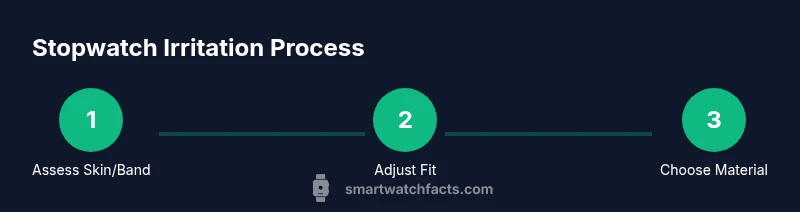
Assessing your current setup
Start by evaluating how you wear your watch day-to-day. Check strap tightness using a simple finger-test: you should be able to slip one finger under the band without it feeling loose. Inspect the inner surface for rough edges, exposed seams, or dye transfer from leather. Consider your skin’s sensitivity history—if you have known allergies (nickel, latex, fragrance dyes), seek hypoallergenic materials. Establish a pre-wear routine: wash and dry the wrist, dry the band contact points, and avoid applying heavy creams that could affect sensors. A mindful assessment helps you tailor a comfortable baseline before changing anything else. The goal is to identify friction points, moisture traps, and material triggers so you can reduce irritation from the start.
Choosing the right strap material
Material choice makes a big difference. Silicone or fluorinated elastomer straps are popular for their smooth inner surfaces and moisture-wicking properties, which help minimize irritation during hot days or workouts. Leather bands offer natural aesthetics but may harbor oils and dyes that irritate sensitive skin; they’re better for short wear or when they’re dermatologist-approved. Metal bands with nickel-free clasps can be comfortable for some users, but rough edges or poor sizing can create pressure points. Nylon and fabric bands are breathable and can reduce sweating, though they may fray over time. If you react to a particular material, try a hypoallergenic alternative and monitor your skin’s response over several days.
Skin prep and hygiene before wearing
A clean base is essential. Wash your wrist with a mild, fragrance-free soap and lukewarm water and pat dry with a clean towel. Ensure the band is dry before wearing to prevent trapping moisture. Avoid applying heavy moisturizers or barrier creams directly under the band if you rely on sensor accuracy, unless advised by a clinician. If your skin shows signs of irritation, pause wear and allow the area to breathe; clean the band and skin again before reintroducing. A consistent hygiene routine minimizes bacteria buildup and reduces itchiness that can arise from sweat and dirt.
Dressing and wearing techniques to reduce friction
Fit matters more than you might think. Wear the watch slightly above the wrist bone to reduce direct pressure on delicate skin and ensure the band sits flat with no twists. When sweating, consider loosening the strap during peak activity and repositioning periodically. Use a protective lining or a hypoallergenic inner layer if available and approved by the manufacturer. Rotate between different bands to distribute wear and prevent repetitive friction on the same skin area. These small adjustments can dramatically lower irritation without sacrificing the watch’s functionality.
Band maintenance and cleaning routines
Daily care keeps irritation at bay. Rinse the band after workouts to remove sweat and oils, then dry thoroughly. Use mild soap and water or a dedicated watch-band cleaner, avoiding harsh solvents that can degrade materials. Inspect the band for wear: cracks, peeling, or rough edges should prompt replacement. When in doubt, switch to a fresh band made from a material known to be gentler on your skin, and rotate bands periodically to prevent extended contact with a single material.
Handling irritation when it occurs: quick fixes and when to seek help
If redness or itching begins, remove the watch immediately and give the area a rest for at least 24 hours. Apply a fragrance-free moisturizer or a cold compress to soothe irritated skin; avoid applying anything under the band that could interfere with sensors. If symptoms persist beyond a couple of days, worsen, or blister, consult a clinician. In cases of suspected allergic reactions, seek professional advice about testing for material allergies and consider hypoallergenic strap options.
Practical setup tips for workouts and long wear
During long wear or vigorous workouts, moisture and friction increase. Prioritize breathable bands and quick-drying fabrics. Consider using a strap liner or choosing a strap designed for high-sweat environments. If you notice redness emerging only after runs or gym sessions, revisit strap choice, moisture management, and skin barrier strategies. Persisting irritation despite adjustments warrants professional evaluation and possible device-side adjustments (e.g., sensor calibration changes).
Quick-start checklist for reducing irritation
- Choose a hypoallergenic strap material and nickel-free clasp.
- Ensure a loose, comfortable fit with no pinching.
- Clean skin and band before each wear; dry thoroughly.
- Rotate bands to minimize repetitive friction.
- Avoid heavy barrier creams under the band unless advised.
- Monitor skin changes and seek medical advice if symptoms persist.
Tools & Materials
- Mild soap(Gentle cleanser for skin)
- Water (clean, lukewarm)(Rinse wrists and band)
- Alcohol wipes(Disinfect band surfaces before wear)
- Breathable strap (silicone/fluoroelastomer)(Preferred for moisture management)
- Hypoallergenic strap alternative(In case of sensitivity or allergy)
- Nickel-free buckle/clasp(Avoid nickel exposure)
- Soft microfiber cloth(Dry skin and band gently)
- Barrier cream or film (optional)(Only if advised by clinician; may affect sensors)
Steps
Estimated time: 60-90 minutes
- 1
Inspect current setup
Assess strap tightness, material, and contact points. Check edges and seams that could rub skin. Note any patterns of irritation linked to wear time or activity.
Tip: Take photos of the band contact areas to compare after changes. - 2
Choose a suitable strap
If irritation is present, switch to a hypoallergenic strap made from silicone or fluor Elastomer with a smooth inner surface. Ensure the buckle is nickel-free and the band sits flat without twisting.
Tip: Test a new strap for a day or two before extended use. - 3
Adjust the fit
Loosen the strap so you can slip a finger beneath it. Reposition higher on the wrist and avoid pressing the sensor area against irritated skin.
Tip: A loose fit reduces friction dramatically during daily activities. - 4
Hygiene routine
Wash your wrist and the band with mild soap and water, then dry completely. Avoid fragrances and heavy creams under the band.
Tip: Keep the area dry to prevent bacteria buildup. - 5
Trial wear and monitoring
Wear the watch for short periods first, gradually increasing wear time as skin tolerance improves. Watch for redness or itching and adjust as needed.
Tip: If irritation returns, revert to previous settings and consult a clinician. - 6
Maintenance and rotation
Clean bands regularly and rotate between multiple straps to distribute wear. Replace bands showing wear or persistent irritation.
Tip: Regular rotation reduces constant contact with the same material. - 7
If irritation persists
Stop wearing the device temporarily and use a barrier-free routine to allow healing. Seek medical advice if symptoms don’t improve in 48-72 hours.
Tip: Persisting symptoms may indicate a material allergy or skin condition. - 8
Long-term prevention
Keep skin clean, dry, and moisturized with fragrance-free products. Choose materials suitable for sensitive skin for future purchases.
Tip: Consider testing new bands with a patch test on a small area first.
People Also Ask
What causes smartwatch irritation?
Irritation usually results from friction, moisture, and materials that touch the skin. Allergies to nickel, dyes, or latex can worsen symptoms. Identifying the exact combination for you is key to prevention.
Irritation comes from rubbing, sweat, and sensitive materials touching the skin. Nickel or dye allergies can make it worse.
Which strap materials are best for sensitive skin?
Hypoallergenic silicone or fluor elastomer straps are commonly well-tolerated. Leather can be problematic for some, while metal bands require nickel-free clasps and smooth finishes. Trial and patch tests help find the best fit.
Silicone or fluor elastomer straps are often best for sensitive skin; patch tests help confirm comfort.
Can I wear creams under the band?
Most barrier creams can interfere with sensor accuracy. If you must use one, consult the device manufacturer or a clinician for guidance and consider removing the watch during application.
Creams can affect sensors, so check guidance before applying under the band.
How can irritation be prevented during workouts?
Choose moisture-wicking straps and ensure a snug but non-pinching fit. Rinse and dry the band after sweat sessions and rotate straps to reduce repetitive friction.
Wear moisture-wicking bands and dry them after workouts to prevent irritation.
When should I see a doctor?
If redness, swelling, or blistering persists after a few days of adjustments, consult a clinician. Recurrent reactions may indicate a material allergy or skin condition requiring testing.
If symptoms don’t improve after several days, see a clinician for evaluation.
Are there quick fixes for immediate relief?
Remove the watch, cleanse the area, apply a fragrance-free moisturizer, and give skin time to recover. Avoid re-wearing until irritation subsides.
Take the watch off, clean the area, and moisturize gently to give your skin a break.
Watch Video
Key Points
- Identify friction points and switch to breathable materials
- Keep skin and band clean and dry before wearing
- Rotate bands to distribute wear and prevent irritation
- Carefully monitor skin and seek medical advice if symptoms persist