How to Remove SIM Card from a Smart Watch
Learn how to safely remove a SIM card from your smartwatch with this step-by-step guide. Includes tools, safety tips, eSIM considerations, and testing after reassembly for reliable connectivity.


According to Smartwatch Facts, removing a SIM card from a smart watch is a straightforward task when you know your model’s tray location and use the right tool. This guide walks you through identifying the tray, gathering safe tools, performing the removal, and testing your device after reassembly. By following these steps, you minimize damage and preserve water resistance.
Identify SIM card types and tray locations
Smartwatches vary in how they store a SIM card. Some models use a small removable nano-SIM tray, while many newer devices rely on an embedded SIM (eSIM) that cannot be physically removed. Even when a physical SIM exists, the tray shape, latch mechanism, and accessibility can differ between brands. According to Smartwatch Facts analysis, the most reliable approach is to first confirm whether your watch uses a removable SIM or an eSIM. If the device uses a physical SIM, locate the tray by inspecting the side case near the crown or the underside of the watch body. In some models, the tray sits behind a panel that snaps open with a tiny tool. If you’re unsure, check the official user manual or manufacturer support page for exact instructions.
Always handle the watch surface with clean hands, avoid touching the display, and prepare a clean workspace to prevent dust from entering the SIM slot. This minimizes the risk of debris causing poor contact or damage during reassembly. If a touchscreen or digital crown is involved in the release mechanism, follow the manufacturer’s guidance to avoid applying unnecessary force.
When in doubt, contact customer support before attempting removal, especially for water-resistant watches, as improper resealing can compromise seals. The goal is a clean tray access with no scratches on the housing.
Find the SIM tray on your specific smartwatch model
Different watch models place the SIM tray in different locations. Some brands locate it on the side of the case, while others hide it behind a removable backplate or under a dedicated panel. Begin by consulting the model-specific guide from the manufacturer. If you’ve upgraded software recently, there can be changes in the tray’s location or access method. In some cases, the device may use eSIM only, in which case there is no physical SIM to remove.
Carefully inspect the area around the display and the band connection. Use a bright light or magnifier to spot the tiny tray or slot. If you see a small pinhole, it’s a sign of a tray that accepts an ejector tool. If no slot is visible, re-check the manual or official support page. For sealed or premium watches, the SIM area might be accessible only by service centers.
Document the watch model and serial numbers before you begin; this helps if you need official support or service.
Gather the right tools and prepare your workspace
Before you start, assemble the required tools and set up a small, clean workspace. A proper ejector tool or a small pin is essential to avoid bending or breaking the tray mechanism. A soft, lint-free cloth protects the watch surface, while a non-marring plastic pry tool can help separate panels without scratching. If you don’t own an ejector tool, a straightened paperclip can work in a pinch, but avoid using metal objects that could slip and slip cause damage. A microfiber cloth and a clean, static-free surface reduce the risk of dust entering the SIM slot.
Turn off the watch and remove any bands or accessories for easier handling. If the device is water-resistant, ensure the backplate seal is clean and dry, reducing the chance of moisture entering during resealing. Keep a dry container handy to store the SIM when removed. This preparation helps you complete the task efficiently and safely.
Safety first: power down and protect internal components
Powering down the watch is a crucial safety step. A powered device minimizes the risk of short circuits and prevents accidental taps that could cause software updates or data loss while you work. Ground yourself briefly to avoid static discharge—touch a grounded metal surface before handling the device. Work on a flat, non-slip surface to reduce the chance of the watch sliding away. If the watch has a detachable screen or back panel, proceed slowly when removing these components. Do not pry aggressively or insert tools at odd angles; misaligned pressure can crack screens or damage micro-components.
If your model requires service intervention for SIM access, do not attempt to force the tray open. Follow official guidelines, because improper removal can affect water seals and warranty coverage. After removal, inspect the tray for any signs of wear and replace it if needed; a damaged tray can lead to poor SIM contact or future leakage.
How to remove the SIM card from the tray (general guidance)
For models with a removable physical SIM, align the ejector tool with the small hole or notch on the SIM tray. Gently press until the tray pops out. If the tray is flush, use the pointed end of a tool with minimal force to avoid bending the tray. Once the tray is out, carefully lift the SIM card by its edges, keeping it level to avoid bending the card. If there is a protective film on the card, handle it by the edges to prevent fingerprints on the contact surface. Place the tray and SIM on the soft cloth to prevent scratches while you inspect for damage or misalignment.
If you’re dealing with an eSIM, you won’t remove a physical card; instead, you’ll disable or remove the eSIM profile in the watch settings or contact your carrier to deactivate the service. Always refer to the official setup guide for your model to ensure correct steps are followed for eSIM management.
After removal: inspection, storage, and resealing
Carefully inspect the SIM card and tray for scratches, chips, or debris. If you notice any damage, replace the tray or card before reassembly—damaged components can cause contact issues or poor connectivity. Clean dust from the slot with a soft brush or compressed air designed for electronics, then reinsert the SIM card correctly. Reinsert the tray by aligning it with the slot, ensuring the card’s contact points face the correct direction, and sliding it gently back into place. If the watch features a backplate, reattach it following manufacturer guidelines. Finally, power on the device and run a quick connectivity test to confirm the SIM is properly seated.
Troubleshooting tips and model-specific considerations
If the SIM tray won’t eject, there may be a stubborn latch or a misalignment. Do not force it; instead, revisit the alignment and check for any residual dust. Some watches require a specific ejector tool thickness to engage the latch properly—using a tool that’s too wide or too narrow can damage the tray. For models with waterproofing, ensure the seals are clean and undamaged before sealing the back. In rare cases, the SIM may be integrated into a module that requires professional service; if so, consult the manufacturer’s support or an authorized service center for guidance.
Reassembly, testing, and next steps
After re-inserting the SIM tray, ensure the watch is properly resealed and dry before powering on. Once powered, navigate to the network settings and confirm that the device recognizes the SIM or carrier profile. If you reconfigured to an eSIM, follow the carrier activation prompts to complete the setup. Perform a quick connectivity test by turning on data services, placing a test call, or sending a message as appropriate for the watch’s capabilities. If any functionality is limited, re-check the tray alignment and seal integrity, or contact customer support for specialized instructions.
Tools & Materials
- SIM ejector tool or straightened paperclip(Essential for releasing the SIM tray without damage)
- Soft lint-free cloth(Protects the watch surface and card from dust and scratches)
- Plastic pry tool (non-marring)(Helpful for panel removal on sealed designs)
- Tweezers with non-marring tips(Useful for handling a small SIM card edge without bending)
- Static-free workspace(Prevents static discharge that could damage electronics)
Steps
Estimated time: 15-25 minutes
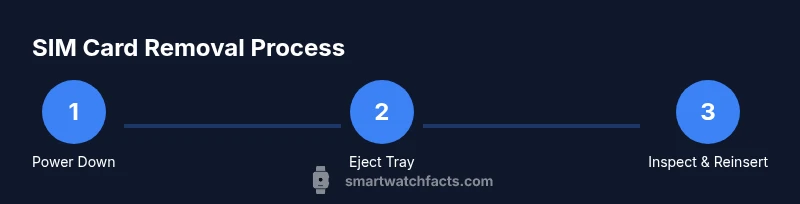
- 1
Power down the smartwatch
Turn off the watch completely to minimize electrical risk and prevent accidental touches during the tray release. This also helps protect the SIM slot seal.
Tip: If the device is unresponsive, ensure it is connected to a charger before forcing a shutdown. - 2
Identify the SIM tray location
Inspect the watch sides and back panel to locate the SIM tray or slot. Refer to the manufacturer’s guide for the exact location and mechanism.
Tip: Use a bright light and magnifier if the tray is recessed. - 3
Eject the SIM tray
Insert the ejector tool or pin into the tray hole and apply gentle pressure until the tray pops out slightly.
Tip: Do not press hard or angle the tool; excessive force can bend the tray. - 4
Remove the SIM card
Carefully lift the card from the tray by its edges, keeping it level to avoid bending. Avoid touching the contact surface.
Tip: Work on a soft surface to prevent scratches and place the card on a lint-free cloth. - 5
Inspect and store or reinsert
Inspect the tray and card for damage. If reusing, reinsert the card with contacts facing the correct direction and the tray seated.
Tip: If damaged, replace the tray before reassembly. - 6
Re-seat the tray and reseal
Slide the tray back into the slot firmly but gently. Ensure any backplate seals are clean and properly seated to maintain water resistance.
Tip: Wipe away any moisture or dust from the edge before closing. - 7
Power on and test
Power the watch back on and run a quick connectivity test—verify SIM detection or eSIM activation as applicable.
Tip: Test data, calls, or messaging to confirm full functionality. - 8
Document and monitor
Record the tray type and model in case future servicing is needed. Monitor performance over the next few days for any intermittent connectivity.
Tip: Keep a log to help troubleshooting later.
People Also Ask
Do all smartwatches use a removable physical SIM, or do many use eSIM?
Not all watches use a physical SIM. Many newer models rely on eSIMs that cannot be removed. Always check your model’s SIM type in the user guide or manufacturer support page.
Most watches use an eSIM rather than a removable SIM card. Check your model’s specifications to confirm whether you’ll need to deactivate an eSIM instead of removing a physical card.
What if my smartwatch has no removable SIM tray?
If there is no tray, the device likely uses an eSIM or does not support SIM cards. In this case, you won’t remove a physical card; you would manage the eSIM profile through settings or carrier activation.
If there’s no removable SIM tray, your watch uses an embedded SIM. You’ll manage that in settings or via your carrier.
What tools can substitute if I don’t have a SIM ejector?
A straightened paperclip or a fine pin can work in a pinch, but ensure it’s gentle and small to avoid damage. Avoid metal tools that could scratch the tray.
If you don’t have an ejector tool, a small paperclip can work, but be very careful to avoid bending the tray.
Can removing the SIM affect water resistance or warranty?
Improper resealing can impact water resistance and potentially void warranty coverage. Follow the manufacturer’s guidance for resealing and consider professional help if you’re unsure.
Yes, improper resealing can affect water resistance and warranty; always follow official guidance when in doubt.
How do I reinsert the SIM tray correctly?
Align the tray with the slot, ensure the card’s contacts face the correct direction, and slide it in gently until it sits flush. Then reseal any back panels as instructed.
Line up the tray, insert it gently, and confirm it’s flush before powering on.
What should I do if the SIM card is stuck?
Do not force it. Power down, inspect for obstruction or misalignment, and try again gently. If resistance persists, contact manufacturer support or a service center.
If the SIM is stuck, don’t force it. Power down and check for obstructions, then seek professional help if needed.
Watch Video
Key Points
- Identify whether your watch uses a physical SIM or eSIM first.
- Use the correct tool and a clean workspace to avoid damage.
- Power down before starting and reseal after reassembly.
- Test connectivity after reinsertion to confirm success.