iphone compatible watches: a practical guide for iPhone users
Explore iphone compatible watches and learn how to choose between Apple Watch and third‑party options. Practical setup, features, and buying tips for iPhone users in 2026.


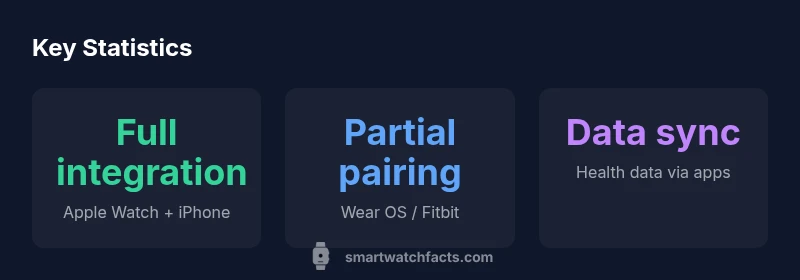
iphone compatible watches are devices that pair with an iPhone to deliver notifications, health data, music control, and basic apps on your wrist. The clearest path is Apple Watch for full iPhone integration; many third‑party watches offer basic pairing and limited features through the iPhone app. Expect variation in notifications, app depth, and data sharing across brands.
Why iPhone compatibility matters for modern wearables
For many buyers, iphone compatible watches mean more than just telling time or tracking steps. It means a seamless extension of the iPhone ecosystem, with notifications, calls, music control, and health data flowing between devices without extra taps. According to Smartwatch Facts, the landscape for iPhone compatibility includes three broad paths: native integration on Apple Watch, cross‑platform pairing for basic iPhone features, and ecosystem‑specific apps that bridge gaps. In practice, most shoppers want reliable message alerts, quick replies, and the ability to unlock their phone or computer with a watch. The key is understanding what "compatibility" really means: if you value deep app access, offline GPS maps, contactless payments, and ECG readings, you’ll likely gravitate toward native Apple Watch integration. If you’re comfortable with limited feature parity, a third‑party watch paired via the iPhone app can still cover essential daily tasks. This distinction matters for budget, battery life, and future-proofing your wearable setup. This overview references Smartwatch Facts’ consumer testing and cross‑brand comparisons to illustrate real-world implications for iPhone users.
What counts as iphone compatible watches
iPhone compatibility isn’t a binary yes/no. It’s a spectrum defined by: (1) how deeply the watch can access iPhone apps and data (notifications, calls, messages, calendar), (2) what health sensors and services are exposed to iPhone apps, and (3) how updates from Apple and app developers affect cross-device workflows. Apple Watch is built for iPhone‑only harmony; third‑party devices rely on companion apps to fetch data and enable features. Watch types include native Wear OS, Fitbit OS, Garmin, and others. When evaluating a candidate, consider: can I see all my notifications on my wrist? can I control music and maps? will GPS and health metrics sync with my iPhone health app? Do I need LTE connectivity or is Bluetooth suffice? Finally, verify whether ECG, blood oxygen, and heart-rate sensors on the watch can be read by the iPhone’s Health app, or if data stays siloed within the watch’s own ecosystem.
Compatibility realities: Apple Watch vs. third-party devices
Apple Watch provides the most cohesive experience with iPhone: deep integration, seamless app ecosystem, and features like unlock, Apple Pay, Siri, and Handoff. Third-party watches can pair via Bluetooth or Wi‑Fi but often require the iPhone app to access health metrics or notifications. The result is good for basic tasks but can lack some advanced health features or app breadth. Battery life varies widely: Apple Watch typically lasts a day, while alternative watches may cover two days or more depending on usage. The data transfer pipeline is also different: Apple devices push health data into Apple Health, while others push into their own health apps, with limited cross‑sync. When buying, map your priorities: if you live in the Apple ecosystem and rely on calendar and reminders, the Apple Watch remains the safer choice. If you want a sport‑focused watch with longer battery life or specialty sensors not available on Apple Watch, third‑party options can be compelling—provided you’re aware of the potential compromises.
Setup tips: pairing with iPhone, apps, notifications
Getting started with iphone compatible watches involves a few careful steps. Start with a clean pairing environment: disable other Bluetooth devices to reduce interference, ensure your iPhone is updated, and enable necessary permissions for the watch’s app. In most cases, you’ll install a companion app from the watch maker on your iPhone, then follow on‑screen prompts to pair via Bluetooth. Don’t forget to enable notifications for the watch in iPhone Settings, and customize Do Not Disturb rules so that urgent alerts get through. If you use Apple Watch, you’ll use the Apple Watch app to tailor faces, complications, and priorities. For third‑party watches, verify what data will sync with Apple Health and whether the watch supports key apps you use daily. Finally, perform a quick test: send a message, start a workout, and verify that the watch shows your current location and maps as expected.
Feature comparison: health sensors, GPS, battery life
Different iphone compatible watches emphasize different features. Apple Watch leads with a comprehensive health suite: ECG, blood oxygen, and fall detection, plus deep integration with HealthKit. Garmin and Fitbit devices often excel at advanced metrics like VO2 max, gait analysis, and long GPS track durations, while Wear OS devices can offer familiar Google Fit data. Battery life varies: Apple Watch typically models last about 18 hours under typical use; some Garmin or Fitbit devices can last 2-7 days depending on GPS usage and always‑on display settings. GPS accuracy and elevation tracking can also differ, influencing outdoor workouts and route mapping. If you’re choosing mainly for health data, look at which metrics your iPhone Health app can ingest and how apps import that data. If you prioritize battery life for long runs or travel, consider a watch with adaptive brightness and limited always‑on features. When evaluating, align these specs with your daily routine and charging habits.
Choosing by use-case: fitness, productivity, style
Your use-case should drive your choice. For fitness enthusiasts who want precise metrics, Garmin or Fitbit models paired to iPhone can deliver rich analytics, while Apple Watch provides convenient activity rings and built‑in workouts. For productivity, iPhone integration matters: access to messages, calendar, Siri, and quick replies from your wrist. In terms of style, consider watch size, band options, and watch face customization to match your wardrobe. Price is a practical factor: entry-level options are available, but the most fully integrated experiences come from premium models. Finally, consider future-proofing: a device with robust app support and a broad accessory ecosystem will age better as software evolves. Smartwatch Facts recommends mapping your daily routines to watch features and testing a few models in-store when possible.
App ecosystems and notifications on iPhone
iPhone‑friendly watches depend on ecosystems. Apple Watch is the strongest because it shares the same app store, developer tools, and data frameworks as the iPhone. Third‑party watches rely on their own app ecosystems to expose notifications and health data to iPhone Health apps. This difference matters for privacy controls, data ownership, and cross‑device automation. If privacy is a priority, review what permissions are requested by the watch’s companion app and how data is stored and shared. Also examine notification latency: some watches deliver every alert instantly; others may delay non‑critical notifications to save battery. Siri and Google Assistant integration vary by device; some watches support on‑watch voice assistants or iPhone‑based voice input. Finally, plan for updates: OS updates can alter available features or compatibility. Staying within the supported ecosystem reduces surprises when you upgrade iPhone software.
Practical budget considerations and buying tips
Budgeting for iphone compatible watches requires weighing device cost against long‑term value. Apple Watch models tend to command a premium but deliver the most consistent iPhone integration. Third‑party watches are often more affordable upfront and can offer longer battery life, specialized sensors, or fashion‑forward designs. When evaluating total cost, factor in the price of the watch, the cost of any required accessories (extra bands, chargers), and potential subscription services for premium health features. Consider warranty and customer support quality. If you’re unsure about long‑term compatibility, opt for watches with broad app support and a strong update cadence from the manufacturer. Always read the return policy and check for any iPhone‑specific caveats, like compatibility with iOS beta builds or regional availability. Smartwatch Facts suggests testing the watch with your iPhone during the return window to verify messaging, calls, and health data flows meet your expectations.
Common myths and pitfalls to avoid
Misperceptions about iphone compatibility can lead to frustration and wasted money. A common myth is that every smart watch will deliver full iPhone features; in reality, many third‑party watches provide only partial functionality. Another pitfall is assuming ECG or advanced health metrics sync automatically with the iPhone Health app; some features reside within the watch’s own app and may have limited cross‑sync. Battery life claims can be optimistic in real usage, especially with continuous GPS or Always‑On display enabled. Finally, do not overlook app availability: the best iPhone‑compatible experiences depend on the watch’s companion apps supporting your must‑have services such as music, maps, or fitness platforms. By focusing on your core needs and validating critical integrations in-store or via easy returns, you can avoid common mistakes.
Overview of watch types and iPhone compatibility
| Watch Type | iPhone Support | Core Benefits | Limitations |
|---|---|---|---|
| Apple Watch | Full integration | ECG, blood oxygen, HealthKit sync, Apple Pay | Requires iPhone for initial setup; limited cross-platform app depth |
| Wear OS Watch | Partial integration | Google ecosystem, notifications, fitness tracking | Limited Health data sync; cross‑platform app parity varies |
| Garmin/Vivoactive | Partial integration via Garmin Connect | Advanced metrics, GPS, long battery life | Data often stays in Garmin/health apps; HealthKit sync may be limited |
| Fitbit Sense | Partial integration via Fitbit app | Sleep tracking, HR, activity insights | Limited health data sync with Apple Health |
People Also Ask
Is an Apple Watch required to get full iPhone integration?
For the most seamless iPhone integration, Apple Watch is the default. Other watches can pair with iPhone and offer basic functionality, but some apps and data features won’t be as deeply integrated.
Apple Watch gives you the best iPhone integration, though you can still use other watches for basic tasks.
Can Wear OS watches pair with iPhone for calls and messages?
Yes, Wear OS watches can receive calls and messages via Bluetooth, but the experience is more limited compared with Apple Watch and can vary by model and app support.
You can get basic calls and messages, but features aren’t as complete as with Apple Watch.
Do third-party watches sync data with Apple Health?
Some third-party watches can push data to Apple Health through their companion apps, but this is not universal and may require manual setup or carry data in the watch’s own app.
Some models can share data with Apple Health, but it isn’t guaranteed for all features.
Will iOS updates affect watch compatibility?
Yes. System updates can change feature availability or app behavior across devices. Check watch compatibility notes when updating iOS and test critical tasks afterward.
iOS updates can change what’s available on your watch, so test key features after updating.
Are ECG and advanced health metrics available on non-Apple watches with iPhone?
ECG and certain advanced metrics may exist on some non‑Apple watches, but they are usually limited to the watch’s own app and may not sync fully with Apple Health.
Some non‑Apple watches offer ECG in their own apps, but it may not fully sync with the iPhone Health data.
Is LTE on a smartwatch worth it for iPhone users?
LTE can be convenient when you’re away from your iPhone, but it adds monthly costs and typically drains battery faster. Consider your routine before buying.
LTE is handy if you often leave your phone behind, but weigh the extra cost and battery impact.
“To maximize value, choose the watch that best aligns with your daily workflow and data needs; true iPhone compatibility comes from ecosystem depth and reliable data portability.”
Key Points
- Prioritize Apple Watch for full iPhone integration
- Third-party watches work for basic tasks
- Review app ecosystems before buying
- Test compatibility with your iPhone before purchase