How to Get Your Smart Watch to Track Sleep: A Practical Guide
Learn how to enable sleep tracking on most smartwatches, interpret sleep metrics like duration and stages, and optimize settings for reliable nightly insights with practical steps and tips.


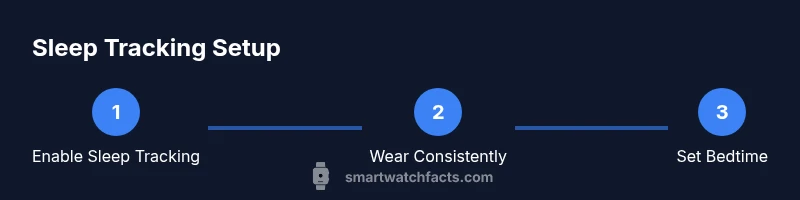
To get your smartwatch to track sleep, first ensure sleep tracking is enabled in the watch’s settings and the companion app. Wear the watch snugly on your wrist every night, set a consistent bedtime, and allow permissions for motion and heart-rate data. Review the resulting sleep insights in your health app and adjust wear time or sensitivity as needed.
Why Sleep Tracking Matters
Sleep is a foundational pillar of health, and learning how to get smart watch to track sleep turns a vague sense of nightly rest into actionable data. The Smartwatch Facts team emphasizes that reliable sleep insights come from consistent wear and thoughtful setup. By using your smartwatch to quantify sleep duration, sleep latency, and sleep quality, you can identify patterns that influence daytime energy, mood, and cognitive function. This guide walks you through practical steps to obtain meaningful sleep data and translate it into real-life improvements.
How Sleep Tracking Works on Smartwatches
Most consumer smartwatches estimate sleep by combining motion data from an accelerometer with heart-rate information gathered during the night. Some devices incorporate skin temperature or breathing-rate signals when available. Algorithms translate these signals into sleep continuity, estimated sleep stages (light, deep, REM), and total sleep time. While accuracy varies by model and wear pattern, a well-managed setup often yields consistent, useful trends over weeks. According to Smartwatch Facts, the reliability of sleep data improves when you wear the device smoothly all night and keep the watch charged and synced with the companion app.
Key Sleep Metrics You’ll See
Typical sleep metrics include: total sleep time (how long you slept), sleep onset latency (how long to fall asleep), sleep efficiency (percentage of time in bed spent asleep), and sleep stages (light, deep, REM). Many apps also show wake episodes, sleep continuity, and bedtime consistency. Remember that metrics are estimates and intended for trend analysis rather than medical diagnosis. Interpreting them alongside your daily routines helps you spot correlations between activity, caffeine, stress, and sleep quality.
Step-by-Step: Enable Sleep Tracking on Your Device
- Open the wearable app on your phone and locate the Sleep or Sleep Tracking section. This step connects the device sensors to your health data. Tip: If you can’t find it, search the app’s help or visit the manufacturer’s support site.
- Turn on Sleep Tracking and grant any requested permissions for motion, heart rate, and health data. Permissions ensure data collection is continuous through the night. Tip: Review privacy settings to control data sharing.
- Set a consistent bedtime and wake time, if your device supports it. Regular schedules improve the accuracy of nightly sleep windows. Tip: Use a single bedtime across weekdays and weekends for best results.
- Enable any nighttime modes (Do Not Disturb, Silent, or Bedside mode) to minimize disturbances. This reduces false wake signals and improves data continuity. Tip: Charge the watch before bed to avoid mid-night battery drain.
- Calibrate the device if prompted (some watches require a brief baseline or initial sleep setting). Calibration helps the algorithms align with your typical sleep pattern. Tip: Do a test night after updating software.
- Wear the watch snugly on your wrist during sleep. A loose fit can miss subtle movements and degrade data quality. Tip: Use the fabric loop or a comfortable strap to keep it secure.
- Sync the watch with the phone the following morning to upload the night’s data for analysis. Tip: Ensure Bluetooth is on and the phone has a stable internet connection.
- Review the night’s metrics in the Health or Wellness app and adjust your bedtime routine as needed. Tip: Look for patterns over 7-14 days before making big changes.
tip):
estimatedTimeToBeUpdated
Tools & Materials
- Smartwatch(Device with built-in sleep-tracking or compatible sensors (accelerometer + heart rate))
- Companion smartphone app(Official app for your smartwatch/brand (iOS or Android) with sleep tracking features)
- Charging cable/charger(Keep your watch charged for overnight tracking)
- Access to health data permissions(Allow motion, heart-rate, and sleep data access in both watch and phone apps)
- Comfortable strap or wristband(Snug fit helps improve data accuracy)
Steps
Estimated time: 15-25 minutes
- 1
Open sleep-tracking settings in the app
Navigate to the Sleep or Health section of the companion app and locate the sleep-tracking toggle. Enabling this feature activates data collection from the watch sensors. This initial step sets the foundation for nightly monitoring.
Tip: If you don’t see Sleep Tracking, check for a software update or consult the manufacturer’s support page. - 2
Grant necessary permissions
Authorize the app to access motion, heart-rate, and health data. Without permissions, the device cannot record accurate sleep metrics. This step ensures data sync across devices.
Tip: Review privacy settings to control what data is shared and with whom. - 3
Set a consistent bedtime
Enter a fixed bedtime and wake time if your device supports it. Consistency helps the algorithm learn your typical sleep window and improves metric accuracy.
Tip: Even on weekends, try to maintain a regular schedule for best results. - 4
Enable Do Not Disturb or Sleep mode
Activate nighttime modes to minimize notifications and screen interruptions during sleep tracking. This reduces false wake events in the data.
Tip: Turn off loud alarms if they will disrupt your sleep cycle. - 5
Ensure snug wear and fit
Make sure the watch sits comfortably but firmly on your wrist, not loose enough to move. Proper placement improves signal quality for motion and heart-rate sensors.
Tip: Try adjusting strap tightness or swapping to a softer wristband if discomfort occurs. - 6
Charge before bed
Charge your watch so it doesn’t run out during the night, which would interrupt tracking and create gaps in data.
Tip: If needed, top up during the day for uninterrupted overnight monitoring. - 7
Sync data after waking
Open the app to sync the night’s data to your phone, ensuring you have a complete record for review.
Tip: If automatic syncing is off, manually initiate a sync on wake-up. - 8
Review and note patterns
Check the sleep dashboard for duration, efficiency, and any shifts in sleep stages. Look for correlations with daily activities or stressors to inform changes in routine.
Tip: Keep a simple sleep log to track effects of changes over time.
People Also Ask
Do all smartwatches track sleep the same?
Most wearables rely on motion and heart-rate sensors to estimate sleep. Accuracy varies by model, sensor quality, and user behavior. Always check device-specific guidance and update firmware for the best results.
Most watches use motion and heart-rate data to estimate sleep, but accuracy varies by model and usage.
Where can I find my sleep data?
Sleep data is typically available in the companion app’s Sleep or Health tab, and sometimes in a connected health ecosystem on your phone. Ensure the devices are synced to see the latest night’s metrics.
Look in the Health or Sleep tab in the app after your watch syncs.
How can I improve the accuracy of sleep tracking?
Wear the watch consistently, ensure a snug fit, enable permissions, set a regular bedtime, and keep the device charged. Regular firmware updates can also improve the algorithms.
Keep wearing it snug and stay synced; updates help the tracking get smarter.
Can sleep tracking replace a medical sleep study?
Sleep tracking provides useful trends and personal insights but isn’t a substitute for a clinical sleep study. Consult a healthcare professional for persistent sleep concerns.
No—it's for trends and guidance, not a medical diagnosis.
Should I wear the watch on my dominant hand?
Most guidance suggests wearing on the non-dominant hand to reduce motion artifacts, but comfort and consistency matter most. Choose a wrist you can wear comfortably all night.
Wear it on the non-dominant hand if it’s comfortable for you.
Do naps count in sleep tracking?
Many devices track naps if you wear the watch during the nap period, but some metrics may be less robust for short sleep episodes. Check your device’s documentation.
Some watches track naps, but data quality may vary.
Watch Video
Key Points
- Wear the device nightly for reliable data
- Enable permissions and bedtime settings for accuracy
- Review sleep metrics regularly to spot patterns
- Calibrate and ensure snug wear for best results
- Be mindful of device limitations and privacy concerns
- Use data as a guide, not a diagnosis