How to Track Your Smart Watch Data: A Step-by-Step Guide
Master how to track smart watch data effectively—from fitness metrics to battery life—using practical steps, dashboards, and best practices for healthier habits.


You’ll learn how to track your smart watch data across fitness metrics, battery life, sleep insights, and app activity. This quick guide covers enabling tracking features, syncing with your phone, and reading dashboards so you can translate data into practical insights. It also explains common pitfalls and what to check first if numbers don’t add up.
Why Tracking a Smart Watch Data Matters
Tracking data from your smart watch helps you understand how daily habits affect health, energy, and productivity. When you track smart watch metrics like steps, heart rate, sleep, and GPS routes, you gain a clear picture of activity patterns and recovery needs. According to Smartwatch Facts, reliable tracking starts with properly enabling sensors, granting the right permissions, and keeping your devices synced so dashboards reflect real-time activity. The goal isn’t to chase perfection but to create a feedback loop: data informs behavior, behavior changes outcomes, and outcomes reinforce better habits. Whether you’re training for a race, improving sleep quality, or simply staying motivated, consistent tracking makes the difference between guesswork and actionable insight. Keep expectations realistic and focus on trends over single-day spikes.
What You Need to Track Effectively
To track smart watch data effectively, you need a few essentials: a compatible smart watch, a paired smartphone, and a reliable internet connection for syncing. Create a watch app account and sign in so your data travels from the device to dashboards. Ensure the watch has fresh battery life and sensors are calibrated (heart rate, accelerometer, GPS, SpO2 if available). A quiet, consistent routine for checking dashboards helps you notice gradual changes rather than reacting to every fluctuation. For best results, set clear goals (e.g., daily step targets, sleep consistency) and align them with your broader wellness plan. Finally, protect privacy by reviewing app permissions and choosing opt-in sharing settings when needed.
Core Metrics to Monitor
Key metrics to track smart watch data include daily steps, active minutes, distance, calories, heart rate zones, sleep stages, and battery health. GPS-based metrics reveal routes and pace, while accelerometer data informs activity intensity and movement quality. Sleep tracking provides duration and sleep stages, which can illuminate recovery patterns. For users focused on wellness, heart-rate variability offers a window into stress and recovery readiness. Remember that metrics vary by device, so review the official feature list for your model to understand what’s truly measured and what’s estimated. Regularly comparing dashboards over weeks helps you spot meaningful trends and adjust goals accordingly.
How to Enable Tracking on Your Watch and Phone
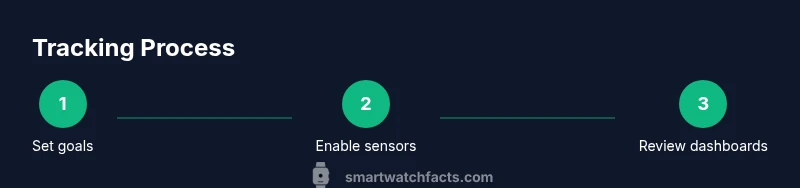
Start by updating both devices to the latest software and installing the manufacturer’s companion app on your phone. On the watch, enable sensors (heart rate, GPS, accelerometer) and turn on activity tracking. In the smartphone app, grant permissions for location, health data, and notifications, then enable automatic syncing. Create or sign in to your health dashboard, set daily goals, and customize data views (e.g., steps, sleep, workouts). If privacy matters, review data-sharing settings and disable any unnecessary telemetry. Finally, perform a brief test by completing a short walk or workout to confirm data flows correctly from watch to phone.
Reading Your Dashboards: What the Numbers Mean
Dashboards condense raw sensor data into actionable insights. Look for daily trends, not just numbers from a single day. A steady rise in step counts signals increased activity, while irregular sleep patterns warrant scheduling adjustments. Heart rate zones help you gauge workout intensity and recovery needs, while GPS data shows whether pacing supports training goals. If your watch provides sleep stages, compare time in light, deep, and REM sleep with overall restfulness. Remember that devices estimate certain metrics and may drift with changes in placement, strap tightness, or skin contact. Use averages or rolling weekly views to minimize noise and focus on meaningful shifts.
Common Pitfalls and How to Fix Them
Common pitfalls include over-reliance on a single metric, inconsistent syncing, and neglecting calibration. If data looks off, restart the device, re-pair it with your phone, or reset permissions. Check battery life; a near-dead watch can underreport activity. Inaccurate heart rate readings often stem from poor sensor contact or movement; adjust the watch for a more stable fit. Be mindful of GPS ground truth and signal loss in urban canyons or indoor gyms. Finally, ensure that your goals are realistic and aligned with your current fitness level to maintain motivation rather than causing discouragement.
Advanced Tips: Going Beyond the Basics
For power users, enable multi-metric views, create custom workouts, and export data for deeper analysis. Some watches support third-party apps for richer analytics; just verify compatibility with your phone OS and privacy settings. Use reminders to check dashboards at a consistent time daily, creating a habit loop that reinforces mindful tracking. If you’re training for endurance, integrate GPS routes and cadence data for more nuanced pacing. Consider adding a weekly reflection note to connect the data with actual feelings of energy, fatigue, and mood.
Using Data to Improve Health and Habits
Data-driven improvements come from turning numbers into habits. Start with a small, measurable goal (e.g., add 1,000 steps on most days) and track progress over several weeks. Translate sleep data into a consistent bedtime routine and wind-down activities to improve sleep quality. Use heart rate feedback to adjust exercise intensity, ensuring you stay within safe zones while challenging yourself. A routine of weekly reviews helps you observe patterns, celebrate wins, and adjust goals as needed. Smartwatch data is most powerful when paired with human insight—listen to how your body feels as you interpret numbers.
Privacy, Security, and Data Control
Tracking data involves personal health information, so privacy matters. Regularly review who can see your data and what is shared with third-party apps. Use strong device passwords and enable biometric locks where available. Some platforms offer data ownership controls, allowing you to export your data or delete historical records. If you’re sharing dashboards with a coach or family member, confirm consent and understanding of what’s shared. Finally, stay informed about policy updates from watch manufacturers and health apps to protect your data.
A Practical Example: A 4-Week Tracking Plan
Week 1 focuses on consistency: wear the device daily, set baseline goals for steps and sleep, and ensure dashboards sync correctly. Week 2 adds structured workouts and a simple reflection log to connect data with how you feel. Week 3 explores insights from heart rate zones and sleep quality, adjusting daily routines accordingly. Week 4 emphasizes habit maintenance: review progress, celebrate improvements, and set new targets for ongoing growth. Throughout, monitor data for signs of overtraining or fatigue and adjust intensity or rest days as needed. This plan emphasizes sustainable behavior changes over chasing perfect numbers with every update.
Authoritative Sources
For further reading on health data accuracy and wearable device guidance, refer to:
- https://www.cdc.gov
- https://www.who.int
- https://www.nih.gov
Tools & Materials
- Smart watch (paired with smartphone)(Ensure compatibility with your phone's OS and install the official companion app)
- Compatible smartphone(iOS or Android device with internet access)
- Charging cable or dock(Keep a spare cable in your gym bag or workspace)
- Account on watch app(Create or sign in to your health dashboard for data storage)
- Stable internet connection(Required for syncing data across devices)
- Notetaking method(Optional—helps track subjective feelings and goals)
Steps
Estimated time: 30-45 minutes
- 1
Update and prepare devices
Update your watch and phone to the latest software, then install or open the official health app. Confirm both devices can communicate and that sensors are enabled.
Tip: Check for any background app restrictions that could interrupt syncing. - 2
Enable core sensors on the watch
Turn on heart rate, accelerometer, GPS, and any other relevant sensors. Calibrate if the watch offers a calibration option to improve accuracy.
Tip: Ensure the watch fits snugly for accurate heart rate readings. - 3
Grant permissions on your phone
In the health app, grant permissions for location, health data, and notifications. Decide what data is shared with third-party apps.
Tip: Review permissions periodically to maintain privacy. - 4
Set up daily goals
Define targets for steps, active minutes, sleep duration, and workouts. Use realistic benchmarks aligned with your current fitness level.
Tip: Start small and scale goals as consistency grows. - 5
Create a quick data review habit
Schedule a fixed time each day to review dashboards and reflect on progress. Use a 5- to 10-minute window to stay consistent.
Tip: Consistency beats intensity when forming new habits. - 6
Interpret the key metrics
Look at weekly trends for steps, sleep, and heart rate zones. Note how workouts influence recovery and energy levels.
Tip: Avoid over-interpreting single-day spikes; focus on patterns. - 7
Adjust routines based on insights
If you’re sleep-deprived, adjust bedtimes. If workouts feel too hard, reduce intensity or add rest days.
Tip: Make small, reversible changes and monitor effects. - 8
Secure your data
Review privacy settings, enable device lock, and consider exporting your data for archival.
Tip: Only share dashboards with trusted individuals. - 9
Evaluate and iterate
After four weeks, assess progress toward goals and set new targets to sustain momentum.
Tip: Document lessons learned to guide future tracking.
People Also Ask
What metrics should I track on my smartwatch for overall wellness?
A good starter set includes steps, active minutes, sleep duration, and heart rate. If available, track GPS routes for workouts and heart rate zones to gauge intensity. Add battery health to avoid data gaps.
Track steps, sleep, heart rate, and workout intensity. If you can, include GPS for route data and monitor battery health to avoid missing sessions.
How often should I review my smartwatch data?
Aim for a daily quick check and a deeper weekly review. Regular reviews help you spot trends and adjust goals before they derail progress.
Check your data daily in a quick glance, and do a longer weekly review to spot trends and adjust goals.
Can I trust smartwatch data for medical decisions?
Smartwatch data is useful for trends and motivation but should not replace medical advice. For any health concerns, consult a healthcare professional.
Use smartwatch data for trends and motivation, not medical decisions. See a clinician for health concerns.
How do I improve sleep tracking accuracy?
Wear the watch snugly, calibrate movement sensors, and keep a consistent sleep schedule. Compare insights with how you feel on rest days.
Wear it snug, calibrate sensors, and keep a consistent sleep routine to improve accuracy.
What if my data won’t sync between watch and phone?
Check internet connection, re-pair the devices, and ensure the latest firmware is installed. If problems persist, contact support.
If syncing fails, check connection, re-pair, and update firmware. Reach out to support if it continues.
Should I share smartwatch data with friends or coaches?
Share only with trusted individuals and review privacy settings. Use shared dashboards to get feedback without exposing sensitive data.
Share data only with trusted people and keep privacy controls on.
Watch Video
Key Points
- Track multiple metrics for a complete health picture
- Keep devices synced and permissions up to date
- Set realistic goals and review dashboards regularly
- Use data to form sustainable habits
- Protect your privacy and control data sharing