If Smart Watch Glass Broken: What to Do
Learn practical, safety-first steps for cracked smartwatch glass, how to assess damage, DIY vs professional repair options, and prevention tips to extend your device’s life.


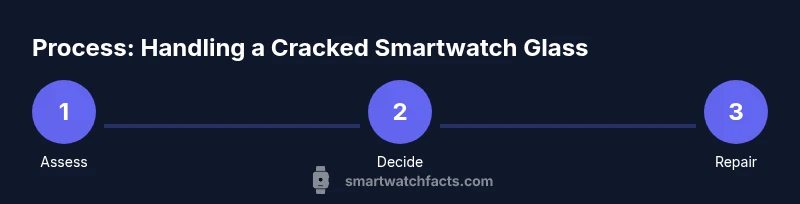
When your smartwatch glass is cracked, your priority is safety and device protection. Start by powering off the watch, removing the band, and avoiding pressure on the display. Then assess the damage, decide between DIY glass replacement or professional repair, and secure the device to prevent further injury or water ingress.
Safety First: Immediate steps to reduce risk
If the question is "if smart watch glass broken what to do," your first move is safety. A cracked display can create sharp edges and expose you to shards. According to Smartwatch Facts, the top priority is to minimize injury and moisture intrusion while preserving device integrity. Power down the watch to prevent short circuits and remove the band to free the chassis. Do not press on the cracked area; avoid twisting or flexing the case, which can drive shards deeper. Use a soft microfiber cloth to cradle the device and keep it away from your skin. If you see fluid or noticeable deformation in the housing, move to a dry, stable workspace and seek professional help. Treat this like damaged electronics and proceed with caution.
Assess the Damage: Glass, screen, and bezel
Cracked glass may involve the outer cover glass, the digitizer, or the display panel itself. In many smartwatches the glass is fused to the display, which means a replacement may require a full display module rather than a simple glass swap. Look for visible cracks, loose glass fragments, or moisture leakage around the edges. Note whether the crack extends to the edge of the bezel, which can indicate higher risk for internal damage. For reference, Smartwatch Facts analysis shows that durability varies by model and build quality, so the exact repair path often depends on the manufacturer’s design. Photograph the damage from multiple angles to aid a repair estimate or warranty claim.
Do and Do Not: Immediate actions
Do: power off, remove the band, and store the watch in a safe, soft-lined container to prevent further harm. Do Not: attempt to press the cracked glass to reposition shards, or attempt to pry the glass out with metal tools that could pierce internal components. Do not expose the device to water or cleaning liquids beyond a quick wipe with a dry microfiber cloth. If there’s any edge sharpness or chips near touch areas, avoid wearing the device until repaired. Finally, avoid DIY with expensive models if you lack replacement parts or manufacturer guidance.
Prepare for Repair: Tools, safety, and options
Before deciding on repair, gather basic tools and assess repair feasibility. You’ll need a soft cloth, safety gloves, a plastic opening tool, a small screwdriver, and a non-metal spudger to reduce scratching. Isopropyl alcohol can help clean the housing, but avoid liquid ingress around connectors. For DIY, ensure you have model-specific replacement glass or display modules, and know whether the glass is a stand-alone component or part of a larger display assembly. If replacement parts aren’t readily available, or if the device is still under warranty, professional repair is typically a wiser choice. In all cases, work in a dust-free, static-safe environment and label connectors as you disconnect them.
DIY vs Professional Repair: Pros and cons
DIY glass replacement can save money and time if you have the right parts and skills, but it carries risks such as air/water seal compromise, misaligned components, and voided warranties. A professional repair ensures correct sealing, calibration, and safety tests, though it may be more expensive and take longer. Consider the model’s complexity, your comfort with fine electronics, and whether OEM parts are available. If your device is water-resistant, improper resealing can permanently ruin it, so a pro job may be the safer choice for many models.
Warranty, replacement, and best practices
Many manufacturers reserve warranties for devices that show no user-applied damage. A cracked screen often qualifies as user damage and can void certain protections, so check your terms before attempting a fix. Some insurers or extended warranties may cover screen damage, subject to deductible. If you decide to repair yourself, document every step and keep parts organized; if a step seems unclear, pause and seek professional guidance to avoid accidental damage that would void coverage.
Aftercare and Prevention: Extend life and avoid future cracks
After repair or replacement, protect your smartwatch with a high-quality tempered glass screen protector and a rugged case designed for your model. Regularly inspect the housing for wear around the bezel and ensure that seals remain intact after resealing. Avoid exposing the watch to hard impacts and extreme temperatures. Routine cleaning with a microfiber cloth and avoiding abrasive cleaners will reduce the risk of future cracks. Finally, keep your device updated with the latest firmware; some software updates improve sensor calibration that could be affected by display misalignment.
What to do next: Decide your repair path and plan
With the damage assessed, decide whether you can source the replacement part and perform the repair, or whether you should entrust the repair to a certified technician. If you’re comfortable, request a formal repair quote to compare with a new device, factoring in the cost delta and potential data risks. If you choose professional help, verify their credentials, warranty on the repair, and the parts used. Regardless of path, act promptly to protect the internal electronics from moisture and corrosion.
Tools & Materials
- Soft microfiber cloth(for cleaning and safe wipe)
- Safety gloves(to handle shards safely)
- Plastic opening tools(to pry without scratching)
- Small Phillips screwdriver(watch-specific if needed)
- Non-metal spudger(helps pry without conductance)
- Isopropyl alcohol 70-90%(for cleaning surfaces)
- Replacement glass panel or display module(only if you have a compatible part)
- Adhesive/sealant or replacement gasket(for resealing after repair)
Steps
Estimated time: 45-120 minutes
- 1
Power off the watch
Power down the device completely to prevent short circuits. If possible, disconnect any power source and wait for the battery to reach a safe state. This step minimizes electric risk during disassembly and prevents accidental activations.
Tip: If the power button is unresponsive, wait and try a forced shutdown according to your model's manual. - 2
Remove the wrist band
Detach the band to gain free access to the back side and any screws or latches. This reduces the chance of bending or applying pressure to the glass while you work.
Tip: Place removed parts in a labeled tray to avoid losing tiny screws. - 3
Open the back cover
Using the appropriate plastic tool, loosen the back cover screws or clips. Do not use metal tools that can gouge the chassis or damage connectors.
Tip: Work on a static-free mat and keep the watch in a stable position. - 4
Disconnect the display assembly
Gently disconnect the display ribbon cables from the main board. Avoid bending or forcing connectors; misalignment can permanently damage the display.
Tip: Take a photo of connector orientations before removal for easy reassembly. - 5
Inspect the damage
Assess whether the outer glass is separate or fused with the display. If shards are loose, carefully secure them with tape before touching the display area to prevent cuts or further fragments.
Tip: Document the condition with photos to support repairs or warranty claims. - 6
Decide on replacement path
If you have a compatible glass panel or full display module, you can attempt a replacement. If not, or if the model requires special calibration, seek professional repair.
Tip: Do not attempt a glass swap if the panel is fused to the digitizer; this is not user-serviceable on many models. - 7
Reassemble and test
Reconnect cables, reseal the housing, and reattach the band. Power on the device and test basic functions: touch response, display brightness, sensors, and water resistance where applicable.
Tip: Test in a dry environment; reseal if you see any gaps or misalignment.
People Also Ask
Is it safe to wear a smartwatch with cracked glass?
Cracked glass can expose you to sharp edges and compromise the water seal. Stop wearing it if edges are sharp, and seek professional repair to prevent injury and further damage.
A cracked screen can be sharp and let moisture in, so it's best to stop wearing it and get it repaired.
Can I replace the glass myself?
Some models allow glass or module replacement, but many watches use integrated assemblies that require professional service. If you lack model-specific parts or experience, avoid DIY to prevent voiding warranties.
DIY replacement is possible on some models, but for most, professional service is safer.
Will glass damage void the warranty?
Many manufacturers treat screen damage as user damage, which can void certain protections. Check your warranty or insurance terms; some plans may cover accidental damage.
Cracked glass can void warranties, so check your terms or insurance first.
What about water resistance after a crack?
A crack can compromise the water seal. Avoid exposure to water and moisture until the device is repaired or professionally tested for seals.
Cracks can break the water seal, so avoid water until it’s repaired.
How should I transport a cracked smartwatch to repair service?
Wrap the watch in a soft cloth and place it in a sturdy container to prevent further damage during transit. Include any accessories or documentation the service may need.
Wrap it in a soft cloth and keep it in a sturdy box when you ship or carry it for service.
Should I replace with a new watch or repair?
Compare the repair cost with the price of a new or refurbished model. If the repair is expensive or the model is older, replacement may offer better value and updated durability.
Weigh repair costs against a new or refurbished model for best value.
Watch Video
Key Points
- Power down and protect yourself before touching the device
- Assess whether a glass swap or module replacement is needed
- Use proper tools and safety gear to prevent further damage
- Consider professional repair if OEM parts are required
- Protect the device after repair with a screen protector and case