Repair Smart Watch Glass: DIY Guide and Safety Tips
A practical, step-by-step guide to repair smart watch glass safely. Learn when DIY is feasible, which tools you need, safety considerations, and professional options to protect your device’s display and water resistance.


This guide explains safe, step-by-step ways to assess and repair damaged smartwatch glass, focusing on when DIY is feasible and when to replace the glass entirely. See our detailed steps for removal, handling, and reattachment.
Why Repair Smart Watch Glass Matters
Damage to a smart watch glass isn't just cosmetic. Scratches can illuminate under certain lighting, cracks can worsen with movement, and in some cases, a compromised glass pane can allow moisture to reach sensitive electronics. According to Smartwatch Facts, the long-term risk of a damaged display is not just screen flicker; water intrusion and misalignment of the touch sensor can degrade accuracy and reduce device lifespan. The Smartwatch Facts team found that ambitious DIY fixes without proper tools can void warranties and create safety hazards such as sharp edges or chemical exposure from adhesive removers. This section explains why repairing glass—not skipping straight to a replacement—can be a viable option for some devices, but only when you understand the risks and limits. We also cover when to opt for a professional service and how to evaluate the cost-benefit before attempting a repair on a glass panel that protects the OLED or LCD underneath.
Understanding Damage Levels: Scratch vs Crack vs Shatter
The type of glass damage you see on a smartwatch matters for both safety and repair viability. A superficial scratch may be harmless but can worsen with daily wear, while a hairline crack threatens to propagate under pressure. A full shatter is rare in small wearable screens but can occur if the device is dropped on a hard surface. In each case, the underlying screen, touch sensor, and display layer can be affected. Scratches mainly impair aesthetics; cracks can let moisture seep through, especially if seals are compromised. The Smartwatch Facts team notes that some models use laminated glass or ceramic composites that resist scratching better than standard glass, but these materials still have an endurance limit. When you observe a crack meeting the edge, or if the glass feels loose or wobbly, you should treat it as a repair candidate only if you have the right tools and the device is out of warranty. If you're unsure, consider a professional inspection to avoid risking hardware failure or personal injury. Smartwatch Facts analysis shows that moisture intrusion risk rises with any edge crack.
DIY Repair Viability: When to Try and When to Skip
DIY repair is possible for certain glass damage on some models, but it's not a universal solution. If your watch has a glass panel that is integrated with the digitizer or uses a sealed frame, a repair attempt can expose the internals to moisture and misalignment. The Smartwatch Facts analysis shows that entry-level watches with modular faces are more amenable to glass replacement than ultra-slim premium models where the glass is fused into the display assembly. If your goal is to restore water resistance, careful sealing is essential; otherwise, you risk failing immersion tests. Warranty status matters: many manufacturers void warranty for self-repairs. Finally, assess the cost-benefit: if replacement glass or the entire display costs nearly as much as a new watch, consider upgrading. For some devices, a tempered glass cover or screen protector might be a less risky stopgap while you evaluate repair options.
Tools and Safety Essentials
Gather a clean, static-free workspace. Use a soft mat, a tray to organize screws, and a bright lamp. The basic toolkit includes a precision screwdriver set, plastic opening tools, a spudger, micro-fiber cloth, and isopropyl alcohol. For some models, you may need replacement glass panels and double-sided adhesive. Never work near water or in a humid environment; wear an anti-static strap if available, and handle all glass components with gloves. Keep in mind that adhesives used in sealed smartwatches can be hazardous; read the product safety sheet if available. If you can't identify the exact installation method for your model, stop and seek professional guidance.
Prep Work: Cleaning and Workspace Setup
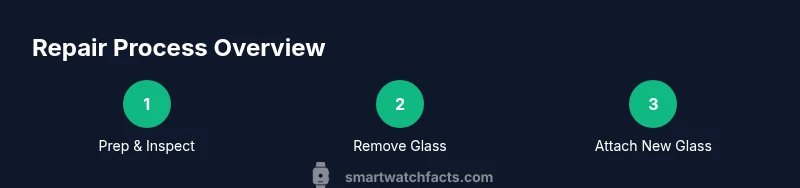
Before removing any components, clean the work area to reduce dust. Power down the device, disconnect any peripherals, and set the watch face-down on a soft surface. Inspect screws and connectors; photograph their positions for reassembly. Wipe your hands and tools with isopropyl alcohol to minimize oils that could interfere with adhesive bonds. If the screen is cracked, consider placing a clear protective shield over the area to prevent further shards. Ensure you have the replacement glass ready and confirm compatibility with your model.
Removing the Broken Glass: Risks and Tips
Start by loosening any protective bezel or outer frame with a plastic tool; avoid metal prying that could scratch internal layers. Gently separate the glass from the frame, avoiding contact with the display layer. If adhesive is present, apply a small amount of adhesive remover or isopropyl alcohol on a swab to soften it—do not flood the internals. Keep the procedure slow and steady, watching for fragile connector ribbons. If you encounter resistance or see liquid seepage, stop and reassess.
Replacing Glass: Alignment, Bonding, and Sealing
Align the new glass with the bezel or frame using precise, incremental movements. Bond using manufacturer-approved adhesive or double-sided tape; avoid excessive glue that could ooze into the display. Press evenly with a soft tool to avoid creating bubbles. If your model uses a gasket, reinstall it carefully to maintain water resistance. After bonding, wipe away excess adhesive and let the seal cure according to the adhesive's instructions, typically 10–60 minutes depending on the product.
Post-Repair Testing and Quality Checks
Inspect the touch response and display brightness across the screen. Run a basic touchscreen test; check for dead pixels and color uniformity. Submerge test is not recommended unless explicitly stated by manufacturer; instead, perform a water-resistance test only if you’re sure the seals are intact and you follow safe, manufacturer-approved methods. Reassemble the watch, then power on and verify time, sensors, and notification functions. Keep a log of the repair steps for warranty or future servicing.
Alternatives: Professional Services and Warranty Considerations
If the damage seems extensive or you lack the proper tools, consider professional glass replacement services. They can perform sealed repairs with proper calibration of the touch sensor and waterproof seals. Check whether your device is still covered by warranty or protection plans; some providers offer glass-only replacement with lower costs than full display swaps. You may also explore third-party repair shops; ensure they use genuine parts and offer a warranty on their work. In many cases, opting for repair through an authorized service center preserves the device's water resistance rating and resale value better than a DIY fix.
Tools & Materials
- Precision screwdriver set (watch-size)(Bits sized for tiny screws typical of smartwatches)
- Plastic opening tools(Non-metal tools to avoid scratching sensitive layers)
- Spudger(Non-conductive tool for prying and lifting)
- Isopropyl alcohol 90% or higher(For cleaning adhesive and surfaces)
- Lint-free microfiber cloth(For wipe-downs and finishing)
- Replacement glass panel (model-specific)(Exact fit for your watch model)
- Double-sided adhesive tape or gasket(To seal and restore water resistance)
- Anti-static wrist strap(Optional but recommended for static protection)
- Nitrile gloves(Protects glass and keeps oils off components)
Steps
Estimated time: 60-120 minutes
- 1
Power down and prep workspace
Power off the watch, remove from your wrist, and set it on a soft, static-free mat. Gather all tools and a clean tray to organize screws. Take photos of each connection before disassembly to simplify reassembly.
Tip: Document screw positions with close-up photos to avoid misplacement later. - 2
Open the bezel minimally
Gently insert plastic opening tools to release the bezel or outer frame. Do not use metal tools that could scratch the display. Work slowly and keep the watch on a stable, non-slip surface.
Tip: Keep tools flat against the frame to avoid slipping and damaging internal components. - 3
Loosen adhesive and detach glass
Apply light pressure with a spudger along the edge to release adhesive. If adhesive resists, apply a small amount of isopropyl alcohol on a swab and wait 30 seconds for it to soften. Avoid contacting the display with liquid.
Tip: Never pry aggressively; a broken digitizer or LCD can be expensive to replace. - 4
Clean frame and inspect connectors
Wipe away residue with a microfiber cloth dampened with isopropyl alcohol. Inspect connector ribbons and screws for damage before installing the replacement. Keep components organized to prevent crossover.
Tip: Small debris can cause seals to fail after reassembly. - 5
Prepare replacement glass and adhesives
Confirm the replacement glass matches your model. If using adhesive tape, cut a clean strip that matches the edge dimensions; if using a gasket, inspect for wear.
Tip: Use manufacturer-approved adhesives to maintain water resistance. - 6
Attach new glass and seal
Carefully align the new glass with the bezel frame; press evenly to avoid air bubbles. Apply the adhesive and allow the recommended cure time. Reinstall any gaskets or seals exactly as original.
Tip: Avoid excess adhesive to prevent seepage into the display area. - 7
Reconnect and reassemble
Reconnect connectors, reattach the bezel, and secure screws. Lift the watch gently to ensure no parts are pinched. Check alignment visually before final tightening.
Tip: Double-check that all cables are seated fully before powering on. - 8
Test functionality and safety
Power on and verify time, touch response, brightness, and notification functions. If the watch is rated for water resistance, perform a manufacturer-approved seal test if available. Document results for warranty implications.
Tip: If anything feels loose or off, stop and re-check seals before using.
People Also Ask
Is it safe to repair a cracked smartwatch glass on my own?
DIY repair can be safe if you have the right tools and the device is out of warranty. If the model uses fused glass or sealed electronics, professional help is recommended.
DIY repair can be safe if you have the right tools and the device is out of warranty.
Will glass repair affect water resistance?
Re-sealing must be done with manufacturer-approved adhesives and gaskets. Improper sealing can compromise water resistance and void warranties.
Re-sealing must be done with manufacturer-approved adhesives to maintain water resistance.
Are replacement glass parts easy to source?
Availability depends on the model. Some makers provide glass panels or compatible third-party parts; always verify fit and authenticity.
Glass parts vary by model; verify fit and authenticity before buying.
How long does a typical repair take?
DIY glass replacement typically takes 60-120 minutes, depending on model and worker experience. More complex repairs or calibrations may take longer.
Most repairs take about an hour or two, depending on the model.
Should I use a screen protector instead of replacing glass?
A screen protector can prevent scratches but cannot fix existing cracks. It’s a temporary safeguard while you decide on a full repair or replacement.
Screen protectors prevent further scratches but don’t fix cracks.
Watch Video
Key Points
- Power down and prep a clean workspace.
- Use model-specific parts and manufacturer-approved adhesives.
- Align and seal carefully to restore water resistance.
- Test all functions after reassembly and document results.